The Logitech Rally Bar Review: A Complete Setup and Buying Guide
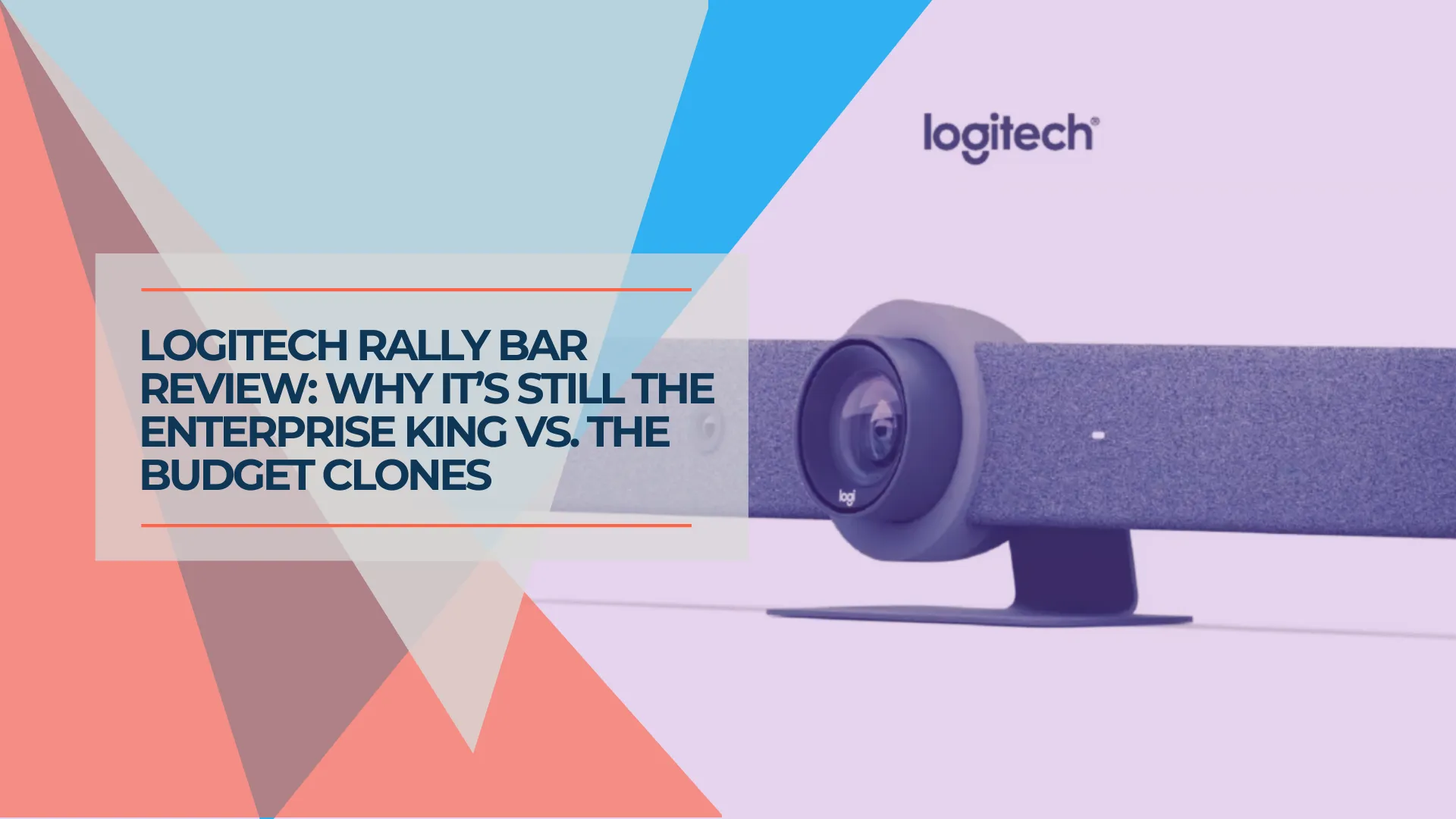
Is the Logitech Rally Bar still worth buying? We test the CollabOS 2.0 updates, Tap IP setup, and explain why this proven hardware continues to outperform budget competitors.

The Bottom Line
Our Rating: 4.5/5
The Logitech Rally Bar launched years ago, but thanks to continuous CollabOS firmware updates, it remains one of the most capable conference room systems available today. With RightSight 2, AI noise suppression, and Android 12 under the hood, this proven hardware consistently outperforms budget alternatives. If you need a conference room system built for long-term reliability, the Rally Bar deserves serious consideration.
In 2026, reviewing a device from 2021 seems counter-intuitive. But the Logitech Rally Bar is an anomaly in the hardware world.
It ages like a Tesla, not like a laptop.
Most conference room equipment faces rapid obsolescence—typically within 18 months. The Rally Bar is different. You don't buy it for the hardware specs of 2021; you buy it for the CollabOS software of 2026. Logitech has delivered what amounts to a "brain transplant" every year, adding AI features, platform improvements, and performance enhancements that keep the device ahead of budget competitors.
Here's why we still install it in client boardrooms across Miami—and why you should consider it for yours.
Who Is This Guide For?
- IT Directors standardizing conference room equipment across locations
- Office Managers refreshing meeting spaces after lease renewals
- Business Owners who want a "set it and forget it" video system
- Anyone asking: "This thing has been around forever—is it still good?"
Logitech Rally Bar Overview
Section 1: Hardware That Didn't Need Changing
The Camera: Still Best-in-Class
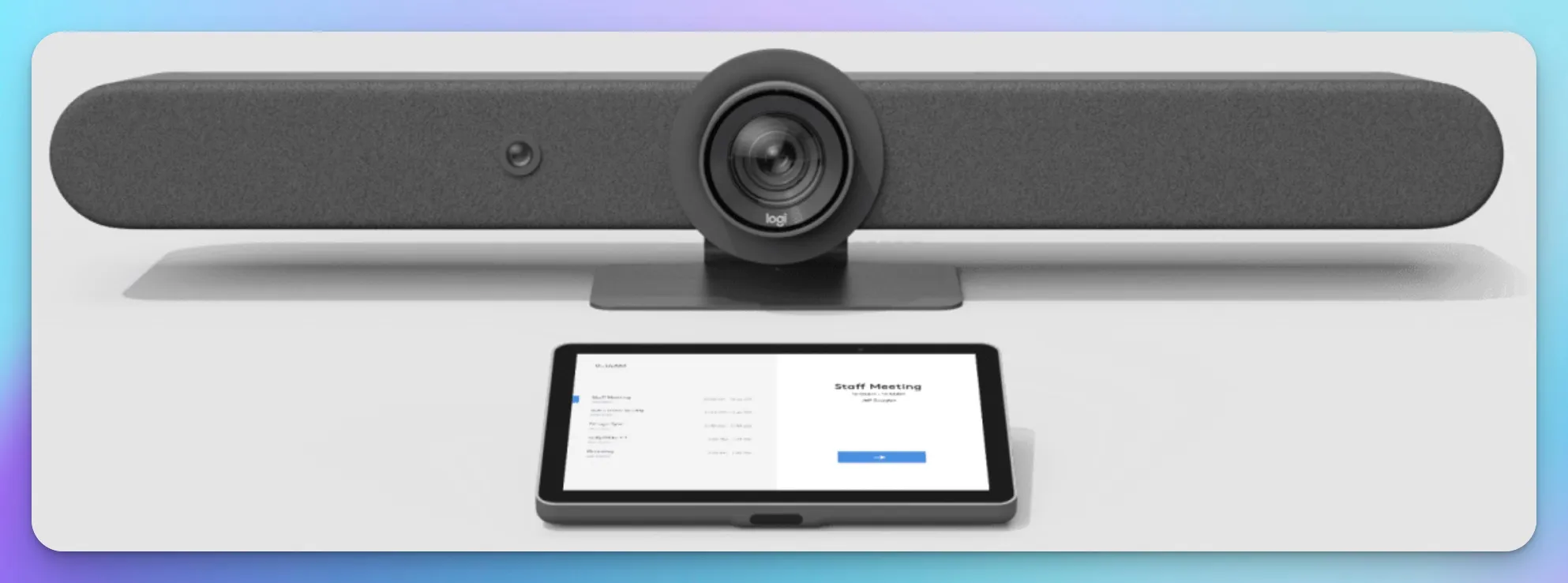
The Rally Bar features a 4K UHD camera with 15x total zoom (5x optical, 3x digital) and motorized pan (±25°) and tilt (±15°). The optical zoom is particularly important—budget competitors rely on digital-only zoom that turns faces into pixelated blobs past 10 feet.
| Specification | Rally Bar |
|---|---|
| Resolution | 4K Ultra HD |
| Total Zoom | 15x (5x optical + 3x digital) |
| Field of View | 90° diagonal (82.1° horizontal) |
| Pan/Tilt | Motorized ±25° / ±15° |
| Room Coverage | 132.1° horizontal × 82.2° vertical |
The "Invisible" Second Camera
Here's something most people don't know: the Rally Bar has two cameras. That tiny lens next to the main 4K sensor? That's the AI Viewfinder.
This dedicated hardware is the "director" of your meetings. It persistently scans the room, counts people, and tells the main camera exactly where to look. This is why Logitech's auto-framing is smoother than software-only competitors—they're using a purpose-built sensor instead of trying to do everything with one camera.
Privacy note: The AI Viewfinder processes all data locally on-device. It does not record video or audio for surveillance purposes—it only generates metadata (people count, position data) to drive the auto-framing algorithms.
Build Quality You Can Feel
Pick up a Rally Bar and pick up a Yealink A30. The difference is immediate.
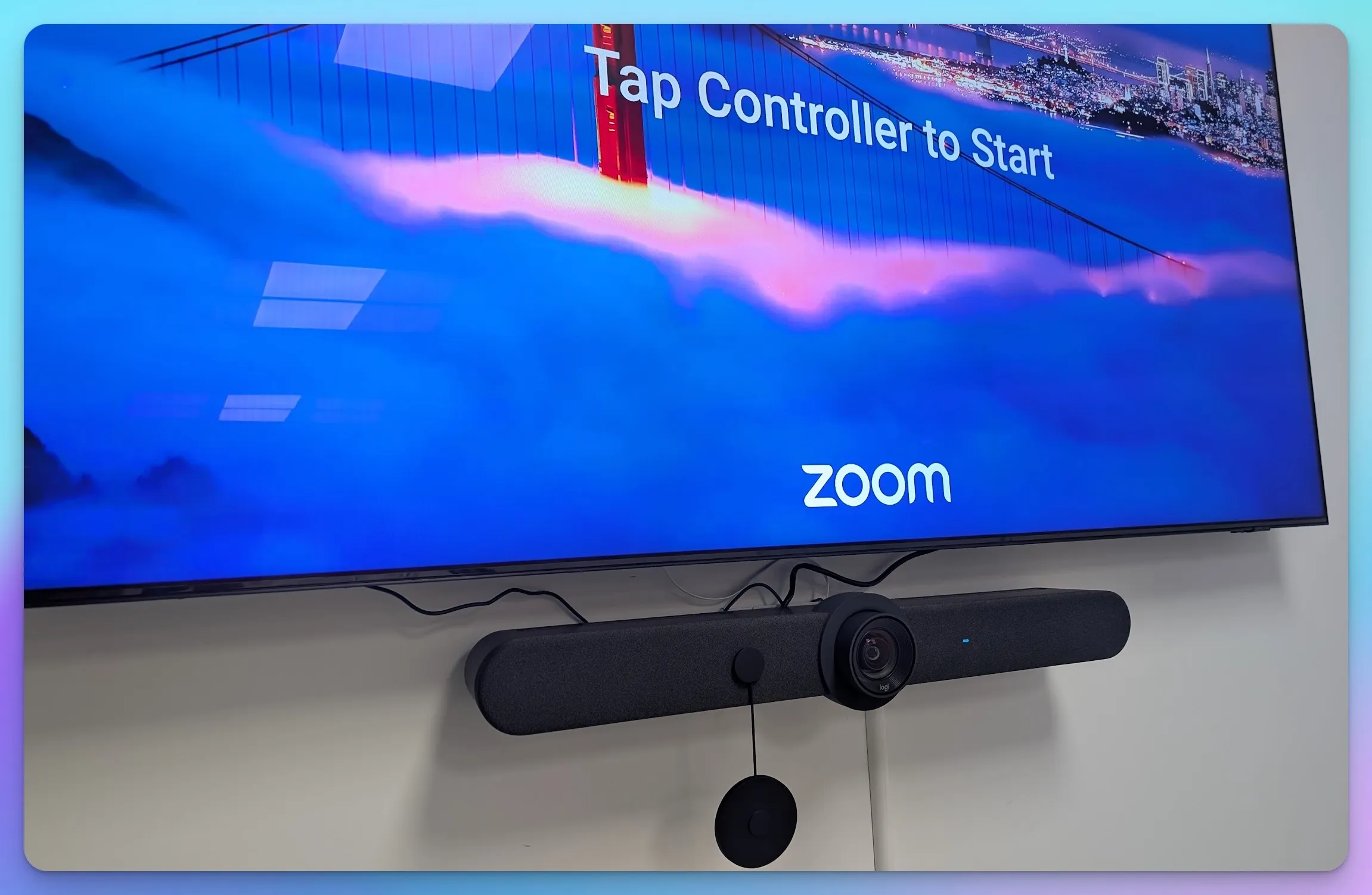
The Rally Bar weighs 7.08 kg (15.6 lbs) with a fabric-wrapped design and solid metal construction. It feels like professional AV equipment because it is. Budget alternatives often feel like consumer electronics—functional, but clearly built to a lower price point.
This matters when the device is mounted to a $3,000 display in your boardroom. Premium rooms deserve premium equipment.
Sustainability note: The Graphite Rally Bar uses recycled plastics in its construction, and Logitech has removed PVC from packaging—relevant for organizations with ESG compliance requirements on vendor procurement.
Section 2: The CollabOS 2.0 Advantage (2026 Updates)
This Is the Key Section
This is why we're writing a review of "old" hardware in 2026. CollabOS updates have effectively upgraded this device for free, year after year.
The Android 12 Upgrade
In late 2025, Logitech pushed CollabOS 2.0 to Rally Bar devices worldwide. The biggest change? A full upgrade from Android 10 to Android 12.
Why does this matter? Platform partners like Microsoft and Zoom have committed to three additional years of support for Android 12-based devices. That means your Rally Bar investment is future-proofed for the next 3+ years without hardware replacement.
RightSight 2 & Grid View
The original RightSight performed well. RightSight 2 takes it further.
Grid View is the standout feature. Instead of showing the classic "bowling alley" shot of your conference table, the Rally Bar now intelligently crops and presents individual participants in separate tiles—similar to what you'd see from individual webcams, but from a single device.
Speaker View takes it further, creating a broadcast-like feel by dynamically focusing on whoever is speaking. Remote attendees finally feel like they're watching a professional production, not a security camera feed.
What's New in CollabOS 2.0
| Feature | What It Does |
|---|---|
| RightSight 2 + Smart Switching | Coordinates front-and-center views for remote attendees |
| Grid View | Shows individual faces in tiles, not a single wide shot |
| Speaker View | Dynamically highlights the active speaker |
| Dual Sight Support (Beta) | Connect up to two Logitech Sight devices for expanded coverage |
| People Recognition | Identifies team members by name in Teams meetings |
| RightSound 2 | Improved microphone processing for clearer, more natural voices |
| Assistive Listening | Now supported in Android-based deployments |
Why This Beats Software-Only Competitors
Cheaper all-in-one bars rely entirely on software AI running on limited mobile processors. The Rally Bar has dedicated hardware (the AI Viewfinder) working alongside its main camera. The result is faster, more accurate auto-framing with less latency.
When someone walks into a CollabOS-powered room, the camera adjusts before they sit down. With software-only solutions, you often see awkward hunting and overcorrection.
Section 3: The Controller—Tap IP vs. Tap USB
Choosing the right controller is as important as choosing the bar itself. Logitech offers two options, and the difference matters.
The Old Way: Tap USB
The original Logitech Tap connected via USB—which meant running a thick cable through walls, under tables, and often drilling holes in expensive furniture. In glass-walled conference rooms (increasingly common in modern offices), this created significant deployment challenges.
Price: ~$699 (includes HDMI ingest for wired content sharing)
The New Way: Tap IP (Recommended)
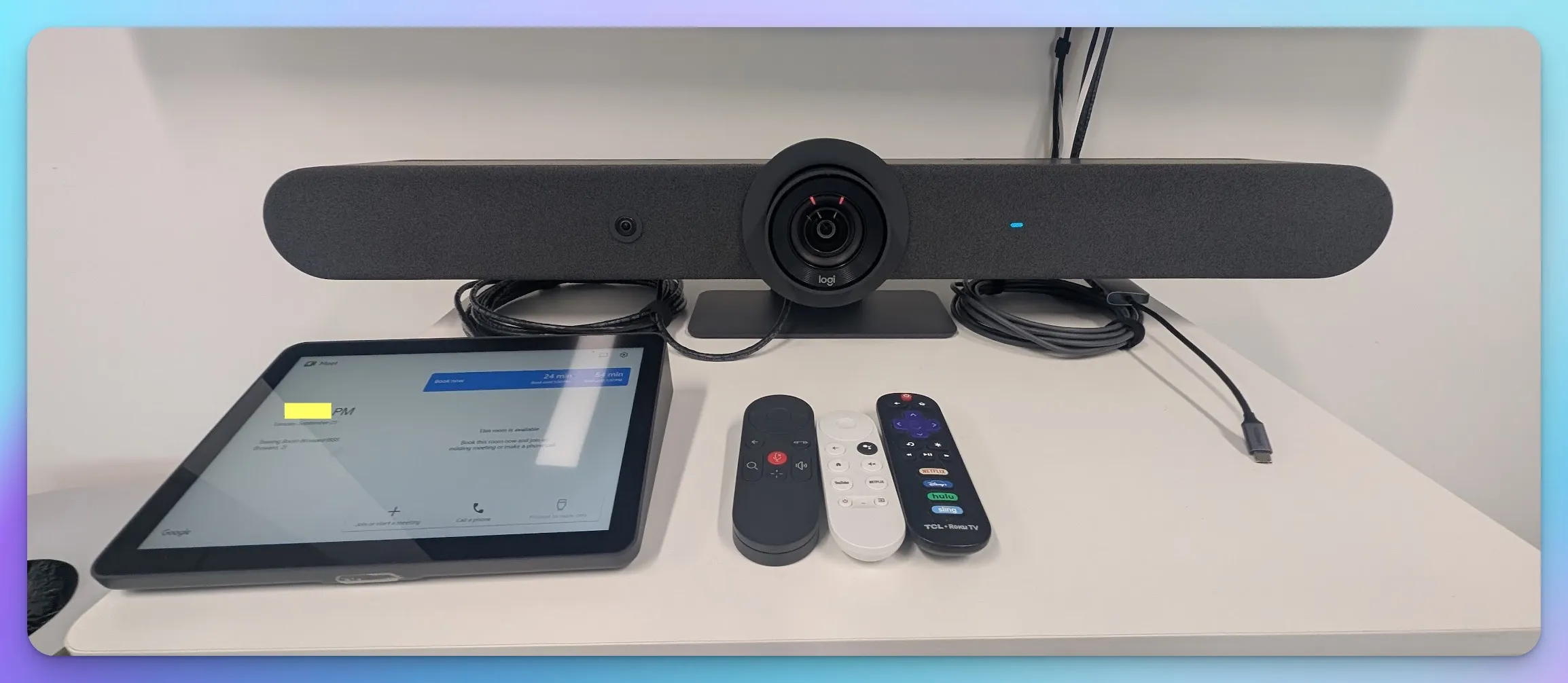
The Tap IP connects via Power over Ethernet (PoE). One Ethernet cable provides both power and data. It doesn't plug into the Rally Bar—it plugs into a wall jack and "talks" to the bar over your network.
The result: Clean tables, no visible cables, and flexible placement anywhere in the room.
| Feature | Tap USB | Tap IP |
|---|---|---|
| Connection | USB to compute device | PoE network connection |
| Power | Separate power supply | PoE (IEEE 802.3af, under 15W) |
| HDMI Ingest | ✅ Yes | ❌ No |
| Cable Management | Requires USB extension | Single Ethernet cable |
| Table Placement | Tethered to wall | Wireless placement |
| Price | ~$699 | ~$735–$749 |
Price: ~$735–$749
Critical: Tap IP Means No Wired Content Sharing
If you choose Tap IP with Appliance Mode, you lose the wired HDMI plug on the conference table. Users must share content wirelessly via AirPlay, Miracast, or Teams Cast. If wired HDMI content sharing is non-negotiable for your organization, stick to Tap USB.
When to Use Tap USB
Choose Tap USB if you need wired HDMI content sharing (common in Teams Rooms on Windows). The HDMI ingest lets guests plug in directly. For CollabOS appliance mode rooms where wireless sharing is acceptable, Tap IP provides the cleanest installation.
For proper PoE implementation, your network infrastructure matters. Read our Power over Ethernet Guide for the right setup.
Section 4: Installation Reality Check
Appliance Mode (Android) vs. PC Mode (Windows)
This is the most important installation decision you'll make.
Our recommendation: Use Appliance Mode.
| Mode | Pros | Cons |
|---|---|---|
| Appliance Mode (Android) | No Windows updates, no blue screens, Rally Bar IS the computer | Some Teams features require Windows; no wired HDMI ingest with Tap IP |
| PC Mode (Windows) | Full Teams/Zoom feature parity, wired HDMI ingest | Requires separate NUC, Windows 11 IoT Enterprise licensing costs, more maintenance, potential driver issues |
With CollabOS 2.0 and Android 12, appliance mode now supports nearly everything you need. The Rally Bar runs Zoom Rooms, Microsoft Teams Rooms on Android, or Google Meet natively. No separate PC required.
PC Mode (using a Windows Mini PC) makes sense only when you need specific features like direct Teams whiteboarding or complex peripheral integration. For 90% of deployments, skip it.
Cabling Requirements
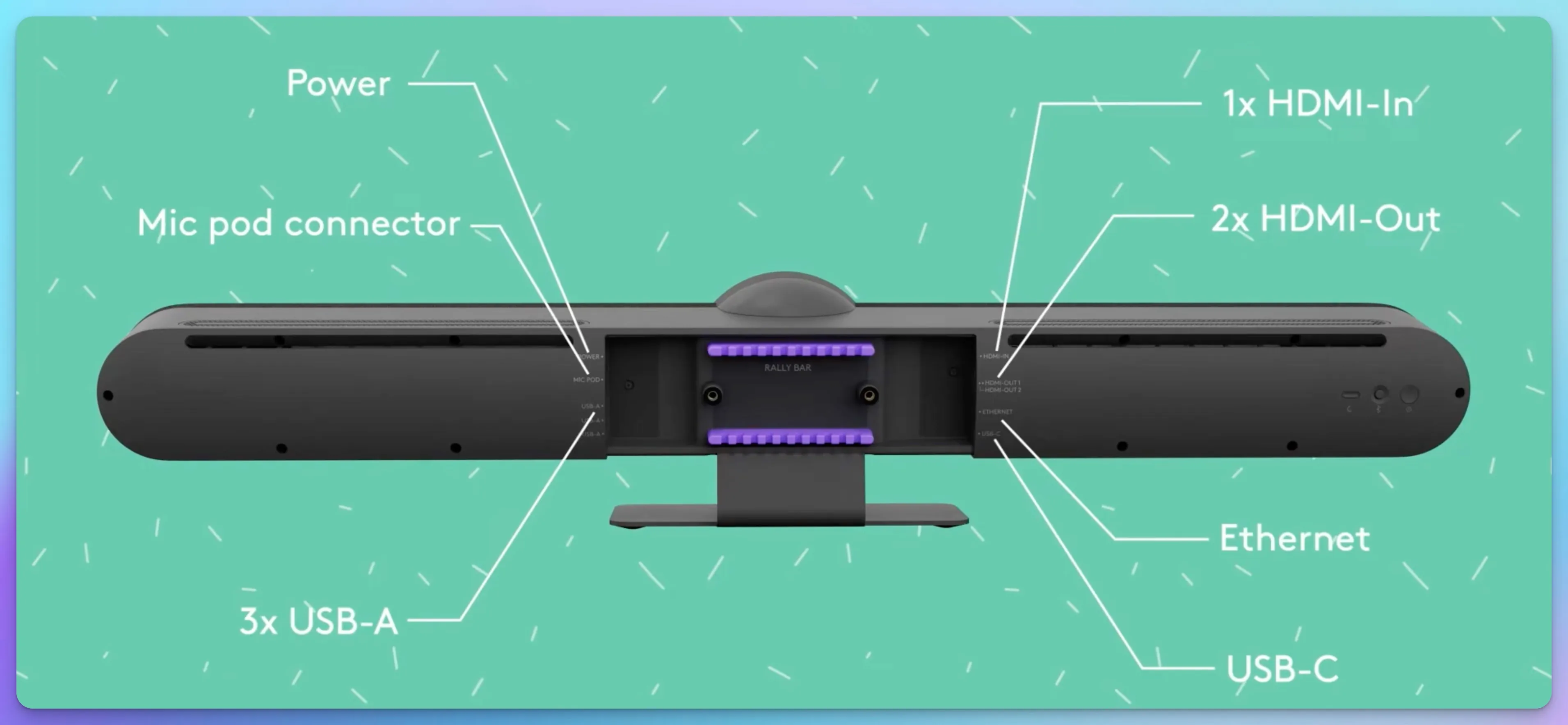
In Appliance Mode, you need only:
- Power cable (proprietary brick)
- Ethernet cable (PoE for Tap IP, or standard for Rally Bar)
- HDMI to display (up to 1080p output)
That's it. Three cables.
Mounting Options
| Mount Type | Best For |
|---|---|
| TV Mount (VESA) | Attaching directly below a wall-mounted display |
| Furniture Mount | Placing on credenza or AV cart |
| Wall Mount | Creating a "floating" look without a display |
The TV mount creates the cleanest installation—the Rally Bar appears to float just below your display with no visible brackets from the front.
Need Help in Miami?
Hiding that power brick behind a mounted 75" display is an art form. The Rally Bar looks easy to install—until you realize cable management makes or breaks the aesthetics. Contact iFeelTech for professional installation in Miami/South Florida.
For enterprise deployments, the Rally Bar should be on a dedicated VLAN. Check our UniFi Office Network Blueprint for proper network segmentation. IoT devices like conference cameras require specific security considerations covered in our Network Security in a Box guide.
Section 5: Audio & Mic Pods
Built-in Microphone Performance
The Rally Bar includes six beamforming digital MEMS microphones with a pickup range of up to 7 meters (23 feet). For a standard 8–10 person conference room, this is more than adequate—voices come through clearly without echo or distortion.
Audio processing includes:
- Acoustic Echo Cancellation (AEC)
- Voice Activity Detection (VAD)
- AI-based noise suppression (RightSound 2)
The noise suppression is notably aggressive. Typing, HVAC noise, coffee cup clinks—all filtered out. Remote attendees hear voices, not ambient office sounds.
When You Need Rally Mic Pods
For longer conference tables (12+ people) or E-shaped/L-shaped setups, you must add Rally Mic Pods.
| Room Size | Recommendation |
|---|---|
| 6–10 people (standard table) | Built-in mics are sufficient |
| 12–16 people (long table) | Add 1 Rally Mic Pod Hub + 2 Mic Pods |
| 16+ people (boardroom) | Add 2 Mic Pod Hubs + 4 Mic Pods |
Don't Rely on Bar Mics in Large Rooms
Yes, the built-in mics technically "work" at 20 feet. But voices sound distant and hollow. Remote participants will complain. For rooms larger than 15 feet, bring the microphones to the center of the table with Mic Pods.
Each Rally Bar supports up to four additional Mic Pods via two Mic Pod Hubs. The pods are mute-button enabled with LED indicators—participants can quickly mute from the table center.
Section 6: Choosing the Right Rally Bar
Rally Bar vs. Rally Bar Huddle: Do You Need the Flagship?
Many clients ask if they can save money by deploying the newer, cheaper Rally Bar Huddle ($1,699) in their larger rooms.
The short answer: Don't do it for rooms over 15 feet deep.
While both run the exact same CollabOS 2.0 software (meaning you get the same Grid View and AI framing), the hardware difference comes down to physical optics.
| Feature | Rally Bar (Flagship) | Rally Bar Huddle (Lite Option) |
|---|---|---|
| Best For | Boardrooms (10–20 people) | Focus Rooms (3–6 people) |
| Zoom Type | 5x Optical + 3x Digital | Digital Only (ePTZ) |
| The Reality | Zoom in on the CEO at the end of the table and see facial expressions clearly | Zooming past 10 feet loses sharpness (pixel cropping) |
| Lens Cover | Automatic/Motorized | Physical Privacy Shutter (Auto-close) |
| Price | ~$3,299+ | ~$1,699 |
The Smart Strategy:
Use the Rally Bar for "high-stakes" rooms (boardrooms, client-facing spaces) where image quality reflects your brand. Use the Rally Bar Huddle for internal working rooms to save budget while keeping the same user interface for employees. This "mix and match" approach keeps everyone on CollabOS while optimizing spend.
What About Third-Party Alternatives?
Competitors like the Yealink MeetingBar A30 (around $1,999) exist, but they introduce ecosystem fragmentation. Different management consoles, different firmware update schedules, different support contracts.
If budget is tight, we recommend staying inside the Logitech ecosystem with the Rally Bar Huddle rather than mixing vendors. You lose the optical zoom, but you keep:
- Unified management via Logitech Sync across all rooms
- Consistent firmware updates and security patches
- Same user experience for employees moving between rooms
- CollabOS 2.0 features including RightSight 2, Grid View, and Android 12 support
Rally Bar vs. BYOD (Your Laptop)
Some clients ask: "Can't we just use a USB webcam and laptop?"
The Rally Bar can actually do this. It has a BYOD mode where it acts as a USB peripheral—plug in any laptop, and the bar becomes your camera and speaker.
But this defeats the purpose. The Rally Bar's power comes from running as a standalone room system. No laptop required. Walk in, tap the Tap IP, and your meeting starts. Room calendaring, one-touch join, always-on presence.
BYOD makes sense for a flex space. For a dedicated conference room, invest in a proper room system.
Pricing & Where to Buy (January 2026)
The Rally Bar Lineup
| Product | Price (2026) | Best For |
|---|---|---|
| Rally Bar Huddle | $1,699 | Small Rooms (Up to 6 people) |
| Rally Bar Mini | $2,999 | Medium Rooms (Up to 12 people) |
| Rally Bar | $3,299+ | Large Rooms (Up to 20 people) |
Controllers & Accessories
| Product | Price | Notes |
|---|---|---|
| Tap IP Controller | $735–$749 | Recommended (PoE, wireless content sharing) |
| Tap USB Controller | ~$699 | Required for wired HDMI ingest |
| Rally Mic Pod | ~$149 each | Extended audio pickup for large tables |
| Rally Mic Pod Hub | ~$199 | Required for mic pods (2 pods per hub) |
Complete bundle (Rally Bar + Tap IP): ~$4,000–$4,500 depending on retailer
The Verdict
Buy the Rally Bar if:
- You want a conference room system that will last 5+ years without major issues
- Your room seats 10–20 people and you need optical zoom quality
- You value enterprise support and IT fleet management
- You're standardizing equipment across multiple locations
Consider the Rally Bar Huddle if:
- Your room is smaller (3–6 people, under 15 feet deep)
- Budget is tight but you want to stay in the Logitech ecosystem
- You need the same CollabOS experience without the premium optics
Consider the Rally Bar Mini if:
- Your room is mid-sized (6–12 people)
- You need better zoom than Huddle but don't need full Rally Bar capacity
Final Thoughts
The conference room video bar market is crowded. New products launch every quarter with flashy specs and aggressive pricing. And yet, when IT teams ask us what to install in their most important meeting spaces, we still say Rally Bar.
Not because it's the newest. Because it's the most dependable.
CollabOS 2.0 proves Logitech's commitment to software-driven longevity. The Rally Bar you buy today isn't the same device that launched in 2021—it's been upgraded every year with AI features, platform improvements, and performance enhancements. That's the future-proofing you're paying for.
The Rally Bar represents what enterprise hardware should look like: dependable, continuously improved, and built to last.
For enterprise quotes or multi-room deployments, contact us directly. We handle everything from network preparation to mounting to Zoom Room configuration.
If you're still evaluating which video bar fits your room, see our best conference room equipment guide for small business — it compares the Rally Bar against the Poly Studio X52, Jabra PanaCast 50, and Yealink MeetingBoard Pro.
Affiliate Disclosure: This article contains affiliate links. If you make a purchase through these links, we may earn a small commission at no extra cost to you. As an Amazon Associate, iFeelTech earns from qualifying purchases.
Related Articles
More from Business Hardware
Logitech Rally Bar vs. Yealink A50: A Technical Comparison for Medium Rooms
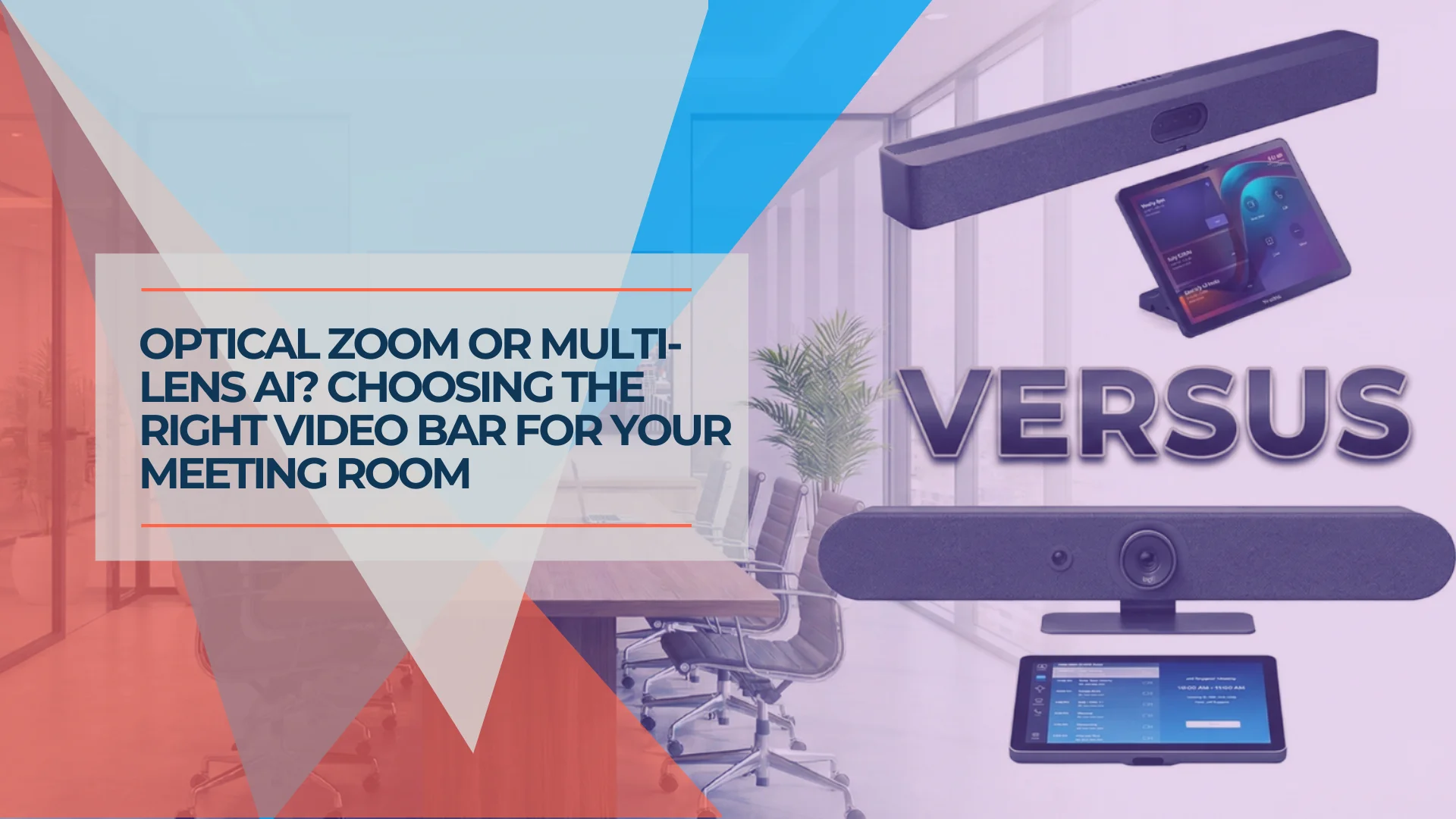
Motorized PTZ vs. Multi-Lens AI: This guide breaks down the architectural differences between these two conference room systems to help you decide which hardware fits your room shape and IT management style.
10 min read
Best Conference Room Equipment for Small Business
Logitech Rally Bar, Poly Studio X52, Jabra PanaCast 50, and Yealink MeetingBoard Pro reviewed for SMB rooms. Real specs, pricing, and room-fit guidance.
27 min read
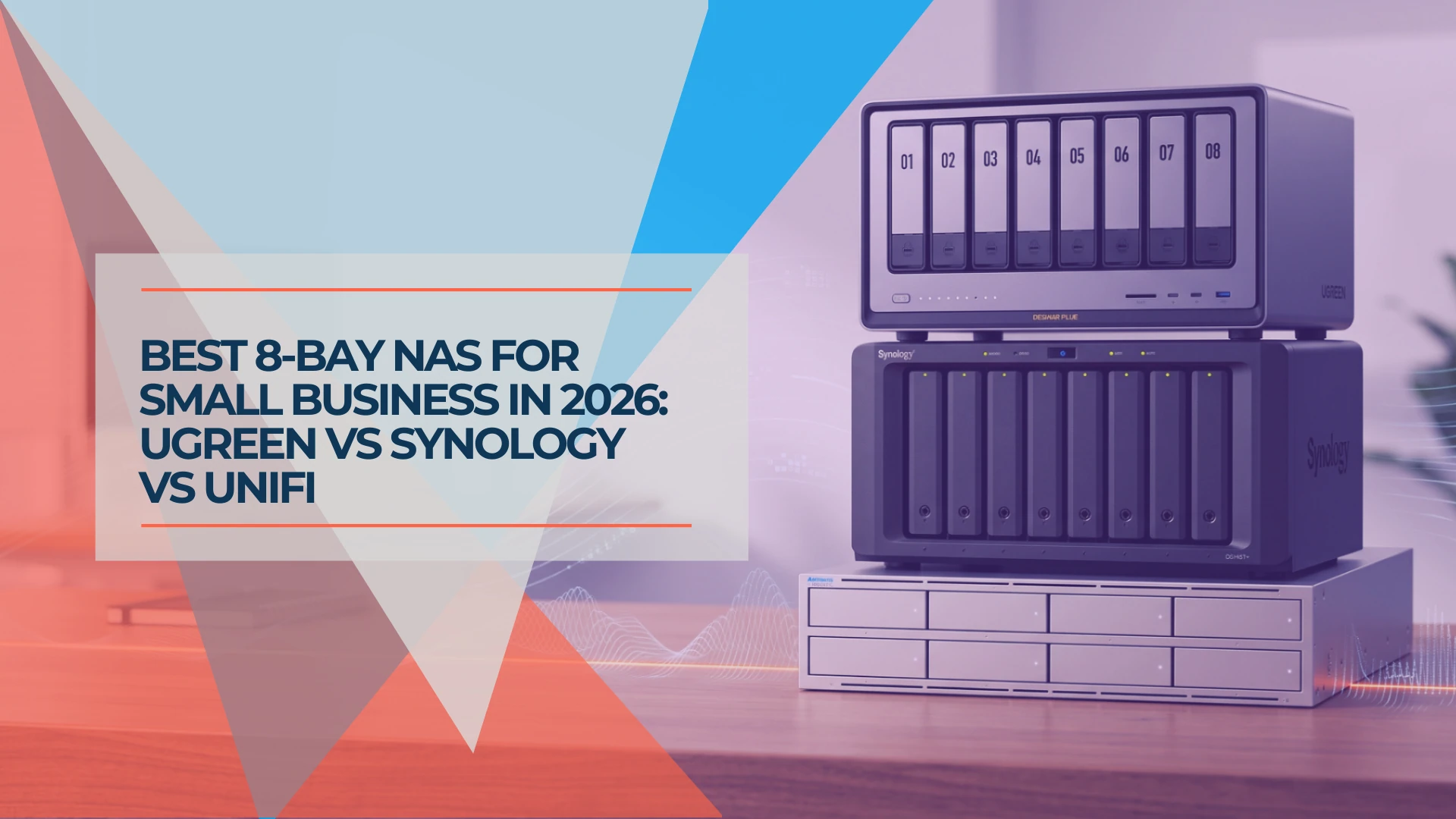
Best 8-Bay NAS for Small Business in 2026: UGREEN vs Synology vs UniFi
Compare UGREEN DXP8800 Plus, Synology DS1825+ and UniFi UNAS Pro 8 by usable capacity, 10GbE, backup software, expansion and complete cost.
19 min read