

Google Cloud for Small Business: What It Is, What It Costs, and Whether You Need It
Google Workspace and Google Cloud are not the same product. Learn when small businesses need Google Cloud infrastructure, what it costs, and how migration works.

Affiliate Disclosure: This article contains affiliate links. If you make a purchase through these links, we may earn a small commission at no extra cost to you. As an Amazon Associate, iFeelTech earns from qualifying purchases.
Moving business operations to the cloud requires establishing a foundational architecture: which cloud environment is appropriate, and for what specific workload.
Google Workspace and Google Cloud Platform are not the same product. Google Workspace handles email, documents, and team collaboration. Google Cloud Platform provides server infrastructure — virtual machines, databases, and application hosting. They share a brand name but serve entirely different needs, and conflating them leads to unnecessary spending or missed opportunities.
For established small businesses, the decision usually centers on migrating an aging physical server, hosting a custom application, or comparing Google Cloud to AWS and Azure. For tech startup founders, the focus is entirely different: qualifying for Google's dedicated startup program to secure up to $350k in early-stage infrastructure credits.
Whether you're trying to decode standard compute pricing, planning a server migration, or applying for the startup tier, the first step is understanding exactly what Google Cloud is — and what it isn't.
What Is the Difference Between Google Workspace and Google Cloud?
Workspace is a productivity suite for email and files. Google Cloud Platform (GCP) provides server infrastructure to run applications and databases.
The primary distinction lies in use case. Google Workspace replaces traditional business email and Microsoft 365 — Gmail, Docs, Sheets, Slides, Meet, Drive, and Calendar, starting at $7/user/month on an annual plan ($8.40/month on a flexible monthly plan). If your business uses a @yourcompany.com email through Google, you're using Workspace. Most businesses that say they "use Google Cloud" actually mean this.
Google Cloud Platform (GCP) replaces on-premise servers and web hosts. It is a collection of over 100 infrastructure services — virtual machines, managed databases, object storage, Kubernetes clusters, AI APIs, and serverless compute — billed purely on usage. If your business needs to host a custom software application or database, you need GCP.

| Google Workspace | Google Cloud Platform | |
|---|---|---|
| What it replaces | Microsoft 365, traditional business email | On-premise servers, AWS, Azure, hosting providers |
| Who manages it | Non-technical admins, via simple dashboard | IT staff or a managed service provider |
| Billing model | Per user, per month | Per usage (compute hours, GB stored, GB transferred) |
| Starting cost | $7/user/month (annual) | Free tier + $300 in credits for new accounts |
| Technical skill required | Low | Medium to high |
The confusion is understandable. Both products live under the Google brand, both reference "cloud" in their marketing materials, and both are managed under your Google account. The similarity ends there, and understanding the distinction is the first step to making a well-informed infrastructure decision.
The Core Distinction
Google Workspace is Software-as-a-Service (SaaS) — Google manages the application, you just use it. Google Cloud Platform is Infrastructure-as-a-Service (IaaS) — Google provides the raw server capacity, and you manage what runs on it.
For Google Workspace users wondering whether they also need Google Cloud Platform: in most cases, no. Google Drive handles file storage. Google Meet handles video. For the majority of businesses under 50 employees using standard SaaS applications, Workspace is the appropriate tool and GCP does not add value to daily operations.
When Should a Small Business Use Google Cloud Platform?
Small businesses only need GCP if they are hosting custom applications, managing large relational databases, or running machine learning workloads.
Most businesses under 20 employees running standard SaaS tools — QuickBooks, Salesforce, Slack, Microsoft 365 — do not require GCP. Those vendors manage their own infrastructure. Infrastructure-as-a-Service (IaaS) becomes relevant only when a business is running its own software or managing data operations that have outgrown standardized hosting.
Four use cases where GCP provides genuine value:
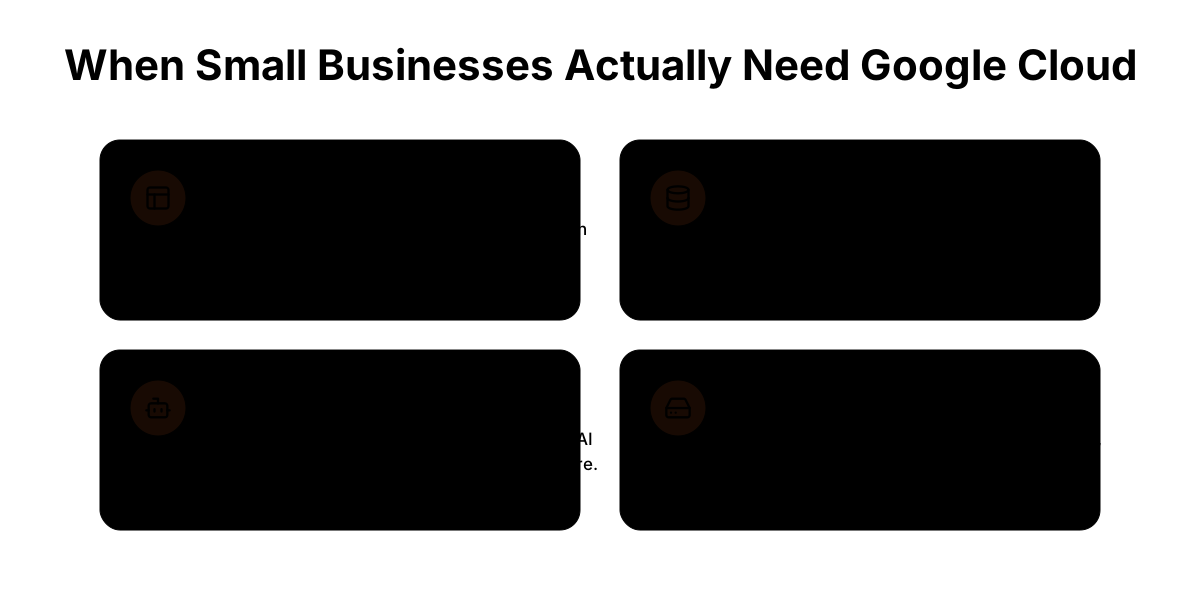
Hosting a Custom Web Application
Businesses with a customer-facing portal, internal operations tool, booking system, or proprietary software need a server to run it. GCP's Compute Engine provides that infrastructure in the cloud, often at a comparable cost to traditional hosting providers with greater performance and control.
Managing a Growing Relational Database
Businesses that have moved beyond spreadsheets and into real relational databases — MySQL, PostgreSQL, SQL Server — sometimes reach a point where self-managing a database server introduces unacceptable risk. Google Cloud SQL and AlloyDB offer fully managed database hosting: Google handles backups, patching, and uptime SLAs.
Running AI or Machine Learning Workloads
Google Cloud has a meaningful advantage in this area. Vertex AI, BigQuery ML, and access to Google's Gemini API are mature, actively developed platforms. For businesses building AI-powered product features or processing large datasets, GCP is a strong choice.
Migrating Off an Aging Physical Server
This is the most common reason small businesses evaluate Google Cloud. An on-premise server that's approaching end-of-life is a natural migration candidate. Compute Engine allows the same workloads to run in the cloud, removing hardware maintenance, power costs, and single-point-of-failure risk.
When GCP Is Not Needed
If your business runs on off-the-shelf software — QuickBooks, Salesforce, Slack, Microsoft 365, Google Workspace — you are already benefiting from cloud infrastructure managed by those vendors. There is no need for a separate GCP environment. GCP is for businesses that need to host and manage their own applications or data infrastructure.
Google Cloud vs. AWS vs. Azure for Small Business
All three are serious platforms with comparable core capabilities. The differences that matter to small businesses come down to ecosystem fit, developer preference, and your existing Microsoft relationship.
Google Cloud Platform
Strongest for: Developer experience, competitive compute pricing, AI and machine learning workloads, businesses starting fresh.
Google Cloud's console is generally regarded as cleaner and more intuitive than AWS's. Pricing is straightforward, with automatic sustained-use discounts applied the more you use a resource in a month — no reservation required. For businesses building on modern architectures (containers, serverless, AI), GCP is often the first recommendation from developers who've worked across all three.
The ecosystem is smaller than AWS, meaning some niche third-party integrations may not be available. Support tiers start at free (documentation only), but note that getting a human on the line requires upgrading to Google's Standard Support, which costs a base fee of $29/month plus 3% of your monthly cloud charges — a detail SMBs should factor into budget projections.
Amazon Web Services (AWS)
Strongest for: Businesses that need the broadest service catalog, teams with existing AWS expertise, complex multi-region deployments.
AWS has the largest market share and the widest ecosystem — more third-party tools, more documentation, more talent in the market. The downside at the small business level: AWS's console is notoriously complex, pricing can be difficult to estimate upfront, and the sheer volume of services creates decision paralysis for teams without a dedicated cloud architect.
Microsoft Azure
Strongest for: Businesses already running Microsoft 365 or Active Directory, Windows Server migrations, organizations in regulated industries.
If your business is already in the Microsoft ecosystem — Windows desktops, Microsoft 365, SQL Server — Azure is the natural fit. The integrations are tight, and Microsoft's enterprise licensing often provides Azure credits as part of existing agreements. For a business running on Google Workspace with no Microsoft dependencies, Azure offers little advantage over GCP.
Considering a Simpler VPS Alternative
For businesses with a single, stable web application and predictable traffic, major cloud platforms like GCP, AWS, and Azure can introduce unnecessary complexity. DigitalOcean, Linode (Akamai Cloud), and Vultr offer flat-rate Virtual Private Server (VPS) plans — typically $6–24/month — with straightforward billing and more approachable management consoles.
A flat-rate VPS is worth considering when: the application is simple and traffic is predictable, the team lacks dedicated cloud infrastructure expertise, or the cost of egress fees on enterprise cloud platforms would make the bill disproportionate to the workload. GCP's value is in scale, AI tooling, and managed services — workloads that don't require those features may be better served by a simpler environment.
The Real Deciding Factor for SMBs
For most small and mid-sized businesses, the cloud provider follows the IT consultant or developer they trust, not the spec sheet. If your managed IT provider has strong GCP expertise, Google Cloud is likely the right answer. The platform differences matter — but they matter less than having someone who knows the platform managing your environment day-to-day. We regularly recommend GCP to our South Florida clients because of the developer tools and pricing clarity, but we've successfully deployed all three platforms depending on the client's existing stack.
How Much Does Google Cloud Platform Cost for Small Businesses?
Google Cloud uses pay-as-you-go billing based on exact compute, storage, and data transfer usage with no required upfront monthly commitments.
You can save up to 57% with committed use discounts for predictable workloads, and sustained-use discounts apply automatically the more you use a resource within a billing month — no reservation required. New accounts can access $300 in free credits through our affiliate link to evaluate the platform before committing to paid usage.
Realistic cost ranges for common SMB workloads
| Workload | Typical Monthly Cost |
|---|---|
| Single small VM (e2-micro, basic web app) | $20–30/month |
| Small production VM + 100GB storage + data transfer | $80–150/month |
| Managed database (Cloud SQL, small instance) | $50–100/month |
| Complete small business environment (VM + DB + storage + networking) | $200–500/month |
| Multi-region, high-availability setup | $1,000+/month |
These are estimates based on current GCP published pricing and represent typical SMB workload profiles. Your actual cost depends on instance size, storage volume, data egress, and whether you qualify for sustained use or committed use discounts.
A crucial variable in cloud pricing: data egress fees. Moving data out of Google Cloud to external networks incurs volume-based fees that must be factored into the total cost of ownership alongside compute and storage.
| Egress Type | Approximate Cost per GB |
|---|---|
| Within the same GCP region | Free |
| Between GCP regions | $0.01–$0.08/GB |
| To the internet (Standard tier) | $0.08–$0.12/GB |
| To the internet (Premium tier) | $0.085–$0.138/GB |
The Hidden Tax: Cross-AZ Networking A common surprise for small businesses evaluating egress is internal networking fees. If you set up a database in Zone A and a web server in Zone B (within the same region) for redundancy, Google charges $0.01/GB to send data out of Zone A and $0.01/GB to receive it in Zone B. That's $0.02/GB just for your own servers to talk to each other.
Beyond internal networking, internet egress remains a primary concern. For a business serving 500GB/month of files or video to external users, that's $40–$60/month in external egress alone — before compute or storage.
Upcoming Egress Price Change: May 1, 2026
Google Cloud has announced pricing increases effective May 1, 2026 for CDN Interconnect, Direct Peering, and Carrier Peering — the dedicated networking products used by businesses routing traffic through Google's peering infrastructure. Standard internet egress (the $0.08–$0.12/GB rates in the table above) is not affected by this change.
If your infrastructure relies on CDN Interconnect or a carrier peering arrangement, review the updated pricing on Google's networking pricing page before your May billing cycle.
Use the Google Cloud Pricing Calculator to build a workload-specific estimate before committing.
How to Migrate from a Physical Server to Google Cloud
Cloud migration from a physical server has three phases: assessment, migration, and optimization. Here's what each looks like in practice.
Phase 1: Assessment (1–2 weeks)
Before touching anything, a proper assessment documents what's running on the physical server: operating system, installed applications, database engines, dependencies, network configuration, and current performance baselines. This phase determines whether it's a lift-and-shift (move the workload as-is) or a refactor (modernize the application to take advantage of cloud services).
Assessment also identifies surprises — legacy software that doesn't run on current OS versions, applications with license restrictions on cloud environments, or databases that require specific hardware. Finding these issues before migration starts saves significant time downstream.
Phase 2: Migration (1–6 weeks depending on complexity)
For a straightforward lift-and-shift, Google Cloud provides migration tools including Migrate to Virtual Machines (for moving VMs) and Database Migration Service (for moving databases). The typical flow:
- Provision the GCP environment (networking, firewall rules, IAM)
- Copy data and application state to GCP
- Run parallel (both environments active) to validate
- Flip DNS/traffic to GCP
- Monitor for 1–2 weeks before decommissioning physical hardware
For more complex migrations — custom applications, databases with specific replication requirements, or integrations with other systems — expect 4–12 weeks and involve your application vendor in the planning.
Phase 3: Optimization (ongoing)
The first GCP bill after migration is often higher than expected, because the initial migration defaults to "equivalent to what you had." Cloud optimization is the process of right-sizing instances, moving infrequently accessed data to cheaper storage tiers, and identifying workloads that can run on Spot VMs (preemptible instances with 60–91% discounts) for cost reduction.
Real-world example: A 15-person Miami-area logistics firm we migrated in 2025 moved from a $4,200 physical server replacement quote to a $180/month GCP environment running Compute Engine and Cloud SQL. The migration took three weeks. Their projected 5-year total cost of ownership dropped by roughly 22% — accounting for hardware, power, maintenance, and the managed IT overhead that physical servers require.
Migration Complexity
A secure, compliant GCP migration requires dedicated cloud infrastructure expertise to properly manage networking, identity access management (IAM), and data transfer. Engaging a managed IT partner with GCP experience ensures a stable transition and minimizes production downtime. A professional migration typically requires 20–50 hours of skilled engineering time across assessment, execution, and post-migration optimization. Factor that into your total cost of ownership before comparing GCP pricing to your current server costs alone.
If you're in Miami or South Florida and evaluating a cloud migration, reach out to us directly. We assist businesses in the 10–50 employee range with architectural assessments and secure migrations from legacy physical infrastructure to Google Cloud.
Google for Startups Cloud Program: A Separate Path for Tech Founders
While established small businesses evaluate Google Cloud through standard usage and transparent pricing, startup founders building a scalable tech product have a completely different path. Google operates an entirely separate program for startups with a different structure and substantially higher credit values.
What the Google for Startups Cloud Program offers
The program has multiple tiers matched to your funding stage:
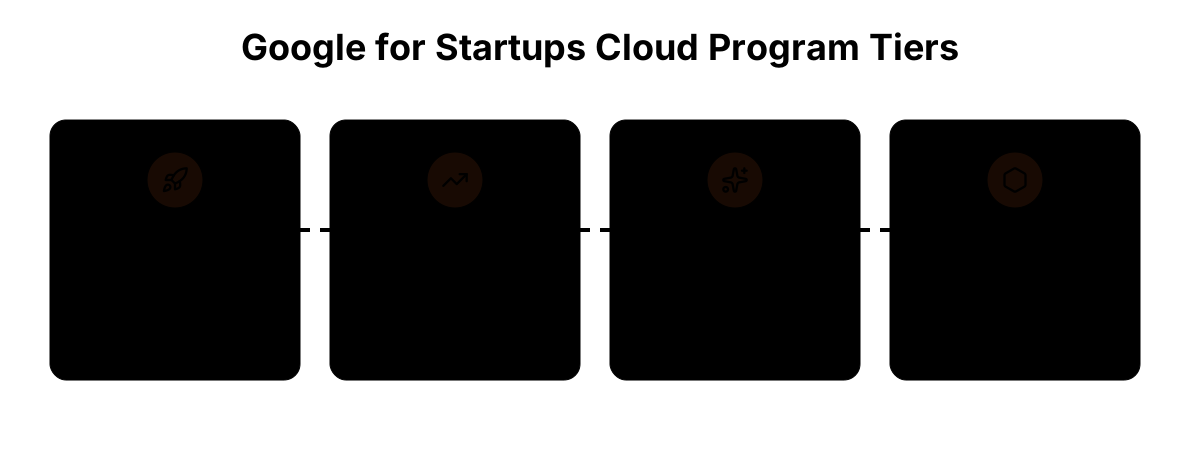
| Tier | Who It's For | Cloud Credits |
|---|---|---|
| Start | Pre-funded, early stage | Up to $2,000 |
| Scale | Seed to Series A | Up to $200,000 |
| Scale — AI | AI-first startups with equity funding | Up to $350,000 |
| Scale — Web3 | Blockchain/Web3 startups | Varies by foundation grants |
Beyond credits, program members get access to Google technical mentorship, co-sell opportunities, and partner discounts.
Who Qualifies for Scale?
The Scale tier is designed for seed-to-Series A startups that have received equity funding — institutional VC, SAFE agreements, or verifiable token raises for Web3. Angel-only, crowdfunding, government grants, and prize funding do not qualify for Scale; those startups would be evaluated for the Start tier.
The Scale — AI variant is available to startups building AI-first products that meet the equity funding threshold. The Scale — Web3 path is for blockchain startups with verifiable foundation grants or token raises.
All tiers require the business to be US or Canada-based for the affiliate program.
Scale Tier vs. Standard GCP Free Credits: What's the Difference?
The standard GCP offer — available to any business through our affiliate link — provides $300 in free credits, which covers 1–3 months of evaluation at typical SMB workload levels.
The Scale tier provides qualifying startups with up to $200,000 in cloud credits ($350,000 for AI-first companies). This is not an evaluation window. It is meaningful runway to build and scale infrastructure.
Which Offer Is Right for You?
General small business (retailer, services firm, established company migrating off physical servers): Use the standard GCP link below. The $300 in credits is your evaluation window, and the pay-as-you-go model is what you'll run on after that.
Tech startup with institutional funding: Apply to Google for Startups Cloud Program. The Scale tier's $200,000+ in credits is purpose-built for companies scaling infrastructure and burning cloud spend as they grow.
Common Questions About Google Cloud for Small Business
Does Google Cloud charge for a stopped virtual machine?
Yes and no. When you stop a virtual machine (Compute Engine instance), you are no longer billed for the CPU or RAM. However, you are still billed for the persistent disk storage attached to that VM, as well as any reserved static IP addresses. To stop all billing, you must delete the VM and its associated disks.
How long does a migration take?
A straightforward server migration — one physical box, one application, minimal complexity — runs 1–3 weeks from assessment to go-live. Mid-complexity migrations with custom applications or managed databases run 4–8 weeks. Complex, multi-server environments with custom applications take 8–16 weeks. Timeline is largely determined by application complexity and how thoroughly the pre-migration assessment is done.
Do I need a developer to use Google Cloud?
Yes, for anything beyond basic file storage. Setting up a production GCP environment securely — with proper networking, IAM roles, firewall rules, logging, and monitoring — requires someone with cloud infrastructure experience. Google provides documentation and tutorials, but the misconfiguration risk for self-service setups is significant. Most small businesses access GCP through a managed IT provider or a developer already familiar with the platform.
The Bottom Line
Most small businesses do not require Google Cloud Platform infrastructure. Google Workspace already runs on Google's enterprise infrastructure and handles standard daily operations for teams. When evaluating a recommendation to migrate to GCP, the primary consideration should be identifying the specific custom application, database, or server workload that requires dedicated infrastructure.
If your situation does involve GCP — a custom application, a server migration, a managed database, or AI workloads — Google Cloud is a well-designed platform with transparent pricing and strong developer tooling. New accounts can access $300 in free credits through our affiliate link to evaluate the platform before any billing begins.
For either path, iFeelTech can help you assess where you actually stand before committing to anything.
Affiliate Disclosure: This article contains affiliate links. If you make a purchase through these links, we may earn a small commission at no extra cost to you. As an Amazon Associate, iFeelTech earns from qualifying purchases.
Related Resources
- Google Workspace vs. Microsoft 365 Comparison — Side-by-side comparison of the two dominant business productivity suites, including pricing and feature breakdown.
- Google Workspace Backup Guide — Google Workspace doesn't back itself up. Here's what to do about it.
- Building a Private Cloud with Local AI Hardware — For businesses that want AI capabilities without sending data to a third-party cloud.
- Best Small Business Servers — If you're evaluating cloud vs. on-premise, this covers the current hardware options for keeping servers in-house.
Frequently Asked Questions
Related Articles
More from Business Software
Microsoft 365 or Google Workspace: Fix the Setup or Switch?
Before leaving Microsoft 365 or Google Workspace, find out whether you have a setup problem or a platform problem, what to fix first, and when to switch.
21 min read
Microsoft 365 to Proton Workspace Migration: A Small-Office Walkthrough (2026)
How to move a small office from Microsoft 365 to Proton Workspace: Easy Switch for Business, OneDrive files, DNS cutover and Microsoft 365 cleanup.
18 min read
Proton Workspace Standard vs Premium (2026): What the Extra $7 Per User Buys
Proton Workspace Standard vs Premium compared: storage, email retention, Lumo AI, Meet limits and cost at 5, 10 and 25 users — and which offices need Premium.
11 min read