

Ethernet Cable Tester: Klein LAN Scout Jr. 2 vs Scout Pro 3 vs Fluke LinkIQ
Which Ethernet cable tester do you need? What a cheap tester misses, and when the Klein LAN Scout Jr. 2, Scout Pro 3 or Fluke LinkIQ fits the job.

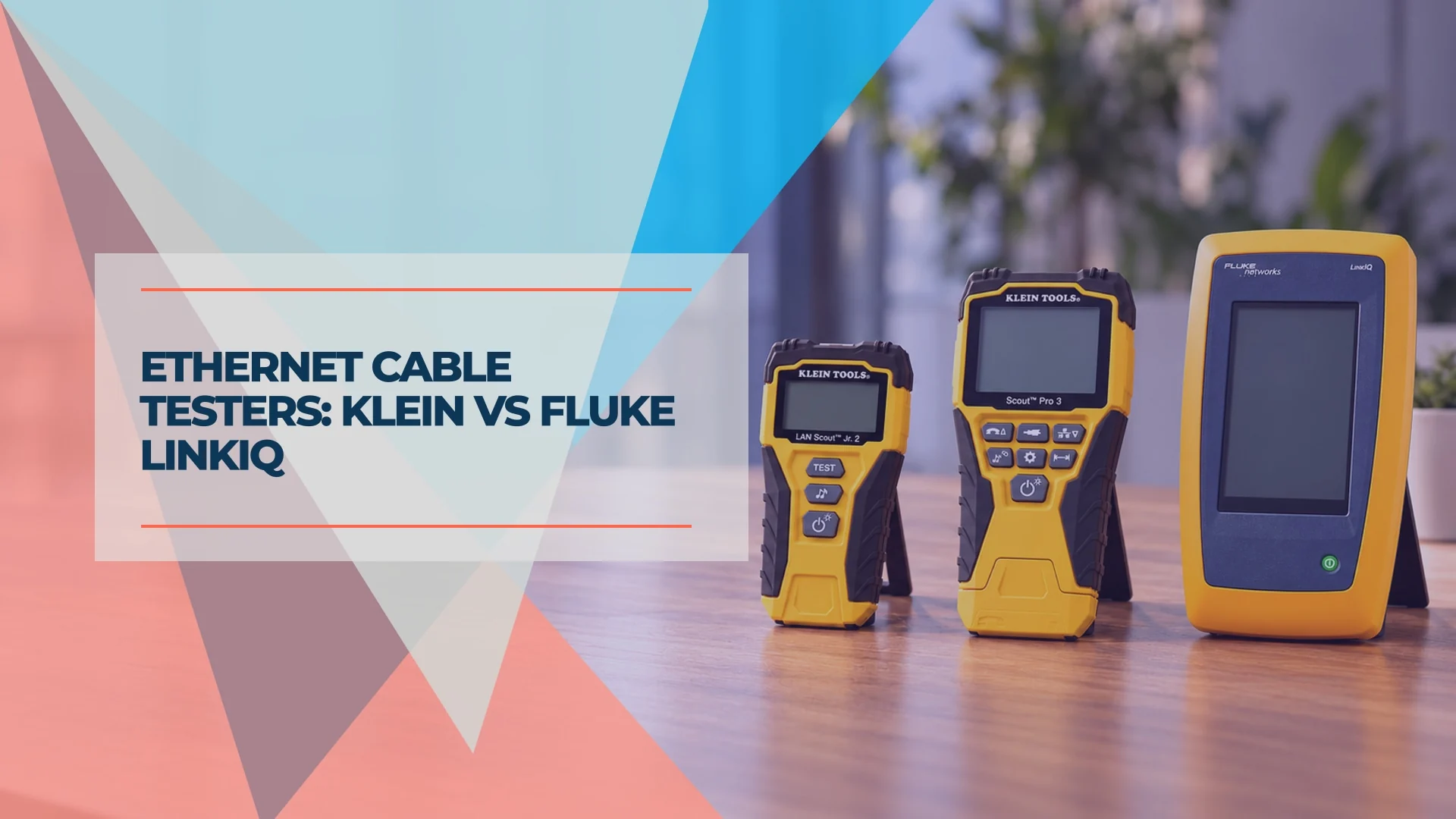
The right Ethernet cable tester depends on what you need to prove. For checking RJ45 terminations, the Klein LAN Scout Jr. 2 covers the essentials. For identifying office drops and estimating cable length, the Klein Scout Pro 3 VDV501-851 adds useful installation tools. The Fluke LinkIQ LIQ-100 earns its higher price when you need to qualify a link for a particular Ethernet speed, load-test PoE, or save results for a client.
These tools answer different questions. A wire-map pass can confirm correct connections without establishing that the run supports gigabit or 10-gigabit Ethernet.
Our team carries the Scout Pro 3 by default, and it is also the tester we see most often on other installers' job sites. If the only question is whether a cable is terminated properly, even an inexpensive tester will do. To test more than the termination, Klein is a good starting point, and Fluke fits high-end commercial projects. We see the limits of basic testing most often when clients reuse existing office cabling: checking the terminations is a useful first step, but it is not a performance test.
Affiliate Disclosure: This article contains affiliate links. If you make a purchase through these links, we may earn a small commission at no extra cost to you. As an Amazon Associate, iFeelTech earns from qualifying purchases.
Which Ethernet Cable Tester Fits Your Job?
- Occasional terminations: Klein LAN Scout Jr. 2, about $60, for wire mapping and split-pair detection.
- Installed runs and jack identification: Klein Scout Pro 3 VDV501-851, about $100, adds length estimates, locator remotes and hub blink. This kit does not test PoE.
- Ethernet performance and powered-device troubleshooting: Fluke LinkIQ LIQ-100, listed at $2,956.71 by Fluke and $2,512.50 by Amazon.com on October 25, for qualification through 10GBASE-T, PoE load testing and reports.
- Category certification or a specified system warranty: arrange certification with the required tester and test limits. LinkIQ does not replace a certifier.
Specifications and the linked US price references were checked October 25, 2026; taxes, shipping, seller and kit contents can change the total.
Verification vs Qualification vs Certification
| Test level | What a pass establishes | Example |
|---|---|---|
| Verification | The wiring meets the tester's checks; split-pair detection must be explicitly supported | Both Klein models here |
| Qualification | The cabling meets the requirements for a selected Ethernet application, such as 2.5GBASE-T or 10GBASE-T | Fluke LinkIQ |
| Certification | The link passes the prescribed measurements for the selected TIA or ISO cabling category/class and test configuration | Fluke DSX series |
A wire map does not establish Cat6 or Cat6A performance. Qualification also differs from certification: LinkIQ evaluates Ethernet application requirements, rather than supplying a full category certification report. Fluke explains these three testing levels.
Klein vs Fluke: Capabilities and Price
| Capability | LAN Scout Jr. 2 VDV526-200 | Scout Pro 3 VDV501-851 | LinkIQ LIQ-100 |
|---|---|---|---|
| US price reference | $59.97, Home Depot | $99.98, Northern Tool | $2,956.71, Fluke |
| Wire map / split pairs | Yes / yes | Yes / yes | Yes / yes |
| Length measurement | No | Capacitance estimate, 1.5–1,999 ft (0.5–610 m) | Up to 1,000 ft (305 m), plus distance to faults |
| Cable connectors | RJ45 | RJ45, RJ11/12, coax F | RJ45 on the standard model |
| Tracing | Analog tone; probe extra | Analog tone; probe extra | Analog/digital tone; probe extra in LIQ-100 |
| PoE | No | No; voltage warning only | Detection and load testing |
| Ethernet speed qualification | No | No | 10 Mbps, 100 Mbps, 1 / 2.5 / 5 / 10 Gbps |
| Saved test reports | No | No | LinkWare PC |
Price references: LAN Scout Jr. 2 at Home Depot, VDV501-851 at Northern Tool, and LIQ-100 at Fluke. On October 25, Amazon.com itself sold all three new: the LAN Scout Jr. 2 at $59.97, the VDV501-851 kit at $99.98 and the LIQ-100 at $2,512.50. Our shopping links go to those Amazon.com listings; prices change, so check the total at checkout.
The measurement ranges are instrument limits, not permissible Ethernet run lengths. For a conventional structured-cabling channel, plan for up to 90 m of permanent link and 100 m total including patch cords. Cable category and application still matter; a long measurement range does not extend Ethernet reach. See Fluke's permanent-link and channel guidance.
What a Basic Continuity Tester Misses
An eight-LED continuity tester checks electrical connections. It can expose opens and incorrect pin order, but do not assume an inexpensive tester checks pair integrity unless its specification says so.
A split pair preserves pin-to-pin continuity while combining conductors from different physical twisted pairs. The LED sequence can look correct even though the cable no longer has the intended pair geometry. Both Klein models here explicitly detect split pairs. Klein specifies a minimum cable length of 1.5 ft (0.5 m) for split-pair detection on the LAN Scout Jr. 2, so do not assume that feature works on very short leads.
Continuity alone also tells you nothing about length or transmission performance. Excessive untwisting, unsuitable cable or physical damage can impair performance without creating a complete open circuit. Our RJ45 wiring guide explains correct pair placement and termination.
Klein LAN Scout Jr. 2: For Occasional RJ45 Work
The LAN Scout Jr. 2 suits an IT generalist or homeowner checking patch cords, replacing an RJ45 plug or verifying a wall jack. Its backlit LCD shows a pin-by-pin wire map and identifies opens, shorts, miswires, split pairs, crossover wiring and shield continuity.
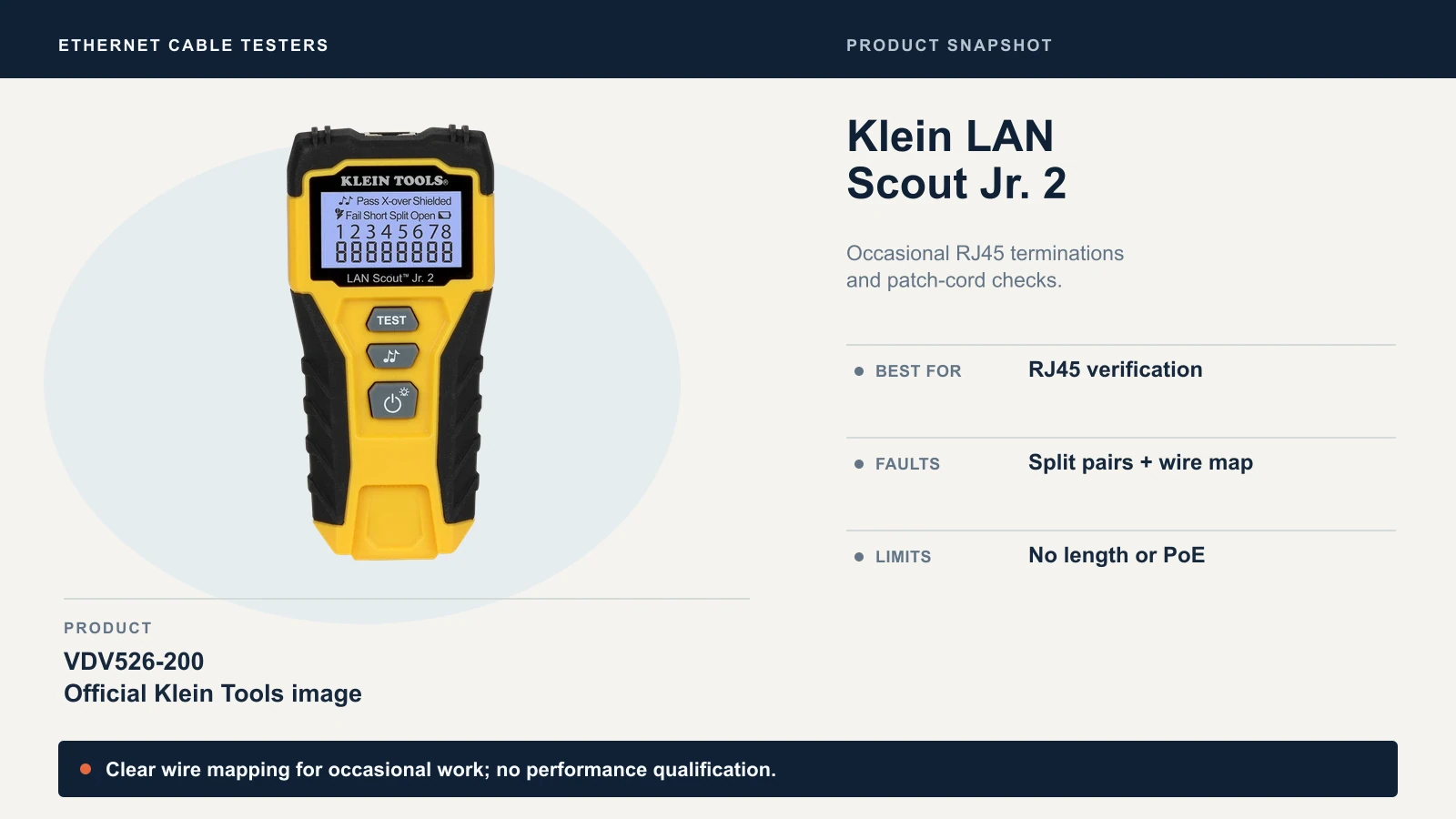
It generates tracing tones, but locating the cable requires a separate compatible probe. It does not measure cable length or test PoE, and its manual specifies use on unpowered cabling. Choose it when checking the wiring is the whole job; choose the Scout Pro 3 when length estimates and identifying multiple outlets would save time.
Check Klein LAN Scout Jr. 2 pricing.
Klein Scout Pro 3: For Installed Runs and Mapping
The Scout Pro 3 is our daily verification tool. The VDV501-851 starter kit is useful when working through a patch panel: it adds length estimation, hub blink for identifying the connected switch port, and numbered locators for finding the outlet at the far end.
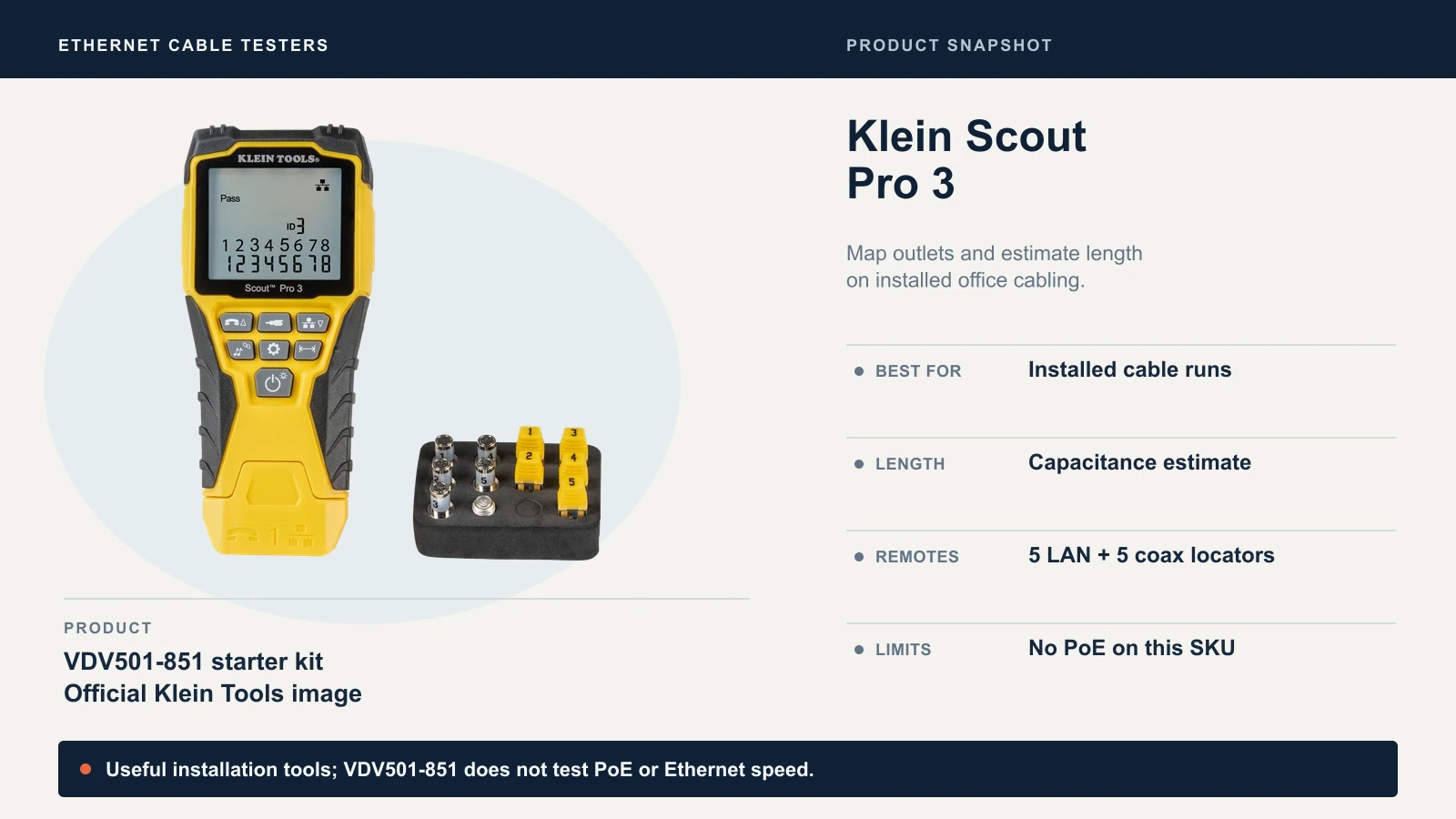
Its capacitance-based length measurement has a stated ±5% accuracy and an adjustable cable constant. Use it as an estimate with the correct setting; it does not provide the same distance-to-fault analysis as a TDR tester. The 1,999 ft figure comes from the manual; Klein rounds this to 2,000 ft on the product page.
The kit includes a self-storing test remote, five RJ45 location remotes, five coax location remotes and an F-connector adapter. The small location remotes identify runs; they do not perform full wire-map testing. Use the test remote for that. It also handles telephone and coax wiring, and tracing tones require a separate analog probe.
Check the Scout Pro 3 Kit Number Before Buying
VDV501-851 does not test PoE. Its voltage warning is a reason to disconnect an energized cable, not a measurement of available PoE power. Disconnect equipment for cable verification and follow the manual's instructions for hub blink.
Klein's VDV501-852 and VDV501-853 PoE manual describes a dedicated PoE jack and PoE voltage/configuration testing. If you need that feature, select the appropriate kit. Do not transfer its capabilities to the cheaper VDV501-851, or confuse voltage detection with a load test.
Check the Scout Pro 3 VDV501-851 starter kit.
Fluke LinkIQ: For Ethernet Qualification and PoE Load Tests
LinkIQ is the step up when the question is whether a cable supports the Ethernet application you intend to use. It applies frequency-based measurements to qualify copper links from 10BASE-T through 10GBASE-T, including 2.5GBASE-T and 5GBASE-T. It does not run an internet speed test or measure file-transfer throughput.
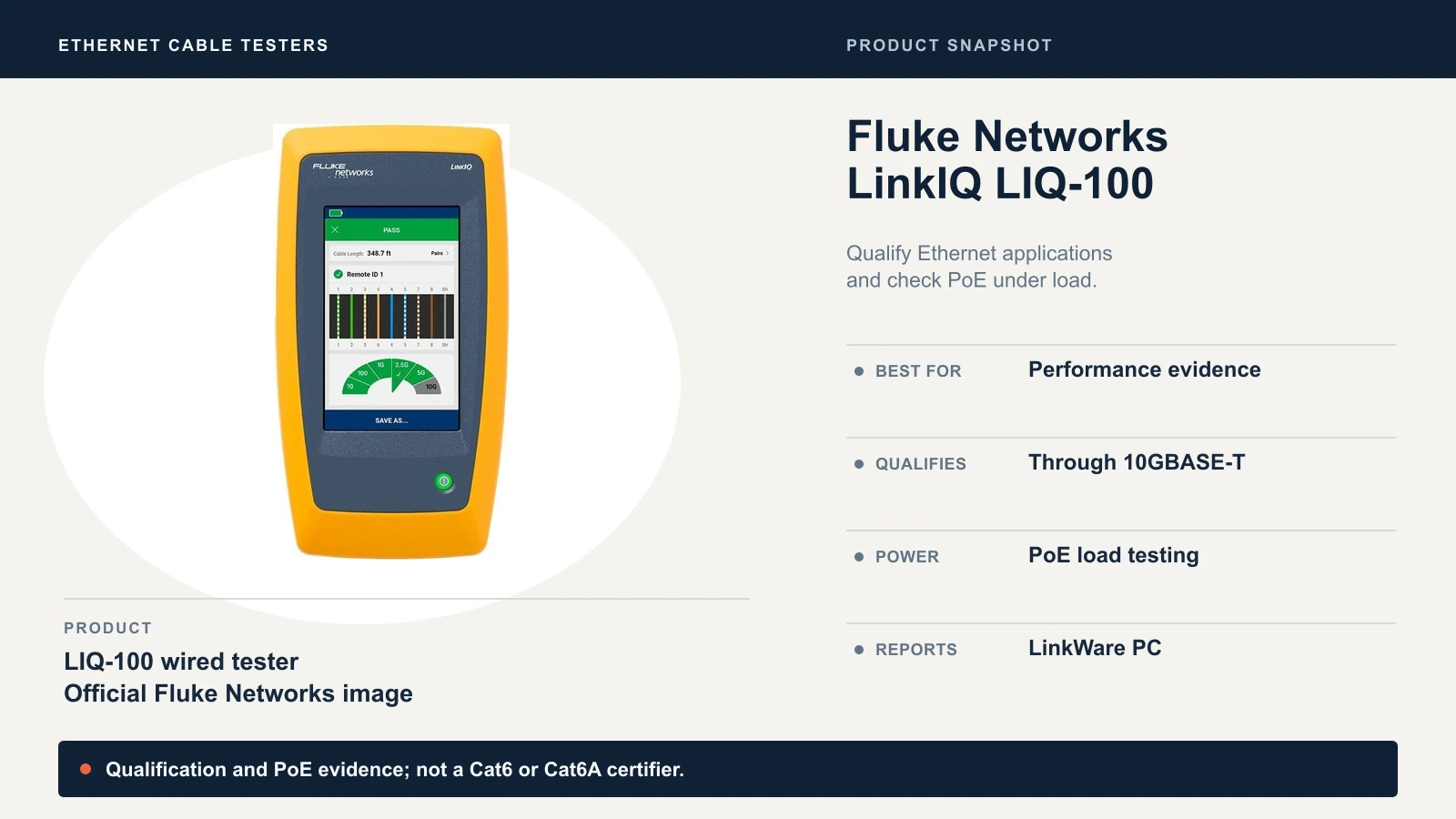
That distinction matters when reusing office cabling for a faster access point or uplink. A qualification pass addresses the selected Ethernet application; a wire-map pass does not. LinkIQ also reports distance to wiring faults and exports saved results through LinkWare PC. The output documents the tests performed, rather than certifying the installed cable category.
For powered devices, it identifies PoE classes 1–8 and applies a load to check delivery from the connected switch. This is more useful than voltage detection when investigating an access point or camera that loses power. A passing test still does not rule out an intermittent device fault or a switch's total PoE budget being exhausted later. Our PoE guide explains power budgets.
It also provides switch/port information and IP connectivity tests. Details such as switch name and VLAN depend on what the network advertises; do not treat these as a complete switch configuration audit.
LIQ-100, LIQ-KIT or LinkIQ Duo?
The LIQ-100 is the wired tester compared here. Its base package includes Remote ID #1; the LIQ-KIT adds accessories including an IntelliTone probe and additional remotes. LinkIQ Duo adds Wi-Fi analysis, including Wi-Fi 6E where permitted. Fluke's shared product page now leads with Duo, so check the exact SKU rather than assuming every LinkIQ has Wi-Fi.
At Fluke's $2,956.71 reference price, buying makes sense when qualification, reporting and powered-port troubleshooting are recurring tasks. For a one-off project, compare a rental quote or contractor's testing fee with the purchase cost. A commercial address alone is not a reason to buy LinkIQ; the acceptance requirements decide.
Check Fluke LinkIQ LIQ-100 pricing. For the upgrade itself, see our 2.5 Gigabit Ethernet guide and 10 Gigabit Ethernet guide.
Other Tools Between These Price Tiers
The Fluke MicroScanner2 adds distance-to-fault information, IntelliTone and basic 802.3af PoE detection. The separate MicroScanner PoE model reports newer PoE classes and advertised switch speeds through 10G. Neither feature establishes cable bandwidth qualification; Fluke's MicroScanner comparison distinguishes them.
Klein also offers the Scout Pro Max VDV501-770, with TDR distance-to-fault, PoE measurement and saved results. Its detection of network capabilities up to 10G is not a substitute for LinkIQ's frequency-based cable qualification. These are alternatives worth evaluating when fault location or active-port diagnostics matter more than bandwidth qualification.
How to Test an Ethernet Cable
- Check what the equipment should support. A camera with a 100 Mbps port is working normally at 100 Mbps. Check both endpoint ratings and switch settings before diagnosing a gigabit failure.
- Disconnect the run from active equipment for wire mapping. Remove it from the switch or injector and the endpoint. Use the correct ports and operating mode for the exact tester; the two Klein models compared here are for unpowered cable verification.
- Check the patch cords separately. Use known-good leads to connect the main unit and a full test remote to opposite ends of the installed run. A locator-only remote is not enough for a complete wire map.
- Read the results. Look for opens, shorts, miswires and split pairs. On installed runs, check length if your tester supports it, allowing for its accuracy and settings.
- Repair the identified fault and retest. Inspect the affected termination before cutting it off. If a new termination still fails, investigate the cable path and use fault-location testing where appropriate.
- Match the final test to the requirement. Qualify the intended speed when performance evidence is needed; use a suitable PoE tester in its powered-port mode for load testing. If the contract requires category certification, obtain that separately.
Why Does a Cable Pass but Only Connect at 100 Mbps?
As shown in the LinkIQ manual, 100BASE-TX uses pairs on pins 1–2 and 3–6, while 1000BASE-T uses all four pairs. A fault on pins 4–5 or 7–8 can therefore leave 100 Mbps working while preventing gigabit operation. Other faults may cause no link or intermittent errors instead of a predictable speed fallback.
After checking the endpoint specifications, swap in known-good patch cords and try another known-good gigabit switch port. Check autonegotiation and port configuration. If the problem follows the installed run despite a passing wire map, qualification can help determine whether the cabling supports the required speed. An internet speed test alone cannot isolate the cable from the router, ISP or test device.
Reusing Old Cabling: Our Practical Approach
In our office installations, we rarely have problems with newly run cables. We encounter issues more often when repurposing existing cabling, where the fault may be at the wall jack, at the patch panel or somewhere along the cable inside the wall.
Our usual approach on a suspect existing run is to strip back the cable and re-terminate both ends, then check it with the cable tester. We also connect a network switch and a laptop to check the run in use. That gives us a practical check alongside the wire map; it is not a substitute for qualification at a specified Ethernet speed or category certification.
If the problem remains after re-termination, we investigate the cable path rather than assuming the ends were the only issue. Labeling the run and recording the results makes that follow-up easier.
For a faster uplink or access point, set an acceptance target and qualify the run before relying on it. For PoE equipment, check power delivery as well as data requirements. Save results against the outlet label so a later service visit starts with useful records. Our network cabling checklist covers the handoff.
When You Need Certification Instead
Ask for certification when the contract, specification or cabling-system warranty requires it. Agree on the category, permanent-link or channel configuration, and required result files before testing. A LinkIQ PDF is useful qualification evidence, but it is not interchangeable with native category-certification results.
For example, Belden's Category 6A testing guidance requires specified permanent-link test parameters for its warranty. Requirements vary by program; an ordinary product warranty is not the same as an extended installed-system warranty. Our business network wiring guide explains what to ask an installer.
For occasional RJ45 work, choose the LAN Scout Jr. 2. For mapping and checking installed runs, the Scout Pro 3 VDV501-851 is our practical default. Pay for LinkIQ when the additional test results will change an installation decision or meet a client's acceptance requirements.
Sources
Checked October 25, 2026, using the Klein Tools and Fluke Networks pages linked throughout this article, plus two Klein manuals not linked above:
- Klein VDV526-200 manual: LAN Scout Jr. 2 test functions and split-pair minimum length.
- Klein VDV501-851 instructions: the non-PoE Scout Pro 3 starter kit.
Product snapshots use official manufacturer images; the cover is an AI-assisted editorial illustration.
Related Resources
- RJ45 Wiring Diagram: T568A vs T568B: terminating plugs and jacks correctly, with a troubleshooting table.
- Cat6A Wiring Diagram Guide: termination and testing details for 10-gigabit cabling.
- Best Ethernet Cables: solid copper vs CCA, and when shielded cable is worth it.
- Power over Ethernet Guide: PoE types and switch power budgets.
- Network Cabling Checklist: labeling, testing and handoff for a cabling job.
- Business Network Wiring Installation Guide: costs, codes and what to ask an installer.
Frequently Asked Questions
Related Articles
More from Network Infrastructure
Cat6A Wiring Diagram Guide: T568A/B Pinouts, Termination & Testing
Wire Cat6A with T568A and T568B pinouts, connector-selection guidance, MPTL steps, PoE facts and Cat6A testing requirements.
19 min read
RJ45 Wiring Diagram: T568A vs T568B Pinout (2026)
Use the T568A and T568B color codes, terminate an 8P8C plug, match connectors to cable, and test Gigabit and PoE wiring.
22 min read
Essential Network Cabling Checklist for 2026 (Free PDF)
Complete network cabling checklist for business owners. Learn why Cat6A is the usual choice for new installs, installation best practices, PoE budgets, and future-proofing for Wi-Fi 7. Download our free PDF checklist.
15 min read