

Dental Office Network Requirements: Dentrix, Eaglesoft & Open Dental
Eaglesoft, Dentrix and Open Dental server requirements for 2026, plus the imaging, VLAN and cabling design a dental practice network needs.

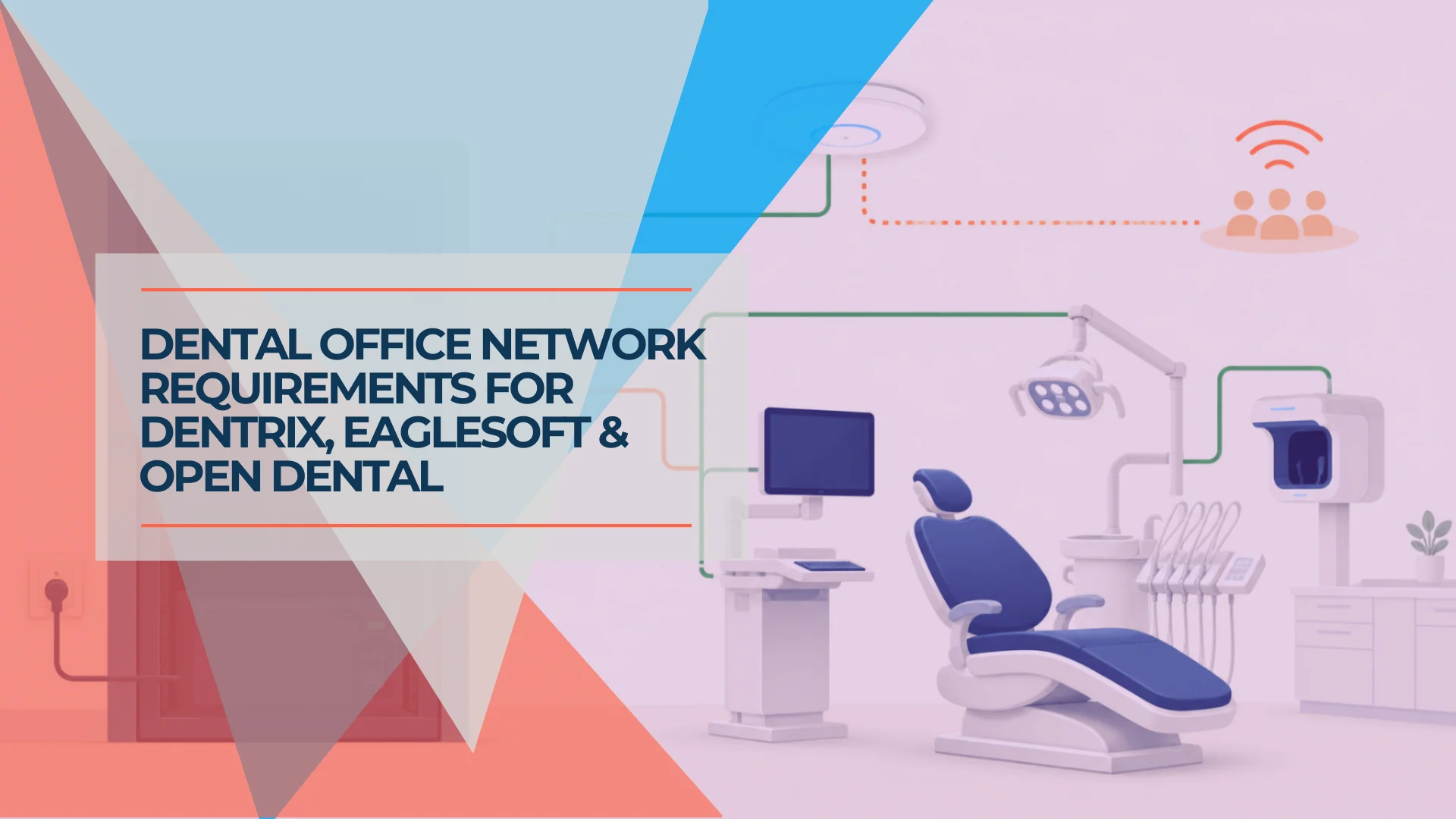
A dental office network has to satisfy two sets of requirements at once: the server and hardware minimums published for Dentrix, Eaglesoft or Open Dental, and the design needed to carry imaging, phones, payment terminals, staff devices and guest Wi-Fi over the same cabling and switches.
All three vendors publish system requirements, and those documents are useful. They also describe one application at a time. Patterson's Eaglesoft documentation, for example, states that a Windows Server-based server must be wired rather than wireless — a requirement that rarely comes up until an unstable connection starts presenting as slow chart access or an intermittent disconnect rather than as an obvious network fault.
This guide separates three things that are often mixed together: the vendor's current minimum, a sensible planning baseline, and the network design needed when the rest of the practice is added. The planning guidance is not a vendor requirement or a claim about measured client deployments.
The short answer
For most single-site practices: wired 1GbE to every operatory, server hardware that matches the vendor's current matrix rather than a generic spec, managed switching with guest and personal devices isolated from clinical systems, backups that have been restored at least once, and imaging capture tested on the actual acquisition hardware before sign-off. Almost everything below is detail on those five points, or the exceptions that apply to cloud platforms, CBCT and multi-site groups.
What you need to decide before anyone quotes hardware
Five answers shape almost every decision below. Establish them before anyone quotes equipment or labor.
Pre-quote checklist
- Identify exact versions. The practice-management release and every imaging product, by version — not "Dentrix" but "Dentrix 26.10". Imaging vendors publish their own matrices, and a practice-management sheet does not size them.
- Count the endpoints. Workstations, operatories, imaging devices, phones, payment terminals and locations.
- Confirm the supported server design. Physical or virtual, workstation OS or server OS, dedicated or shared.
- Audit what already exists. Cabling and link speeds, storage headroom, backup restore evidence, UPS runtime.
- Get vendor sign-off on the bill of materials before purchase or migration, not after.
The first two determine most of the rest. Everything below assumes you have them.
Five scoping questions decide which sections apply to you: on-premises or cloud, single site or several, fewer than ten Eaglesoft workstations or ten-plus, 2D imaging only or CBCT, and existing certified cabling or a new buildout. If the practice is single-site, on-premises, under ten workstations and 2D-only, the server table and the operatory section cover most of what you need.
Dentrix, Eaglesoft and Open Dental server requirements compared
The vendor minimum gets the application supported; the planning baseline leaves room for imaging, backups, security tools and growth.
A technically faster server can still be unsupported because of its operating system, virtualization layer, chipset or peripheral drivers, which is why step 5 above is not a formality.
| Platform | Current published server requirement | Our planning baseline | Why the difference matters |
|---|---|---|---|
| Dentrix (2026 requirements) | Windows Server 2016, 2019, 2022 or 2025, Standard or Datacenter; 64-bit; 16 GB RAM, more above 10 workstations; 4+ cores at 2.4 GHz, with a 9th-gen Intel Core i7-9700 or AMD Ryzen 7 2700 named as the baseline; 60 GB free on SSD/NVMe; 1 Gbps | 32 GB RAM; mirrored business-grade SSD/NVMe; storage sized from the actual imaging library and backup window; wired 1GbE minimum | The 60 GB figure is free space for Dentrix, not a capacity plan for years of CBCT, documents and backups. The named CPUs are a floor, not a recommendation. |
| Eaglesoft 25 | Server, nine or fewer workstations: 8th-generation-or-newer Intel Core i5, 16 GB RAM, 1 TB 7200 RPM storage in RAID 1, Gigabit Ethernet. Ten or more workstations: 6th-generation-or-newer Xeon, 16 GB RAM, 1 TB in RAID 1 or RAID 5. Patterson recommends a dedicated Eaglesoft server from six workstations. Supported 64-bit Windows only | Keep Patterson's supported physical design; use 32 GB where imaging, backup or security software shares the server; validate storage media and RAID design with Patterson before purchase | Eaglesoft does not support virtual machines, and the workstation-count thresholds change the server design. A Windows client operating system also caps simultaneous file-share connections, which is the practical reason practices at the upper tier move to a server edition. |
| Open Dental | Basic small-practice guidance: a current mid-range computer; 4-8 GB RAM; SSD/NVMe recommended; well under 1 GB for the application, plus the database and A-to-Z folder; Windows 11 or supported Windows Server (2016-2025), with Linux and macOS server options | Dedicated server role; 16-32 GB RAM; mirrored SSD/NVMe; monitored backup; storage sized from database and document growth; current supported OS | Open Dental's application footprint is small, but the server is still the record system and file repository. A Windows client operating system also caps simultaneous file-share connections, which is a practical reason to move to a server OS as the practice grows. |
Sources: Dentrix System Requirements 2026, Patterson Eaglesoft and CAESY Hardware Requirements, Answer 5073, and Open Dental Computer Requirements. Patterson revises Answer 5073 several times a year.
Last verified
Specifications on this page were checked against the vendors' own current documents on August 26, 2026: the Dentrix 2026 system requirements sheet (April 2026), Patterson's Eaglesoft and CAESY hardware requirements (revision dated March 27, 2026), Open Dental's live computer requirements page, and Henry Schein One's Dentrix Ascend and Dentrix Enterprise 11.0.49 requirements. Vendors revise these between our reviews. Check the document date before relying on any figure here for a purchase.
RAID keeps a server running through some drive failures; it is not a backup. Deletion, ransomware, database corruption and a failed RAID controller can affect every disk in the array, so each platform still needs a separate backup with defined targets: an acceptable data-loss window (RPO) and recovery time (RTO), at least one offsite copy, one immutable or otherwise unalterable copy, a stated retention period, encryption at rest and in transit, and a restore that has actually been performed rather than merely scheduled. "Monitored backup" describes the alerting, not the recovery.
Version-specific notes that change the answer
| Search or installed version | What to know |
|---|---|
| Dentrix G7 server requirements | The older Dentrix G7.9 document listed 8 GB RAM for up to 10 workstations, 16 GB above 10, four 2.4 GHz cores and 40 GB total space. Do not use that older sheet to buy a 2026 server; the current sheet raises the baseline to 16 GB and 60 GB free on SSD/NVMe. |
| Dentrix 24.x | The 2024 sheet is still in circulation and still quoted in vendor proposals and forum posts. It has been superseded by the 2026 requirements, which name specific 9th-generation processor baselines instead of a generic "Xeon or newer" line. Check which sheet a vendor is quoting from before accepting a bill of materials. |
| Eaglesoft 24 system requirements | Version 24.20.03 added Windows Server 2025 support. Eaglesoft 23 and later support Server 2016, 2019 and 2022 under the current matrix. Confirm the precise point release before changing the operating system. |
| Eaglesoft 25 | Version 25 requires .NET Framework 4.8 or higher. Patterson's version 25 upgrade instructions say to perform upgrades after patient hours, not during lunch, and to verify a current backup first. |
| Dentrix Enterprise 11.0.49 | Treat Enterprise as a separate architecture, not a larger Dentrix Core installation. Its current requirements include supported Windows Server and SQL Server combinations plus site-specific testing. Use the Dentrix Enterprise requirements and involve the vendor. |
| Dentrix Ascend | Ascend is cloud-based and does not use the on-premises Dentrix server specification above. Henry Schein One's Ascend requirements list 8 GB RAM minimum, 16 GB recommended and 50 Mbps down/10 Mbps up for ten simultaneous logins at one location. Local imaging acquisition devices still need vendor-supported operating systems and drivers. |
What these sheets do not cover is operating-system lifecycle, and it constrains a 2026 purchase. General Windows 10 support ended October 14, 2025, Henry Schein One stops supporting Dentrix installations on it after June 30, 2026, and Windows Server 2016 extended support ends January 12, 2027. Specify Windows 11 workstations and a current supported server edition. The imaging vendors named in step 1 above — DEXIS, Sidexis, Romexis, Carestream and the CBCT manufacturers — publish separate matrices for the acquisition workstation and imaging server, and those are the ones that decide the imaging side of the build.
The wired-server rule and how a bad connection presents
Eaglesoft servers belong on wired Ethernet, and Dentrix specifies a 1Gbps network connection for both servers and workstations.
Patterson's hardware requirements document is precise on this point. Under Windows Server operating systems, it states the machine must be wired and cannot use a wireless connection. Its broader network section recommends wired Gigabit switches, Cat5e or better cabling and cabled connections wherever possible. Dentrix separately warns that wireless is used at the practice's risk, because X-ray machines and other equipment can interfere with it.
Do not troubleshoot a wireless server as an application problem
A server on Wi-Fi can pass a quick speed test and still be unreliable. Roaming, interference, retransmissions and power-saving behavior create short interruptions that a file-backed dental application experiences as a disconnect or freeze. Wire the server first, then investigate the application.
The same requirement applies to the server's physical home. It needs a UPS, cooling, labeled switch ports and a location where it will not be unplugged to free an outlet. Our server-room setup guide covers that layer in detail.
When the server is already wired, check the full path: server NIC, patch cable, switch port, horizontal cable and workstation link. A single damaged pair can make a nominally Gigabit system negotiate at 100 Mbps. Disabling inappropriate NIC power saving also matters; Dentrix specifically warns that it can produce disconnect errors on computers left inactive.
How much bandwidth dental imaging actually needs
Dental imaging creates short transfers that range from a few megabytes for 2D images to hundreds of megabytes or more for CBCT.
Planmeca's current Romexis system requirements estimate about 9 MB per 2D X-ray image and 50 MB to 1 GB per 3D X-ray image. A peer-reviewed comparison of six CBCT units reported uncompressed DICOM datasets from 27.9 MB to 382 MB — six specific devices and protocols rather than a distribution of what is installed in practices today, which is why a single universal “CBCT file size” is not a useful planning figure. Field of view, voxel size, bit depth, compression and export format all change the result.
The table below is transfer math, not a field benchmark. It divides file size by link rate and therefore represents a best-case floor before Ethernet/TCP overhead, disk writes, antivirus scanning, database work and image rendering.
| Imaging payload | 1GbE theoretical minimum | 2.5GbE theoretical minimum | What the practice should infer |
|---|---|---|---|
| 9 MB 2D image | 0.07 sec | 0.03 sec | Link speed is effectively irrelevant; acquisition software and storage dominate. |
| 50 MB small 3D study | 0.4 sec | 0.16 sec | 1GbE is ample for an isolated transfer. |
| 382 MB CBCT dataset | 3.1 sec | 1.2 sec | Faster server uplinks help, but a healthy 1GbE network is not automatically inadequate. |
| 1 GB large 3D study | 8 sec | 3.2 sec | 2.5GbE becomes noticeable when several large transfers, backups or viewers overlap. |
Sources: Planmeca Romexis system requirements and the peer-reviewed study Variation in voxel value distribution and effect of time between exposures in six CBCT units.
“Imaging is bandwidth-heavy” is therefore an incomplete diagnosis. For a typical single-location practice, clean 1GbE to each operatory is enough. Before replacing it, check for a slow server disk, a nearly full image volume, a 100 Mbps negotiated link, real-time security scanning of the image directory or an acquisition PC tied to an old driver. A 2.5GbE or 10GbE server/core link is useful when multiple operatories read large studies simultaneously or the backup window collides with clinic hours; it does not justify replacing every chairside port.
Segmentation: what belongs on its own network
A dental practice should separate trust zones, but it should not create so many VLANs that clinical integrations become fragile.
If you need the fundamentals first, read what VLANs are and what to separate. The model below is the one we deploy in dental practices; treat it as a practical default subject to what the software vendors support, not as a standard:
| Network zone | Typical devices | Boundary purpose |
|---|---|---|
| Clinical | Practice-management server, managed workstations, approved imaging acquisition PCs | Reliable access to records and vendor integrations |
| Restricted legacy imaging | Unsupported or vendor-locked acquisition PC | Containment with explicit access only to required servers, DNS, updates and management tools |
| Voice | VoIP handsets and phone adapters | Predictable call quality and simpler troubleshooting |
| Staff/BYOD | Personal phones, tablets and nonclinical devices | Keeps unmanaged devices away from electronic protected health information (ePHI) systems |
| Guest Wi-Fi | Patient devices | Internet-only access with client isolation; no route to clinical or management networks |
| Infrastructure management | Gateway, switches, access points, controller and UPS management | Limits who can change the network itself |
The important nuance is vendor support. Eaglesoft recommends that computers share the same workgroup/domain and IP scheme. Imaging bridges and discovery tools can also assume that devices are on one local subnet. Do not separate the server, acquisition PC and operatory workstation for the sake of a tidier diagram. Build the firewall rules from documented application flows, test capture and retrieval, and keep unsupported legacy devices behind the narrowest rules the workflow permits.
That distinction matters: guest and personal-device separation is straightforward; clinical micro-segmentation is an integration project.
A voice VLAN is worth the same caution. Separating handsets makes traffic easier to identify, prioritize and troubleshoot, but the VLAN by itself does not produce call quality. Quality-of-service policy only changes anything where a link is actually congested — typically the WAN uplink during a large backup or cloud image sync, not a lightly loaded gigabit switch.
Payment terminals and PCI scope
We normally place payment terminals on their own network segment, but segmentation alone does not determine what PCI DSS requires of the practice.
What matters is the payment architecture. A validated, PCI SSC-listed point-to-point encryption (P2PE) solution can significantly reduce the PCI DSS requirements that apply to the practice, though it does not remove PCI DSS entirely. A terminal that merely supports encryption is not the same thing: the PCI Security Standards Council is explicit that an encrypting or PTS-approved device does not by itself reduce scope. Ask the processor or acquirer which validated solution the practice is using and which self-assessment questionnaire applies, then build the firewall rules to match that answer rather than the other way round. Note that a terminal integrated with the practice-management application is not fully isolated by segmentation: it needs a defined, tightly scoped path to that workstation or server, and that path has to be designed rather than discovered when payments stop working.
HIPAA: what the network can and cannot do
Network controls support HIPAA safeguards; they do not make a dental practice compliant.
Not every dental practice is automatically a HIPAA covered entity; that generally depends on whether the practice conducts covered electronic transactions. For a dental practice subject to HIPAA, the Security Rule requires administrative, physical and technical safeguards for ePHI. HHS identifies access control, audit controls, integrity, authentication and transmission security among the technical safeguards. A segmented network contributes to access control and risk reduction, while firewall and infrastructure logs can support investigation.
It cannot supply a risk analysis, workforce training, unique application accounts, vendor agreements, workstation-use policies, an incident-response process or a tested contingency plan. Those responsibilities exist beyond the switch configuration. HHS's Security Rule summary is a better baseline than any vendor promising a “HIPAA-compliant network.”
Also separate current law from proposals. HHS proposed substantial Security Rule changes in 2025, but a proposed rule is not the current rule. Plan for stronger cybersecurity expectations without presenting proposals as already mandatory.
Cloud platforms move the risk to the internet connection
If the practice runs Dentrix Ascend, Open Dental Cloud or cloud imaging, the internet circuit becomes a clinical dependency rather than a convenience.
The design changes accordingly. We normally specify a second path — a different carrier or an LTE/5G failover on the gateway — configured to fail over automatically rather than by manual reconfiguration during clinic hours. Whether that is worth the recurring cost depends on how much of the clinical day stops when the circuit does. Keep DNS resilient, because a resolver failure looks identical to an outage from the operatory. Confirm what the software does during a short interruption: some workflows queue and recover, others drop the session. And test the failover on a schedule, because an untested failover path is an assumption. Our dual-WAN and failover guidance covers the mechanics.
| Platform | Published connectivity guidance | What it means for the circuit |
|---|---|---|
| Dentrix Ascend | 8 GB RAM minimum, 16 GB recommended per workstation; 50 Mbps down / 10 Mbps up for ten simultaneous logins at one location | Size the circuit from concurrent logins, not headcount, and keep local imaging acquisition on supported hardware |
| Open Dental Cloud | Workstations meet the standard Open Dental computer requirements and run the ODCloudClient; 20 Mbps download and 10 Mbps upload | No on-site database server, but every workstation depends on the circuit and on client-side performance |
| Eaglesoft (on-premises) | A single Eaglesoft database stretched across locations over a WAN is unsupported | Multi-site groups need the platform's supported multi-site model, not a VPN and one database |
Sources: Dentrix Ascend system requirements and Open Dental Cloud requirements.
On-premises practices are not exempt. Remote backup, imaging cloud sync, e-claims and cloud phone systems all keep working against the same circuit.
Remote vendor access and who patches what
Many dental practices grant remote access to software and imaging vendors, and that access is usually the least governed part of the network.
Set it up deliberately: named accounts rather than one shared credential the whole support desk knows, multi-factor authentication, access granted for the duration of a case and then withdrawn, and connection logging that survives the ticket. Persistent always-on remote tools installed years ago by a vendor who no longer supports the practice are worth auditing specifically.
Patching ownership needs the same clarity, written down before go-live: who applies Windows and firmware updates, who runs endpoint protection and owns the vendor-approved exclusions, who schedules reboots outside clinical hours, and who is called when an update breaks an imaging driver. "The IT company" and "the software vendor" each assuming the other owns it is a common and avoidable gap.
The operatory: drops, PoE and physical reality
Four home-run data cables per operatory is our planning baseline for a new buildout, not a vendor requirement — even when only two are active on opening day.
Count the endpoint roles rather than assuming every dental device has an Ethernet jack:
- Chairside workstation: the primary wired connection for charts and image viewing.
- Imaging or device bridge: only when the modality uses Ethernet; many intraoral sensors connect by USB to the acquisition PC.
- Room display, VoIP handset or future device: use depends on the practice workflow.
- Spare: cheap during construction and expensive after cabinetry, plumbing and clinical equipment are in place.
A ceiling access point is normally shared by several rooms; it is not one AP per operatory. Its cable should return directly to the communications rack, and placement should follow a survey that accounts for lead-lined walls, dense cabinetry and corridor geometry. Our guide to Wi-Fi access-point density in partitioned offices explains why square footage alone is a poor AP count.
Power over Ethernet (PoE) lets the switch power APs and compatible phones over their data cables. Size the switch from the actual model list: add each device's maximum draw, account for boot peaks and leave expansion headroom. Do not count an intraoral USB sensor or ordinary monitor as a PoE endpoint.
Cable routing has to be coordinated before millwork closes. Keep data pathways clear of high-voltage conductors and away from plumbing, vacuum and compressed-air service paths. Terminate, label and certify every run. The business network wiring guide covers testing and the current $150-$350 per-drop planning range; the office network blueprint covers the equipment layer.
Troubleshooting order: what to check before buying bandwidth
Troubleshoot dental software from the physical path upward before blaming bandwidth or replacing the server.
Without a ticket dataset, it would be misleading to call this a frequency ranking. This is the diagnostic priority order we use because each step is fast to test and can affect every platform:
- Bad cable or negotiated link speed. Symptom: one operatory is consistently slower. Check the switch for 100 Mbps negotiation, errors or flapping; replace patch leads and certify the permanent run.
- Power saving or unstable Wi-Fi. Symptom: disconnects after idle periods or intermittent freezes. Wire the endpoint where the vendor expects it and disable inappropriate NIC sleep settings.
- Server name, DNS or static-address problems. Symptom: the application cannot find its database after router, server or ISP work. Restore correct local DNS and reservations; do not hard-code around a broken design without documenting it.
- Storage contention or low free space. Symptom: everyone slows down during image imports or backup. Check disk latency, free capacity, backup timing and real-time scanning exclusions approved by the vendor.
- Imaging driver or USB-chain failure. Symptom: charts work but capture does not. Check the vendor-supported operating system, device driver, powered USB requirements and acquisition software before changing the network.
- Undocumented switch or firewall changes. Symptom: a vendor integration stops after “security improvements.” Compare the change log and required flows, then restore only the access the application needs.
- Backup that completed but cannot restore. Symptom: none until the server fails. Test a real recovery into an isolated environment and document the result. The small-business disaster-recovery guide explains recovery objectives in more detail.
The ordering is deliberate: prove the wire, link and storage behavior before buying more internet bandwidth.
Planning a practice network: new buildout versus retrofit
A new buildout should over-install pathways and cable; a retrofit should prioritize the failures that interrupt patient care.
New buildout
Finalize the operatory device schedule before the electrician and low-voltage contractor start. Put four data cables at each operatory, dedicated runs at imaging stations, ceiling drops for surveyed AP locations and enough rack capacity for a UPS and spare switch ports. Photograph open walls and label both ends before cabinetry arrives.
The larger planning sequence — requirements, site survey, design, staging, migration and acceptance — is covered in our medium-office network project plan.
Retrofit
Start with a cable and switch audit during a nonclinical window. Reuse certified Cat5e/Cat6 runs that negotiate cleanly at 1GbE; replacing every cable to chase a category label is often wasted money. Add home runs to the rooms that depend on Wi-Fi, isolate guest access, move the server onto protected power and schedule clinical cutovers after the last patient.
Regional note — South Florida. Older Miami medical-office buildings often have hard ceilings, crowded pathways and limited telecommunications space, and hurricane planning means the server, switches, firewall and internet handoff need protected power and a documented shutdown and recovery procedure. Neither changes the design principles above; both change the labor estimate. Our Miami office network planning guide covers the local conditions.
What this costs and who should do it
Dental network projects can cost more than ordinary office refreshes because operatory cabling and clinical-vendor coordination add labor, not because the practice needs exotic switches.
These are planning allowances, not quotes or measured project averages. They are organized around the scope components below; replace them with your own drop count, equipment list and local quotes when budgeting a project.
| Scope line | What drives it |
|---|---|
| Cabling quantity and difficulty | Drop count, run length, accessible versus hard ceiling, plenum rating, certification. iFeelTech's current planning range is $150-$350 per drop; ordinary Cat6 in accessible construction sits at the low end, difficult access and Cat6A at the high end |
| Firewall class | Throughput with inspection enabled, VPN and remote-management needs, licensing model |
| Switching and PoE | Port count with headroom, PoE budget from the actual device list, uplink speed |
| Wireless | AP count from a survey, not square footage; controller or gateway-integrated |
| Rack, power and protection | Rack or wall enclosure, UPS sized for real runtime, surge and grounding |
| Configuration and documentation | VLAN and firewall build, vendor integration testing, as-built records and labeling |
| Migration | After-hours or weekend cutover, rollback plan, next-morning support |
| Excluded | Practice-management licensing, application server, imaging equipment, remediation behind finished walls, permits |
Three-Operatory, Single-Location Practice
Plan on $4,000-$9,000 when the office needs 10-16 new or remediated drops plus a managed firewall, switch, Wi-Fi and protected rack. If certified cabling already exists, spend the savings on a tested backup and clean documentation rather than 2.5GbE at every chair.
Six-Operatory Practice Adding CBCT
Plan on $8,000-$18,000 for 20-30 drops, denser switching, UPS capacity, server/core uplink planning and coordinated imaging installation. The CBCT unit, imaging workstation, application server and software licensing are separate. Get the modality vendor's requirements before ordering the workstation or switch.
Two-Location Dental Group
Plan on $15,000-$35,000 across both sites when each location needs standardized networking, resilient connectivity, secure remote management and a coordinated records strategy. Do not stretch a single-site Eaglesoft database across a wide-area network; Patterson says that design is unsupported. Start with the platform's supported multi-site model and our multi-location networking guide.
Acceptance checklist
Whoever does the work, do not sign it off without these. Every line is a pass or fail, not an opinion.
- Every active endpoint link negotiates at its rated speed, with no errors or flapping under load.
- Permanent links are certified and the results are handed over.
- Imaging capture and retrieval tested at each operatory, on the actual acquisition hardware.
- A restore performed from backup into an isolated environment, with the result documented.
- UPS runtime measured, not estimated, with a tested graceful shutdown.
- Guest network confirmed to have no route to clinical or management networks.
- Practice-management and imaging compatibility confirmed in writing, with the applicable vendor ticket or case number retained.
- Rollback procedure documented, with the pre-change configuration retained.
If you are in Miami-Dade or Broward, the useful first engagement is a dental network assessment: cable certification, server and imaging dependency map, VLAN and firewall review, backup-restore evidence, UPS runtime and a phased scope that fits clinical hours.
A well-cabled 1GbE practice that matches its vendors' supported platforms and can prove a restore will generally outperform a 2.5GbE practice built on untested cabling and assumptions.
Related Resources
- Medium Office Network Project Plan — The full sequence from requirements and site survey through migration and acceptance.
- Business Network Wiring Installation Guide — Cabling methods, testing requirements and per-drop cost planning.
- VLANs Explained for Small Businesses — The network-segmentation fundamentals this dental design builds on.
- IT Server Room Setup Guide — Power, cooling, rack layout and physical protection for the practice server.
- Dual-WAN Business Network Guide — Failover design for practices that depend on a cloud platform or cloud imaging.
- Miami Office Network Planning Guide — South Florida buildout constraints, resilience and local planning considerations.
Frequently Asked Questions
Related Articles
More from Network Infrastructure
VLANs Without the Jargon: What They Are, What to Separate, and Why It Matters
A plain-language guide to VLANs for small business owners. Understand what network segments you already need — guest WiFi, IoT cameras, VoIP phones — and what belongs in each one.
11 min read
How Many UniFi Access Points, Switch Ports, and Cameras Do You Need? Our Sizing Rules
Sizing rules from 200+ UniFi installs: access points per square foot, switch port math, camera density, and NVR thresholds — plus a free configurator.
14 min read
Planning a 30-Person Office Network: A Complete Project Guide (Under $5,000)
How we plan a 30-person office network installation — real BOM, VLAN design, timeline, and honest budget breakdown. A practitioner's project guide for medium-office IT.
16 min read