iDrive vs Backblaze Business 2026: Which Cloud Backup Is Right for Your Team?
Head-to-head comparison of iDrive and Backblaze for business cloud backup. We compare pricing for 5-50 users, server backup, compliance, recovery options, and ease of use.

Quick Verdict
iDrive is the better fit for businesses with 5+ computers or any servers (SQL, Exchange, NAS). It is cheaper at scale and covers your entire infrastructure under one plan. Backblaze is the top choice for solo operators or teams of 1–3 who need unlimited storage for large datasets without managing storage quotas. Both platforms offer HIPAA BAAs.
iDrive uses a storage-based pricing model designed for teams with multiple devices, while Backblaze charges a flat fee per computer for unlimited storage. Choosing between them requires analyzing your specific infrastructure — team size, server needs, and compliance requirements — rather than comparing sticker prices.
Affiliate Disclosure: This article contains affiliate links. If you make a purchase through these links, we may earn a small commission at no extra cost to you. As an Amazon Associate, iFeelTech earns from qualifying purchases.
iDrive vs Backblaze Business: Key Differences
Here is how these two platforms compare across the features that matter most for business use:
| Feature | iDrive Business | Backblaze Business |
|---|---|---|
| Pricing Model | Storage-based (unlimited users) | Per-computer ($99/yr each) |
| Starting Price | $99.50/yr (250 GB) | $99/yr (one computer) |
| Storage | 250 GB – 50 TB (choose your tier) | Unlimited per computer |
| Server Backup | Included (SQL, Exchange, VMware, Hyper-V) | Not available |
| NAS Backup | Native support | Not supported (requires B2, separate product) |
| M365 / Google Workspace | Add-on ($20/seat/yr) | Not available |
| Mobile Backup | iOS + Android | View-only app (no device backup) |
| Linux Support | Full (desktop + CLI) | Not available for Business tier |
| Physical Shipping | iDrive Express (free 3x/yr) | USB restore (free with return) |
| Encryption | AES 256-bit | AES 128-bit |
| Private Encryption Key | Stored locally (true zero-knowledge) | Must be sent to Backblaze during restore |
| HIPAA Compliance | Yes (BAA included) | Yes (BAA available on request) |
| Versioning | 30 file versions (indefinite) | 1-year free; Forever paid ($0.006/GB/mo) |
| Ease of Setup | Moderate (admin console) | Very easy (install and forget) |
| Our Rating | 4.3/5 | 4.0/5 |
For a deeper look at iDrive's capabilities, see our full iDrive Business review.
How Do iDrive and Backblaze Pricing Compare?
Backblaze charges $99 per computer per year for unlimited data, whereas iDrive charges a flat annual fee for a shared storage pool across unlimited devices. The two models produce significantly different total costs depending on team size.
Backblaze: $99/year per computer ($9/month if billed monthly). Costs scale linearly — backing up 10 computers costs exactly 10 times the price of one.
iDrive offers two business products:
- iDrive Team — starts at $99.50/year for 5 computers sharing 5 TB. Each seat includes approximately 1 TB of storage.
- iDrive Business — starts at $99.50/year for 250 GB with unlimited users, computers, and servers. You buy a storage pool and connect as many devices as needed.
Note: iDrive offers first-year promotional pricing (up to 30% off) on both plans. The prices below reflect standard renewal rates, which is what matters for long-term budgeting. You may see lower first-year prices on iDrive's website — those revert to the rates shown here upon renewal.
Total Cost by Team Size
| Team Size | iDrive Team | iDrive Business (1.25 TB) | Backblaze Business |
|---|---|---|---|
| 5 computers | $99.50/yr (5 TB) | $499.50/yr (1.25 TB) | $495/yr |
| 10 computers | $199.50/yr (10 TB) | $499.50/yr (1.25 TB) | $990/yr |
| 25 computers | $499.50/yr (25 TB) | $799.50/yr (2.5 TB) | $2,475/yr |
| 50 computers | $999.50/yr (50 TB) | $799.50/yr (2.5 TB) | $4,950/yr |
Backblaze's per-computer model scales linearly, while iDrive's pricing flattens as you add devices. For a team of 10 users, iDrive Team ($199.50/yr) is approximately 80% cheaper than Backblaze ($990/yr).
Which iDrive Plan Should You Choose?
iDrive Team is the better fit for most SMBs — each seat includes 1 TB of storage, which is sufficient for typical endpoint backup. iDrive Business makes more sense when you need server and database backup included natively (no per-server add-on), or when you have many devices but relatively modest total data.
When Backblaze Is Cheaper
For a single videographer with 10 TB of data, Backblaze ($99/yr) is significantly cheaper than the equivalent iDrive plan. Backblaze is the more economical choice for solo operators or very small teams (1–3 computers) with large datasets where unlimited storage per machine outweighs multi-device pricing.
What Are the Storage Limits and Overage Fees?
Backblaze offers truly unlimited storage with no overage fees. iDrive enforces hard storage caps and charges $0.50/GB/month for data exceeding the plan limit. That fee can add up if you undersize your plan. Monitor usage through the admin console and size your plan with headroom.
Best for teams of 5+: iDrive. Best for 1–3 computers with large data volumes: Backblaze.
Which Platform Supports Servers, NAS, and Cloud Apps?
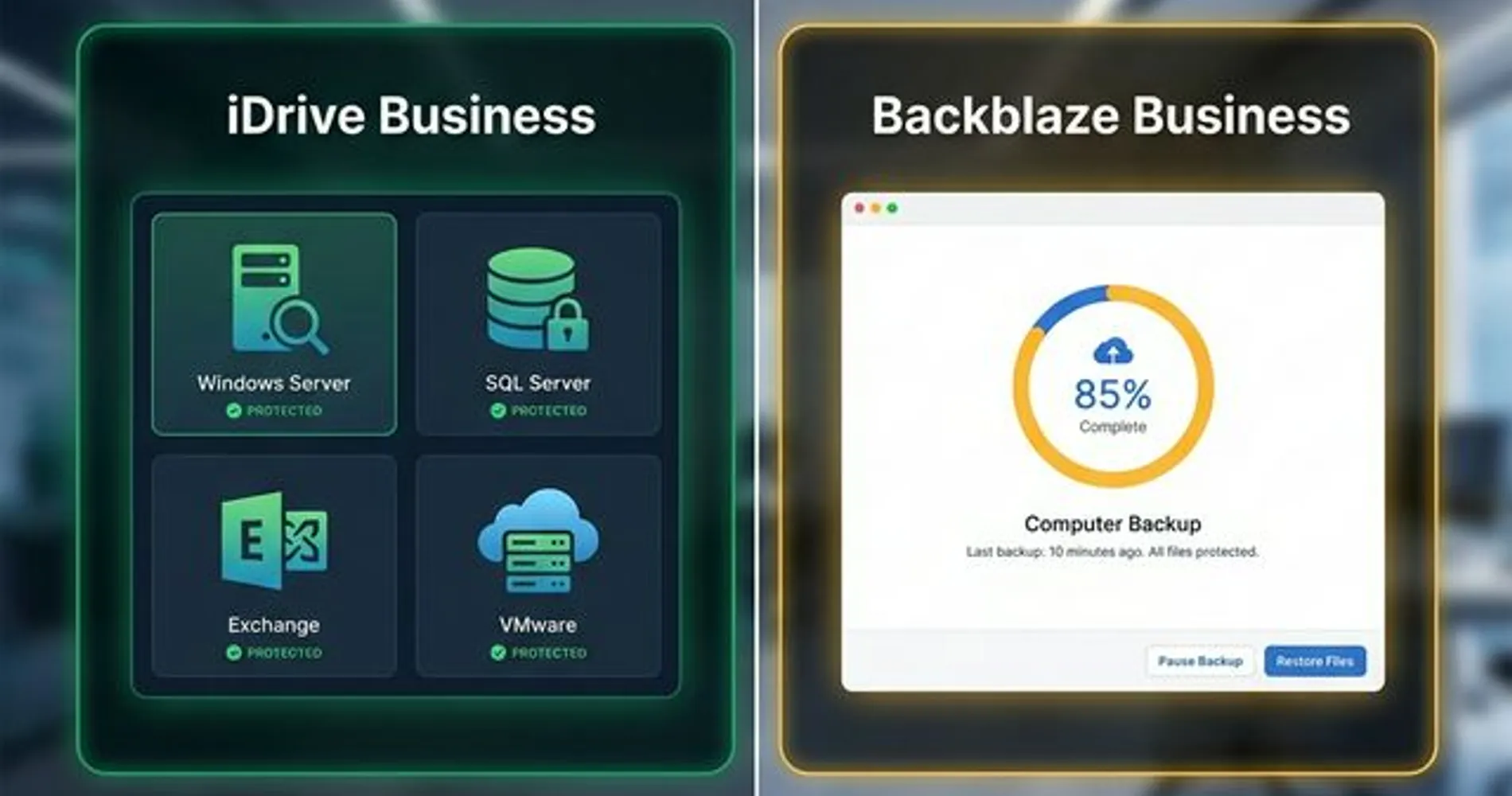
iDrive Business natively backs up Windows Servers, Linux servers, SQL, Exchange, VMware, Hyper-V, and NAS devices. Backblaze Computer Backup supports only Windows and macOS workstations.
Endpoints (Desktops and Laptops)
Both platforms handle Windows and Mac endpoint backup well. You install a lightweight client, select your backup scope (or let it auto-select), and backups run on schedule or continuously.
iDrive additionally supports full Linux desktop and server backup with both a GUI application and CLI tools. Backblaze offers Linux support only on its personal plan — the Business tier is limited to Windows and Mac.
Server and VM Backup
This is a key differentiator for IT administrators. iDrive Business includes server backup modules in its base price:
- Windows Server (2008 through 2022)
- Linux servers (CLI-based)
- Microsoft SQL Server and Exchange Server
- Oracle Database
- VMware and Hyper-V (image-level backup)
Backblaze Computer Backup does not support server operating systems, databases, or virtual machine infrastructure. It is designed exclusively for workstation endpoints. To back up servers with Backblaze, you must use their separate B2 Cloud Storage product, which requires third-party client software and per-GB pricing.
When to Use Backblaze B2 Instead of Computer Backup
Backblaze B2 is an object storage service (comparable to AWS S3) priced at $6/TB/month. To use it for server backup, you pair it with a third-party backup client like Veeam, MSP360, or Duplicati. This works, but it is a different product category — you're assembling a custom solution rather than using an integrated backup platform. For businesses comfortable managing that complexity, B2 + a third-party client can protect servers at a competitive price.
NAS and Network Drives
iDrive natively supports backup from NAS devices (Synology, QNAP) and mapped network drives. If you already use a Synology NAS for local backup, iDrive adds cloud-tier redundancy on top of your local copies.
Backblaze Computer Backup does not support NAS or network drive backup. It protects only directly attached local and external storage.
Cloud Application Backup (M365 / Google Workspace)
iDrive offers Microsoft 365 and Google Workspace backup as a paid add-on at $20/seat/year, covering mailboxes, OneDrive, SharePoint, Google Drive, Gmail, and Calendar. If you need to understand why SaaS backup matters separately from cloud storage, we cover that topic in depth. For a broader look at file storage and sync options, see our best cloud storage for small business guide.
Backblaze does not offer cloud application backup.
Mobile Devices
iDrive supports iOS and Android backup — photos, videos, contacts, and calendars. The iDrive mobile app holds a 4.3/5 rating on both the App Store and Google Play with over 1 million downloads. Backblaze has a mobile app for viewing and downloading backed-up computer files, but it cannot back up mobile data.
Best for broad infrastructure coverage: iDrive. It covers servers, NAS, virtual machines, cloud apps, and mobile devices. Best for simple endpoint backup: Backblaze. It covers workstation endpoints well, but may not meet the needs of businesses with servers or mixed infrastructure.
Ransomware Protection and Version History
If ransomware encrypts your files, recovery depends on how far back you can roll. Both platforms let you restore to a clean pre-infection state, but they handle retention differently.
- iDrive: Uses snapshot-based retention, keeping the last 30 versions of each modified file. Old versions are retained indefinitely (while your subscription is active) and do not count against your storage quota. iDrive's Snapshots feature lets you select a point-in-time and restore your entire backup set to that date — useful for rolling back a bulk encryption event.
- Backblaze: Defaults to 30-day retention. As of client version 7.0, you can enable 1-year version history at no additional cost — a meaningful value improvement that many users overlook. A "Forever" retention tier is also available at $0.006/GB/month for file versions older than one year, keeping all versions indefinitely.
If you get hit with ransomware, iDrive's Snapshots and Backblaze's 1-Year Version History allow you to roll back to a clean state from yesterday — or from months ago. The key difference is in the retention model: Backblaze's time-based retention is simpler to reason about (any file from the last year is recoverable), while iDrive's version-based approach ensures you always have 30 recovery points per file regardless of how frequently it changes.
Best for long-term retention at no extra cost: iDrive (30 versions kept indefinitely). Best for time-based recovery: Backblaze (free 1-year history, with paid Forever option for archival needs).
Which Platform Is Easier to Manage?
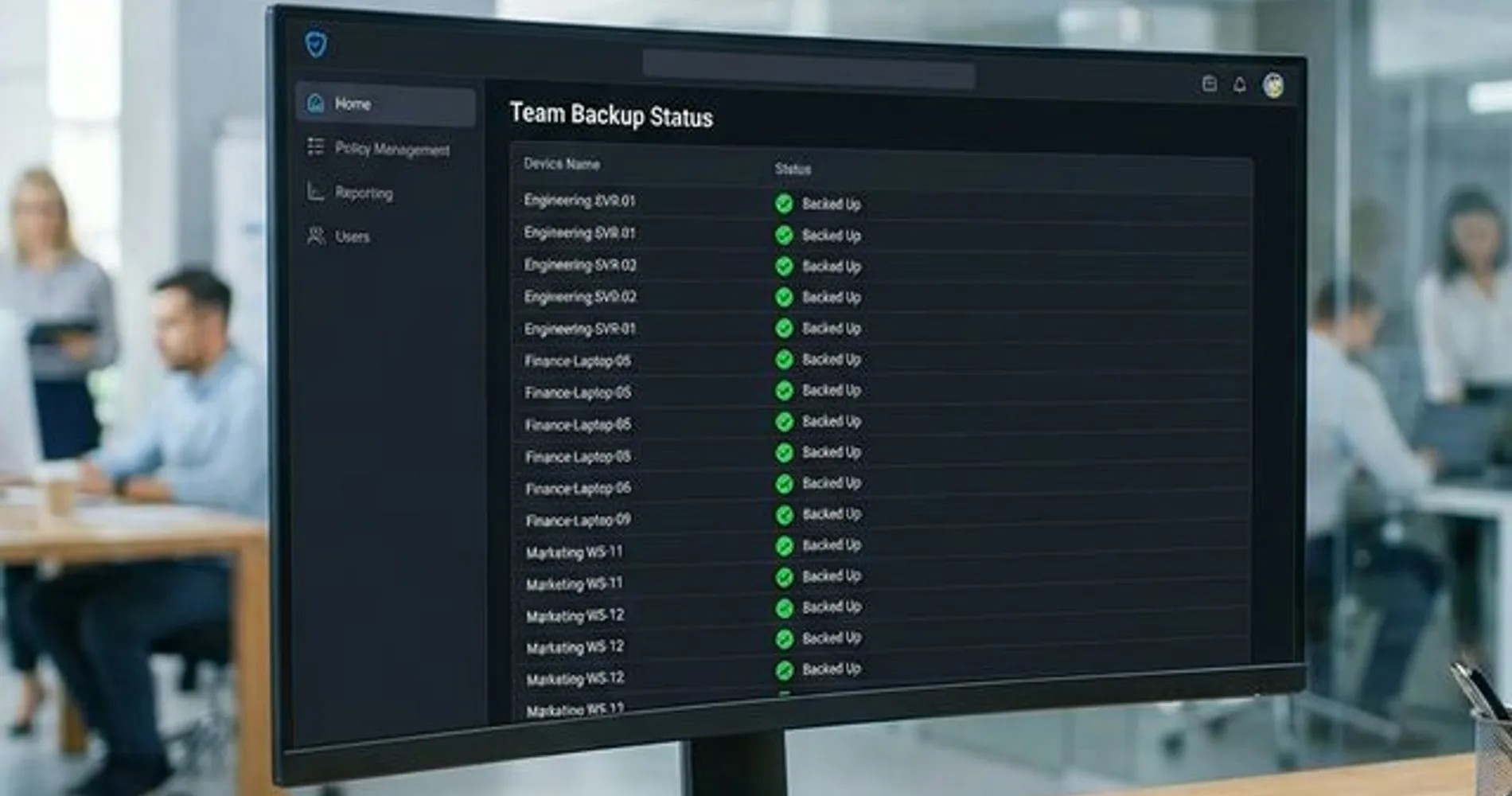
Backblaze wins on simplicity with a zero-configuration client. iDrive offers granular control better suited for IT administrators managing multiple endpoints.
Backblaze
Backblaze is designed to be installed and forgotten. It automatically selects user data and backs it up continuously. There is a minimal settings panel for adjusting throttling, scheduling, and exclusions, but most users never touch it.
For IT administrators, Backblaze provides a web-based admin console for managing Business groups, centralized billing, and license provisioning. Deployment at scale works through MSI installers, JAMF, and Munki. SSO is available via Google and Microsoft, and the Enterprise Control tier adds OIDC authentication (Okta, Azure AD) with restricted restore access.
The limitation: Backblaze offers little granular control. You cannot easily define custom backup sets, schedule complex jobs, or enforce per-user policies.
iDrive
iDrive requires deliberate configuration. The desktop client lets you define specific folders, set detailed schedules (including continuous backup mode), configure bandwidth throttling by time of day, and manage exclusion/inclusion rules. The web-based admin console provides centralized device management, backup status monitoring, and user/group administration.
For IT-managed environments, iDrive's depth allows backup policies per department, compliance monitoring across all endpoints, and detailed reporting. Deployment supports MSI installers and group policy for Windows environments.
The limitation: more features mean more decisions during initial setup. Non-technical users may find iDrive's interface overwhelming.
Best for self-service environments: Backblaze. Best for IT-managed organizations needing centralized control: iDrive.
How Do Restore and Disaster Recovery Options Compare?
Both platforms offer physical drive shipping for large restores. iDrive additionally supports bare-metal recovery and can restore server data, databases, and VM images that Backblaze cannot.
iDrive Restore Options
- Desktop app restore: Browse backup snapshots by date, select specific files or folders, and restore to original or alternate locations.
- Web restore: Download files through the browser interface.
- iDrive Express: Physical storage device shipped with your backup data. Free three times per year on Business plans, with delivery in 3–5 business days.
- Bare-metal recovery: Full system image restore, including to dissimilar hardware with driver injection.
Backblaze Restore Options
- Dedicated Restore app (v9.0): A native Mac/Windows application for browsing and restoring files — no file size limits.
- Web restore: Download files as zip archives, limited to 500 GB per request.
- USB drive shipping: Encrypted drive mailed worldwide. Now free upon return within 30 days (Backblaze previously charged $189 for this service).
Restore Speed and Disaster Recovery
For small-scale restores (deleted files, single-folder recovery), both platforms handle the job well. For download-based restores, iDrive supports multithreaded downloads that can saturate your full connection bandwidth. Backblaze's v9.0 Restore app (released late 2024) is a significant improvement over the old zip-based web downloads — it removes the 500 GB file limit and provides a native restore experience — but it still does not match iDrive's throughput on high-bandwidth connections. On a 1 Gbps line, expect iDrive to finish large restores meaningfully faster. For very large restores, both offer physical drive shipping, which bypasses internet speed entirely.
The bigger difference appears in full disaster recovery scenarios.
iDrive Express can ship your entire business backup — endpoints, servers, databases — on a physical drive within days. Backblaze's USB restore provides similar physical shipping, but it is limited to the data from a single workstation.
iDrive can restore server data, databases, and VM images alongside endpoint files. Backblaze can only restore workstation-level data. For businesses building a comprehensive disaster recovery plan, this scope difference matters.
Best for business disaster recovery: iDrive. Broader restore scope (servers, VMs, bare-metal) and free Express shipping 3x/year. Best for simple file recovery: Either platform — both handle individual file restores well.
How Do Performance and Support Compare?
Both services use block-level incremental transfers for efficient ongoing backups. iDrive offers multithreaded uploads for faster initial seeding; Backblaze prioritizes low system resource usage.
Backup Speed
Both platforms support continuous and scheduled backup with block-level incremental transfers — only changed portions of files are uploaded after the initial backup. iDrive additionally supports multithreaded uploads, which can improve performance on high-bandwidth connections.
Initial backups of large datasets (500 GB+) will take days on either service, limited primarily by your upload speed. iDrive Express sidesteps this by shipping a physical drive for the initial seed, then handling ongoing changes incrementally over the internet.
System Resource Usage
Backblaze is notably lightweight. Its client runs in the background with minimal CPU and RAM impact, which matters for older hardware or resource-constrained machines. iDrive's client is efficient on modern hardware but draws more resources during active backup operations, particularly with multithreaded uploads enabled.
Reliability and Support
Both services have strong uptime records. Backblaze is a publicly traded company (BLZE) with over 500,000 customers and publishes quarterly drive reliability reports — unusual transparency in the industry. iDrive has operated since 2003 and stores data in SSAE-16 certified data centers with geographic redundancy.
For customer support, iDrive offers 24/7 live chat, phone support (Monday–Friday, 6 AM–11:30 PM PST), and email. In our experience, chat responses typically arrive within a few minutes. Backblaze provides live chat (Monday–Friday, 9 AM–5 PM PST), email support, and a detailed knowledge base. Email responses generally arrive within a few hours.
How Do Security and Compliance Compare?
Both platforms encrypt data at rest and in transit. The practical difference is in how they handle your private encryption key.
Encryption and Private Key Handling
| iDrive | Backblaze | |
|---|---|---|
| At-rest encryption | AES 256-bit | AES 128-bit (wrapped in 2048-bit public/private key) |
| In-transit encryption | TLS 1.2+ | TLS 1.2+ |
| Private encryption key | Stored locally, never leaves your environment | Must be transmitted to Backblaze for web/app restores |
Both encryption standards are strong enough for business use. The meaningful distinction is private key handling: iDrive allows you to keep your encryption key entirely off their servers — a true zero-knowledge model. Backblaze requires you to provide your private key when restoring files, and while they state the key is not stored afterward, this creates an exposure point that some organizations find unacceptable.
Compliance Certifications
| Standard | iDrive | Backblaze |
|---|---|---|
| SOC 2 Type 2 | Yes | Yes |
| ISO 27001:2022 | Yes | No |
| HIPAA (with BAA) | Yes | Yes |
| SOX | Yes | No |
| GLBA | Yes | No |
| GDPR | Yes | Yes |
| PCI DSS | Yes | No |
| SEC / FINRA | Yes | No |
Both platforms offer HIPAA Business Associate Agreements (BAAs), so healthcare organizations can use either service for PHI. The difference is in breadth of compliance: iDrive holds certifications across SOX, GLBA, PCI DSS, SEC/FINRA, and ISO 27001 — making it the stronger fit for financial services, legal firms, and organizations subject to multiple regulatory frameworks. Backblaze's compliance footprint covers SOC 2, HIPAA, and GDPR.
If your organization's compliance needs extend beyond HIPAA, or if security compliance is a broader priority, iDrive provides wider regulatory coverage.
Best for HIPAA only: Either platform. Best for multi-framework compliance (SOX, GLBA, PCI, SEC/FINRA): iDrive. The zero-knowledge private key model also makes iDrive the stronger option where data sovereignty is a concern.
With the technical comparison covered, here is how to match each product to your specific needs.
Who Should Choose iDrive
iDrive is the right choice for businesses that need multi-device backup, server protection, or regulatory compliance.
Pros:
- More cost-effective for teams of 5+ computers
- Server, NAS, and VM backup included in base price
- Broad compliance: SOX, GLBA, PCI, SEC/FINRA, ISO 27001, HIPAA (BAA included)
- AES 256-bit encryption with true zero-knowledge private key
- Centralized admin console with policy controls and reporting
- M365 and Google Workspace backup available as add-on
- iOS and Android mobile backup
- iDrive Express physical shipping (free 3x/year)
Cons:
- Storage caps require capacity planning
- Overage fees ($0.50/GB/month) if you exceed your plan
- More complex initial setup than Backblaze
- Interface can be overwhelming for non-technical users
As teams grow, iDrive's pricing becomes increasingly cost-effective. Protecting 25 computers costs roughly $500/year on iDrive Team compared to $2,475/year on Backblaze.
Who Should Choose Backblaze
Backblaze is the right choice for solo operators or small teams that prioritize simplicity and unlimited storage.
Pros:
- Truly unlimited storage per computer — no capacity planning required
- Simplest setup in the industry (install and forget)
- Free 1-year version history (Forever available as paid add-on)
- Free USB drive restores (with return within 30 days)
- Lightweight client with minimal system impact
- Dedicated Restore app (v9.0) with no file size limits
- Transparent pricing — $99/year per computer, no surprises
Cons:
- No server, NAS, or VM backup (workstations only)
- Limited compliance certifications (SOC 2, HIPAA — no SOX, GLBA, PCI, ISO 27001)
- Private key must be shared with Backblaze servers during restores (not zero-knowledge)
- No M365/Google Workspace or mobile backup
- Per-computer pricing scales poorly for larger teams
- No Linux support on Business tier
Backblaze does one thing well: back up a workstation with zero friction. For businesses whose needs don't extend beyond that, it is a reliable and affordable solution.
Our Final Verdict
After deploying both platforms across multiple business environments, the recommendation comes down to a simple decision tree:
| Your Situation | Our Recommendation |
|---|---|
| Team of 5+ computers | iDrive (pricing advantage grows with scale) |
| Any server backup needed | iDrive (Backblaze has no server support) |
| HIPAA compliance only | Both (both offer a BAA) |
| SOX, GLBA, PCI, or multi-framework compliance | iDrive (broader certifications) |
| Solo/1–3 computers, no servers | Backblaze (simpler, unlimited storage) |
| Want zero-configuration backup | Backblaze (install and forget) |
| Mixed infrastructure (endpoints + servers + cloud apps) | iDrive (single platform for everything) |
For most small businesses, iDrive is the more complete solution. The combination of affordable multi-device pricing, comprehensive backup coverage including servers, and proper compliance certifications covers a wider range of business needs. Backblaze is a strong product in its own right — simple, unlimited endpoint backup with minimal management overhead — and remains the better option for smaller teams that don't need server or compliance features.
If you're weighing more options beyond these two, see our best cloud backup for small business roundup. For businesses where security is the top priority, Acronis Cyber Protect combines backup with endpoint security at a higher price point — see our Acronis Cyber Protect review for a detailed breakdown. And if you want to complement cloud backup with on-premises protection, our Synology Active Backup for Business guide covers the best license-free local backup option.
Frequently Asked Questions
Is Backblaze really unlimited?
Yes. Backblaze Business provides truly unlimited storage per computer with no hidden caps, file size restrictions, or throttling. You pay $99/year per computer regardless of how much data that machine generates. Each license covers exactly one computer and its directly connected external drives — you cannot pool storage across devices.
Crucial note: You must enable the free 1-Year Version History in your account settings. Without it, if an external drive is disconnected for more than 30 days, Backblaze interprets this as permanent removal and deletes that drive's backup data. With 1-Year History enabled, file versions are retained even if the source drive is absent. This is a default-off setting that every Backblaze user should turn on immediately after installation.
Can Backblaze back up servers?
No. Backblaze Computer Backup supports only Windows and Mac workstations. It does not support Windows Server, Linux servers, databases, or virtual machines. Backblaze B2 Cloud Storage is a separate object storage product that can be paired with third-party tools (like Veeam or MSP360) for server backup, but this is a different product with different pricing (pay-per-GB).
Do iDrive and Backblaze support HIPAA compliance?
Yes — both platforms offer HIPAA compliance with a signed Business Associate Agreement (BAA). iDrive includes the BAA as a standard feature on Business plans, while Backblaze provides a BAA upon request through their support team. Where the two differ is in broader compliance: iDrive additionally holds SOC 2 Type 2, ISO 27001:2022, SOX, GLBA, PCI DSS, and SEC/FINRA certifications. Backblaze's compliance footprint covers SOC 2, HIPAA, and GDPR.
What happens if I run out of storage on iDrive?
If you exceed your iDrive storage quota, overages are billed at $0.50/GB/month on Team and Business plans. To avoid surprise charges, monitor usage through the admin console and upgrade your plan proactively when approaching your limit. Backblaze avoids this issue entirely with its unlimited storage model.
Can I use both services together?
Some businesses use Backblaze for simple endpoint backup on a few machines while using iDrive for server and compliance-sensitive workloads. This adds complexity but can make sense for organizations transitioning between platforms or with distinct backup requirements for different departments.
How does Google Workspace backup work with iDrive?
iDrive offers Microsoft 365 and Google Workspace backup as a paid add-on at $20 per seat per year. This provides independent backup of mailboxes, Drive files, SharePoint, and Calendar data — protecting against accidental deletions, ransomware, and account compromises that cloud storage alone doesn't cover.
Both iDrive and Backblaze offer free trials — iDrive provides a 7-day trial on paid plans plus a free 10 GB tier, while Backblaze offers a 15-day trial. The best way to evaluate either platform is to test it with your actual data and workflows before committing.
Affiliate Disclosure: This article contains affiliate links. If you make a purchase through these links, we may earn a small commission at no extra cost to you. As an Amazon Associate, iFeelTech earns from qualifying purchases.
Related Articles
More from Business Software
Best Cloud Backup for Small Business 2026: Server vs. Endpoint Solutions Compared
We tested and compared the 6 best cloud backup solutions for small businesses in 2026. Full comparison of iDrive, Backblaze, Acronis, Veeam, CrashPlan, and Carbonite covering pricing, features, compliance, and recovery options.
25 min read
iDrive vs Acronis Cyber Protect 2026: Affordable Backup vs All-in-One Security
We compare iDrive Business and Acronis Cyber Protect for small business backup. Head-to-head on pricing, backup features, security capabilities, compliance, and management.
16 min read
iDrive Business Backup: Protect Endpoints, Servers & SaaS Data
Complete iDrive Business review with practical backup checklists, restore workflows, and competitor comparisons. See what to back up, how restores work, and pricing for SMBs.
24 min read