

Best Business Internet Providers in 2026: Fiber, Cable, and 5G Compared
A practical comparison of the best business internet providers in 2026 — AT&T Fiber, Comcast Business, Verizon Fios, T-Mobile 5G, and Starlink. What the specs don't tell you.


Your business internet provider is the infrastructure decision that affects everything else — VoIP quality, cloud sync performance, remote access reliability, and what happens when a client is on a call and the connection drops.
This guide focuses on what the spec sheets don't tell you: upload performance, SLA structures, contract terms, and what to expect when something goes wrong. If you're choosing a new provider, renegotiating a contract, or adding a failover line, start here.
Affiliate Disclosure: This article contains affiliate links. If you make a purchase through these links, we may earn a small commission at no extra cost to you. As an Amazon Associate, iFeelTech earns from qualifying purchases.
What Should You Look For Before Comparing Business Internet Providers?
Focus on symmetrical upload speeds, business service level agreements (SLAs), installation lead times, and static IP availability.
Before comparing providers, define your operational requirements. Speed tier advertisements highlight download speeds, but the details that affect day-to-day operations — upload speed, SLA terms, and installation timelines — are often buried in the fine print. For a plain-language breakdown of what SLA terms actually guarantee, see the business internet SLA guide.
If you haven't already calculated how much bandwidth your team actually needs, our business internet speed calculator gives you a concrete number based on headcount, video call volume, and cloud app usage before you start comparing plans.
| What You Need | Why It Matters | What to Ask the Provider |
|---|---|---|
| Symmetric upload/download | Most cable connections deliver 200–500 Mbps down but only 20–35 Mbps up. Video calls, cloud backups, and file sharing all require real upload bandwidth. A "300 Mbps connection" with 20 Mbps up is not a business-class connection for a team on Zoom. | "What is the guaranteed upload speed on this plan?" |
| SLA vs. best-effort | Residential and entry-level business plans are best-effort — the provider has no obligation to restore your service within any specific window. A business SLA guarantees response times and includes credits for downtime. | "Is this plan covered by a business SLA? What's the credit provision for downtime?" |
| Installation lead time | Fiber requires physical cable runs and permitting — plan for 2–6 weeks. Cable can be days. 5G fixed wireless installs the same week, sometimes the same day. If you're moving or launching, lead time matters. | "What's the typical installation timeline at my address?" |
| Contract terms and ETF | A 24- or 36-month contract at an introductory rate can lock you into a steep renewal rate. Read the contract for what the rate becomes after month 12. | "What is the renewal rate after the promotional period? What is the early termination fee?" |
| Static IP availability | If your business runs a VPN endpoint, hosts any inbound-facing services, or uses certain VoIP configurations, you need a static IP. Not all plans include one. Some charge $15–25/mo extra — and costs have been rising as IPv4 address exhaustion drives scarcity. On native IPv6: AT&T and Verizon Fios both route IPv6 prefixes on business accounts. Comcast Business supports IPv6 in most markets. T-Mobile 5G fixed wireless uses CGNAT by default — there is no native routable IPv4 or IPv6 address without adding a static IP upgrade. Starlink Business also uses CGNAT; a static IP requires a separate add-on. For most inbound-facing business services, IPv4 is still required — IPv6 adoption by hosted services remains uneven. | "Is a static IP included, or available as an add-on? What does it cost?" |
The other consideration that rarely appears in comparison articles: how the provider treats business customers when something goes wrong. A residential line and a business line from the same carrier may share the same physical infrastructure, but the support tier is different. Business customers on proper business accounts get priority queue access and, in some cases, technician response time guarantees. Ask about this before you sign — it matters most when you need it.
Summary: Top Business Internet Providers in 2026
AT&T and Verizon lead for fiber reliability, Comcast offers the widest cable availability, and T-Mobile excels in fixed wireless failover.
2026 Business Internet Provider Specifications & Pricing
| Provider | Technology | Max Speed (Down / Up) | Symmetric? | Starting Price | Best For |
|---|---|---|---|---|---|
| AT&T Fiber Business | Fiber | 5 Gbps / 5 Gbps | ✓ Yes | $60/mo | Top pick where available |
| Comcast Business | Cable | 1.25 Gbps / 35 Mbps | ✗ No | $60/mo | Broad availability; no fiber needed |
| Verizon Fios Business | Fiber | 2 Gbps / 2 Gbps | ✓ Yes | $69/mo | Northeast US |
| Spectrum Business | Cable | 1 Gbps / 35 Mbps | ✗ No | $64.99/mo | Coax-wired offices |
| T-Mobile 5G Business | Fixed wireless | 600 Mbps / 60 Mbps | ✗ No | $70/mo | Fast install; failover |
| Starlink Business | Satellite | 400+ Mbps / 40 Mbps | ✗ No | $65/mo + $1,999 HW | Rural; remote sites |
The "Symmetric?" column is worth paying close attention to. For businesses with meaningful upload requirements, asymmetric plans create real throughput limitations regardless of the advertised download speed.
AT&T Business Fiber: Top Choice for Symmetrical Speeds
AT&T Business Fiber offers symmetrical speeds up to 5 Gbps, an SLA downtime guarantee, and built-in 5G backup on 1 Gig plans starting at $140/month ($90/month with a qualifying wireless plan).

Our Pick: AT&T Business Fiber
AT&T Fiber Business is the top choice where available. Symmetric speeds on every plan, a genuine SLA with credit-back provisions, no annual contract, and built-in 5G backup on the 1 Gig tier and above. If AT&T Fiber is at your address, the decision is straightforward.
We've installed AT&T Business Fiber in dozens of South Florida offices. The experience across those deployments is consistent enough to say with confidence: when the fiber runs to your building, this is the right pick.
What makes it the top pick:
AT&T Business Fiber is true symmetric fiber — the 1 Gig plan delivers 1 Gbps up and 1 Gbps down, not the asymmetric "up to 1 Gbps down and 20 Mbps up" that cable plans advertise. That symmetry is the most impactful practical difference for businesses running video calls, cloud backups, or remote access.
The AT&T Guarantee covers downtime: if a fiber outage lasts 20 minutes or more, AT&T credits your account. That's the contractual structure of what they call a business SLA. It's not the same as a Dedicated Internet Access (DIA) product, where carriers contractually guarantee a Mean Time to Repair (MTTR) — typically 4 hours from outage report to restoration. For operations with their own client-facing uptime SLAs — medical practices, financial services, legal firms — a DIA product with a contractual MTTR is worth evaluating separately. For most SMBs, the AT&T Guarantee is a meaningful step above best-effort without the cost premium of enterprise DIA. One operational note: AT&T Guarantee credits are not applied automatically. If an outage qualifies, you must open a support ticket and formally request the credit during or immediately after the outage period. Build this into your outage response procedure.
How SLA tiers compare in practice:
| SLA Element | AT&T Business Fiber | Cable Business (Best-Effort) | Dedicated Internet Access (DIA) |
|---|---|---|---|
| Credit trigger | 20-minute outage | No credit provision | Per contract (varies) |
| Uptime commitment | 99.9% | None stated | 99.99%+ |
| Typical MTTR | Same business day | Best effort, no guarantee | 4-hour contractual target |
| Cost premium | Standard business rate | Standard business rate | 3–5× higher than standard business |
Starting at the 1 Gig tier, AT&T includes built-in 5G wireless backup at no extra cost through the WNC-CGW452 gateway. If the fiber goes down, the gateway automatically switches to 5G and switches back when fiber is restored. For most businesses, this is adequate failover coverage without adding a separate device or carrier. We cover the architecture and UniFi integration in detail in our AT&T Business Fiber built-in 5G failover guide.
Current pricing (verified April 2026):
| Plan | Speed (Up/Down) | Monthly Price | Wireless Bundle Price |
|---|---|---|---|
| 300 Mbps | Symmetric | $60/mo | $40/mo |
| 500 Mbps | Symmetric | $100/mo | $60/mo |
| 1 Gig + 5G Backup | Symmetric | $140/mo | $90/mo |
| 2 Gig + 5G Backup | Symmetric | $185/mo | $135/mo |
| 5 Gig + 5G Backup | Symmetric | $285/mo | $235/mo |
Wireless bundle pricing requires an eligible AT&T Business wireless plan. Taxes and fees not included.
Static IPs are available on business plans — confirm availability at your address when ordering. Free online installation is available; typical fiber installation runs 2–6 weeks depending on whether fiber infrastructure is already at the building.
Honest limitation: Coverage. AT&T Business Fiber is not everywhere, and if it's not at your address, none of the above matters. The footprint is expanding, but it's still not available in many markets. Check availability first — everything else follows from that.
For the full technical breakdown of AT&T Business Fiber — real-world speeds, latency measurements, and tier-by-tier analysis from actual deployments — see our AT&T Business Fiber review.
Check AT&T Business Fiber AvailabilityComcast Business: Best Cable Option for Wide Availability
Comcast Business provides download speeds up to 1.25 Gbps with priority business support, ideal for locations lacking dedicated fiber infrastructure.
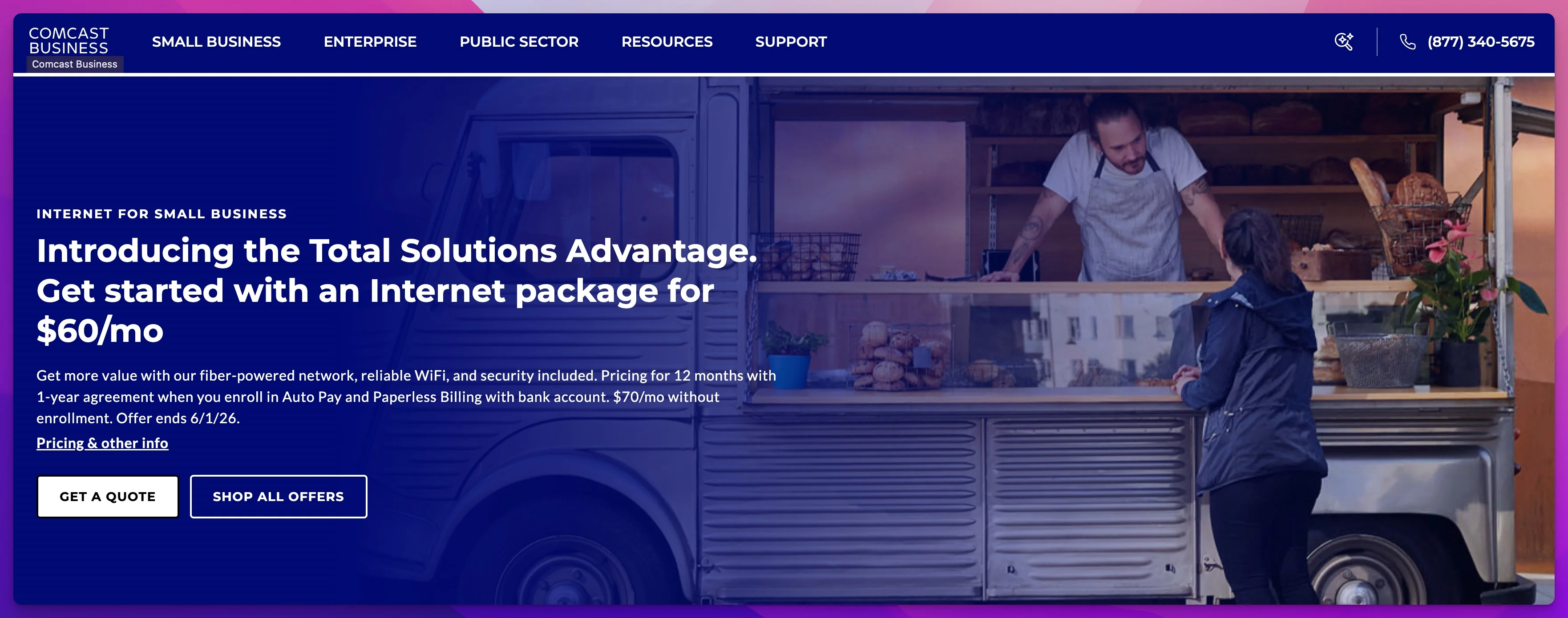
Comcast Business is where most businesses land when AT&T Fiber isn't available — and viewing it merely as a fallback is a mistake. Comcast Business has better coverage than any other ISP on this list, 24/7 business support that's genuinely separated from residential queues, and pricing that works for most small businesses.
What it does well:
Comcast Business has cable infrastructure in places that won't see fiber for years. If you're in a suburban office park, a strip mall, or a building that hasn't been fiber-upgraded, Comcast is often the only option that can be installed in days rather than weeks. The coverage advantage is real and shouldn't be dismissed.
The business support tier is also a real differentiator from Comcast's residential service. Business accounts get a different support number, priority routing, and faster escalation paths. We've seen this matter in practice during outages — business customers get technicians dispatched faster.
Upload constraints:
Upload speeds on cable plans cap at 35 Mbps or below on most tiers outside of DOCSIS 4.0 markets, regardless of your download speed. If you're paying for 500 Mbps service, you're getting 500 Mbps down and approximately 20–35 Mbps up.
For a team doing simultaneous video calls, backing up to cloud storage, or running any kind of file sync to remote workers, that upload ceiling is a real operational constraint. A single employee running a 1080p Zoom call consumes 4–8 Mbps of upload. Four employees doing the same thing simultaneously is 16–32 Mbps. That leaves almost nothing for backups or other upload traffic.
Upload Asymmetry is the Real Comcast Limitation
On most Comcast Business cable plans, upload speed is capped at 20–35 Mbps regardless of the download tier you're paying for. A team of 5+ doing simultaneous video calls will saturate that ceiling. If upload matters for your business — and it does if you use cloud backup, remote access, or video conferencing — verify the upload speed specifically before signing.
Comcast is deploying DOCSIS 4.0 X-Class upgrades in select markets. In these upgraded areas, upload speeds are reaching 300+ Mbps. Ask your Comcast rep directly whether DOCSIS 4.0 X-Class service is available at your specific address.
Current pricing (approximate — verify at business.comcast.com):
Comcast Business plans start at $60/mo for the Standard tier (300 Mbps) and reach $140/mo for the Gigabit Extra tier (1.25 Gbps), with a 2 Gigabit tier at $170/mo. Pricing requires a 1-year agreement with Paperless Billing and Auto Pay via bank account; without auto-enrollment the rate is $70/mo. A 5-year price lock guarantee is available at slightly higher rates. Ask specifically what the renewal rate is before signing.
Contract terms run 1-year for the advertised pricing, with month-to-month options available at higher rates. Early termination fees apply — get the ETF in writing before you commit.
Best for: Businesses in areas without fiber infrastructure, buildings already served by Comcast coax, or operations where download speed is the primary bottleneck and upload demands are modest.
Check current availability and plans at Comcast Business.
Verizon Fios Business: Top Fiber Alternative in the Northeast
Verizon Fios Business delivers highly reliable symmetrical fiber internet starting at $69/month, with no data caps and flexible month-to-month service terms.
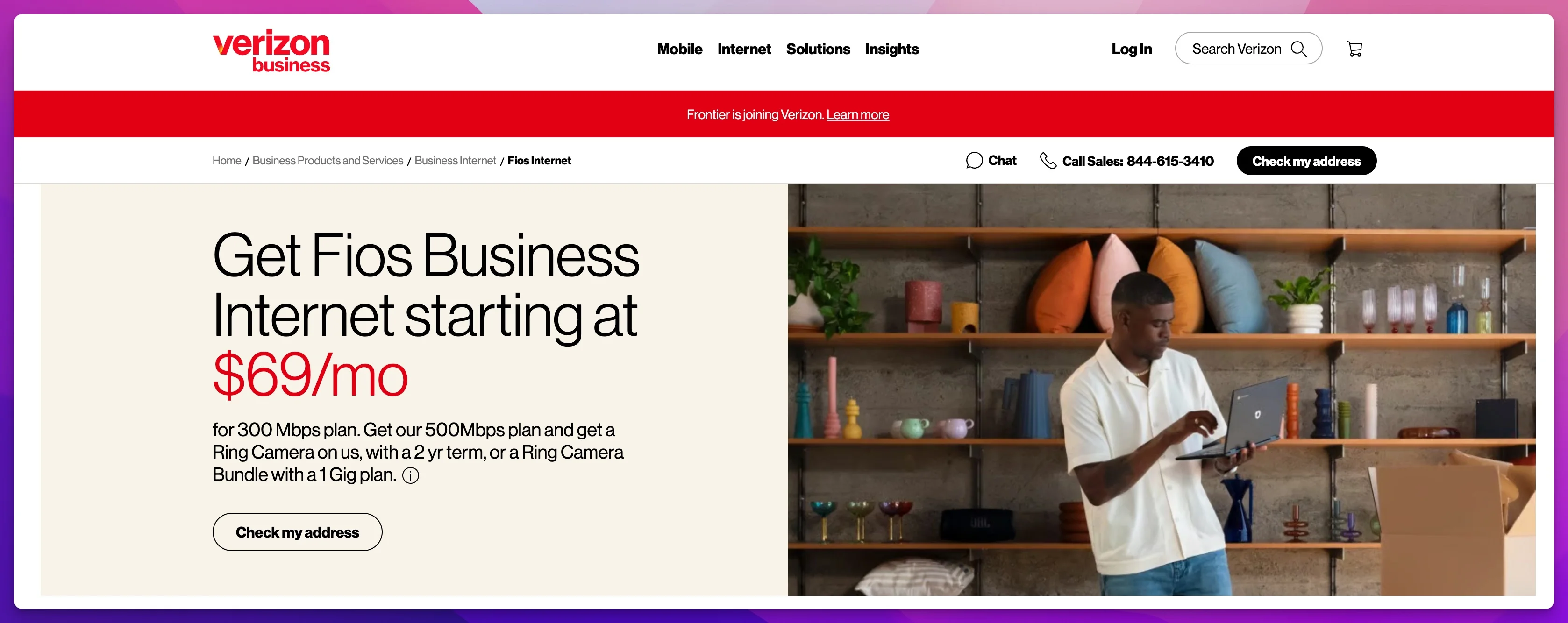
Verizon Fios is the fiber-first alternative to AT&T for businesses in the Northeast — New York, New Jersey, Pennsylvania, Massachusetts, Maryland, Virginia, and select other markets. If you're in Fios coverage territory, it competes directly with AT&T Fiber on quality and often beats it on flexibility.
What makes it strong:
Fios is true symmetric fiber, and the speed tiers are priced competitively: 300 Mbps at $69/mo, 500 Mbps at $99/mo, 1 Gig at $149/mo, and 2 Gig at $179/mo (all plus taxes and equipment charges). The 1 Gig plan delivers 940/880 Mbps — close to symmetric if not perfectly so.
Verizon advertises 99.99% network reliability and no data caps on any Fios plan. Month-to-month service is available, which is a genuine differentiator: many ISPs either don't offer it or price it so far above the contract rate that it's not practical. Fios month-to-month pricing is close enough to the contract rate to be a real option for businesses that want flexibility.
Current Fios Business pricing (verified April 2026):
| Plan | Speed | Monthly Price |
|---|---|---|
| 300 Mbps | Symmetric | $69/mo |
| 500 Mbps | Symmetric | $99/mo |
| 1 Gig | 940/880 Mbps | $149/mo |
| 2 Gig | Symmetric | $179/mo |
Plus taxes, fees, and equipment charges. Pair with a Verizon Business smartphone plan to save $20/mo.
Note for 2026: Frontier is joining Verizon, which will expand Fios availability into new markets. If Fios hasn't been available at your address, check again — coverage is actively expanding.
Static IP and SLA: Static IPs are available (confirm availability at your address). Verizon offers business-tier support with escalation paths, though it's not the same contractual credit structure as AT&T's guarantee. Ask specifically about static IP pricing when quoting.
Honest limitation: The coverage constraint is the same issue as AT&T — Fios is only in Verizon's existing fiber footprint, which is concentrated in the Northeast US. If you're in a Fios market, it's a strong pick. Outside of it, it's not an option.
Don't confuse Fios with Verizon Business Internet (5G/LTE). These are two different products. Fios is dedicated fiber to the premises. Verizon Business Internet is fixed wireless (5G or LTE). Same brand, completely different infrastructure.
Check Fios Business availability and current pricing at Verizon Business.
T-Mobile 5G Business Internet: Best Fixed Wireless and Failover Option
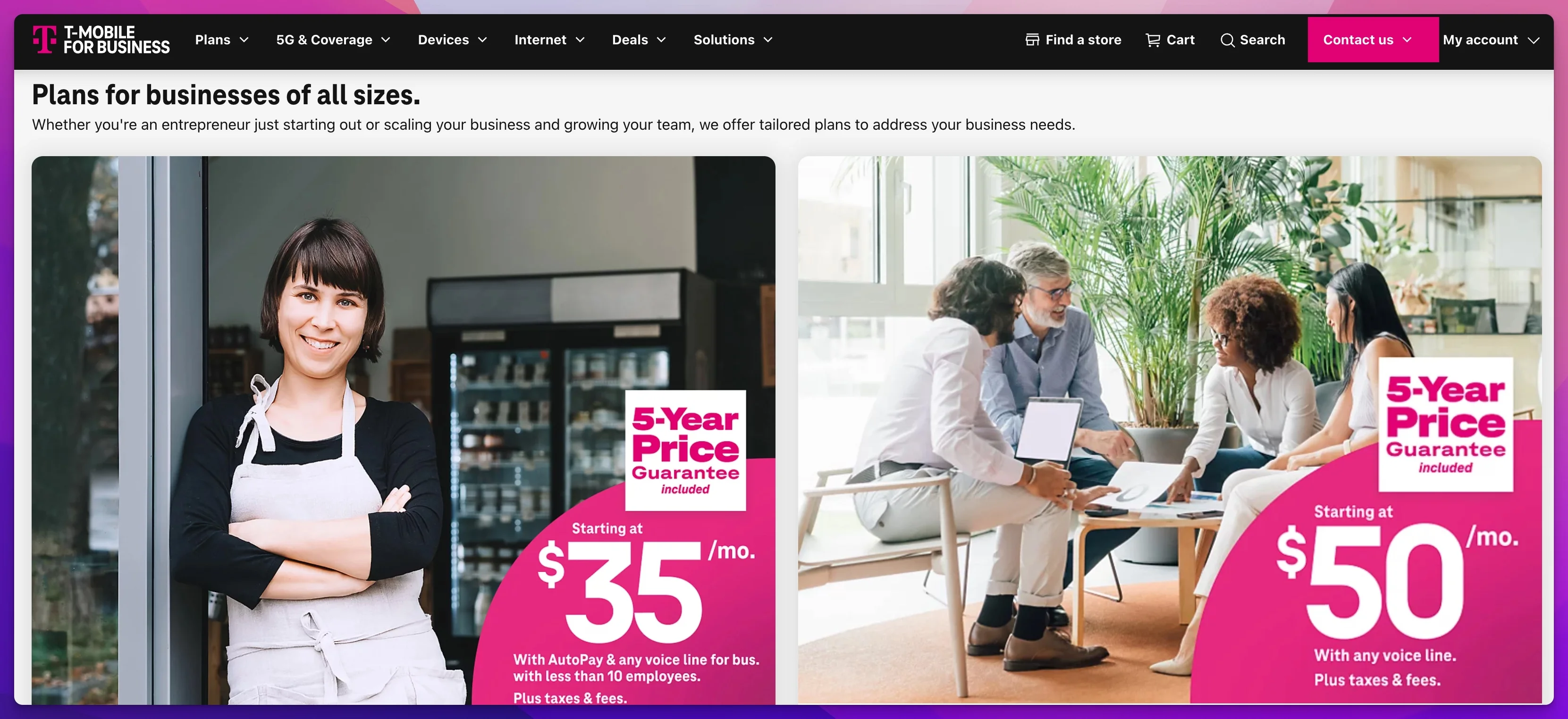
T-Mobile 5G Business Internet delivers download speeds up to 600 Mbps with small business plans starting at $50/month and enterprise tiers from $70/month, making it a highly effective primary or failover line.
Fixed wireless is no longer a stopgap — it's a viable primary connection for the right use case, and a strong failover option for almost everyone else.
What's changed in 2026:
Fixed wireless used to mean "we ran out of wired options." That perception is outdated. T-Mobile's 5G Business Internet delivers 150–600 Mbps down and 30–60 Mbps up in good coverage areas — better download performance than many cable plans, and competitive with entry-level fiber for download-heavy operations. The upload is asymmetric and lower than fiber, but it's meaningfully better than what cable delivers in many markets.
T-Mobile's small business tiers start lower: Business Grow at $35/mo and Business Advanced at $50/mo for larger commercial spaces — both with no annual contract. The enterprise Business Internet tier starts at $70/mo for multi-location or higher-capacity deployments. No installation scheduling, no construction delay, no waiting for a technician to run cable. The gateway ships to you, you plug it in, and you're online.
Where it works well:
- Businesses in areas where fiber or cable business service isn't available (smaller cities, suburban markets, rural edges)
- Retail locations, restaurants, or pop-up operations where a quick connection is needed
- Primary service for businesses with modest upload requirements — retail point-of-sale, light office use, basic cloud apps
- Failover or backup line for any business with a primary wired connection — this is the use case where T-Mobile shines most clearly
Honest limitations:
Upload is not symmetric and doesn't pretend to be. If your team is running simultaneous video calls plus cloud backups, 30–60 Mbps of shared upload will feel constrained.
Latency is higher than fiber — 30–50ms is typical on 5G fixed wireless vs. 2–5ms on dedicated fiber. For most business applications, that difference is imperceptible. For latency-sensitive VoIP configurations or real-time applications, fiber is still the better choice.
Congestion during peak hours is real in dense urban areas. Performance can drop in high-traffic environments during business hours. If you're considering T-Mobile as a primary connection in a downtown location, try to get a trial period and test it during peak hours before committing.
T-Mobile 5G Business as a Failover Line
For businesses that already have AT&T Fiber or Comcast Business as their primary connection, T-Mobile 5G Business Internet at $70/mo is an excellent no-contract failover option. A separate carrier path means a cable cut or provider-specific outage doesn't take you down completely. Our 5G failover setup guide covers the UniFi dual-WAN configuration in detail.
For the full technical guide on integrating T-Mobile (or any 5G provider) as a failover line in a UniFi environment, see our 5G failover setup guide.
View current T-Mobile 5G Business Internet plans at T-Mobile for Business.
Starlink Business: Best Satellite Internet for Remote Worksites
Starlink Business offers low-latency satellite internet starting at $65/month for 50GB of priority data, ideal for rural or temporary worksites.
Starlink Business has changed significantly since 2024 — and the new pricing makes it a serious consideration for more businesses than it used to be.
What changed:
Starlink's Local Priority plan now starts at $65/mo for service plus $1,999 for the hardware kit — a significant reduction from the $500/mo + $2,500 hardware pricing that made the service inaccessible for most SMBs. The hardware cost is still real, but the monthly service cost is now competitive with fixed wireless options.
The Performance hardware delivers 100–400+ Mbps download and 20–40 Mbps upload in most locations. Latency runs 40–60ms — higher than fiber, but workable for most business applications. Starlink's website advertises gigabit speeds coming to Performance kit users in 2026 via network enhancements; no hardware change required.
Starlink Business Pricing Update (April 2026)
Starlink Business pricing has changed materially since 2024. The current Local Priority plan starts at $65/mo (plus $1,999 hardware) — not the $500/mo that was standard two years ago. However, the $65/mo plan includes only 50GB of priority data — enough for roughly 3–5 days of standard office use. Businesses requiring sustained capacity should plan for the 1TB allocation at $290/mo. If you evaluated Starlink previously and ruled it out on price, re-evaluate at the appropriate tier.
Where Starlink makes sense:
- Rural locations with no fiber or cable option — this is Starlink's core use case, and nothing else comes close here
- Construction sites and temporary deployments — the hardware is self-install, the service is no-contract, and it works anywhere with a clear sky view
- Failover for remote offices — a location that can't get a second wired line can use Starlink as the backup path at $65/mo ongoing
- Maritime and aviation deployments — the Global Priority tier ($250/mo) covers these use cases
Honest limitations:
Latency at 40–60ms is acceptable for most business applications but not ideal for latency-sensitive VoIP systems. If your VoIP provider requires sub-20ms latency for call quality guarantees, fiber is the right call.
Upload speeds at 20–40 Mbps are real limitations for businesses doing heavy cloud sync or production file uploads. The plan is asymmetric.
Occasional congestion during peak hours occurs in high-density satellite coverage areas — it's less predictable than wired service, which matters for planning around critical business operations.
For a deeper comparison of Starlink against business fiber specifically, see our Starlink vs. Fiber Business Comparison.
View current Starlink Business plans and pricing at Starlink.com/business.
The Last Mile: Understanding Demarc Extensions and Building Entry Costs
The most overlooked factor in a business fiber installation is what happens between the street and your suite — not the ISP's speed tier or pricing.
When a carrier runs fiber to a commercial building, service terminates at a demarcation point (demarc) — typically a utility room or telecom closet at the ground floor or basement. From there, internal cabling must reach your floor and suite. In a single-story building or ground-floor office, this is straightforward. In a multi-tenant commercial building, the situation is different.
What can go wrong:
- Building owner restrictions: Some landlords do not permit ISP cable runs through their conduit infrastructure. If the building was not pre-wired for fiber, the ISP or a licensed electrician must pull new conduit — a process that requires landlord approval, often takes weeks, and can cost $1,500–$5,000+ depending on the vertical run distance.
- Long demarc-to-suite distances: Running fiber from the ground-floor telecom room to a fourth-floor suite requires conduit work through fire-rated floors and walls. Costs vary by building construction and can surprise businesses that expected a standard installation.
- Existing infrastructure conflicts: Buildings with legacy coax or CAT3 wiring may need additional remediation before fiber can be properly terminated at your suite.
What to do: Before signing with any fiber ISP, ask whether a site survey has been completed and whether any internal cabling work is required beyond the demarc. If the rep cannot confirm, request a pre-installation walkthrough with a technician before committing to a contract. This single step prevents the majority of installation surprises.
Data Caps and Network Management: What Happens When You Hit the Limit
Business plans marketed as "unlimited" often carry fine print worth reading. Here is what each major technology category enforces in practice.
Fiber (AT&T, Verizon Fios): Truly unlimited. No data caps and no throttling policies on standard business plans.
Cable (Comcast, Spectrum): Effectively unlimited on business accounts. Comcast Business does not enforce hard data caps on commercial plans — the residential cap policies do not apply here.
5G Fixed Wireless (T-Mobile Business Internet): No hard cap, but T-Mobile's network management policy deprioritizes traffic after approximately 1.2TB of monthly usage during network congestion. In practice, this is rarely noticeable outside dense urban areas during peak evening hours. T-Mobile does not prominently advertise this threshold — it is disclosed in the network management policy.
Satellite (Starlink Business): The Local Priority plan ($65/mo) includes 50GB of priority data. After that threshold, traffic continues but is de-prioritized based on available satellite capacity. For a small office running video calls, cloud sync, and standard SaaS tools simultaneously, 50GB is typically consumed within 3–5 business days. Businesses with real daily usage requirements should plan for the 1TB allocation at $290/mo and budget accordingly.
The practical rule: for fixed wireless and satellite, calculate your realistic monthly data volume before choosing a plan tier. Overestimate rather than underestimate.
ISP Security Add-Ons: Use Your Own Edge Appliance
Nearly every major ISP now bundles proprietary security products with business accounts. Comcast offers SecurityEdge (DNS-based threat filtering). AT&T offers ActiveArmor (network monitoring and threat blocking). These are marketed as premium features at $10–$30/mo.
Should you use them? For most businesses managing their own network infrastructure, no.
If your network runs a dedicated edge appliance — UniFi Dream Machine Pro, Fortinet FortiGate, Cisco Meraki MX, or similar — your firewall, DNS filtering, and IDS/IPS are already handled at the perimeter with far more configurability than any ISP's packaged security add-on. ISP security services typically operate at the DNS resolver or CPE level and cannot inspect encrypted traffic, enforce granular policy rules, or integrate with endpoint protection or SIEM platforms.
When ISP security tools are useful: For very small businesses with no dedicated IT support and no managed firewall appliance, ISP security add-ons provide basic protection at low cost and near-zero configuration overhead. In that context, Comcast SecurityEdge or AT&T ActiveArmor is meaningfully better than an unmanaged router with default settings.
The recommendation: If you have a managed firewall at the perimeter, skip the ISP security upsell. Redirect that $10–30/mo toward your actual edge infrastructure — a UDM Pro SE subscription, a FortiGuard renewal, or a managed firewall service that actually integrates with your environment.
How to Compare Quotes from Local Providers
National providers cover this list well, but local fiber operators — municipal ISPs, CLECs, and regional carriers — are often the best option in specific markets. Miami has Hotwire and Breezeline. Parts of the country have WOW!, Consolidated Communications, and others. Don't ignore them.
Reading a service agreement:
"Up to X Mbps" means the advertised speed is a ceiling, not a floor. The actual delivered speed during business hours under load may be lower. On cable networks, speeds are shared by neighbors — a crowded neighborhood can noticeably degrade performance during peak hours. Fiber is generally point-to-point infrastructure, which means less shared bandwidth.
Look specifically for: minimum guaranteed speed (often not stated), uptime commitment (99.9% vs. 99.99% is a 9x difference in allowable downtime), and what happens when the SLA isn't met (credit provision? Technician response time?).
What to negotiate:
Most ISPs have more flexibility than the quote suggests. Common negotiation points:
- Installation fee waivers (often waived for online orders or multi-year commits)
- Price locks — getting a commitment that the rate doesn't change at renewal
- Static IP bundling at no extra cost (often available if you ask)
- Contract length — some providers will do 12 months at a slightly higher rate than 24 months
Business SLA vs. Business Service: They Are Not the Same
Many providers offer multiple "business" tiers. The entry-level tier may give you a business support phone number and faster install windows. The higher tier adds a contractual uptime guarantee with credit provisions. When quoting, ask specifically: "Does this plan include an SLA with defined uptime guarantees and credit-back provisions for downtime?" If the answer is vague, assume it doesn't.
Questions to ask every provider before signing:
- What is the guaranteed minimum speed (not advertised maximum)?
- What is the upload speed on this plan — not "up to," but typical real-world delivery?
- Is this plan covered by a business SLA? What is the credit provision for downtime?
- What is the installation timeline at my specific address?
- What is the renewal rate after the introductory period?
- What is the early termination fee, and how is it calculated?
- Is a static IP available? What does it cost?
- Is there a trial period or satisfaction guarantee?
Getting these answers in writing before signing protects you at renewal time and removes ambiguity if a dispute arises later.
Latency by Internet Connection Type
Latency — the round-trip delay between your network and a remote server — directly affects VoIP call quality, remote desktop responsiveness, and real-time collaboration tools. Dedicated fiber delivers 2–5ms; cable averages 15–30ms; 5G fixed wireless runs 30–50ms; satellite (Starlink) averages 40–60ms.
2026 Business Internet Latency by Technology
| Technology | Typical Latency | Impact on Business Applications |
|---|---|---|
| Dedicated Fiber (AT&T, Verizon Fios) | 2–5ms | Optimal for VoIP, real-time collaboration, and remote desktop |
| Cable Coax (Comcast, Spectrum) | 15–30ms | Acceptable for all standard business applications |
| 5G Fixed Wireless (T-Mobile) | 30–50ms | Adequate for video calls; VoIP QoS tuning may improve call quality |
| Satellite (Starlink Business) | 40–60ms | Workable for most applications; not ideal for high-frequency VoIP |
Latency values represent round-trip time measured from the gateway to major US internet exchange points under normal load conditions.
For VoIP deployments with strict quality requirements, dedicated fiber is the only technology that consistently clears the sub-20ms threshold needed for guaranteed call quality on most hosted PBX platforms.
When and How Should You Add a Failover Internet Line?
Deploy a failover line using 5G fixed wireless or a secondary fiber connection to prevent costly downtime during primary network outages.
A failover line is one of those investments that's easy to defer until the moment you need it. Planning for redundancy before an outage occurs is more straightforward — and less disruptive — than responding to one.
When is a failover line worth the cost?
The math is straightforward: if an hour of downtime costs your business more than $70–100, a failover line pays for itself the first time you need it. That calculation covers most businesses that rely on internet for transactions, communications, or client-facing operations.
Three failover options at different price points:
1. 4G/LTE backup router ($20–40/mo): The most affordable option. Purpose-built LTE routers from Cradlepoint, Peplink, or Netgear Orbi LTE connect to the WAN2 port on your gateway. Speed is limited (typically 50–150 Mbps down, 20–30 Mbps up), but it's enough to keep VoIP, email, and browser traffic running during an outage. Best for businesses with modest failover requirements.
2. T-Mobile 5G fixed wireless ($70/mo): The best value at the middle tier. The speeds are competitive with cable internet, the cost is reasonable, and it's on a completely separate network infrastructure from your primary wired line. This is the option we deploy most often for South Florida businesses that want real redundancy without the cost of a second fiber line.
3. Second fiber line from a different provider ($100–200/mo): True carrier diversity. If your primary line is AT&T Fiber and your backup is Comcast Business (or vice versa), a cable cut, a provider-specific outage, or even a fiber splice issue at a street level can't take both connections down at the same time. This is the appropriate setup for any business where internet downtime has direct financial consequences — medical offices, legal firms, financial services, anything with client-facing SLAs.
UniFi dual-WAN failover:
UniFi gateways support automatic dual-WAN failover — the system monitors both WAN connections and switches traffic to the secondary path when the primary goes down, then switches back automatically when primary is restored. This works on the UCG-Fiber, UCG-Max, Dream Machine Pro, Dream Machine Pro Max, Dream Machine SE, and UDR7. For most small offices, the UCG-Max is the right starting point — it supports dual WAN natively without requiring a separate gateway in front of the ISP router. Larger offices or businesses running VLANs and traffic shaping benefit from the Dream Machine Pro SE, which adds 2.5G WAN ports and a built-in PoE switch bay. Our business fiber network upgrade guide covers gateway selection in detail alongside the switch and AP upgrade sequence.
The failover configuration in UniFi is straightforward: set WAN1 as primary, WAN2 as failover, enable load balancing or failover-only mode, and configure WAN2 health checks. We cover the full configuration walkthrough — including how to handle the AT&T gateway IP passthrough situation — in our 5G failover setup guide and our AT&T Fiber built-in 5G failover guide.
For businesses that want both ISP selection guidance and hands-on network configuration support, see our UniFi dual-WAN failover setup guide and AT&T Fiber built-in 5G failover guide — both cover the configuration steps in detail.
A note on failover vs. seamless bonding: Standard dual-WAN gateway failover — including UniFi — involves a brief interruption (typically 5–30 seconds) while routing switches to the secondary path. Active VoIP calls will drop during this window. For environments where zero-interruption failover is required, SD-WAN platforms with link bonding — such as Peplink with SpeedFusion — maintain active sessions across both connections simultaneously by splitting traffic at the packet level. These are available as dedicated appliances and are worth evaluating for high-availability environments.
Business Internet Checklist
Use this before signing with any provider:
Coverage and availability
- Confirmed service is available at your specific address (not just the building or zip code)
- Verified the technology type at your address (fiber vs. cable vs. fixed wireless — not all addresses within a coverage zone get the same service)
Speed requirements
- Calculated upload requirement: (number of simultaneous video call users × 4–8 Mbps) + (cloud backup average upload rate) + 20% headroom
- Confirmed the upload speed on the plan — not the download speed, the upload speed
- Confirmed whether speeds are symmetric or asymmetric
SLA and reliability
- Confirmed whether the plan includes a business SLA or is best-effort
- Noted the credit provision for downtime (if applicable)
- Asked about technician response time for outages
Contract terms
- Noted the promotional rate period and what the renewal rate is
- Confirmed the early termination fee amount and calculation method
- Confirmed whether month-to-month is available and at what rate
Technical requirements
- Confirmed static IP availability if needed (VPN endpoints, server hosting, VoIP)
- Noted the installation timeline
- Planned a failover option for the day the primary connection goes down
South Florida businesses: For a market-specific breakdown of AT&T Fiber vs. Comcast Business availability block-by-block in Miami-Dade, see our Miami Business Internet Guide.
Making the Decision
The decision tree is simpler than the market makes it seem:
- AT&T Fiber is available at your address → AT&T is the pick. Symmetric speeds, SLA, built-in 5G backup on 1 Gig and above.
- AT&T Fiber is not available, but Verizon Fios is (Northeast US) → Fios is the pick. Same symmetric fiber quality, competitive pricing, month-to-month flexibility.
- Neither fiber option is available → Comcast Business or Spectrum Business for cable coverage, with the clear-eyed understanding that upload speed is a real constraint.
- No wired business service is available → T-Mobile 5G Business Internet as primary. Budget for Starlink Business as backup if the location is rural enough that T-Mobile coverage is also thin.
- You have primary service and want backup → T-Mobile 5G Business Internet at $70/mo no-contract is the first call. If you need carrier diversity, add a second wired line from a different provider.
The business internet decision isn't made once. Plans change, coverage expands, and bandwidth requirements increase as teams grow. Re-evaluating at each renewal cycle — and negotiating based on documented requirements and competitive quotes — typically yields better pricing and terms than auto-renewing.
Check AT&T Business Fiber AvailabilityRelated Resources
- AT&T Business Fiber Review 2026 — Full review with real-world speeds, uptime data, and tier-by-tier pricing from 50+ South Florida deployments.
- Business Fiber Network Upgrade Guide — Once your ISP is chosen, this covers the gateway, switch, and AP upgrade sequence to ensure your internal network keeps pace with the line speed.
- 5G Failover Setup Guide — How to configure UniFi dual-WAN failover with a 5G backup line.
- AT&T Fiber Built-In 5G Failover Guide — How the WNC-CGW452 gateway's built-in 5G backup works and how to integrate it with a UniFi network.
- Starlink vs. Fiber Business Comparison — Side-by-side analysis for businesses evaluating satellite as a primary or backup option.
- Miami Business Internet Guide — Local ISP comparison for Miami-Dade businesses, with real availability data and installation timelines.
Frequently Asked Questions
Related Articles
More from Network Infrastructure
Starlink Business vs Fiber Internet: Complete 2026 Business Comparison
Comprehensive comparison of Starlink Business vs AT&T Fiber and Comcast Business for Miami businesses. Real-world experience, pricing analysis, and recommendations.
25 min read
Dual WAN for Business: Why One Internet Connection Isn't Enough
Why a single ISP is a single point of failure, how to verify real route diversity, and which dual-WAN gateway and backup connection fit a rack network or a simple branch office.
19 min read
Business Internet SLA Guide: Uptime Guarantees, Static IPs, and Contract Terms
What business internet SLA terms actually mean — uptime math, static IP, MTTR, and when to add a second line. Plain-language guide for SMBs.
18 min read