

Best Wi-Fi 7 Access Points for Small Business (2026)
Compare the best Wi-Fi 7 access points for small businesses, including real AP, switch, cabling, controller, and five-year licensing costs.

Key Takeaway
Upgrading to Wi-Fi 7 requires more than swapping access points — it means auditing your switch power budget and cabling. Among the higher-end access points compared here, the UniFi U7 Pro XGS ($299) is the best-value option with no recurring license fees. For a conventional small office, the lower-cost U7 Pro ($189) or U7 Pro XG ($199) is usually the more proportionate UniFi choice — see our UniFi WiFi 7 AP comparison for model-by-model guidance.
Before upgrading, it's worth confirming that your access points are the actual bottleneck — building materials, channel congestion, and wired infrastructure limits are often the real constraint. Our guide to why office WiFi underperforms walks through the diagnostic.
One thing has changed since this category emerged: Wi-Fi 7 is no longer a forward-looking purchase. As of 2026, the iPhone 17 lineup, Samsung's Galaxy S25 and S26 series, and laptops with Intel BE200 adapters all ship with Wi-Fi 7 — though many business laptops still in active service remain on Wi-Fi 6 or 6E. In offices with newer devices, the access point is increasingly the oldest link in the chain.
This guide covers the five most relevant Wi-Fi 7 access points for small and medium businesses in 2026, with detailed analysis of infrastructure requirements, real-world performance, and total cost of ownership. If you are short on time, the Quick Reference table below summarizes the key decision points.
Affiliate Disclosure: This article contains affiliate links. If you make a purchase through these links, we may earn a small commission at no extra cost to you. As an Amazon Associate, iFeelTech earns from qualifying purchases.
Quick Reference: Top Wi-Fi 7 Access Points for SMB
| Specs | |||||
|---|---|---|---|---|---|
| Max Throughput | ~15 Gbps | ~21.5 Gbps | ~12.22 Gbps | ~18.7 Gbps | ~24 Gbps (quad-radio mode; ships in tri-radio) |
| Uplink | 10 GbE | Dual 10 GbE | 10 GbE + 1 GbE | Dual 10 GbE | Dual 10 GbE (802.3bt); Dual 2.5 GbE (PoE+) |
| PoE Standard | 802.3bt (PoE++) | 802.3bt (PoE++) | 802.3bt (PoE++) | 802.3bt (PoE++) | 802.3bt (PoE++), 47W |
| Recurring Cost | $0 | $0 (local controller); optional cloud subscription | $0 (Unleashed) | ~$60–$180/AP/yr | Licensing required (quote) |
| Coverage | ~1,750 sq ft (vendor-stated max) | ~2,150 sq ft (vendor-stated max) | Environment-dependent (no vendor spec) | Site-survey dependent | Site-survey dependent |
| Streams | 8-stream tri-band | 12-stream tri-band | 8-stream tri-band | 12-stream tri-band | 16-stream quad-radio (default: tri-radio 4×4) |
Implementation Checklist
- Budget Planning: $299-$2,855 per access point, depending on features needed
- Coverage: Budget around 1,000–1,500 sq ft per AP for 6 GHz coverage as a starting point; verify with a site survey
- Infrastructure: Ensure PoE++ (802.3bt) switching and multi-gigabit uplinks
- Hidden Costs: PoE++ switches often cost more than the APs themselves
- Licensing: Aruba Central runs ~$60–$180/AP/year; Cisco licensing is tier-specific (request a quote); UniFi has zero recurring fees; TP-Link Omada is free with a local controller (optional cloud subscription)
- Management: Consider cloud vs. on-premises controller requirements
- Timeline: A single-AP office may take a day; a multi-floor, multi-switch deployment could take several weeks
How Much Does a PoE++ Switch Cost?
A 24-port PoE++ switch for Wi-Fi 7 access points costs $800–$2,000 — often more than the access points themselves.
Older PoE and PoE+ switches max out at 15W to 30W per port, which is insufficient for flagship Wi-Fi 7 hardware that routinely draws up to 40W. It is worth auditing your existing network rack before purchasing Wi-Fi 7 APs; the alternative is individual PoE injectors, which complicate cable management and lack centralized power cycling capabilities. Our PoE types and switch sizing guide covers the differences between PoE, PoE+, and PoE++ in detail. We cover per-model power draws and switch recommendations in the implementation planning section below.
Understanding Wi-Fi 7 Technology for Business
Wi-Fi 7 improves capacity, latency, and reliability over Wi-Fi 6E — the factors with the most direct impact on business networks. Where previous generations focused primarily on peak speed, Wi-Fi 7's gains show up in day-to-day operations. Three features drive those gains:
- Multi-Link Operation (MLO): Allows a device to use multiple bands (e.g., 5 GHz and 6 GHz) concurrently, which can reduce latency and improve reliability when one band is congested. The actual link combinations depend on the AP, client chipset, OS, firmware, and regulatory region — not every device will use all three bands simultaneously.
- 6 GHz spectrum: Offers uncongested channels that administrators can assign to latency-sensitive SSIDs — video conferencing, VoIP, and cloud applications — away from the crowded 2.4 and 5 GHz bands. The 6 GHz band is not automatically reserved for priority traffic; SSID and policy design determine how it is used.
- 320 MHz channel width: Doubles the maximum channel width of Wi-Fi 6E, increasing peak throughput for individual clients. In dense multi-AP deployments, however, 320 MHz channels consume more spectrum and can reduce channel reuse — 160 MHz may be the better default in many office layouts.
In practice, a well-designed Wi-Fi 7 deployment can deliver faster cloud file synchronization, more reliable video conferencing, and better behavior under heavy device load.
Deployment Note: 6 GHz Coverage Constraints
The 6 GHz band does not penetrate drywall and glass as effectively as 5 GHz. A Wi-Fi 7 deployment will typically require additional access points to maintain 6 GHz coverage across the same footprint as a Wi-Fi 6 design. Clients in areas without 6 GHz coverage will fall back to the 5 GHz band, reducing the benefit of the upgrade. A site survey — predictive or on-site — is the reliable way to determine AP count; rule-of-thumb percentages vary too much by building construction to be used as design targets.
Deployment Observation
In our Miami business deployments, offices upgrading from Wi-Fi 5 or early Wi-Fi 6 infrastructure to Wi-Fi 7 have reported noticeably faster application response times and fewer connectivity-related support calls. Results vary by environment — the improvement depends on the previous hardware, office layout, client device mix, and network design.
Best 10GbE Value Wi-Fi 7 Access Point: UniFi U7 Pro XGS
UniFi U7 Pro XGS
Best value Wi-Fi 7 AP for SMB — 10GbE uplink, zero licensing fees.
- 10GbE uplink
- Zero licensing fees
- 500+ concurrent clients (vendor max)
- ~1,750 sq ft coverage (vendor max)
*Price at time of publishing
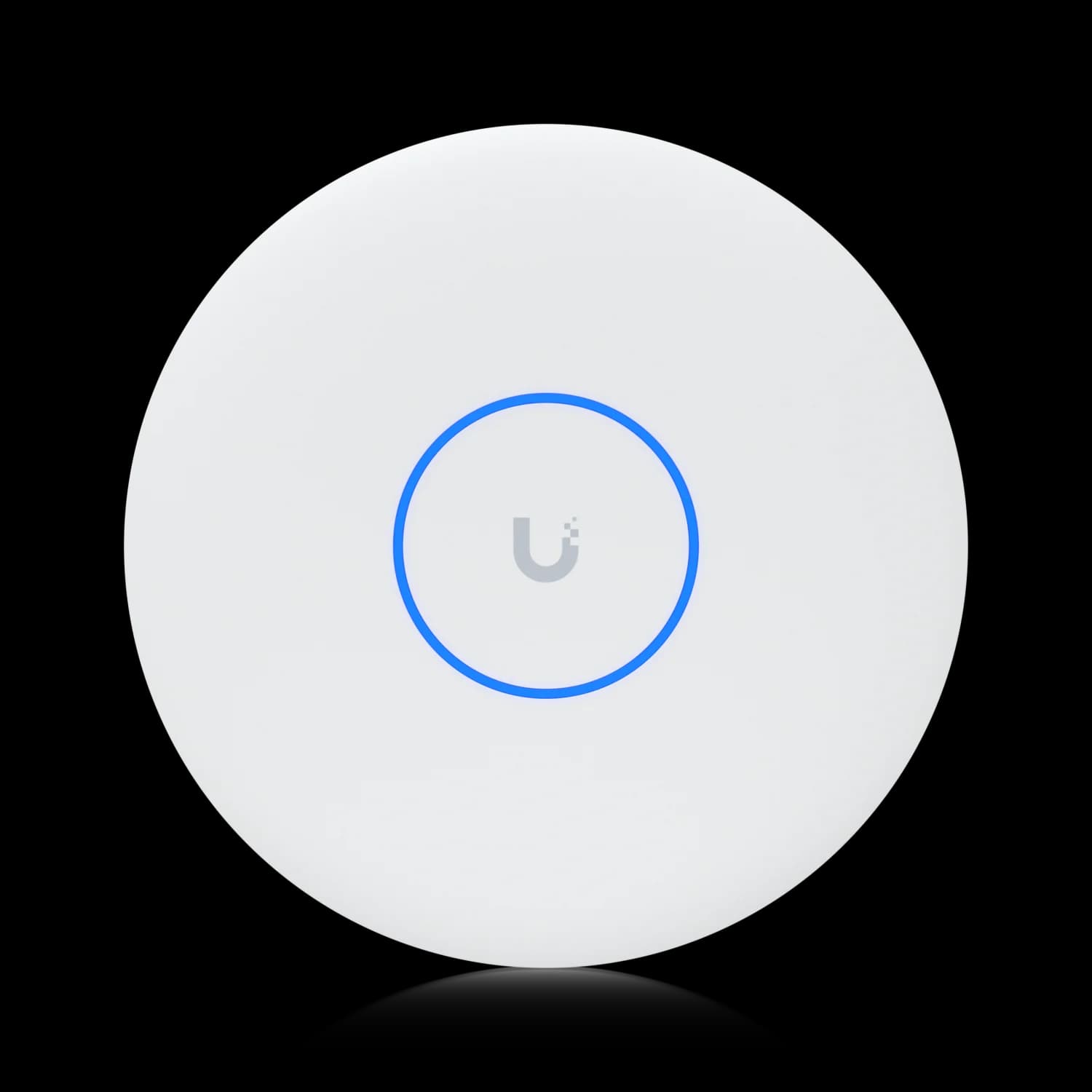
The UniFi U7 Pro XGS is a $299 tri-band access point featuring a 10GbE uplink, up to 15 Gbps maximum aggregate PHY rate, and zero recurring licensing fees.
Among the five APs compared in this guide, the XGS offers the best combination of radio capability and uplink speed at a small-business price point. The UniFi U7 Pro XGS supports up to 500 concurrent connections (vendor-listed maximum) and covers roughly 1,750 square feet — a combination of uplink speed and radio capability that, until recently, required enterprise-priced hardware.
Why the XGS Model Over Standard U7 Pro: The XGS model includes a 10GbE uplink and 4×4 MIMO on 5 GHz, adding capacity for high-density or high-bandwidth environments. The U7 Pro ($189) and U7 Pro XG ($199) are adequate for most conventional small offices — the XGS becomes the better choice when client density, simultaneous high-bandwidth usage, or RF interference justifies the premium. If you're deciding between the XGS and the $199 U7 Pro XG sibling, our U7 Pro XG vs XGS comparison breaks down the stream count, scanning radio, and PoE differences in detail.
Key Performance Metrics
- Tri-band 8-stream design: 2×2 6 GHz + 4×4 5 GHz + 2×2 2.4 GHz
- Aggregate throughput: Up to 15 Gbps theoretical maximum
- Single 10 GbE uplink: Backwards compatible to 5G/2.5G/1G speeds
- Coverage: Approximately 1,750 sq ft in typical office environments
- Client capacity: 500+ concurrent connections (theoretical)
- Power requirements: 802.3bt PoE++ (single cable installation)
Notable Features for SMB Deployments
The U7 Pro XGS includes several features more commonly found on enterprise equipment:
- Dedicated spectrum scanning radio: Provides continuous RF monitoring — including non-Wi-Fi interference visibility — without taking a client-serving radio offline.
- Zero-Wait DFS: Pre-clears DFS channels so that when radar is detected (the specific regulatory concern on DFS frequencies), the AP can move clients to an already-validated channel with minimal interruption, rather than waiting through the standard channel-availability check period.
- WPA3-Enterprise authentication and VLAN segmentation: Supports RADIUS-driven VLAN assignments and guest network isolation with customizable captive portals, allowing proper network segmentation without complex command-line configuration.
Typical Business Use Cases
Based on our deployment experience, a typical 25-person office using the U7 Pro XGS can expect improvements in the following areas compared to Wi-Fi 5/6 infrastructure:
- File synchronization: Large presentations and project files sync to cloud storage noticeably faster than on Wi-Fi 5/6 infrastructure
- Video conferencing: Stable, high-quality calls even with multiple concurrent meetings
- Mobile device support: Consistent connectivity for smartphones, tablets, and laptops as device counts grow
- IoT device integration: Reliable connections for printers, security cameras, and smart office equipment
Management and Deployment Simplicity
The UniFi ecosystem provides centralized network management through a browser-based interface that doesn't require dedicated IT staff. The UniFi Network controller can be hosted locally on any computer, in the cloud through Ubiquiti's hosting service, or on a dedicated Cloud Key device.
Network monitoring includes real-time client information, bandwidth usage analytics, and automatic firmware updates. Advanced features like guest portal customization, bandwidth limiting, and automatic RF optimization are configured through straightforward interfaces rather than complex command-line tools.
Don't Buy the U7 Pro XGS If...
- You don't have multi-gig infrastructure: The XGS's 10GbE port can negotiate at lower speeds (1/2.5/5 Gbps), but the uplink may limit aggregate performance. If your switches only support 2.5 GbE, the U7 Pro ($189) or U7 Pro Max may be a more proportionate choice.
- You have simple, small spaces: A single small office under 1,000 sq ft might be better served by a cheaper Wi-Fi 6E AP.
- You need outdoor coverage: This is an indoor-only unit. Look at the U7 Outdoor or U7 Pro Outdoor instead (the U7 Pro Wall is also an indoor model).
Need help planning a UniFi deployment? Book a consultation with our team.
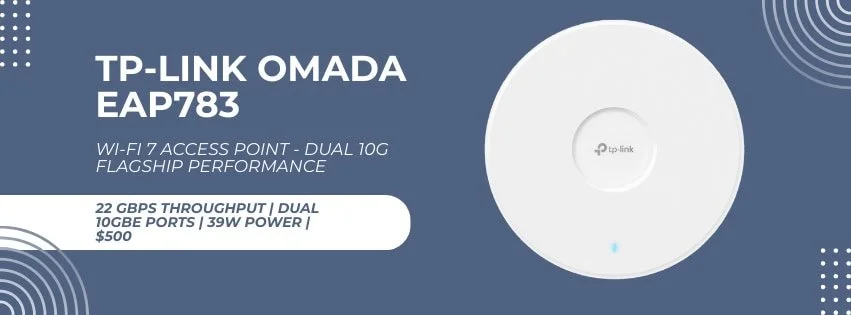
Best High-Performance Wi-Fi 7 Access Point: TP-Link Omada EAP783
TP-Link Omada EAP783
$500~21.5 Gbps aggregate PHY, dual 10GbE ports, no recurring fees with local controller.
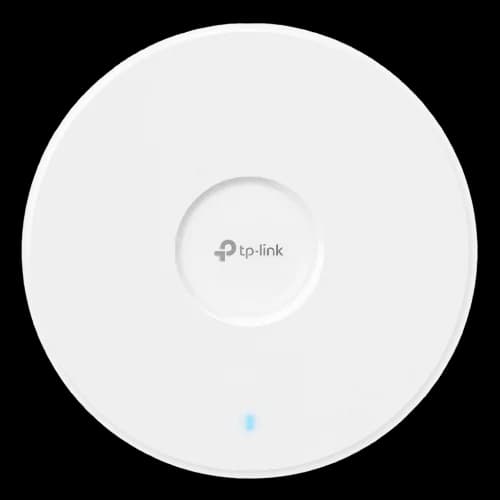
The TP-Link Omada EAP783 offers approximately 21.5 Gbps aggregate PHY rate (BE22000 class) and dual 10GbE ports for $500, with no recurring software fees when using a local controller.
Designed for high-density environments, the TP-Link Omada EAP783 is a 12-stream access point that supports MLO, allowing compatible clients to use multiple supported links concurrently — commonly 5 GHz and 6 GHz — depending on the client chipset, operating system, firmware, and regional configuration. At approximately $500, it is one of the least expensive business APs to offer a 4×4 6 GHz radio and dual 10G ports.
Standout Technical Capabilities
The EAP783's 12-stream tri-band design (4×4 on each of 2.4 GHz, 5 GHz, and 6 GHz) provides a theoretical aggregate PHY rate of approximately 21.5 Gbps. It includes dual 10 Gigabit Ethernet ports — a feature typically found only on enterprise-grade equipment.
TP-Link's Omada SDN platform offers flexibility for small businesses. The system can be managed through the free Omada Software Controller (self-hosted), a hardware controller appliance, or the standalone web interface — all at no recurring cost. TP-Link also offers a cloud-based controller (Omada Cloud-Based Controller) that carries a per-device subscription fee, plus a free Omada Cloud Essentials tier for basic monitoring. Most single-site SMBs will use the free local controller.
Implementation Considerations
The EAP783 requires 802.3bt PoE++ infrastructure, drawing approximately 39W at full operation. The access point's physical size is larger than some alternatives, which may impact installation flexibility in space-constrained environments.
Budget Alternative: TP-Link also sells the smaller Omada EAP773, a BE11000-rated access point with a single 10GbE PoE+ port, at an MSRP of $189.99 — about a third of the EAP783's price. It's the more proportionate choice for a single-AP small office that doesn't need the EAP783's dual uplinks or top-tier throughput; reserve the EAP783 for higher-density deployments.
Don't Buy the EAP783 If...
- You don't have 10GbE infrastructure: A 10GbE uplink is recommended to take advantage of this AP's full aggregate capacity. Without it, the uplink may limit performance under high concurrent load.
- You need a small form factor: This is a large, industrial-looking unit. If aesthetics or ceiling tile constraints matter, look elsewhere.
- You're in a simple office environment: The 12-stream design is overkill for basic office use. Save money with the U7 Pro XGS instead.
Ruckus R770: Best for Challenging RF Environments
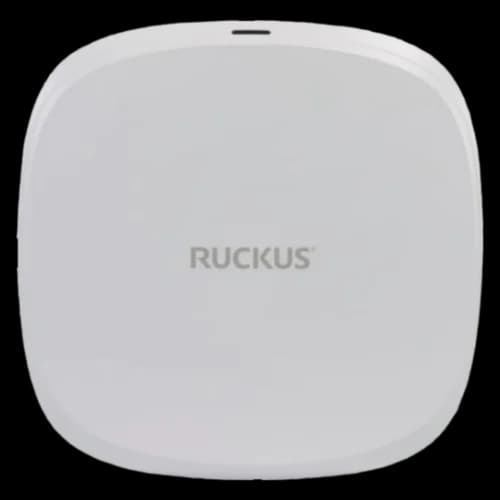
Ruckus R770
$2,855 MSRPBeamFlex+ adaptive antenna technology for high-interference environments.
The Ruckus R770 is a premium Wi-Fi 7 access point designed for high-interference environments where standard antenna designs produce inconsistent coverage. List price is $2,855, though street pricing varies widely by reseller — current listings (August 2026) range from approximately $1,740 to over $3,100 depending on the vendor and license bundle. It is not a general-purpose recommendation, but it addresses specific deployment scenarios where adaptive antenna technology justifies the premium.
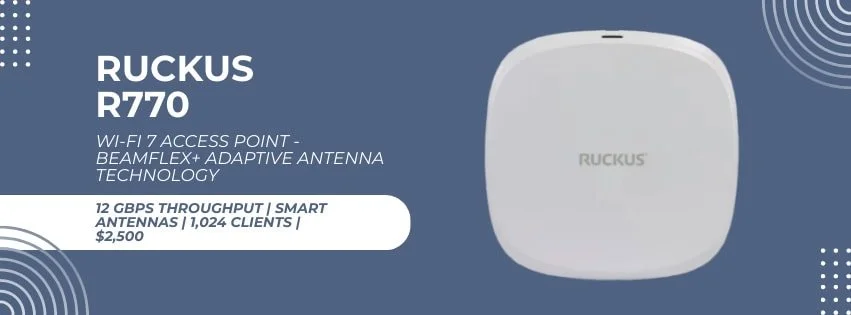
Technical Specifications: The R770 is an 8-stream access point (2×2 6 GHz + 4×4 5 GHz + 2×2 2.4 GHz) with a 12.22 Gbps aggregate PHY rate, 10GbE + 1GbE uplinks, and 802.3bt PoE++ power — matching the UniFi U7 Pro XGS on radio specs. It differentiates through its adaptive antenna system rather than raw stream count.
BeamFlex+ Adaptive Antenna Technology: Ruckus's BeamFlex+ technology dynamically selects from over 4,000 antenna patterns per client to optimize signal strength and reduce interference. Ruckus positions this as the R770's primary differentiator — in environments with concrete columns, metal shelving, or dense wall construction, where standard fixed-antenna APs are more likely to develop dead zones, the adaptive patterns can produce more consistent coverage. This is the primary justification for the price premium in retail, healthcare, and education deployments. Note that Ruckus does not publish a specific coverage-area figure for the R770; actual coverage depends on the environment, channel width, and transmit power settings.
Management Flexibility Options: The R770 offers unique management flexibility through its Unleashed firmware option. In Unleashed mode, one access point acts as the controller for up to 128 APs and 2,048 clients (in bridge mode) without requiring separate controller hardware or licensing fees. This approach provides centralized management — including VLANs, captive portals, and guest access — without a separate controller or recurring license.
Don't Buy the R770 If...
- Your environment is standard drywall construction: In typical office environments, the performance difference over the U7 Pro XGS does not justify the cost difference.
- Your budget is limited: Even at favorable street pricing (~$1,740+), the R770 costs more than five U7 Pro XGS units and addresses specific RF challenges. Most single-site SMBs will not see a meaningful performance difference over the U7 Pro XGS.
- You need centralized cloud management across sites: Unleashed is controller-free and single-site. Multi-site cloud management requires Ruckus SmartZone, which carries additional licensing costs.
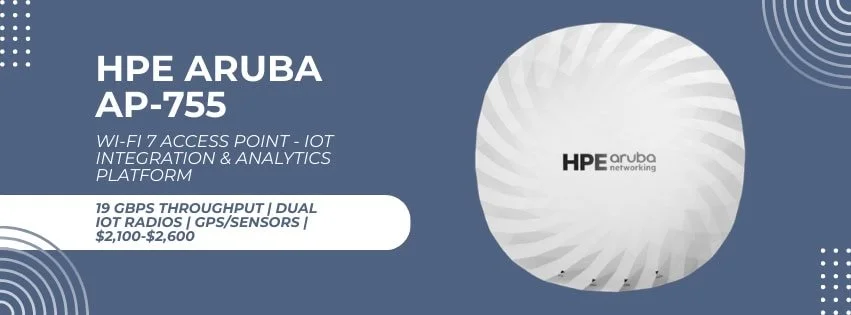
HPE Aruba AP-755: Best for IoT and Smart Building Deployments
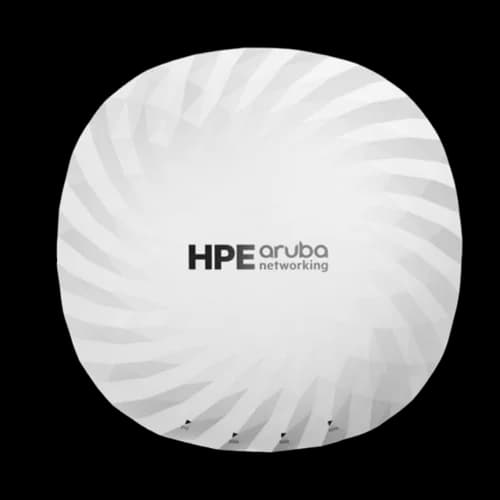
The HPE Aruba AP-755 combines Wi-Fi 7 with integrated IoT radios, positioning it as a converged wireless and IoT access point rather than a standalone Wi-Fi AP. List price is $2,595, with street pricing typically between $1,700 and $2,050. For businesses planning smart building deployments or requiring advanced analytics capabilities, the AP-755 provides unique value despite its premium pricing.
Integrated IoT Capabilities
The AP-755 includes dual IoT radios (Bluetooth 5.4 and 802.15.4) that support Zigbee out of the box. The 802.15.4 radio is also compatible with other protocols that use the same physical layer, though specific protocol support depends on the ArubaOS software release. This integration allows businesses to deploy IoT sensors, smart locks, environmental monitoring, and asset tracking systems without requiring separate gateway hardware.
Built-in GPS (GNSS) receivers and environmental sensors support indoor positioning services. These can be used for asset tracking, wayfinding, or location-based services without deploying separate infrastructure.
The AP-755 is typically managed through Aruba Central, HPE's cloud-based networking platform, though HPE also documents on-premises, private-cloud (VPC), and as-a-service deployment options. Expect to pay roughly $60–$180 per AP/year in licensing fees for Aruba Central (Foundation or Advanced tier), depending on contract length and architecture. While this adds ongoing subscription costs, Central provides AI-powered optimization, predictive analytics, and unified wired, wireless, and IoT infrastructure management.
Don't Buy the AP-755 If...
- You don't need IoT integration: Without plans for Zigbee or 802.15.4 devices, the dual IoT radios add cost without adding value. The U7 Pro XGS covers the Wi-Fi use case at a fraction of the price.
- You want to avoid subscription costs: Aruba Central licensing (Foundation or Advanced tier) is the standard management path. Over a 5-year period, licensing adds roughly $300–$900 per AP on top of the hardware — an ongoing budget line that zero-license platforms avoid entirely.
- You want straightforward management: Aruba Central is a full enterprise network operations platform. If the requirement is simply reliable Wi-Fi, the complexity is not warranted.
Cisco Catalyst CW9178I: Best for Existing Cisco Infrastructure
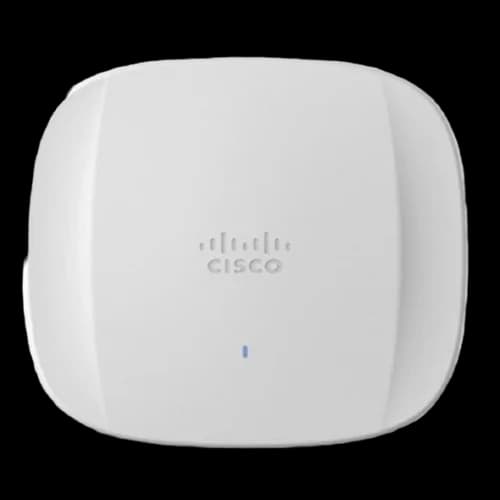
Cisco Catalyst CW9178I
$1,939–$2,600+Dual-mode Cisco/Meraki management for existing Cisco infrastructure. Ships in tri-radio mode; quad-radio mode available via CLI.
Businesses with existing Cisco infrastructure or plans for multi-site deployments should consider the Cisco Catalyst CW9178I. Current reseller pricing ranges from approximately $1,939 to over $2,600 depending on SKU and vendor (as of August 2026) — request a quote for exact numbers.
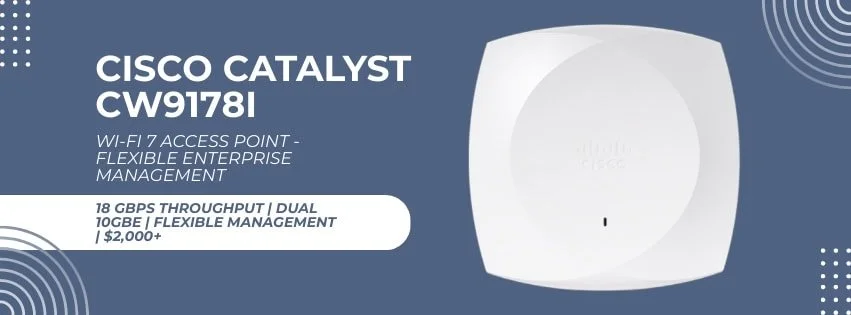
Important: tri-radio vs. quad-radio mode. The CW9178I ships in tri-radio mode by default (4×4 on each of 2.4 GHz, 5 GHz, and 6 GHz). The headline 16-stream, 24 Gbps aggregate figure applies in quad-radio mode — where the 5 GHz band splits into two 4×4 radios — which must be enabled via CLI. In tri-radio mode the radio configuration and aggregate PHY rate differ. The AP draws up to 47W under full 802.3bt (Class 6) power; on PoE+ it operates at reduced capacity (2×2 streams, 2.5GbE uplinks, no IoT radio).
The CW9178I supports both Cisco Catalyst (on-premises WLC) and cloud-based Meraki management on the same hardware. This allows businesses to start with simpler cloud management and transition to on-premises control as their needs evolve. Expect licensing fees for either management platform — exact costs depend on the tier, term, and whether additional DNA or Meraki subscriptions are bundled; request a quote from your Cisco partner for an accurate five-year figure.
Integration with Cisco's Identity Services Engine and security portfolio provides access control and threat detection capabilities that can simplify compliance for businesses in regulated industries.
Don't Buy the CW9178I If...
- You don't have existing Cisco infrastructure: Without Cisco switches, routers, and security tools, you're paying for integration value you can't use.
- You're a single-site business: The multi-site management capabilities are this AP's primary strength. For a single location, the complexity and cost are difficult to justify.
- You need cost predictability: Between hardware, licensing, and support contracts, Cisco's total cost of ownership is substantially higher than UniFi over 5 years. The exact multiple depends on the licensing tier and support level; request a five-year TCO quote from your Cisco partner before committing.
Why Does 6 GHz Wi-Fi Require More Access Points?
The 6 GHz frequency uses shorter wavelengths that do not penetrate walls as effectively as 5 GHz, which typically means more access points are needed to match Wi-Fi 6 coverage on the higher band.
When upgrading an office, a one-to-one replacement of older access points will likely result in dead zones on the 6 GHz band, forcing client devices to fall back to the congested 5 GHz spectrum. For initial budgeting, we typically start around 1,000–1,500 sq ft per AP when consistent 6 GHz coverage is required — but actual AP count depends on wall construction, ceiling height, desired RSSI/SNR thresholds, channel width, client density, and regulatory power limits. A predictive or on-site survey should determine the final count.
One development worth noting: Automated Frequency Coordination (AFC) now allows certified access points in the US to transmit at standard power on the 6 GHz band — several times the power permitted for low-power indoor devices — after checking a coordination database to avoid interfering with licensed users. However, AFC support is model-, certification-, firmware-, and region-specific, not a blanket vendor feature. For example, Ubiquiti explicitly advertises AFC on the U7 Pro Outdoor, not across every U7 model. Where supported and enabled, AFC can improve 6 GHz range meaningfully — but plan AP density around conservative indoor figures and treat any range gains as a bonus rather than a planning assumption.
Implementation Planning and Best Practices
Network Infrastructure Requirements
Successful Wi-Fi 7 deployment requires careful attention to supporting infrastructure. The most common implementation failures result from inadequate switching or insufficient power planning rather than access point selection. For a step-by-step deployment walkthrough, see our Wi-Fi 7 implementation guide.
Power and Switching Considerations: Most flagship Wi-Fi 7 access points require 802.3bt PoE++ power, typically drawing 29-40 watts at full load (enterprise models with IoT radios can reach 60W). A few models, like the UniFi U7 Pro Max, run on standard PoE+. Businesses upgrading from older Wi-Fi systems often discover their existing switches cannot provide sufficient power.
Budgeting for PoE++ Infrastructure
Upgrading to PoE++ switches is often more expensive than the APs themselves. A 24-port PoE++ switch costs $800–$2,000+, while older PoE/PoE+ switches max out at 15–30W per port. Include switch upgrades in your Wi-Fi 7 budget from the start—this is the line item most commonly underestimated in initial project estimates.
Unsure whether your existing switches are compatible? Contact us for a free infrastructure assessment.
PoE++ Switch Requirements
- UniFi U7 Pro XGS: Single 802.3bt port, ~29W maximum draw
- TP-Link EAP783: Single 802.3bt port, ~39W maximum draw
- Enterprise models: Up to 60W, some support dual PoE for redundancy
- Infrastructure planning: Account for 20% power overhead in calculations
Cabling: Plan on Cat6A for new AP runs. PoE++ itself works over Cat5e/Cat6 at full 100m distances, but the multi-gigabit data side is the constraint: Cat6 only carries 10GBASE-T reliably to about 55m and lacks the alien crosstalk protection needed in bundled, high-density AP deployments. Cat6A delivers 10 Gbps over the full 100m. See our ethernet cable guide for picks by install type.
Multi-gigabit uplinks are essential to realize Wi-Fi 7 performance benefits. Access points connected to 1 Gbps switches will be bottlenecked at the wire, particularly when supporting multiple high-bandwidth clients. Plan for 2.5 Gbps minimum, with 10 Gbps preferred for flagship models.
Coverage Planning and Site Surveys
6 GHz coverage is significantly reduced compared to 5 GHz, and a one-to-one AP swap from Wi-Fi 6 will typically leave gaps on the 6 GHz band. As a budgeting starting point, plan for roughly 1,000–1,500 sq ft per AP where consistent 6 GHz service is needed — but treat this as a placeholder, not a design rule. Wall attenuation, ceiling height, channel width, client density, and transmit power all affect the final count.
Professional site surveys help identify the best AP locations and reduce the risk of coverage gaps or co-channel interference. For businesses planning DIY deployments, basic site analysis should include physical obstacles, interference sources, user distribution, and future expansion plans.
For Miami area businesses, our professional UniFi installation services include site surveys and access point placement designed to reduce coverage gaps and co-channel interference.
Security Configuration Best Practices
Wi-Fi 7 access points include security features that require proper configuration to be effective. Recommended security practices include:
- Network Segmentation: Separate staff, guest, and IoT devices onto different VLANs to limit access and contain potential security issues
- WPA3-Enterprise Authentication: Implement certificate-based or RADIUS authentication for staff devices rather than relying solely on shared passwords
- Guest Network Isolation: Configure guest networks with internet-only access and implement time-limited access controls
- Regular Security Updates: Establish procedures for firmware updates and security patches across all network infrastructure
Cost-Benefit Analysis for Small Businesses
Budget Planning and Total Cost of Ownership
The decision to upgrade to Wi-Fi 7 involves more than the per-unit AP price. The full project cost typically includes PoE++ switching, cabling runs, and professional installation—often doubling or tripling the hardware cost of the access points alone.
The clearest business case for Wi-Fi 7 is longevity: a properly specified deployment should remain current for 5–7 years. Businesses that upgrade now avoid a mid-cycle refresh as Wi-Fi 7 client devices become standard across laptops and smartphones over the next 2–3 years.
Where Wi-Fi 7 can deliver value:
- Reduced latency for cloud-hosted applications and VoIP
- More consistent performance in high-density environments (open offices, conference rooms with many simultaneous connections)
- Better 5 GHz channel management, which can benefit existing Wi-Fi 6 devices — though the improvement comes from the AP's upgraded processor and radio architecture, not from Wi-Fi 7-only features like MLO or 320 MHz channels
- Elimination of the band-steering problems common in older dual-band infrastructure
Infrastructure Investment Comparison
The table below uses named components and current pricing as of August 2026. Taxes, labor, and cabling materials are excluded — budget $150–$300 per cable run for new Cat6A drops.
| Deployment Size | UniFi U7 Pro XGS | TP-Link EAP783 | Enterprise (Aruba/Cisco) |
|---|---|---|---|
| Small Office (1 AP) | $299 AP + $39 PoE++ injector (UACC-PoE++-10G) = ~$338 | $500 AP + $39 PoE++ injector = ~$539 | $1,900–$2,600 AP + licensing (Aruba ~$60–$180/yr; Cisco: quote) |
| Medium Office (3 APs) | $897 APs + $699–$999 PoE++ switch (USW-Pro-24-PoE or Pro-HD-24-PoE) = ~$1,596–$1,896 | $1,500 APs + $699–$999 PoE++ switch = ~$2,199–$2,499 | $5,700–$7,800 APs + controller + licensing (Aruba ~$180–$540/yr; Cisco: quote) |
| Large Office (6 APs) | $1,794 APs + $999–$1,799 PoE++ switch (Pro-HD-24-PoE or Pro-XG-24-PoE) = ~$2,793–$3,593 | $3,000 APs + $999–$1,799 PoE++ switch = ~$3,999–$4,799 | $11,400–$15,600 APs + controller + licensing (Aruba ~$360–$1,080/yr; Cisco: quote) |
Switch pricing reflects current UniFi options: USW-Pro-24-PoE ($699, Gigabit downlinks), USW-Pro-HD-24-PoE ($999, 2.5GbE downlinks), and USW-Pro-XG-24-PoE ($1,799, 10GbE downlinks). For a single AP, Ubiquiti's 60W 10GbE PoE++ injector at $39 avoids the cost of a full switch upgrade. Enterprise figures use approximate street pricing for the Aruba AP-755 and Cisco CW9178I; request a quote for exact numbers.
A note on the single-AP injector scenarios: The $39 injector supplies PoE++ power but does not create a multi-gigabit switch port. On a network with only 1 GbE switch ports, the AP will operate with a 1 Gbps wired bottleneck regardless of the injector — you would also need to upgrade the switch or use a multi-gigabit adapter. The TP-Link EAP783 rows use Ubiquiti's standards-compliant PoE++ injector for simplicity; in practice, the EAP783 works with any 802.3bt-compliant injector, but pairing it with an Omada switch provides integrated management.
Long-Term Value Considerations
- Service life: Wi-Fi 7 access points should remain current for 5–7 years, spreading the initial investment over a longer refresh cycle than Wi-Fi 6 hardware purchased in 2022–2023.
- Incremental scalability: UniFi and Omada both support adding APs to an existing deployment without replacing controllers or re-licensing, which suits the gradual growth patterns of most small businesses.
- Predictable operating costs: Platforms without recurring licensing fees (UniFi, Omada with local controller, Ruckus Unleashed) produce a more predictable total cost of ownership. Subscription-based platforms (Aruba, Cisco, Omada Cloud-Based Controller) require ongoing budget allocation that compounds over the hardware lifespan.
Which Client Devices Support Wi-Fi 7?
As of mid-2026, Wi-Fi 7 is standard on current flagship phones and premium laptops. The iPhone 17 lineup and Samsung's Galaxy S25 and S26 series all ship with Wi-Fi 7, and laptops with Intel BE200 adapters support Wi-Fi 7 with 2×2, 320 MHz, and up to 5.8 Gbps PHY — though many business laptops still in active service remain Wi-Fi 6 or 6E. One detail worth knowing: Apple's iPhone 17 uses its own N1 wireless chip, which supports Wi-Fi 7 features like MLO but caps channel width at 160 MHz rather than the standard's full 320 MHz (confirmed via FCC filings), so Android flagships currently post higher peak Wi-Fi 7 throughput.
This does not diminish the value of upgrading the access point infrastructure. Older Wi-Fi 6 devices connecting to a Wi-Fi 7 AP can benefit from the AP's upgraded processor and radio architecture — including better airtime scheduling and channel management — even though Wi-Fi 7-only features like MLO and 320 MHz channels require a Wi-Fi 7 client. The 6 GHz band becomes available to devices as they are naturally refreshed over a 2–3 year cycle.
Management Interface Comparison
The three most common management platforms for SMB Wi-Fi 7 deployments differ significantly in complexity and cost:
| Feature | UniFi Network | TP-Link Omada SDN | Aruba Central |
|---|---|---|---|
| Ease of Setup | Moderate (guided wizard) | Easy (cloud or local) | Complex (requires training) |
| Remote Access | Cloud (free with account) | Cloud (free tier available) | Cloud (subscription required) |
| Subscription Cost | $0 | $0 (local/standalone); optional cloud subscription | ~$60–$180/AP/year |
| Mobile App | Yes | Yes | Yes |
| Multi-site Management | Yes (UniFi Site Manager) | Yes (Omada Cloud) | Yes (full enterprise) |
For non-technical founders, UniFi and Omada SDN are the practical choices. Both offer browser-based dashboards with topology maps, client lists, and traffic analytics without requiring a networking background. Aruba Central is a full enterprise network operations platform—powerful, but sized for IT departments rather than small business owners.
Real-World Throughput vs. Theoretical Speeds
Manufacturer throughput ratings reflect ideal laboratory conditions. In a typical drywall office with standard client hardware, actual performance is substantially lower. The ranges below are rough estimates based on our deployment experience and published independent reviews — not controlled lab benchmarks — and describe what a 2×2 Wi-Fi 7 client (the configuration found in most current laptops) might achieve. Your numbers will vary with construction materials, client adapter, channel width, and RF conditions.
| Metric | UniFi U7 Pro XGS | TP-Link EAP783 |
|---|---|---|
| Theoretical Max (aggregate PHY) | ~15.1 Gbps | ~21.5 Gbps |
| Estimated single client (2×2, 5 GHz, 30 ft) | 800 Mbps – 1.2 Gbps | 900 Mbps – 1.4 Gbps |
| Estimated single client (2×2, 6 GHz, 30 ft) | 1.5 Gbps – 2 Gbps | 1.8 Gbps – 2.5 Gbps |
| Estimated aggregate (10 concurrent clients) | 3–5 Gbps | 4–7 Gbps |
These are directional estimates, not guaranteed performance figures. The gap between theoretical and real-world speeds is normal — it reflects protocol overhead, channel contention, and the physical environment.
A note on WAN vs. LAN throughput: The 15–22 Gbps maximum throughput figures apply to internal network traffic—file transfers to a local NAS, communication between on-premises servers, or local video editing workflows. They do not reflect internet speed. Most small business ISP connections top out at 1–2 Gbps, so the multi-gigabit uplink on these APs primarily future-proofs the local network and prevents the AP itself from becoming a bottleneck as more Wi-Fi 7 clients connect simultaneously. Businesses on standard broadband will not see faster internet speeds from a Wi-Fi 7 upgrade alone.
Frequently Asked Questions
Do small businesses really need Wi-Fi 7?
Wi-Fi 7 increases capacity and reduces latency for growing businesses, with better handling of multiple devices and improved performance in congested environments. For companies with cloud-heavy applications or high client density, Wi-Fi 7 can improve day-to-day network reliability and provides an estimated 5–7 years of service life before requiring replacement. Whether the upgrade is justified depends on your current bottleneck — access points, cabling, switching, or WAN.
What's the best value Wi-Fi 7 access point for a small business?
For a conventional small office, the UniFi U7 Pro ($189) or U7 Pro XG ($199) is usually the most proportionate choice — both carry zero licensing fees. The UniFi U7 Pro XGS ($299) adds a 10GbE uplink and dedicated scanning radio, making it the better pick for higher-density or high-bandwidth environments. If you need more capacity still, the TP-Link Omada EAP783 at $500 provides 12-stream specifications with dual 10G ports.
How many Wi-Fi 7 access points does a small office need?
For initial budgeting, a 2,000–3,000 sq ft office typically starts at 2–3 Wi-Fi 7 access points for consistent 6 GHz coverage, but the final count depends on wall construction, ceiling height, channel width, and client density. Vendor-stated coverage ranges (e.g., Ubiquiti's 1,750 sq ft, TP-Link's 2,150 sq ft) represent maximum figures under ideal conditions — treat them as upper bounds, not planning targets. A predictive or on-site survey should determine the actual design.
Can Wi-Fi 7 access points work with existing network switches?
Most flagship Wi-Fi 7 access points require 802.3bt PoE++ power (29-40W typical draw) and benefit from multi-gigabit uplinks. Most older switches lack these capabilities. Budget for PoE++ switching infrastructure to avoid performance bottlenecks and power-related issues.
What ongoing costs should I expect with Wi-Fi 7?
Ongoing costs vary significantly by vendor. UniFi has zero recurring license fees. TP-Link Omada has no recurring fees when using a local or standalone controller; the Omada Cloud-Based Controller carries a per-device subscription. Aruba Central runs approximately $60–$180 per AP/year depending on the Foundation or Advanced tier. Cisco licensing is tier- and term-specific — request a quote from your Cisco partner for an accurate figure. Factor in electricity costs (30–60W per AP) and periodic firmware updates. Over 5 years, enterprise licensing can approach or exceed the cost of the hardware itself.
Is professional installation necessary for Wi-Fi 7 access points?
Technically-savvy businesses can handle basic single-AP installations. Professional deployment helps with AP placement decisions, PoE++ infrastructure validation, security configuration, and RF optimization — particularly in multi-AP or multi-floor environments, or where the business lacks internal IT expertise.
Is there a cheaper alternative to the TP-Link EAP783?
Yes. TP-Link's Omada EAP773 offers a single 10GbE PoE+ port and a BE11000 rating for an MSRP of $189.99 — about a third of the EAP783's price. It suits single-AP small offices that don't need the EAP783's dual 10GbE uplinks or higher stream count; reserve the EAP783 for higher-density deployments.
Next Steps: Implementing Wi-Fi 7 in Your Business
The phases below apply to most deployments, but the timeline depends on project size — a single-AP office may complete in a day, while a multi-floor site with cabling and switch upgrades could span several weeks.
Implementation Phases
Phase 1: Assessment and Planning Evaluate current network performance and identify pain points. Document office layout and identify access point locations. Assess existing switching infrastructure for PoE++ and multi-gigabit capabilities. Determine budget and select hardware.
Phase 2: Infrastructure Preparation Upgrade switching infrastructure if necessary. Install Cat6A cabling to planned AP locations. Configure network security policies and VLAN structures. Prepare management systems (controllers, cloud accounts).
Phase 3: Access Point Deployment Install and power access points. Complete initial configuration and testing. Migrate existing devices to the new network. Validate coverage throughout the office.
Phase 4: Optimization and Documentation Fine-tune RF settings and security policies. Document network configuration. Train staff on guest network access procedures. Establish ongoing maintenance and monitoring procedures.
Professional Support Options
For businesses in the Miami area requiring expert assistance with Wi-Fi 7 implementation, iFeelTech provides networking services including site surveys and deployment. Our professional network setup services include site surveys, access point installation and configuration, PoE++ switching infrastructure upgrades, and ongoing network monitoring and maintenance.
Schedule Your Wi-Fi 7 Consultation in MiamiFor a conventional small office, the UniFi U7 Pro ($189) or U7 Pro XG ($199) is usually the most proportionate starting point — both carry zero licensing fees and cover standard office environments well. The U7 Pro XGS at $299 adds a 10GbE uplink and dedicated scanning radio, making it the better pick when client density or bandwidth demands justify the premium. If you're building out a full UniFi network rather than just replacing access points, our UniFi buyers guide covers gateways, switches, and complete setup examples by budget. The TP-Link EAP783 is the right step up when a high-density environment justifies 12 streams and dual 10GbE ports. Enterprise options from Ruckus, Aruba, and Cisco serve specific use cases — challenging RF environments, IoT integration, complex multi-site management, or existing vendor ecosystems — but carry costs and complexity that are rarely warranted for a single-site SMB.
The infrastructure surrounding the APs—switching, cabling, and coverage density—will typically represent the majority of project cost. Planning for those requirements before selecting hardware produces more predictable outcomes than choosing an AP first and discovering infrastructure gaps later. If you're going with Omada, our Omada Wi-Fi 7 business setup guide covers three complete builds with matched switches, PoE budgets, and gateways.
For additional reading, see our network setup guide and the WiFi 8 release date guide if you're weighing whether to buy WiFi 7 now or wait for the next generation.
Affiliate Disclosure: This article contains affiliate links. If you make a purchase through these links, we may earn a small commission at no extra cost to you. As an Amazon Associate, iFeelTech earns from qualifying purchases.
Related Articles
More from Business Hardware
UniFi UNAS 2 vs UNAS 4 Review: Desktop NAS for Offices Without a Rack
UNAS 2 ($199) and UNAS 4 ($379) compared for real SMB deployment — specs, RAID options, caching limits, backup, file-server replacement, and practitioner guidance on desktop vs rackmount.
11 min read
UniFi UNAS Pro 4 Review: A $499 1U NAS for UniFi-Based SMBs
The UNAS Pro 4 delivers dual 10G SFP+ and NVMe caching in a 1U rack for $499 — here's what that means for a real SMB deployment, including Active Directory integration, UniFi ecosystem fit, and who should buy it.
18 min read
UNAS Pro 4 vs UGREEN DXP4800 Plus: Which 4-Bay NAS Should You Buy in 2026?
Two good 4-bay NAS units built on opposite philosophies. Verified specs, complete system costs, and where each one fits in a small business.
12 min read