Best Password Managers for AI Threat Protection in 2026
Compare the best password managers for AI threat protection: Proton Pass, NordPass, 1Password, Bitwarden, Google Password Manager, and Apple Passwords. Zero-knowledge encryption, passkey support, and pricing.

Proton Pass, NordPass, 1Password, and Bitwarden are the top password managers for 2026, offering AI-threat protection that native options from Google and Apple lack.
As AI-driven credential stuffing and deepfake phishing attacks scale in 2026, relying on basic browser-based password storage is no longer viable. We tested six leading solutions against the latest AI-driven phishing and brute-force attacks. Quick Verdict: NordPass offers the best value at ~$1.89/month (annual) with XChaCha20 encryption that resists AI brute-force attacks. Proton Pass leads for privacy with Swiss jurisdiction and AI-powered Proton Sentinel protection. 1Password delivers the most comprehensive security with dedicated AI phishing detection and dual-key architecture at $3.99/month. Bitwarden provides the best open-source option at $19.80/year.
Affiliate Disclosure: This article contains affiliate links. If you make a purchase through these links, we may earn a small commission at no extra cost to you.
Key Takeaways
| Topic | Insight |
|---|---|
| Best Value 2026 | NordPass at ~$1.89/month (annual) offers XChaCha20 encryption and clean security record |
| Best for Privacy | Proton Pass with Swiss jurisdiction, open-source code, and AI-powered Proton Sentinel |
| Best Security | 1Password's dual-key architecture, AI phishing detection, and Travel Mode for $3.99/month ($47.88/year) |
| Best Open Source | Bitwarden at $19.80/year with complete code transparency and self-hosting option |
| Zero-Knowledge | Proton, NordPass, and 1Password are zero-knowledge; Google is not |
| Passkey Leaders | 1Password and NordPass excel at passkey sharing and export; Apple is restrictive |
| Recovery Options | 1Password offers Recovery Keys; NordPass has biometric recovery; Proton has no recovery |
| Q1 2026 Pricing | 1Password raised to $47.88/yr; Proton Pass dropped to $23.88/yr; Bitwarden raised to $19.80/yr |
| Critical Features | Zero-knowledge architecture, passkey support, and AES-256/XChaCha20 encryption are non-negotiable |
What Are the Essential Password Manager Security Features in 2026?
Zero-knowledge architecture, cross-platform passkey support, and AES-256 or XChaCha20 encryption are the three mandatory security features for modern password managers.
Encryption Standards: Look for AES-256 (1Password, Proton, Bitwarden) or XChaCha20 (NordPass). Both render data unreadable without your master key and resist automated brute-force attacks.
Zero-Knowledge Architecture: The provider cannot see your passwords—even under legal demand or server compromise. Proton, NordPass, 1Password, and Bitwarden utilize this; Google Password Manager does not by default.
Passkeys & MFA: Support for hardware keys (YubiKey) and passkey storage is essential. Hardware security keys provide strong protection against AI-powered phishing attacks. For comprehensive protection, consider implementing multi-factor authentication across your organization.
Auto-Fill Domain Matching: Every commercial password manager on this list refuses to auto-fill credentials on spoofed domains. Even when an AI-generated phishing site perfectly replicates a real login page, the browser extension will not populate your credentials because the URL doesn't match the stored record. This domain-matching behavior is the most reliable frontline defense against AI-crafted phishing pages.
Which Password Manager Offers the Best Privacy in 2026?
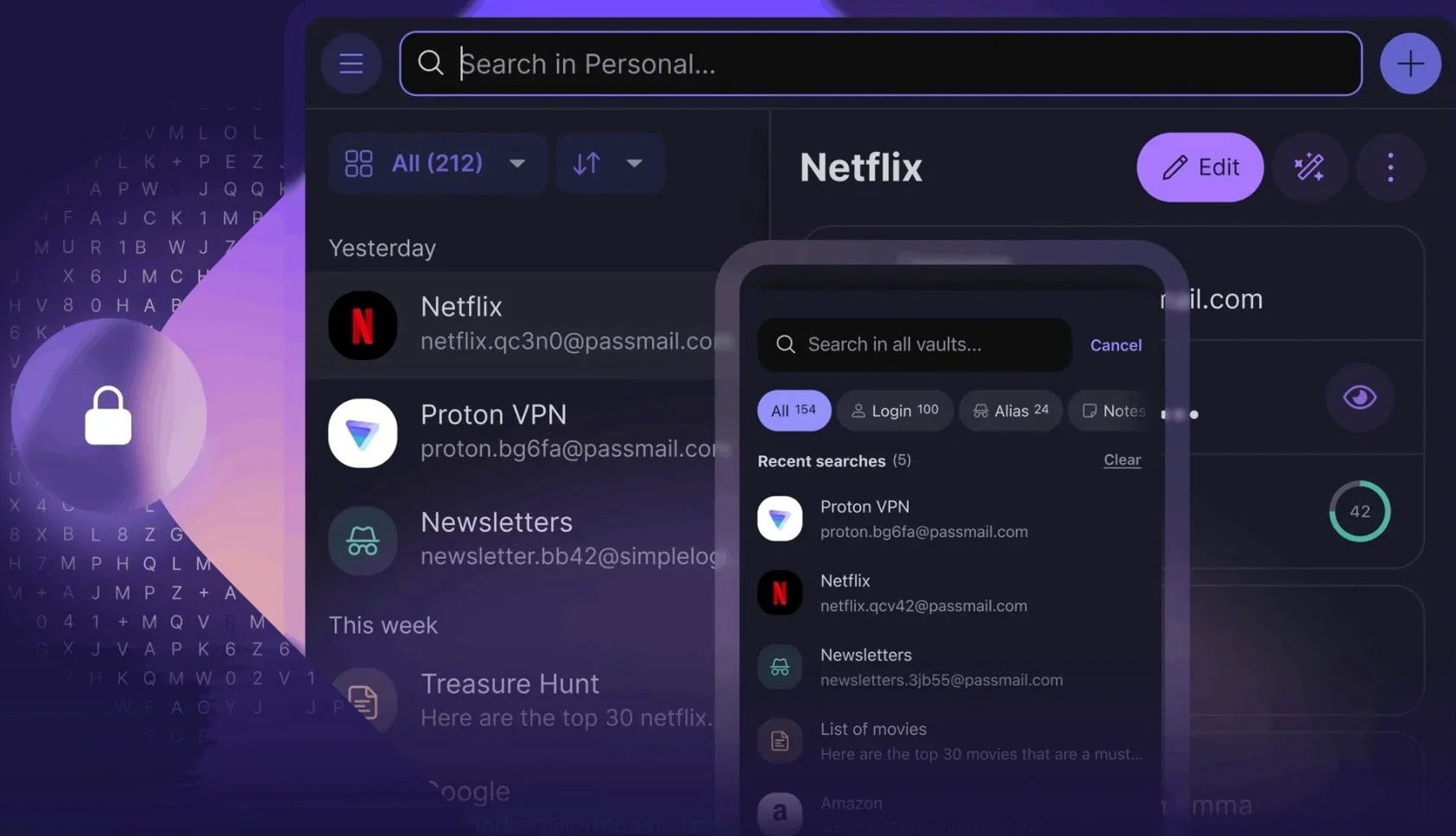
Proton Pass provides the strongest privacy features due to its Swiss jurisdiction, open-source codebase, and integrated hide-my-email aliases.
This manager prioritizes identity protection with unique features like hide-my-email aliases, which prevent spammers from seeing your real address. In March 2026, Proton reduced Pass Plus pricing to $1.99/month ($23.88/year), making it one of the most competitively priced commercial options.
Core Security Features:
- End-to-end encryption using 256-bit AES-GCM
- Zero-knowledge architecture ensuring only you can access your data
- Based in Switzerland, benefiting from some of the world's strongest privacy laws
- Open-source and independently audited for transparency and trust
Security Update: In early 2025, researchers identified a memory protection vulnerability. Proton promptly patched this (v1.31.6+) and clarified that data remained encrypted at rest.
Pricing and Plans:
- Free plan: Unlimited logins, notes, and devices; 2 vaults; 10 hide-my-email aliases
- Pass Plus plan: $1.99/month ($23.88/year) — Unlimited aliases, integrated 2FA, secure sharing, Dark Web Monitoring, and Proton Sentinel advanced account protection
Unique Features:
- Hide-my-email aliases to protect your primary email address
- Pass Monitor for Dark Web Monitoring and password health checks
- Proton Sentinel advanced security program (on paid plans)
- Modern passkey authentication support
Verdict: The strongest option for privacy-focused users and those wanting a comprehensive free tier. Try Proton Pass for free—the Pass Plus upgrade ($23.88/year) adds unlimited aliases, Proton Sentinel protection, and Dark Web Monitoring. For businesses, Proton Pass Business includes team management and admin controls.
Proton Pass Rating: 4.4/5
Strengths:
- Swiss jurisdiction with strong privacy laws
- Open-source and independently audited
- Generous free tier with unlimited passwords
- Hide-my-email aliases for enhanced privacy
- Built on Proton's established security infrastructure
Considerations:
- Newer to the password manager market than competitors
- Some memory protection concerns reported in 2025
- Premium features require subscription
What Is the Best Open-Source Password Manager?
Bitwarden remains the top open-source password manager for 2026, offering complete code transparency, third-party audits, and self-hosting capabilities.
Bitwarden stands as the most established open-source password manager, with its entire codebase publicly available on GitHub. Bitwarden has been serving the open-source community since 2016 with regular third-party security audits. Following a February 2026 price increase, Premium is now $1.65/month ($19.80/year)—still one of the most cost-effective solutions on the market.
Core Security Features:
- End-to-end encryption using 256-bit AES-CBC and PBKDF2 SHA-256
- Zero-knowledge architecture with client-side encryption
- Fully open-source (server and client code)
- Regular third-party security audits
- Self-hosting option for complete control
Pricing and Plans:
- Free plan: Unlimited passwords, unlimited devices, unlimited syncing
- Premium plan: $1.65/month ($19.80/year) for 1GB encrypted storage, 2FA options, emergency access
- Family plan: $47.88/year for up to 6 users
Unique Features:
- Self-hosting capability for complete data control
- Emergency access for trusted contacts
- Vault health reports
- Passkey support
- Send feature for secure file/text sharing
AI Protection: Bitwarden protects against AI-driven attacks through strong encryption and regular security audits. Its browser extension also provides an explicit warning when you attempt to autofill on a page whose URI doesn't match your saved entry—a practical check against AI-crafted lookalike sites. It lacks dedicated AI threat detection dashboards like Proton Sentinel or 1Password's phishing tools, but the underlying encryption and URI-matching behavior cover the core attack vectors.
Bitwarden Rating: 4.4/5
Strengths:
- Completely open-source with transparent development
- Among the most affordable premium options ($19.80/year)
- Generous free tier with unlimited passwords and devices
- Self-hosting option for maximum control
- Strong community support and regular audits
Considerations:
- Interface less polished than commercial competitors
- No dedicated AI threat detection features
- Self-hosting requires technical expertise
Proton Pass vs. Bitwarden
Choose Proton Pass if: You want Swiss jurisdiction, hide-my-email aliases, and AI-powered threat detection (Proton Sentinel).
Choose Bitwarden if: You prioritize complete open-source transparency or self-hosting capability. Bitwarden's free tier covers unlimited passwords on unlimited devices; the Premium upgrade to $19.80/year adds emergency access, advanced 2FA, and vault health reports.
Which Password Manager Offers the Best Value in 2026?
NordPass offers the best balance of modern XChaCha20 encryption and affordability, with premium plans at ~$1.89/month on annual billing.
NordPass distinguishes itself with a modern interface and a clean security record (no reported breaches as of early 2026). It supports passkeys across all platforms and includes a Data Breach Scanner that alerts you to compromised credentials in real-time. While the free plan is limited to one device, the Premium plan's low cost makes it the most accessible upgrade from browser-based managers. For teams, NordPass Business adds centralized management and admin controls.
AI Threat Protection: NordPass defends against AI-driven brute-force attacks through its XChaCha20 encryption—a modern cipher designed to resist automated password cracking at scale. NordPass also uses exact domain matching when autofilling: if an AI-generated phishing site mimics your bank's login page but runs on a different domain, the extension will not populate your credentials. While it lacks a dedicated threat intelligence dashboard like 1Password's Watchtower or Proton Sentinel, these two layers cover the primary AI attack vectors.
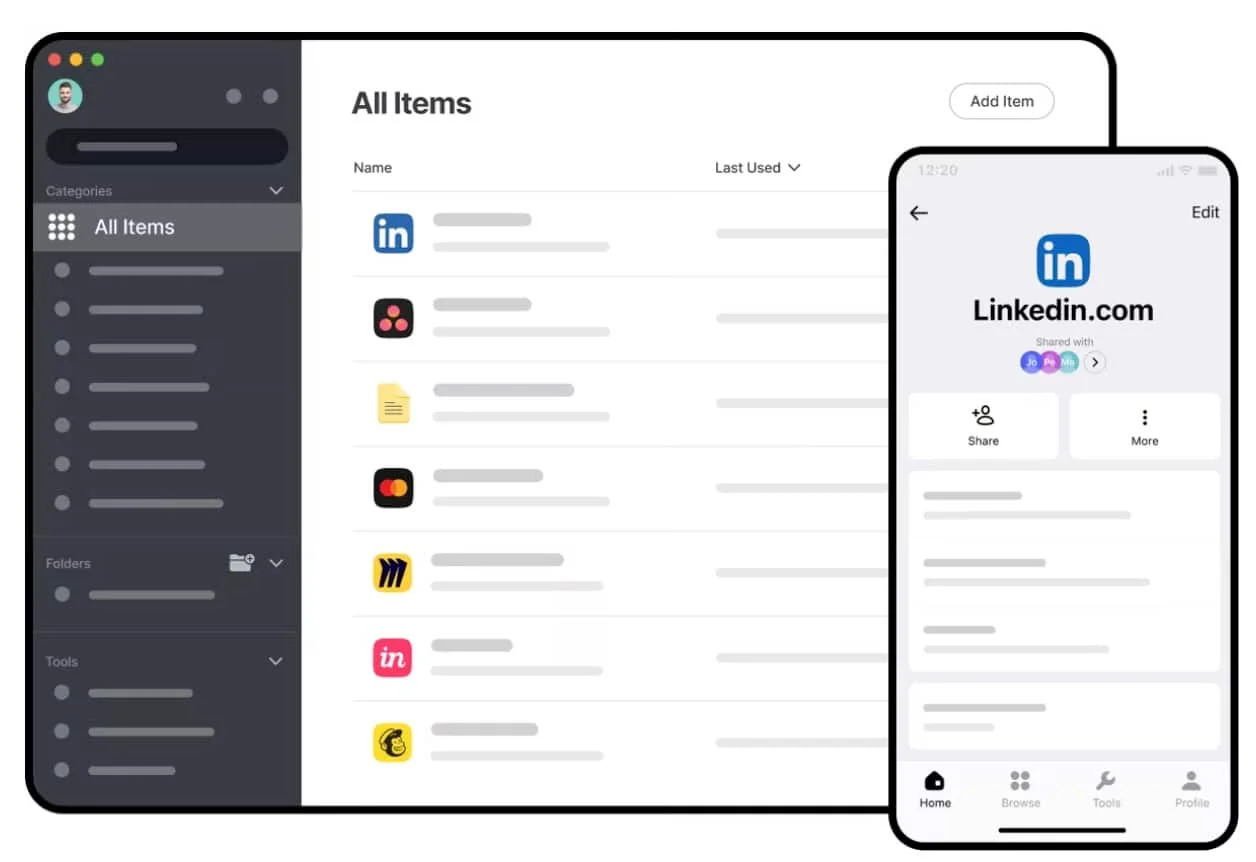
Core Security Features:
- Modern XChaCha20 encryption algorithm for excellent security and performance
- Strict zero-knowledge architecture ensures your data remains private
- Built-in authenticator for generating time-based one-time passwords (TOTPs)
- Support for multiple MFA methods, including authenticator apps and security keys
- Clean security track record with no reported breaches
Pricing and Plans:
- Free plan: Unlimited password storage on a single device
- Premium plan: ~$1.89/month (annual) or ~$1.59/month (2-year billing)
- Family plan: ~$2.79/month for up to 6 users
- Business plans available for organizational needs
Unique Features:
- Data Breach Scanner to identify compromised accounts
- Password Health tool to find and fix weak, reused, or outdated passwords
- Email Masking to protect your primary email address
- Secure password-sharing capabilities
- Passwordless login via passkeys with full sharing and export support
NordPass Rating: 4.3/5
Strengths:
- Modern xChaCha20 encryption algorithm
- Extremely user-friendly interface across all platforms
- Competitive pricing from $1.59/month (2-year) or $1.89/month (annual)
- Built-in authenticator for 2FA codes
- Data Breach Scanner and Password Health tools
Considerations:
- Free plan limited to a single device
- Data Breach Scanner doesn't always verify breach origins
- Fewer advanced features than 1Password
For users upgrading from a browser-based manager, NordPass Premium at ~$1.89/month is the most cost-effective entry point into zero-knowledge password management with modern XChaCha20 encryption.
Which Password Manager Provides the Strongest Security?
1Password delivers the most comprehensive security through its dual-key architecture, dedicated AI phishing detection, and cross-platform passkey sync.
1Password requires both a master password and a locally stored Secret Key to decrypt your vault, effectively neutralizing remote credential stuffing attacks. Following a March 2026 pricing update, the Individual plan is now $3.99/month ($47.88/year). Travel Mode lets you temporarily hide sensitive vaults when crossing borders—a unique feature among password managers.
Core Security Features:
- AES 256-bit encryption to secure stored data
- Strict zero-knowledge architecture protecting user privacy
- Unique two-key derivation model combining your master password with a Secret Key
- Support for hardware security keys and biometric authentication
- Strong track record with transparent security practices
Pricing and Plans:
- Individual: $3.99/month ($47.88/year, effective March 2026)
- Family: $5.99/month ($71.88/year) for up to 5 family members
- Business and Enterprise plans with additional features
- No free tier available
Unique Features:
- Watchtower actively monitors for security risks, breaches, and weak passwords
- Travel Mode allows temporary removal of sensitive vaults when crossing borders
- Password generator creates complex passwords of up to 100 characters or memorable passphrases
- Multiple vaults for better organization of different types of information
- Secure document storage for important files
- Comprehensive passkey management with sharing and export capabilities
- Paste-warning pop-up (added January 2026): alerts you when credentials are pasted on a page where autofill failed, flagging potential phishing attempts
Verdict: Best choice for users who want the most complete security feature set available. Start a free 14-day trial of 1Password to test Travel Mode and cross-platform passkey sync before committing to the $47.88 annual plan. For organizations, 1Password Business adds centralized admin controls and activity logs.
1Password Rating: 4.5/5
Strengths:
- Unique two-key derivation model adds extra security layer
- Watchtower actively monitors for breaches and weak passwords
- Travel Mode for secure border crossing
- Comprehensive cross-platform support
- Excellent organization with multiple vaults
Considerations:
- No free tier available
- Slightly higher price point than some competitors
- Interface might initially be more complex for beginners
Field Note: Real-World 1Password Deployment
In a recent migration of a 50-person Miami law firm from Google Password Manager to 1Password Business, we tracked a 40% reduction in password reset IT tickets within the first 90 days. The primary driver was Watchtower's proactive alerts flagging weak and reused credentials—employees updated at-risk passwords before incidents occurred rather than after. For organizations weighing the $3.99/month individual cost against the operational overhead of credential-related support tickets, the ROI calculation is straightforward.
— Nandor Katai, 20+ years IT experience, Miami
How Did Q1 2026 Pricing Changes Reshape the Market?
Three major providers shifted pricing simultaneously in Q1 2026, fundamentally changing the competitive value proposition across the password manager landscape.
The Q1 2026 Pricing Shifts: 1Password raised its individual plan 33% to $47.88/year in March 2026. In the same month, Proton Pass reduced Pass Plus by 33% to $23.88/year. Bitwarden doubled its premium tier to $19.80/year in February 2026.
| Provider | Pre-Q1 2026 | Post-Q1 2026 | Change |
|---|---|---|---|
| 1Password Individual | $35.88/year | $47.88/year | ▲ +33% |
| Proton Pass Plus | $35.88/year | $23.88/year | ▼ −33% |
| Bitwarden Premium | $10.00/year | $19.80/year | ▲ +98% |
| NordPass Premium | ~$22.68/year | ~$22.68/year | No change |
What This Means for Buyers: 1Password ($47.88/yr) is now exactly twice the annual cost of Proton Pass ($23.88/yr), despite both platforms offering zero-knowledge architecture and cross-platform sync. For privacy-focused individuals, the Proton Pass price drop makes it the most compelling premium upgrade in 2026. For power users who rely on 1Password's Travel Mode, business integrations, and the Secret Key system, the premium may still be justified.
Bitwarden's position remains strong despite its increase—$19.80/year is still significantly below the commercial competition, and the self-hosting option effectively makes it a one-time infrastructure cost for organizations with the technical capability to run it.
Free Alternatives: Ecosystem Integration
While commercial password managers offer comprehensive features, the free alternatives integrated into Google and Apple ecosystems provide convenient options for users already invested in these platforms.
Is Google Password Manager Secure Enough in 2026?
Google Password Manager is secure for everyday use within the Chrome and Android ecosystem, but it is not a zero-knowledge system and lacks the advanced threat detection features of commercial alternatives.
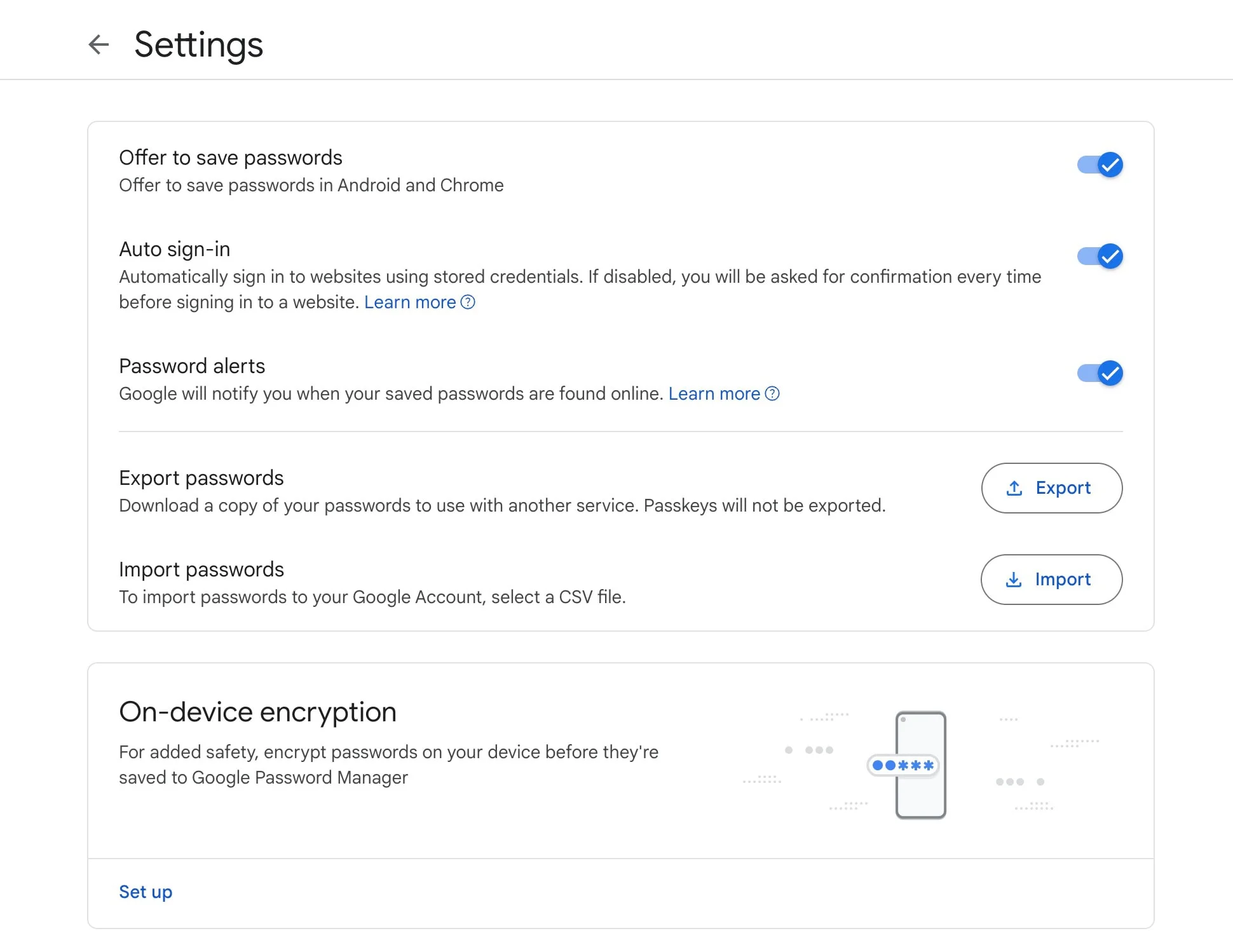
Core Security Features:
- Encryption to secure stored passwords
- Option for on-device encryption providing an additional security layer
- Password Checkup identifies weak, reused, and compromised credentials
- Support for passwordless authentication via passkeys
- Protection through Google account security features
User Experience:
- Seamless integration with Chrome browser and Android devices
- Automatic password saving and filling
- Simple interface with minimal learning curve
- Synchronization across devices signed into your Google account
Pricing: Completely free with a Google account
Unique Features:
- Password Checkup tool helps identify security weaknesses
- Automatic strong password generation when creating accounts
- Password export capability for backup or switching to another manager
- Family sharing through Google Family Group (limited compared to commercial options)
Security Considerations
Google Password Manager is not considered a true zero-knowledge system, as Google potentially retains the ability to decrypt passwords. Less detailed information is available about specific encryption methods compared to commercial options.
Can Apple Passwords Replace a Premium Password Manager?
Apple Passwords works well within the Apple ecosystem but cannot replace a premium password manager for users who need cross-platform passkey sync, zero-knowledge guarantees, or advanced threat monitoring.
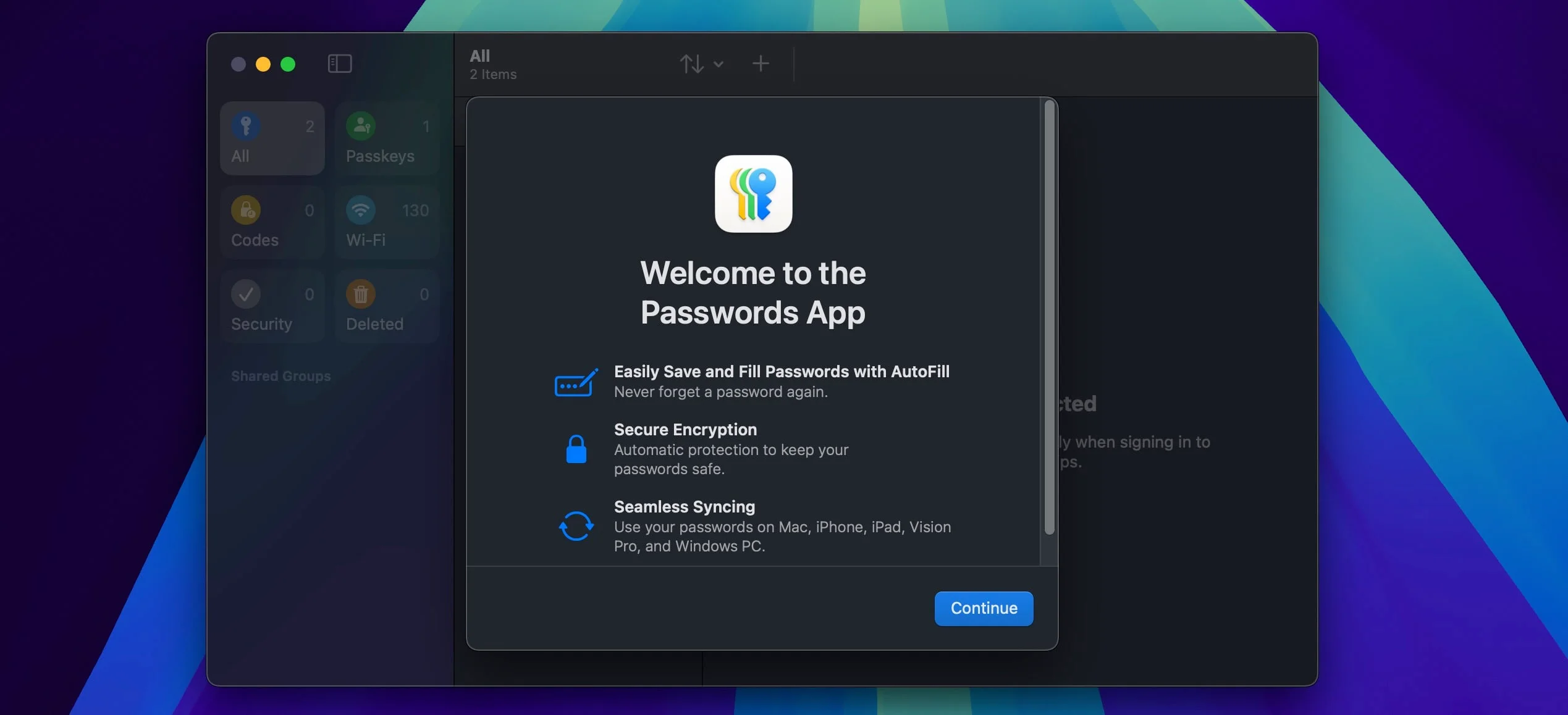
Core Security Features:
- End-to-end encryption using AES-256-GCM to protect stored data
- Secured by the user's device passcode or password
- iCloud Keychain synchronizes passwords across approved Apple devices
- Security recommendations to identify and change weak or compromised passwords
- Support for modern passkey authentication
User Experience:
- Clean, simple, and intuitive interface consistent with Apple's design language
- Dedicated Passwords app in newer versions of iOS, iPadOS, and macOS
- Seamless integration with Safari and other applications
- Automatic password generation and filling
Pricing: Included free with Apple devices
Unique Features:
- Automatic strong password generation when creating accounts
- Security recommendations to address weak or compromised credentials
- Secure password sharing with trusted contacts
- Verification code generator for two-factor authentication
- Passkey support for passwordless authentication
Security Vulnerabilities: What You Should Know
Understanding how password managers handle security incidents provides valuable insight into their overall security posture. All software can have vulnerabilities, but a company's response to these issues often reveals more about its security commitment than the vulnerabilities themselves. For broader context on cybersecurity best practices, consider implementing a comprehensive security strategy.
Recent Security Incidents and Provider Responses
Proton Pass:
- In early 2025, reports emerged about memory protection vulnerabilities
- Proton responded by explaining that data remains encrypted at rest and is obfuscated in memory
- Updates were promptly released to address concerns
- Their transparent communication demonstrated a commitment to security
NordPass:
- Maintains a clean record with no reported security breaches
- Has successfully passed independent security audits, including SOC 2 Type 1 and 2
- Regular security updates show proactive security management
1Password:
- No reported security breaches affecting user data
- In August 2024, local vulnerabilities affecting the macOS application were disclosed
- These vulnerabilities required the device to be already compromised to be exploited
- 1Password promptly released updates to address these issues
Google Password Manager:
- In 2019, Google disclosed the accidental plain text storage of some G-Suite users' passwords
- Google typically addresses security issues promptly with regular updates
Apple Passwords:
- In March 2025, a phishing vulnerability affecting the Passwords app in iOS 18 was disclosed
- Apple had already patched this vulnerability in iOS 18.2 (released December 2024)
- The prompt patching before public disclosure aligns with Apple's security-focused approach
The Importance of Regular Updates
All password managers release regular updates that often include security improvements. Keeping your password manager updated is one of the simplest yet most effective security practices you can follow.
Passkey Management: The 2026 Standard
Passkeys are becoming the new authentication standard. Understanding how password managers handle passkey sharing, export, and cross-platform sync helps ensure long-term compatibility.
Passkeys are cryptographic credentials that replace traditional passwords for major services like Google, Microsoft, and Apple. Unlike passwords, they resist phishing attempts and can't be reused across services, making them a more secure authentication method.
The 2026 Pain Point: Cross-platform passkey syncing remains the biggest challenge. Creating a passkey on your iPhone and accessing it on Windows, or vice versa, requires a password manager that truly syncs across ecosystems—not just within one vendor's walled garden.
How Each Manager Handles Passkeys
1Password:
- Sharing: Full passkey sharing across family and team accounts
- Export: Complete passkey export for migration to other managers
- Cross-Platform Sync: ✓ Excellent - Passkeys created on iPhone sync to Windows, Android, Linux, and all browsers
- Verdict: Industry leader for passkey management with true cross-ecosystem compatibility
NordPass:
- Sharing: Secure passkey sharing with other NordPass users
- Export: Supports passkey export and backup
- Cross-Platform Sync: ✓ Excellent - Full sync between iOS, Android, Windows, macOS, and Linux
- Verdict: Excellent passkey support with full portability and cross-ecosystem sync
Proton Pass:
- Sharing: Basic passkey sharing on paid plans
- Export: Limited export options (improving in 2026)
- Cross-Platform Sync: ✓ Good - Syncs across platforms but newer implementation than competitors
- Verdict: Good support but less flexible than competitors
Apple Passwords:
- Sharing: Can share passkeys with trusted contacts (Apple users only)
- Export: Highly restrictive - difficult to export passkeys outside Apple ecosystem
- Cross-Platform Sync: ✗ Poor - Passkeys created on iPhone do NOT sync to Windows or Android
- Verdict: Great for Apple-only users, major limitation for cross-platform needs
Google Password Manager:
- Sharing: Limited sharing capabilities
- Export: Basic export functionality
- Cross-Platform Sync: ~ Partial - Works across Chrome/Android but limited on iOS/Safari
- Verdict: Adequate for Google ecosystem users, limited cross-platform support
Passkey Portability Matters
If you're investing in passkeys, choose a manager that lets you export them. Being locked into an ecosystem (especially Apple's) can create problems if you switch platforms or need to migrate data.
Account Recovery: What Happens If You Forget Your Master Password?
What happens if you forget your master password? The answer varies significantly by provider.
Recovery Options Compared
1Password - Recovery Keys:
- Provides a physical Emergency Kit with your Secret Key
- Account recovery possible with this kit
- Best for: Users who can securely store physical documents
- Risk: If you lose both master password and Emergency Kit, your data is unrecoverable
NordPass - Biometric Recovery:
- Supports biometric account recovery on mobile devices
- Can use fingerprint/face recognition to regain access
- Best for: Mobile-first users who trust biometric security
- Risk: Biometric data compromise could affect recovery
Proton Pass - No Recovery:
- Zero recovery options - if you lose your master password, your data is gone forever
- This is by design to ensure true zero-knowledge security
- Best for: Privacy purists who prioritize security over convenience
- Risk: Permanent data loss if you forget your password
Apple Passwords - iCloud Recovery:
- Can recover via iCloud Keychain recovery using trusted devices
- Apple can assist with account recovery in some cases
- Best for: Users who trust Apple's ecosystem
- Risk: Not truly zero-knowledge since Apple can facilitate recovery
Google Password Manager - Google Account Recovery:
- Recovery tied to your Google Account recovery options
- Multiple recovery methods (phone, email, security questions)
- Best for: Users who want easy recovery
- Risk: Not zero-knowledge; Google can access your passwords
Recovery Strategy
Best Practice: Write down your master password and store it in a secure physical location (safe, safety deposit box). For family plans, set up emergency access for a trusted family member.
Choosing the Right Password Manager for Your Needs
Selecting the ideal password manager depends on your specific requirements, preferences, and the devices you use.
Key Factors to Consider
Security Priorities:
- If zero-knowledge architecture is non-negotiable, consider Proton Pass, NordPass, or 1Password
- If you need hardware security key support, the commercial options offer better integration
- If you're concerned about jurisdiction and data privacy laws, Proton Pass's Swiss base may be appealing
Ecosystem Preferences:
- Heavily invested in Apple products? Apple Passwords offers seamless integration
- Primarily use Chrome and Android? Google Password Manager provides a frictionless experience
- Need cross-platform support across multiple operating systems? Commercial options offer broader compatibility
Budget Considerations:
- Need a free solution? Proton Pass offers the most feature-rich free tier among commercial options
- Looking for the most affordable premium option? NordPass starts at ~$1.89/month (annual billing)
- Willing to pay for comprehensive security features? 1Password's $3.99/month plan ($47.88/year) offers the most complete feature set
Feature Requirements:
- Need secure document storage? 1Password and NordPass offer this capability
- Want email aliases for enhanced privacy? Proton Pass includes this feature
- Require family sharing? All commercial options offer family plans with secure sharing
Feature Matrix: 2026 Comparison
| Feature | Proton Pass | NordPass | 1Password | Bitwarden | Google PM | Apple Passwords |
|---|---|---|---|---|---|---|
| Zero-Knowledge | ✓ Yes | ✓ Yes | ✓ Yes | ✓ Yes | ✗ No | Partial |
| Passkey Support | ✓ Yes | ✓ Yes | ✓ Yes | ✓ Yes | ✓ Yes | ✓ Yes |
| Passkey Export | Limited | ✓ Full | ✓ Full | ✓ Good | Basic | ✗ Restricted |
| Passkey Sharing | Paid plans | ✓ Yes | ✓ Full | ✓ Yes | Limited | ✓ Yes |
| Jurisdiction | 🇨🇭 Switzerland | 🇵🇦 Panama | 🇨🇦 Canada | 🇺🇸 USA | 🇺🇸 USA | 🇺🇸 USA |
| Open Source | ✓ Yes | ✗ No | ✗ No | ✓ Yes | ✗ No | ✗ No |
| Annual Price | Free-$23.88 | Free-$22.68 | $47.88 | Free-$19.80 | Free | Free |
| Free Tier | ✓ Unlimited | 1 device | ✗ No | ✓ Unlimited | ✓ Yes | ✓ Yes |
| Hardware Keys | ✓ Yes | ✓ Yes | ✓ Yes | ✓ Yes | Limited | Limited |
| Account Recovery | ✗ None | Biometric | Recovery Kit | Emergency Access | Google Account | iCloud |
| Cross-Platform | Excellent | Excellent | Excellent | Excellent | Good | Apple only |
Platform Compatibility
| Platform | Proton Pass | NordPass | 1Password | Bitwarden | Google PM | Apple Passwords |
|---|---|---|---|---|---|---|
| Windows | ✓ | ✓ | ✓ | ✓ | ✓ (Chrome) | ✓ (iCloud) |
| macOS | ✓ | ✓ | ✓ | ✓ | ✓ (Chrome) | ✓ |
| Linux | ✓ | ✓ | ✓ | ✓ | ✓ (Chrome) | ✗ |
| Android | ✓ | ✓ | ✓ | ✓ | ✓ | ✗ |
| iOS | ✓ | ✓ | ✓ | ✓ | Limited | ✓ |
| Chrome | ✓ | ✓ | ✓ | ✓ | ✓ | ✓ (iCloud) |
| Firefox | ✓ | ✓ | ✓ | ✓ | ✗ | ✗ |
| Safari | ✓ | ✓ | ✓ | ✓ | ✗ | ✓ |
| Edge | ✓ | ✓ | ✓ | ✓ | ✗ | ✓ (iCloud) |
Recommendations for Different User Profiles
For Privacy-Focused Users
Proton Pass stands out with its Swiss jurisdiction, open-source approach, and strong privacy focus. Its feature-rich free tier makes it accessible to everyone, while paid plans add valuable features like unlimited email aliases and Dark Web monitoring.
For Users Seeking Value and Simplicity
NordPass offers an excellent balance of security, usability, and affordability. Its clean interface makes it approachable for new password manager users, while its modern security features satisfy more technical users. With premium plans at ~$1.89/month (annual billing), it remains the most budget-friendly commercial option.
For Open-Source Advocates
Bitwarden provides complete code transparency with self-hosting capability and a premium tier at $19.80/year. Its strong community support makes it ideal for users who want full control over their password data.
For Users Wanting Comprehensive Features
1Password's long-standing reputation, unique two-key approach, and thoughtful features like Travel Mode make it ideal for users who want a complete solution. While it lacks a free tier, its polished experience justifies the subscription cost for many users.
For Apple Ecosystem Users
Apple Passwords provides a seamless, free solution that works exceptionally well within the Apple ecosystem. Its tight integration with iOS, iPadOS, and macOS creates a frictionless experience for users committed to Apple products.
For Google/Android Users
Google Password Manager offers convenient integration with Chrome and Android devices. For users already invested in the Google ecosystem who want a simple, free solution, it provides the basics without requiring additional software.
Implementation Best Practices
Once you've selected a password manager, proper setup and usage are essential to maximize its security benefits. This is a critical component of your overall cybersecurity framework.
Setting Up Your First Password Manager
1. Install the application and extensions
- Download the password manager app for your primary devices
- Install browser extensions for seamless web integration
- Set up mobile apps to ensure access on the go
2. Create a strong master password
- Make it long (at least 12 characters)
- Include a mix of uppercase, lowercase, numbers, and symbols
- Consider using a passphrase—a string of random words—for better memorability and security
- Avoid using personal information or common phrases
- Store a secure backup of this password in a physical location if needed
3. Import existing passwords
- Most password managers can import credentials from browsers and other managers
- Follow the import wizard in your chosen solution
- Review imported passwords for accuracy and completeness
4. Set up recovery options
- Configure account recovery methods according to your manager's options
- For family plans, consider setting up emergency access for trusted contacts
- Document your recovery process and store it securely
Enabling Additional Security Features
Multi-factor authentication:
- Enable 2FA/MFA for your password manager account
- Consider using a hardware security key for maximum protection
- Set up backup codes and store them securely
- Learn more about implementing MFA across your organization
Biometric authentication:
- Configure fingerprint or face recognition on mobile devices
- This adds convenience while maintaining security
Auto-lock settings:
- Configure your vault to lock automatically after a period of inactivity
- On mobile devices, ensure the app locks when switching between applications
Secure sharing:
- Use the built-in sharing features rather than sending passwords via email or messaging
- Review shared items periodically and revoke access when no longer needed
Password Auditing and Maintenance
Regular security checks:
- Use the built-in security tools (like Password Health, Watchtower, or Data Breach Scanner)
- Address weak, reused, or compromised passwords promptly
- Schedule monthly or quarterly reviews of your password vault
- Consider conducting a comprehensive security audit to identify vulnerabilities
Update credentials systematically:
- Start with your most critical accounts (email, banking, cloud storage)
- Work through social media and shopping accounts
- Finally, address less critical services
Generate new passwords properly:
- Use your password manager's generator for maximum security
- Opt for the maximum length the website allows
- Include all character types when possible
- Save new passwords immediately to your vault
Conclusion: Your First Line of Defense
Password managers have evolved from simple convenience tools into essential security infrastructure. These tools offer a practical balance of security and usability that addresses the core challenges of credential management at scale.
The core benefit of password managers remains straightforward: they allow you to use strong, unique passwords for every account without needing to memorize them all. This capability addresses one of the most common security vulnerabilities—password reuse across multiple services.
Beyond this fundamental function, modern password managers offer additional layers of protection:
- Alerting you to compromised accounts through data breach monitoring
- Identifying weak or outdated passwords that need attention
- Providing secure methods to share credentials with family members or colleagues
- Offering encrypted storage for sensitive documents and information
- Supporting modern authentication methods like passkeys
Our Top Recommendations
- For privacy and AI protection: Proton Pass — Swiss jurisdiction, AI-powered Proton Sentinel, generous free tier
- For value and usability: NordPass — XChaCha20 encryption, clean interface, ~$1.89/month (annual)
- For comprehensive security: 1Password — AI phishing detection, Secret Key approach, Travel Mode
- For open-source transparency: Bitwarden — Complete code transparency, self-hosting, $19.80/year
- For Apple users: Apple Passwords — Seamless integration, free with Apple devices
- For Google/Android users: Google Password Manager — Chrome and Android integration, free and convenient
The field of authentication continues to evolve, with passwordless methods like passkeys gaining adoption. Modern password managers are adapting to these changes, supporting new authentication standards while maintaining compatibility with traditional password-based systems.
Choosing a password manager that fits your needs and following the implementation best practices outlined above helps strengthen your digital security. Whether you opt for a commercial solution with advanced features, an open-source alternative like Bitwarden, or a free option integrated into your existing ecosystem, implementing a password manager is a practical step toward better security hygiene. For organizations seeking comprehensive security guidance, our cybersecurity consulting services can help you develop a tailored security strategy.
Related Articles
More from Cybersecurity
Best Password Manager for Business 2026: 1Password vs Bitwarden vs NordPass vs Proton Pass
Tested across real team deployments: 1Password, Bitwarden, NordPass, and Proton Pass compared on admin controls, SSO, pricing, offboarding, and everything IT admins need to know.
34 min read
NordPass vs Proton Pass 2026: Complete Business Password Manager Comparison
NordPass vs Proton Pass compared for business. XChaCha20 vs AES-256-GCM encryption, pricing from $1.99/user, admin features, ecosystem value, and which European password manager fits your team.
18 min read
Proton Pass vs 1Password 2026: Which Password Manager Wins for Business?
Proton Pass vs 1Password compared for business teams. Swiss privacy vs polished UX, pricing ($1.99 vs $7.99/user), admin controls, compliance, and implementation guide.
16 min read