Windows on Arm in 2026: Is the Snapdragon X2 Surface Ready to Be Your Main Work Machine?
We tested Windows on Arm against the software small businesses actually run. Here's what's native, what's emulated, what breaks — and when to choose Intel instead.

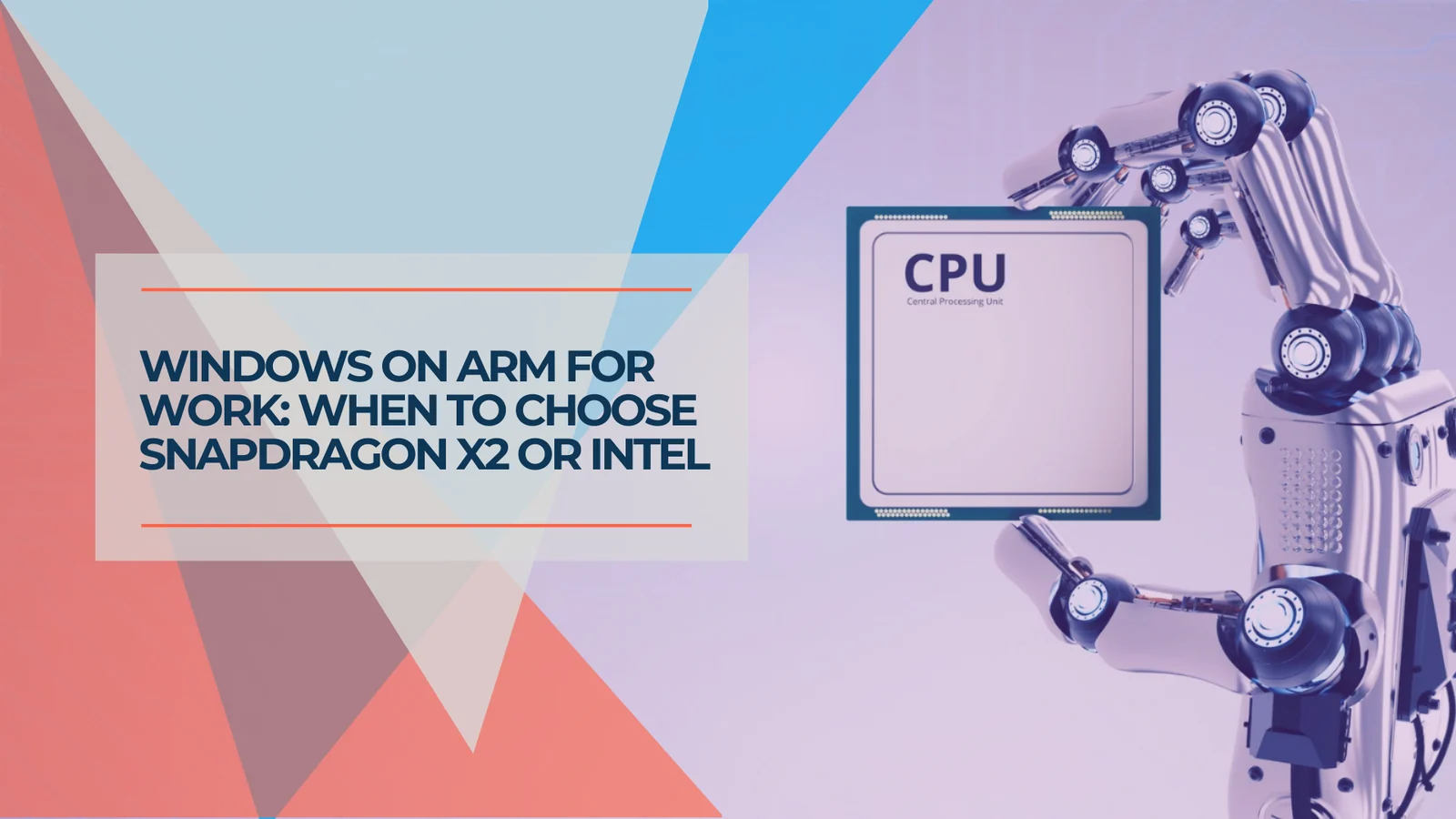
Should Your Next Work Laptop Run on Arm?
For cloud-first businesses, Windows on Arm is now a realistic primary-laptop choice. Before you buy, check three things: your accounting software, your VPN and security agents, and your hardware drivers and peripherals.
Microsoft's 2026 Surface refresh changed the buying question. The new Surface Pro, 13-inch (12th Edition) and Surface Laptop 8 now ship with Qualcomm's Snapdragon X2 processors, which makes Windows on Arm a mainstream option rather than an experiment. The question for a small business is no longer "is Arm ready?" — it's "does our software stack run on it?"
One clarification up front, because it's the part most coverage gets wrong: Surface is not Intel-free in 2026. The 2026 lineup launched first with Intel Core Ultra Series 3 chips for business customers, and Snapdragon X2 models followed. As of late June 2026, Intel Surface for Business models are available now, consumer Snapdragon X2 models are available now, and Snapdragon X2 Surface for Business models begin availability on July 14 — so both processors are options across the lineup. This isn't a forced migration; it's a genuine choice, and this guide is about making it well.
We pay attention to this because we're the ones who get the call when a brand-new laptop won't run a client's accounting software or connect to their VPN. After running Windows on Arm in the field on Snapdragon Surface hardware, the pattern is clear: a large group of businesses can switch with few practical compromises, and a smaller, very identifiable group should test first or stay on Intel.
Affiliate Disclosure: This article contains affiliate links. If you make a purchase through these links, we may earn a small commission at no extra cost to you. As an Amazon Associate, iFeelTech earns from qualifying purchases.
Quick answer by business type
| Your stack | Recommendation |
|---|---|
| Browser + Microsoft 365 + cloud accounting | Snapdragon X2 Surface is a good fit. |
| QuickBooks Desktop, legacy ERP, dongles, older VPN, specialty drivers | Choose Intel, or test before buying. |
| Mixed stack | Pilot one device during the return window before standardizing. |
Quick Verdict
Windows on Arm is ready for browser-and-Microsoft-365 businesses, and not yet ready for businesses tied to legacy desktop software. If your team works mostly in Chrome, Edge, Office, Teams, and cloud apps, the Snapdragon X2 Surface is a strong primary laptop choice. If you depend on QuickBooks Desktop, an older VPN client, a hardware licensing dongle, or specialized device drivers, choose the Intel configuration or solve those dependencies first.
Can You Still Buy an Intel Surface in 2026?
Yes. For business buyers, Microsoft offers both Intel Core Ultra Series 3 and Snapdragon X2 options across the 2026 Surface Laptop and Surface Pro lineup. The consumer Snapdragon X2 models launched June 16, while Snapdragon X2 Surface for Business availability begins July 14.
This matters because the Arm decision is reversible at the point of purchase. Microsoft introduced the 2026 Surface Laptop 8 and Surface Pro first with Intel Core Ultra Series 3 chips for business customers, and the Intel Surface Laptop for Business 13.8-inch starts around $1,949. Snapdragon X2 versions arrive for Surface for Business on July 14, starting at $1,649.99. So when you order, you can specify either processor — Intel today, or Snapdragon X2 now on consumer models and from July 14 on business models.
The practical takeaway: if your business has even one hard dependency on legacy x86 software or hardware, you do not have to leave the Surface line to avoid it. You order the Intel configuration. The rest of this guide helps you decide which column you're in — and the Intel option is the safety net if you land on the legacy-software side.
What Windows on Arm Actually Changes for Business Users
Windows 11 looks and behaves the same on Arm. What changes is how your applications run — and they fall into three groups: native, emulated, and unsupported.
The operating system itself is a non-issue. The desktop, Start menu, Settings, and Windows Update all work exactly as they do on an Intel machine. The architecture changed underneath; the experience did not. The compatibility question is entirely about your apps.
Native apps are built for Arm64 and run at full speed with full battery efficiency. Microsoft 365, Outlook, Teams, OneDrive, Edge, Chrome, Zoom, and Slack are all here.
Emulated apps are built for Intel/AMD (x86) and run through Microsoft's built-in translation layer, Prism. They work, with a performance penalty that ranges from unnoticeable to significant depending on the workload. A late-2025 Prism update (KB5070311, December 2025) added AVX and AVX2 instruction support, which let a large set of previously incompatible legacy apps run under emulation for the first time — the main reason Windows on Arm compatibility is a different conversation in 2026 than it was two years ago.
Unsupported apps fail because they depend on drivers or licensing components with no Arm64 equivalent. This is where the practical blockers sit — QuickBooks Desktop, some older VPN and security tools, hardware dongles, specialty peripherals, and niche vertical software.
Which Business Apps Work on Windows on Arm?
Most modern productivity and browser-based tools run well. The remaining risk is concentrated in legacy desktop apps, driver-heavy tools, and hardware-tied licensing systems.
This is the table to send to anyone who asks "will it work on the new Surface?" It reflects what we see in the field, cross-checked against vendor documentation. Last checked: June 2026 — verify current status with the linked sources before a fleet purchase.
| Software / category | Status | Business note & verification |
|---|---|---|
| Microsoft 365, Outlook, Teams, OneDrive | ✅ Native | Safe for normal business use. (Microsoft Arm PC FAQ) |
| Edge, Chrome, Firefox, web apps | ✅ Native | Cloud-first workflows are the strongest fit. |
| Zoom, Slack, WhatsApp, Spotify | ✅ Native | Good fit for typical office communication. |
| Adobe Photoshop, Lightroom | ✅ Native | Long-standing native Arm64 builds. |
| Adobe Premiere Pro, After Effects, Audition, Media Encoder | ✅ Native (from v26.0) | Native on Arm starting version 26.0; confirm plugin support for production work. (Adobe Arm support page) |
| Most older x86 utilities (post-Prism) | 🟡 Emulated | Usually fine for occasional use; test if used all day. |
| QuickBooks Desktop | ❌ Unsupported | Requires x86; no virtualization/emulation on Arm per Intuit's system requirements. Use QuickBooks Online or Intel. |
| VPN clients & security agents | ⚠️ Version-dependent | Confirm exact client, module, and version. Ivanti Secure Access lists Arm64; Cisco Secure Client supports Arm in some configs. |
| Hardware dongles (Sentinel HL HASP, HASP4, Hardlock) | ❌ High risk | Sentinel LDK runs via emulation, but these key types aren't supported on Windows Arm (Thales Sentinel docs). Common in legacy accounting/engineering software. |
| Printers, scanners, label printers, smart card readers | ⚠️ Driver-dependent | Confirm Arm64 drivers or built-in Windows support. |
| Medical, manufacturing, POS, engineering tools | ⚠️ Case-by-case | Test before purchase, especially if drivers or dongles are involved. |
The most common compatibility blocker
The most common compatibility blocker we see for small businesses is QuickBooks Desktop. Intuit's system requirements specify an x86 Intel/AMD processor with no support for virtualization or emulation on Arm, and Intuit does not list Arm support in its current requirements. If QuickBooks Desktop is central to your operation, you have two clean options: order the Intel Surface configuration, or migrate to QuickBooks Online — which runs in a browser and works fine on Arm — before you switch hardware. The risk is discovering this after the laptop is unboxed.
The pattern across the unsupported and high-risk rows is consistent: failures cluster around legacy desktop software and kernel-level or hardware-tied licensing. If your business doesn't touch either, you're almost certainly clear.
The Emulation Tax: When "It Runs" Isn't the Whole Story
Emulated apps run, but pay a performance penalty. That only matters for the application your business uses all day.
Post-Prism, the emulated bucket is in good shape for light and moderate use. An older x86 utility you open a few times a week will feel fine. The penalty shows up under sustained, heavy workloads — large datasets, complex rendering, anything that pushes the CPU continuously — where translation overhead becomes noticeable. For a tool you touch occasionally, that overhead is irrelevant. For a line-of-business application someone runs for eight hours straight, it's the thing to test before committing.
The practical rule we give clients: native for what you use constantly; emulated is fine for everything else. If your daily-driver app has a native Arm64 version, the emulation question never comes up. If it doesn't, find out how heavy your real workload is before assuming emulation will keep up.
Where the Snapdragon X2 Surface Wins
For browser-and-Microsoft-365 teams, the Arm Surface is the better machine: longer battery life, quieter operation, and strong native performance.
The advantages are measurable. Battery life on the Surface Laptop 8 is rated up to 20 hours on the 13.8-inch model and up to 19 hours on the 15-inch — enough to cover a full workday away from a charger. The machines are designed for cooler, quieter operation than many traditional Intel laptops, especially in native Arm apps, which matters more than spec sheets suggest once you've worked through a week of video calls without fan noise. Microsoft cites up to 53–58% faster graphics over the previous generation, and for native and Arm-optimized apps the X2 delivers strong performance while drawing less power.
For a team that works in a browser, Microsoft 365, and a handful of cloud apps, none of the compatibility caveats come into play. They get the efficiency, the quieter operation, and the battery life — the reason Arm moved from the exception to a first-class option in the Surface line.
The Price Question
The 2026 Snapdragon X2 Surface starts higher than the generation it replaces, and there's no budget rung among the X2 configurations.
The Snapdragon X2 Surface Pro, 13-inch (12th Edition) starts at $1,499 with 16GB of RAM and a 256GB SSD — a $500 jump over the prior 11th Edition's $999 starting price, and that figure is before adding the keyboard and pen. The Snapdragon X2 Surface Laptop 8 starts at $1,599 for the 13.8-inch with 16GB and a 512GB SSD, and higher for the 15-inch. The Intel Core Ultra Series 3 business configurations start higher still — around $1,949 for the 13.8-inch Surface Laptop for Business.
Starting prices · 2026 Snapdragon X2 Surface
Every 2026 Snapdragon X2 Surface starts in premium territory
Entry X2 configurations, before keyboard, pen, or storage upgrades.
Surface Pro (Snapdragon X2)
13-inch, 16GB / 256GB
$1,499
Surface Laptop 8 (Snapdragon X2)
13.8-inch, 16GB / 512GB
$1,599
Surface for Business (Snapdragon X2)
Ships July 14
$1,649.99
Surface Laptop for Business 13.8-inch (Intel)
Core Ultra Series 3
~$1,949
The X2 processor choice is about fit, not budget. If you don't need X2 performance, non-X2 Snapdragon X Plus Surfaces start lower, around $1,199.99.
What this means for buyers
Because every 2026 Snapdragon X2 Surface starts at premium pricing, the processor decision is about fit, not budget. If your software is Arm-ready, the Snapdragon configuration is the better value — genuine battery and thermal advantages at the lower end of the 2026 range. If your software isn't, the Intel configuration removes the compatibility questions for a higher price. For budget-conscious buyers, the prior-generation Surface Laptop 7 with Snapdragon X Elite remains strong value at sale pricing, and our Surface Laptop 6 review covers the last mainstream Intel generation for refurbished or clearance buys.
Who Should Buy a Snapdragon X2 Surface?
A Snapdragon X2 Surface is a good fit for browser-and-cloud businesses. It's not the safest choice for offices built around legacy desktop software.
Match the machine to the stack
Who should take Snapdragon X2 — and who should keep Intel
The processor decision comes down to one question: does your daily software run natively on Arm?
A good fit when...
Cloud-first workflows
Browser, Microsoft 365, and cloud apps are your daily drivers.
Cloud accounting
QuickBooks Online or another web-based tool — not QuickBooks Desktop.
Modern software
Actively maintained apps with current Arm64 or web versions.
Mobility matters
All-day battery and quiet operation for travelers and client-facing staff.
The safer choice when...
Legacy accounting or ERP
QuickBooks Desktop or other x86 desktop software your business runs on.
Older VPN or security agents
Vendor-locked clients without a current Arm build.
Hardware dongles
Sentinel HL HASP, HASP4, or Hardlock keys, or specialized peripheral drivers.
Niche vertical software
Medical, manufacturing, or POS apps with kernel-level drivers.
For mixed environments, don't standardize immediately. Buy one test unit, install the real company software stack, connect the real peripherals, test VPN and security tools, and make the call during the return window.
What we tell clients
When a business is cloud-first, we usually recommend the Snapdragon X2 Surface after a quick stack check — the efficiency gains are worth it and nothing in their stack is at risk. When a business has even one hard dependency in the second list, we either spec the Intel configuration or fix the dependency first, most often by moving QuickBooks Desktop to QuickBooks Online. The mistake to avoid is buying the hardware and discovering the dependency afterward.
For businesses whose critical app simply won't run on Arm but who still want the lighter hardware, there's a third path: stream the incompatible app from the cloud. Our guide to Windows 365 Cloud PC versus traditional PCs covers when that makes financial sense.
What's the Best Surface Choice for Business Buyers in 2026?
The best choice depends on your software stack, not processor speed alone. Cloud-first users can take Snapdragon X2; legacy-software users should keep Intel on the shortlist.
| Model | Processor | Best for | Watch-outs |
|---|---|---|---|
| Surface Laptop 8, 13.8-inch | Snapdragon X2 | Mobile office users | Starts at premium pricing ($1,599) |
| Surface Laptop 8, 15-inch | Snapdragon X2 | Spreadsheet-heavy users wanting a larger screen | Higher starting price |
| Surface Pro, 13-inch (12th Edition) | Snapdragon X2 | Tablet and pen workflows | Base is 16GB/256GB; budget for keyboard and pen |
| Surface Laptop for Business | Intel Core Ultra Series 3 | Legacy app environments | Higher business pricing (~$1,949+) |
A few configuration notes from experience: 16GB/512GB is a sensible floor for a Snapdragon Laptop 8, but consider 24–32GB of RAM for users who keep many browser tabs, Teams, Outlook, and Excel open at once. On the Surface Pro, remember the keyboard and pen aren't included — budget for them in the real total. And if a single legacy app is the only blocker, the Intel configuration or a Windows 365 Cloud PC is the cleaner fix than abandoning the platform.
How Should You Test Windows on Arm Before Buying?
A short compatibility audit prevents most Windows on Arm purchasing mistakes. Test the software your team opens every day — not the full inventory.
- List your daily-driver apps. Write down every program your team actually opens each day. The short list is where compatibility risk concentrates.
- Check each vendor's Arm support page. Search "[app name] Windows on Arm" or "[app name] Arm64." Native support is usually stated plainly. Silence usually means emulation at best.
- Flag the four usual suspects. Confirm your accounting software, your VPN/security client (and its exact version), any hardware dongles, and any specialized peripherals or device drivers. These cause the overwhelming majority of failures.
- Use the return window as a test window. Buy from a retailer with a clean return policy, then install your real stack and connect real peripherals in the first few days. If your daily workflow runs, keep it. If a critical app fails, you have a deadline to act on, not a sunk cost.
Our pre-approval test checklist
Before we approve an Arm laptop for a client fleet, we run this on one unit:
- Install Microsoft 365, Teams, Chrome, Zoom, Slack
- Install the client's accounting software (or confirm the cloud version)
- Test the VPN connection — and that it reconnects after a reboot
- Confirm the endpoint protection / RMM agent installs and reports in
- Test the printer, scanner, label printer, smart card reader, or dongle
- Run a normal workday before the return window closes
If the daily workflow holds, Arm is safe for that role. If one critical piece fails, that role stays on Intel or moves the app to the cloud.
The Bottom Line
Windows on Arm crossed from experiment to mainstream option this year, and the 2026 Surface lineup gives businesses a real choice between Intel and Snapdragon X2 rather than a forced migration. If your team works in a browser and Microsoft 365, the Snapdragon X2 Surface is a faster, cooler, longer-lasting machine with few practical compromises — a reasonable primary laptop after a quick stack check. If your business leans on QuickBooks Desktop, an aging VPN client, or specialized hardware, the safe move is to spec the Intel configuration or solve those dependencies first.
The hardware is no longer the open question; your software stack is. Check it before you buy, not after.
Related Resources
- Surface Laptop 7 Review: Is It Still Worth Buying? — The prior-generation Snapdragon machine, now strong value at sale pricing.
- Surface Laptop 6 for Business Review — The last mainstream Intel Surface, for businesses buying refurbished or on clearance.
- Dell XPS 14 vs. MacBook Pro 14 M5 Pro — If you conclude Arm isn't your fit, the leading Intel-Windows and Mac alternatives.
- Windows 365 Cloud PC vs. Traditional PCs — How to stream an incompatible app from the cloud when your stack won't run on Arm.
- Windows 10 Still Running? Here's What to Do Now — The replacement-wave companion guide for businesses upgrading hardware this year.
Frequently Asked Questions
Related Articles
More from Business Hardware
ARM vs. x86: Which Processor is Best for Business Laptops?
Comprehensive comparison of ARM and x86 processor architectures for business laptops. Battery life, performance, software compatibility, and real-world use cases to help you choose the right laptop.
12 min read
Surface Laptop 7 Review 2026: Is It Still Worth Buying?
18-month long-term review of the Surface Laptop 7 with Snapdragon X Elite. Real-world battery life, app compatibility in 2026, vs MacBook Air M4 comparison, and current pricing guidance.
13 min read
MacBook Air M5 vs M4: Upgrade Guide for 2026
Apple began shipping the MacBook Air M5 on March 11 at $1,099 with 512GB base storage and Wi-Fi 7. Clear breakdown: who should upgrade, who should skip, and who the M5 is actually worth buying for in June 2026.
17 min read