

Surface Laptop 6 for Business Review: The Reliable Legacy Choice (2026)
Is the Surface Laptop 6 for Business still worth buying in 2026? Comprehensive review covering Intel Core Ultra Series 1 performance, fleet compatibility, and how it compares to the newer Surface Laptop 7.

Editor's Note (January 2026)
The Surface Laptop 6 for Business (released April 2024) is now a previous-generation device. While it lacks the bezel-free design of the newer Surface Laptop 7, it remains a stable workhorse for IT departments that value continuity over cosmetics. This review has been updated to reflect its current market position.
Is the Surface Laptop 6 for Business Still Worth Buying in 2026?
Quick Answer: Yes, for specific use cases. The Surface Laptop 6 is best for businesses that need fleet consistency with older Surface accessories or require Intel vPro compatibility on a budget. For pure performance and modern design, the newer Surface Laptop 7 is superior.
The Surface Laptop 6 for Business represents Microsoft's last iteration using the classic Surface Laptop chassis before the major redesign introduced with the Surface Laptop 7. Released in early 2024 with Intel's first-generation Core Ultra processors (Meteor Lake), this device now occupies a unique position in the market: it's not the latest technology, but it offers proven reliability and compatibility for enterprise deployments.
For IT managers evaluating this device in 2026, the key question isn't whether it's cutting-edge—it's whether its specific strengths align with your organization's needs. If you're comparing different architectures, see our guide on ARM vs x86 for business laptops.
How Does the Intel Core Ultra (Series 1) Perform Today?
Quick Answer: Competent but aging. The Core Ultra "Meteor Lake" chips handle multitasking and Zoom calls easily but lack the battery efficiency of the newer Intel Series 2 or Snapdragon X Elite chips found in 2026 flagships.
The Surface Laptop 6 features the Intel Core Ultra 5 135H or Core Ultra 7 165H. In early 2026, these are still capable processors for heavy Excel work, video conferencing, and general office multitasking.
Key Specifications
-
Processors: Intel Core Ultra 5 135H or Core Ultra 7 165H (Meteor Lake architecture). These were Intel's first "Core Ultra" processors, released in late 2023. They've since been superseded by the more efficient Core Ultra Series 2 (Lunar Lake) chips.
-
Graphics: Integrated Intel Arc graphics provide adequate performance for general business use and light creative work. Not suitable for gaming or intensive 3D rendering.
-
Memory: LPDDR5x RAM options from 8GB to 64GB. The 64GB configuration remains excellent for power users and holds up well against 2026 competitors.
-
Storage: Removable PCIe Gen 4 SSDs in 256GB, 512GB, or 1TB capacities. The removable drive is a significant advantage for IT departments managing fleet deployments.
-
Connectivity: Wi-Fi 6E & Bluetooth 5.3 (Standard for 2024, but lacks the Wi-Fi 7 found in SL7)
The NPU Factor: Not a Copilot+ PC
The Surface Laptop 6 includes Intel's first-generation AI Boost NPU with approximately 10 TOPS of performance. Critically, this does NOT qualify as a "Copilot+ PC." Microsoft's Copilot+ PC certification requires 40+ TOPS, which means the SL6 cannot run:
- Windows Recall (local AI search)
- Advanced local AI generation features
- Real-time translation and transcription
- Other on-device AI workloads coming in 2026
The SL6's NPU is limited to basic Windows Studio Effects (background blur, eye contact) without draining the CPU. This is sufficient for video conferencing but represents a significant gap compared to the Surface Laptop 7 with Snapdragon X Elite. For more on AI-powered business laptops, see our Copilot+ PC investment guide.
Meet Surface Pro 10 and Surface Laptop 6 for Business
Does the Surface Laptop 6 Have the New Thin-Bezel Design?
Quick Answer: No. The Surface Laptop 6 for Business retains the classic chassis with thicker bezels. You must upgrade to the Surface Laptop 7 for the modern, edge-to-edge display design.
Contrary to some confusion, the SL6 keeps the tried-and-true design of the Surface Laptop 3, 4, and 5. This is a strategic choice by Microsoft to maintain compatibility with existing enterprise accessories and deployments.
The Legacy Chassis Advantage
The Upside: If your office is already equipped with skins, fitted cases, or mounts designed for previous Surface Laptops, the SL6 will fit perfectly. This continuity is valuable for organizations that have invested in accessories or custom mounting solutions.
The Copilot Key: Despite the older body, the SL6 includes the dedicated Copilot Key, marking its transition to the AI era. This is the first Surface Laptop to feature this dedicated AI assistant button.
Build Quality: The aluminum chassis remains premium, with Microsoft's signature Alcantara fabric keyboard deck option available. The construction is solid and durable, designed to withstand years of business use.
Display Specifications
The Surface Laptop 6 features Microsoft's PixelSense touchscreen displays with the traditional 3:2 aspect ratio:
| Model | Resolution | Aspect Ratio | Refresh Rate |
|---|---|---|---|
| 13.5-inch | 2256 x 1504 pixels | 3:2 | 60Hz |
| 15-inch | 2496 x 1664 pixels | 3:2 | 60Hz |
What's Missing: The displays lack the 120Hz refresh rate and rounded corners found in the Surface Laptop 7. However, the screens remain sharp, color-accurate, and suitable for professional work. The 3:2 aspect ratio provides more vertical space than standard 16:9 displays, which is beneficial for document editing and web browsing.
The displays are protected by Corning Gorilla Glass 5 with an anti-reflective coating, making them suitable for various lighting conditions.
Surface Laptop 6 vs Surface Laptop 7: Key Differences
Before committing to the Surface Laptop 6, it's essential to understand how it compares to its successor:
| Feature | Surface Laptop 6 (2024) | Surface Laptop 7 (2024) |
|---|---|---|
| Processor | Intel Core Ultra Series 1 (Meteor Lake) | Snapdragon X Elite/Plus or Intel Core Ultra Series 2 (Lunar Lake) |
| NPU Performance | ~10 TOPS (NOT Copilot+ certified) | 45+ TOPS (Copilot+ PC certified) |
| Design | Legacy chassis, thick bezels | Redesigned, thin bezels, rounded corners |
| Display | 60Hz, traditional bezels | 120Hz option, modern design |
| Battery Life | 6-8 hours real-world (Teams/Office) | 12-15 hours real-world (Snapdragon) |
| Ports | USB-C (TB4) + USB-A + Surface Connect (Dock 2 compatible) | USB-C (USB4) + USB-A + Surface Connect (New charging standard) |
| Accessory Compatibility | Compatible with SL3/4/5 accessories | Requires new accessories |
| Pricing (2026) | $800-$1,000 (discounted) | $1,200-$1,800 (current MSRP) |
| Best For | Fleet consistency, budget, legacy app compatibility | Latest performance, battery life, modern design |
When to Choose the Surface Laptop 6
- Fleet Standardization: Your organization already uses Surface Laptop 3/4/5 and has invested in fitted cases, skins, or Surface Dock 2 deployments
- Budget Constraints: You need Intel vPro but can't justify the Surface Laptop 7's premium
- Legacy Software: You run x86 applications that aren't yet optimized for ARM (Snapdragon)
- Windows 10 Compatibility: You need native Windows 10 support (including LTSC or ESU programs)—the ARM-based SL7 cannot run Windows 10 natively
For a broader comparison of business laptops, see our top 10 business laptops guide.
What Ports Does the Surface Laptop 6 For Business Have?
Quick Answer: Both the Surface Laptop 6 and 7 include USB-A ports. The real advantage is the Surface Connect port and chassis compatibility with existing Surface Dock 2 deployments.
Port Configuration by Model
13.5-inch Model:
- 1x USB-C with Thunderbolt 4
- 1x USB-A 3.1
- 1x 3.5mm headphone jack
- 1x Surface Connect port (charging and docking)
15-inch Model:
- 2x USB-C with Thunderbolt 4
- 1x USB-A 3.1
- 1x 3.5mm headphone jack
- 1x Surface Connect port
- Optional: Integrated Smart Card reader (NFC/SEC)
The Real Advantage: Surface Dock 2 Compatibility
While the newer Surface Laptop 7 retains a single USB-A port, the Surface Laptop 6 remains the best choice for organizations relying on the proprietary Surface Dock 2. The SL6 chassis is physically optimized for these legacy docks and existing security cages, whereas the SL7 is designed primarily for USB-C/Thunderbolt docking solutions.
Physical Compatibility Advantages:
- Surface Connect port placement matches Surface Laptop 3/4/5
- Chassis dimensions are identical to previous generations, ensuring perfect fit with:
- Surface Dock 2 deployments (hundreds or thousands of units)
- Fitted protective cases and skins
- Custom mounting solutions and security kiosks
- Third-party accessories designed for the legacy chassis
If your organization has invested in Surface Dock 2 infrastructure, the SL6 maintains that compatibility without requiring adapter dongles or new docking stations. The SL7's redesigned chassis requires new accessories and docking solutions.
Smart Card Reader for High-Security Environments
The 15-inch model offers an integrated Smart Card reader option (NFC/SEC), a rare feature that is vital for government and high-security enterprise environments. This eliminates the need for external card readers and streamlines secure authentication workflows.
Camera and Audio
Camera: 1080p webcam with Windows Studio Effects (background blur, eye contact correction via NPU)
Audio: Features the same Omnisonic speakers as the Surface Laptop 5. Excellent for voice calls, but lacks the spatial acoustic redesign of the SL7.
Battery Life and Portability
Battery Reality Check (2026 Update)
Quick Answer: While Microsoft claims up to 18.5 hours, the Intel Core Ultra Series 1 typically delivers 6-8 hours in real business workflows. The newer Snapdragon-based Surface Laptop 7 achieves 12-15 hours.
The Surface Laptop 6 is equipped with a 47Wh (13.5") or 58Wh (15") battery. The Intel Core Ultra Series 1 (Meteor Lake) was notoriously average on battery efficiency. In practical business use—including Microsoft Teams, web browsing, and Office applications—expect:
- Light use (web browsing, documents): 8-9 hours
- Mixed use (Teams calls, multitasking): 6-7 hours
- Heavy use (continuous video calls, multiple apps): 5-6 hours
Verdict: Adequate for a desk-hopper who stays near outlets, but not suitable for road warriors. In 2026, users are accustomed to the 12-15+ hour battery life of ARM devices (MacBook Air M4, Surface Laptop 7). The battery gap is one of the most significant compromises when choosing the SL6.
Portability and Weight
| Model | Weight | Portability |
|---|---|---|
| 13.5-inch | 1.38 kg (3.04 lbs) | Highly portable |
| 15-inch | 1.68 kg (3.70 lbs) | Portable |
The slim profile and lightweight design make it easy to carry around, whether you're moving between meetings, traveling, or working in different locations. The compact design does not compromise performance, making it a practical choice for those needing power and portability.
Enterprise Features and Fleet Management
Why IT Departments Choose the Surface Laptop 6
Fleet Consistency: One of the strongest arguments for the Surface Laptop 6 in 2026 is fleet standardization. If your organization has been deploying Surface Laptop 3, 4, or 5 models, the SL6 maintains physical compatibility with:
- Existing docking stations (Surface Dock 2)
- Custom cases and protective sleeves
- Mounting solutions and kiosks
- Accessory ecosystems
Deployment Maturity: The Surface Laptop 6's driver packages and Windows images are fully mature and tested. IT departments can deploy with confidence, knowing that:
- All drivers are stable and well-documented
- Enterprise management tools (Intune, SCCM) have full support
- Common business applications are fully validated
- No ARM compatibility issues (unlike Snapdragon-based SL7)
For organizations planning Windows upgrades, see our Windows 10 end of support migration guide.
Software and Security
Operating System: Ships with Windows 11 Pro, with full support for Windows 11 24H2 and future updates. For guidance on choosing the right edition, see our Windows 11 Pro vs Enterprise guide.
Windows 10 Compatibility (Critical for Legacy Shops): In January 2026, Windows 10 has passed its standard end-of-life (October 2025). However, the SL6's x86 architecture allows IT departments to:
- Image devices with Windows 10 LTSC (Long-Term Servicing Channel)
- Utilize Extended Security Updates (ESU) programs
- Run Windows 10 natively without compatibility issues
The ARM-based Surface Laptop 7 cannot run Windows 10 natively or reliably. For organizations with legacy software dependencies or phased migration plans, this is a significant advantage. See our Windows 10 end of support migration guide for planning assistance.
Intel vPro: Available on Core Ultra 7 configurations, providing:
- Hardware-based security features (TPM 2.0, Intel Hardware Shield)
- Remote management capabilities via Intel AMT (Active Management Technology)
- Below-OS-level remote wipe and recovery
- Enhanced threat protection
For organizations using Microsoft Intune or SCCM, Intel vPro offers remote management features that are still maturing on the ARM-based SL7. This includes the ability to remotely access, diagnose, and repair devices even when the OS is unresponsive.
Copilot Integration: The dedicated Copilot key provides quick access to Microsoft's AI assistant, though the first-gen NPU limits some advanced Copilot+ features available on newer devices.
Serviceability
Microsoft has significantly improved repairability with the Surface Laptop 6 for Business:
Internal QR Codes: The SL6 for Business was one of the first Surface devices to include internal QR codes that link directly to official repair guides. IT administrators can scan these codes to access:
- Step-by-step disassembly instructions
- Part numbers and replacement procedures
- Diagnostic workflows
User-Replaceable Components:
- Replaceable SSD: Easy to upgrade or swap for data security
- Replaceable battery: Extends device lifespan beyond typical 3-year cycles
- Modular design: Screen, keyboard, and other components can be serviced
This serviceability is crucial for extending the total cost of ownership in enterprise deployments. The SL6 received improved repairability scores from iFixit compared to earlier Surface Laptop generations.
Is the Surface Laptop 6 Good Value in 2026?
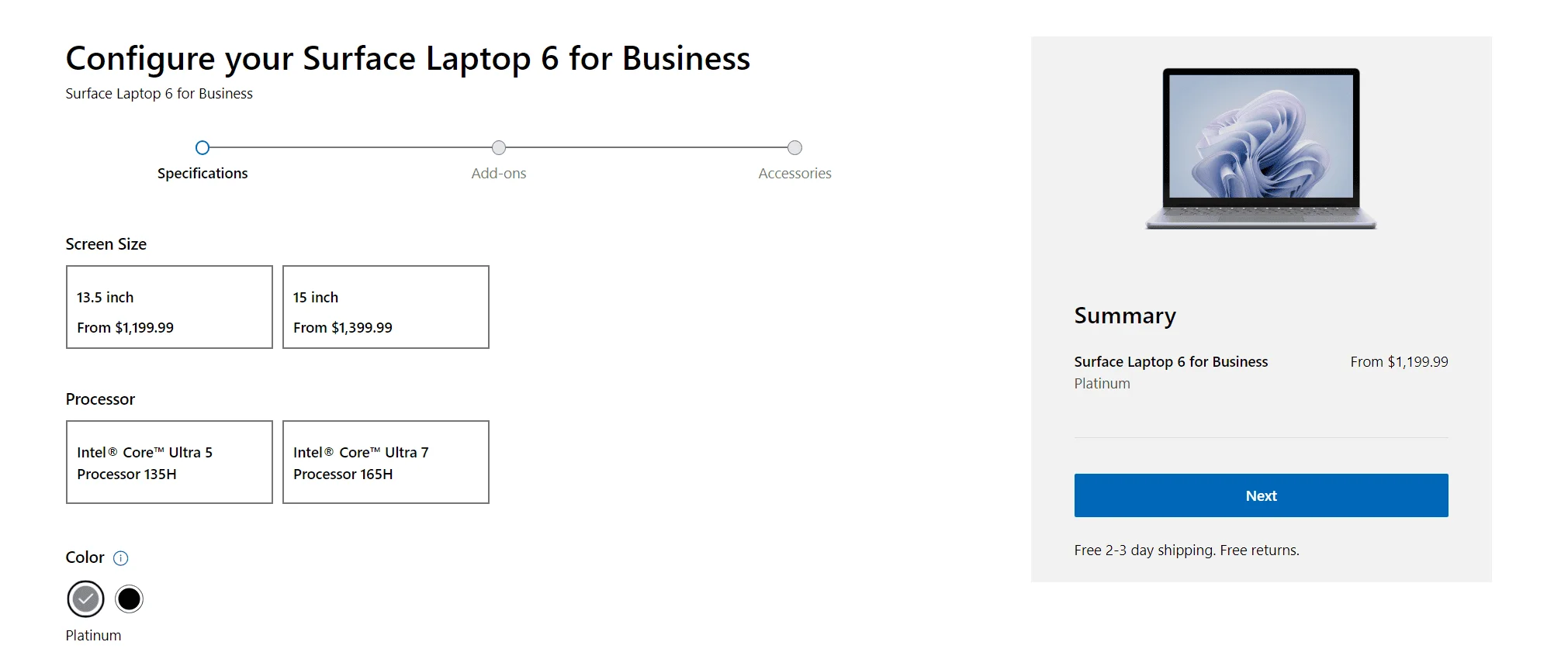
Quick Answer: Only at a discount. Do not pay the original MSRP ($1,199+). Look for pricing around $900–$1,050 for the Core Ultra 5 model to justify choosing it over the Surface Laptop 7.
2026 Market Positioning
| Configuration | Original MSRP (2024) | Expected 2026 Price |
|---|---|---|
| 13.5" Core Ultra 5, 8GB RAM, 256GB SSD | $1,199 | $800-$900 |
| 13.5" Core Ultra 5, 16GB RAM, 256GB SSD | $1,399 | $950-$1,050 |
| 15" Core Ultra 7, 32GB RAM, 512GB SSD | $2,199 | $1,400-$1,600 |
Current Market: In 2026, the SL6 occupies the "mid-range business" slot. It is often significantly cheaper than the Surface Laptop 7 for Business, making it an attractive option for budget-conscious IT departments.
Total Cost of Ownership Advantages
Repairability: The Surface Laptop 6 features QR-code linked service guides and replaceable components (SSD, battery, display), extending its lifespan in corporate fleets. Microsoft has improved serviceability compared to earlier models, with iFixit giving it a respectable repairability score.
Fleet Management: Mature driver packages and deployment images are readily available, whereas the Surface Laptop 7 (especially ARM versions) may require additional validation for enterprise deployment.
Where to Buy (2026)
Look for discounted pricing from:
- Microsoft Store (refurbished/clearance)
- Enterprise resellers (CDW, Insight, SHI)
- Amazon Business
- Best Buy Business
Target price: $900-$1,050 for Core Ultra 5 configurations
Availability
Microsoft's goal is to make the Surface Laptop 6 widely accessible to both individual consumers and business customers, allowing users across different regions to benefit from its latest features and performance enhancements. The device is available for purchase on the official Microsoft website.
Real-World Performance: What Users Say in 2026
Strengths
- Reliability: The mature Intel platform provides consistent, predictable performance
- Compatibility: No ARM translation issues—all x86 software runs natively
- Build Quality: Premium materials and construction hold up well over time
- RAM Capacity: The 64GB option remains competitive for power users
- USB-A Port: Appreciated by users with legacy peripherals
Limitations
- Battery Life: Falls short of ARM-based competitors (8-10 hours vs 14+ hours)
- Design: The thick bezels look dated compared to 2026 flagships
- Performance: Noticeably slower than Intel Series 2 or Snapdragon X Elite in sustained workloads
- Heat: Can get warm under heavy load, with fan noise during intensive tasks
- Value: Only compelling at discounted prices, not at original MSRP
Conclusion: The Right Choice for the Right Situation
Our 2026 Verdict
Our Rating: 4.1/5
The Surface Laptop 6 for Business is best for organizations that prioritize fleet consistency, budget constraints, and proven Intel compatibility over cutting-edge performance. It's a reliable workhorse, not a flagship—and that's appropriate for its current market position.
Buy if: You need Intel vPro, have existing Surface infrastructure, or require native x86 compatibility at a reasonable price.
Skip if: You want the latest performance, all-day battery life, or modern design—the Surface Laptop 7 is worth the premium.
In 2026, the Surface Laptop 6 for Business occupies a specific niche. It's not the device you buy to impress with specs or aesthetics. It's the device you buy because it fits seamlessly into your existing IT infrastructure, runs every business application without compatibility concerns, and costs significantly less than the latest generation.
For IT managers evaluating this device, consider these key questions:
- Do you have existing Surface Laptop deployments? If yes, the SL6 maintains physical compatibility with Surface Dock 2 and fitted accessories.
- Is your budget constrained? At $900-$1,050, it offers solid value compared to $1,200+ for the SL7.
- Do you need Intel vPro? The SL6 provides mature remote management capabilities at a lower price point than the SL7.
- Can you accept 6-8 hour battery life? If not, look at ARM-based alternatives like the MacBook Air M4 or Surface Laptop 7.
- Do you run legacy x86 applications or need Windows 10? The SL6 avoids ARM translation issues and supports Windows 10 natively.
The bottom line: The Surface Laptop 6 for Business is a smart choice for budget-conscious enterprises that value compatibility and consistency. But if you're buying for an individual user or a new deployment, seriously consider the Surface Laptop 7—the improved battery life and modern design are worth the premium for most use cases.
For help planning your business laptop purchases, see our small business IT budget planning guide.
Affiliate Disclosure: This article contains affiliate links. If you make a purchase through these links, we may earn a small commission at no extra cost to you. As an Amazon Associate, iFeelTech earns from qualifying purchases.
Frequently Asked Questions
Related Articles
More from Business Hardware
Surface Laptop 7 Review 2026: Is It Still Worth Buying?
18-month long-term review of the Surface Laptop 7 with Snapdragon X Elite. Real-world battery life, app compatibility in 2026, vs MacBook Air M4 comparison, and current pricing guidance.
13 min read
Windows on Arm in 2026: Is the Snapdragon X2 Surface Ready to Be Your Main Work Machine?
We tested Windows on Arm against the software small businesses actually run. Here's what's native, what's emulated, what breaks — and when to choose Intel instead.
13 min read
MacBook Air M5 vs M4: Upgrade Guide for 2026
Apple began shipping the MacBook Air M5 on March 11 at $1,099 with 512GB base storage and Wi-Fi 7. Clear breakdown: who should upgrade, who should skip, and who the M5 is actually worth buying for in June 2026.
17 min read