
Monday CRM vs HubSpot CRM (2026): Which Fits the Way Your Team Sells?
Monday CRM and HubSpot CRM are both strong platforms — but they're built differently. Here's how to pick the one that fits your team's actual workflow.

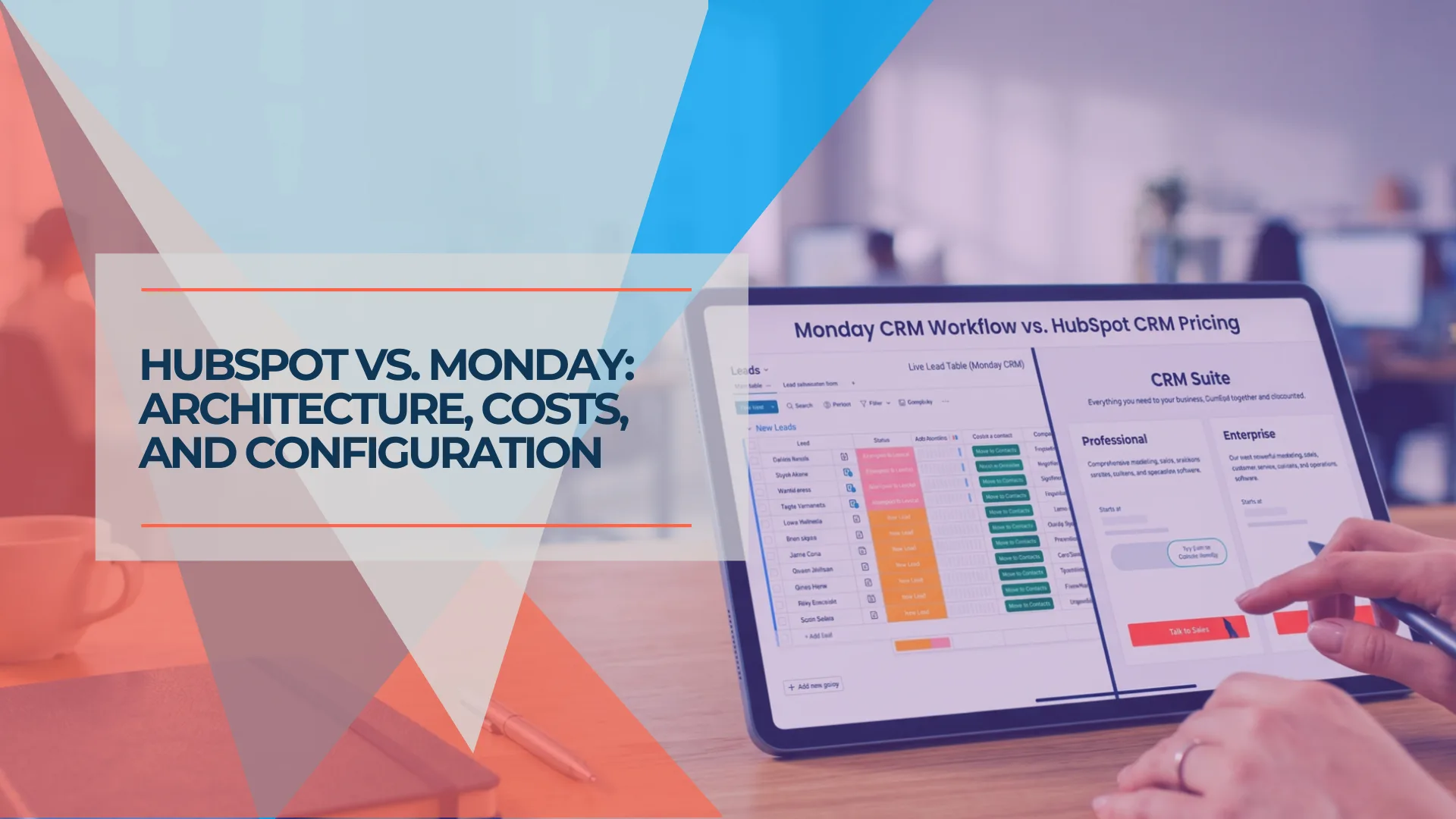
Monday CRM is a customizable work OS with visual board-based pipelines. HubSpot CRM is a purpose-built sales and marketing platform with structured workflows and a functional free tier. The right choice depends on how your team sells, not which platform has more features.
This guide covers pricing, setup, daily workflow, AI capabilities, reporting, and where each platform pulls ahead — so you can make the call confidently. If you haven't narrowed your search to these two yet, our full CRM roundup covers HubSpot, Pipedrive, and Monday together.
Quick Comparison
- Monday CRM: Starts at $12/seat/month (annual), 3-seat minimum. Best for teams already on Monday.com or those who need heavy visual customization. No permanent free plan.
- HubSpot CRM: Free tier available. Starter from $15/seat/month (annual). Best for teams that want out-of-the-box sales workflows and a path to marketing automation.
- Setup speed: HubSpot is live in an afternoon. Monday CRM takes 2–5 days to configure.
- AI tools: Both include AI — HubSpot's Breeze agents are deeper for sales; Monday's AI Sidekick and MCP integration are available at lower tiers.
- Our take: Start with HubSpot's free tier if you're testing. Use Monday CRM if your team already lives in Monday boards.
Affiliate Disclosure: This article contains affiliate links. If you make a purchase through these links, we may earn a small commission at no extra cost to you. As an Amazon Associate, iFeelTech earns from qualifying purchases.
How Do Monday CRM and HubSpot CRM Core Workflows Differ?
Monday CRM is a customizable work OS built on visual boards, whereas HubSpot CRM is a prescriptive, purpose-built sales and marketing platform.
Consider a 10-person electrical contractor migrating from a shared spreadsheet. In Monday CRM, they'd build custom boards to match their exact workflow — columns for job site addresses, permit status, crew assignments, and deal value — connecting CRM deals directly to project delivery boards. In HubSpot, they'd import contacts, configure a standard deal pipeline, and immediately start tracking email opens and scheduling follow-ups through built-in tools.
That difference — build-your-own vs. adopt-and-adapt — runs through every comparison that follows.
Work OS vs. Purpose-Built CRM
A work OS (like Monday.com) gives you building blocks — boards, automations, views — and lets you assemble them into whatever workflow you need. A purpose-built CRM (like HubSpot) gives you pre-assembled sales and marketing workflows and lets you customize within that structure. Neither approach is wrong — but they produce fundamentally different day-one experiences.
If your sales process requires highly unique stages and project tracking, exploring a Monday CRM trial allows you to test this board-based flexibility.
How Much Do Monday CRM and HubSpot CRM Cost?
Monday CRM starts at $36/month for three minimum users. HubSpot offers a functional free tier and Starter plans from $15/seat/month.
Monday CRM Pricing (Verified May 2026)
Monday CRM uses per-seat pricing with a mandatory 3-seat minimum on all paid plans. For a solo operator or a 2-person team, you pay for a seat you don't use.
Monday also uses bucket pricing — seats are sold in groups of 3, 5, 10, 15, 20, 25, 30, 35, and 40. A team of 4 must buy the 5-seat bucket. A team of 6 must buy the 10-seat bucket. This inflates real costs for teams that fall between buckets.
The 3-Seat Minimum Requirement
Many small business owners see "Monday CRM from $12/user" and mentally price it at $12/month. The 3-seat minimum makes the real floor $36/month on annual billing ($54/month on monthly billing). For a solo founder or 2-person team, the effective per-user cost is higher than the listed rate.
HubSpot CRM Pricing (Verified May 2026)
HubSpot's CRM pricing is structured around Sales Hub tiers. The free tier is genuinely functional — not a gated demo. Paid tiers vary depending on whether you buy standalone Sales Hub or the Customer Platform bundle (which includes all hubs at Starter level).
| Plan | Annual Billing | Monthly / Bundle | Onboarding Fee | |
|---|---|---|---|---|
| Free | $0 (up to 2 users) | $0 | None | Start free → |
| Sales Hub Starter | $15/seat/mo | $20/seat/mo | None | Try Starter → |
| Sales Hub Professional | $90/seat/mo | $100/seat/mo | $1,500 (one-time) | |
| Sales Hub Enterprise | $150/seat/mo | — | $3,500 (one-time) |
Note: HubSpot offers promotional rates as low as $9/seat/month for new annual customers. The Customer Platform bundle (all hubs at Starter) is $20/seat/month. Prices shown are standard rates.
HubSpot's free tier includes contact management, one deal pipeline, basic email tracking, and meeting scheduling. Advanced features — automation, email sequences, removed HubSpot branding, and additional pipelines — are gated behind paid tiers.
HubSpot's Seat Model
HubSpot distinguishes between Core Seats (general CRM editing access across all hubs) and Sales Seats (advanced Sales Hub features like sequences, forecasting, and playbooks). View-only seats are free and unlimited. When budgeting, not every employee needs a paid seat — only those who actively edit CRM data or use sales-specific tools.
The Professional Price Jump
Moving from Starter to Professional increases the per-seat cost from $15 to $90–$100 and introduces a mandatory $1,500 one-time onboarding fee. For a 5-person team, that takes the annual bill from $900 to $5,400–$6,000, plus onboarding. This is where email sequences, deal forecasting, and advanced reporting live.
For small teams looking to establish a baseline pipeline without upfront software costs, starting with HubSpot's Free CRM is a practical first step.
What Does a 5-Person Team Actually Pay Over 12 Months?
The first-year total cost of ownership (TCO) accounts for billing, onboarding fees, and setup time — not just sticker price.
| Scenario | Monday CRM (Annual) | HubSpot CRM (Annual) | |
|---|---|---|---|
| Entry-level | $1,020/yr (Standard, 5 × $17 × 12) | $0/yr (Free tier) | Start free → |
| Functional CRM | $1,020/yr (Standard) | $900/yr (Starter, 5 × $15 × 12) | Try Starter → |
| Full-featured | $1,680/yr (Pro, 5 × $28 × 12) | $6,900/yr (Pro, 5 × $90 × 12 + $1,500) | |
| Setup investment | 2–5 days of internal configuration | Half a day to one day |
At the functional level, Monday CRM Standard costs $1,020/year for 5 users. HubSpot Starter costs $900/year for 5 users at the standard annual rate. HubSpot's free tier gives a small team a $0 starting point — Monday has no equivalent.
At the full-featured tier, the cost difference is more pronounced. Monday Pro at $1,680/year includes forecasting, 25,000 automations/month, and up to 100,000 contacts. HubSpot Professional at $6,900/year (including the mandatory $1,500 onboarding fee) delivers deeper sales automation, marketing integration, and AI-powered prospecting agents at a higher price point.
An additional cost factor with Monday CRM is setup time. The 2–5 days of board configuration for a new team is internal labor — or a $500–$2,000 consultant engagement if you outsource it. HubSpot's prescriptive defaults reduce most of that setup investment.
Monday CRM vs. HubSpot CRM Setup and Onboarding
HubSpot CRM configures in under a day using standard templates, while Monday CRM requires 2–5 days to build custom board workflows.
Monday CRM: Flexible, but Blank-Canvas
Monday CRM ships with CRM-specific board templates — Leads, Contacts, Accounts, Deals — that give you a starting point. But because everything is configurable, there are more decisions to make before your pipeline is useful.
You'll need to:
- Define your deal stages (Monday doesn't assume a standard sales funnel)
- Set up columns that match your data model (deal value, close date, owner, source)
- Configure automations for lead routing, status changes, and notifications
- Connect your email via the Emails & Activities app (Gmail or Outlook, available on Standard+)
- Build at least one dashboard to track pipeline health
For a 5-person team migrating from spreadsheets, expect 2–5 days to get to a useful, configured pipeline — faster if someone on the team already knows Monday.com's board system.
HubSpot CRM: Guided and Prescriptive
HubSpot provides a structured onboarding experience. Built-in wizards walk you through connecting your Gmail or Outlook, importing CSV contacts, and setting up meeting links. Default fields and stages are pre-populated based on standard sales workflows.
You'll need to:
- Connect your email (Gmail or Outlook — native integration, works immediately)
- Import contacts (CSV upload, or direct sync from another CRM)
- Customize deal stages (defaults are provided; most teams tweak rather than rebuild)
- Set up meeting scheduling links (built in, no third-party tool needed)
For the same 5-person team, HubSpot can be productively live in an afternoon to one full day. The tradeoff: you're adapting to HubSpot's workflow model rather than building your own.
Time to First Useful Pipeline
Monday CRM: 2–5 days for a team new to Monday's board system. Faster if your team already uses Monday for project management. HubSpot CRM: Half a day to one day for most small teams. The guided setup and pre-built templates reduce configuration time significantly.
The setup difference is real but not permanent. After the first week, both platforms are tools you use daily — the onboarding friction fades. Choose based on workflow fit, not setup convenience.
How Do Daily Sales Workflows Compare?
Monday CRM relies on highly visual, customizable Kanban boards, whereas HubSpot centers on interconnected records and activity timelines.
Monday CRM: Visual and Board-Centric
Monday's workflow focuses on spatial, color-coded visibility. You can track any data point using custom columns and seamlessly tie deals to external project boards. Deals live in a Kanban-style pipeline that you drag between stages.
Monday CRM Overview: Visual Pipeline and Board-Based Workflows
What works well:
- Pipeline views are highly customizable — Kanban, table, chart, timeline, and calendar views on the same board
- Custom columns let you track any data point without waiting for a feature release
- Cross-board connections tie deals to contacts, accounts, and project boards seamlessly — especially useful if your team already uses Monday for project management
- Automations handle status changes, notifications, and assignments with a visual builder (250/month on Standard, 25,000/month on Pro)
Where it requires more work:
- Contact records are less rich out of the box than HubSpot's — you build the data model yourself
- Email integration requires setup through the Emails & Activities app (available on Standard and above) — it's not available on the Basic plan
- Email tracking (open tracking via pixel) requires toggling per email — not automatic like HubSpot's built-in tracking
HubSpot CRM: Record-Centric and Integrated
HubSpot's workflow centers on the contact and deal records. Email activity, meeting notes, call logs, and marketing interactions flow automatically into a unified timeline per contact. Email tracking for opens and clicks works immediately without requiring per-email toggles.
HubSpot CRM Overview: Record-Based Sales Workflow
What works well:
- Email tracking is built in and automatic — open and click tracking work from day one on the free tier and scale with paid plans
- Deal records are richer by default — associated contacts, companies, activities, and notes are linked without configuration
- Task and meeting sync with Google Calendar or Outlook is reliable and bidirectional
- Breeze Assistant provides conversation summaries, email drafting assistance, and data enrichment across all tiers (including free, with rate limits)
Where it requires more investment:
- Automation limits on the free tier become visible fast — you can't automate follow-up sequences or deal-stage transitions without Starter or above
- Pipeline customization is more constrained than Monday's board-based approach — you work within HubSpot's pipeline model, not your own custom structure
- Advanced reporting requires Professional tier ($90–$100/seat/month) — free and Starter reporting is functional but basic
| Specs | ||
|---|---|---|
| Starting price | $12/seat/mo (annual) | Free / $15/seat/mo (annual) |
| True starting cost | $36/mo (3-seat minimum) | $0 (free tier) |
| Pipeline views | Kanban, table, chart, calendar, timeline | Board, list, table views |
| Email integration | Gmail & Outlook (Standard+) | Gmail & Outlook (all tiers) |
| Email tracking | Open tracking (Standard+) | Built-in automatic (all tiers) |
| Contact management | Custom board columns | Rich records with activity timeline |
| Mobile app | iOS & Android (visual board views) | iOS & Android (record-centric timeline) |
| Automation (base tier) | None on Basic / 250/mo on Standard | None on Free / Basic on Starter |
| AI features | Sidekick, email composer, MCP integration (Standard+) | Breeze Assistant (all tiers), agents (Pro+) |
| Best for | Teams who want to build their own process | Teams who want a ready-to-use sales system |
How Do AI Features Compare?
HubSpot offers deeper AI agents for sales prospecting and content, while Monday CRM provides AI-powered workflow automation and email drafting at lower price points — plus an open MCP server for external AI integration.
AI capabilities are a primary purchasing factor in 2026, and both platforms have made significant investments. The approaches differ: HubSpot's AI is built for end-to-end sales and marketing automation through specialized agents. Monday's AI is designed to enhance the board-based workflow you've already built.
Monday CRM AI
Monday CRM includes AI features on Standard, Pro, and Ultimate plans, powered by a credit-based system:
- AI Sidekick: A personal AI assistant that understands your board context — it summarizes tasks, generates content, organizes boards, prioritizes items, and suggests next steps
- AI Email Composer: Generates personalized emails within Emails & Activities using CRM data — prospect name, company, industry, and recent interactions
- AI Timeline Summary: Creates concise summaries of all communication events (emails, calls, meetings, notes) for any contact, saving reps the time of reading full threads
- AI Automation Blocks: Detect sentiment, extract information, improve text, summarize, translate, and assign labels — all usable inside automation workflows
- AI Agents: Sales Agent and Lead Agent handle tasks like duplicate contact detection and lead research
- AI Notetaker: Joins meetings, transcribes in real time, and creates structured summaries with action items
- MCP Server: Monday.com provides an official Model Context Protocol server that lets external AI tools — Claude, Cursor, ChatGPT, Microsoft Copilot — interact directly with your CRM boards. This means you can use natural language in your AI tool of choice to create items, update deals, analyze pipeline data, and trigger automations without switching to the Monday interface. MCP is available on all plans.
HubSpot Breeze AI
HubSpot's AI suite, called Breeze, includes an assistant layer and specialized agents:
- Breeze Assistant: A conversational AI embedded across HubSpot — summarizes CRM records, drafts emails, generates sales templates, and provides role-specific recommendations. Available on all plans including free (rate-limited to 30 requests/minute, 1,000/day)
- Standard Data Enrichment: Auto-populates company revenue, industry, employee count, and location on contact records. Included free with Core Seats (Starter+)
- Prospecting Agent: Researches target accounts, identifies buying signals, and drafts personalized outreach — $1.00 per qualified lead recommended for outreach (outcome-based pricing via credits). Requires Professional or Enterprise Sales Hub
- Content Agent: Generates blog posts, landing pages, case studies, and social content in your brand voice using CRM data. Requires Professional or Enterprise
- Customer Agent: Resolves support inquiries 24/7 using your knowledge base — $0.50 per resolved conversation. Requires Professional or Enterprise Service Hub
- Breeze Studio: A no-code control center for customizing pre-built agents or creating custom AI assistants
AI Availability by Tier
Monday CRM: AI Sidekick, email composer, and automation blocks are available on Standard plans and above ($17/seat/month annual). MCP integration is available on all plans. HubSpot: Breeze Assistant is available on all tiers including free (with rate limits). Standard data enrichment is free on Starter+. Specialized agents (Prospecting, Customer, Content) require Professional or Enterprise ($90+/seat/month) and consume credits.
The practical difference: Monday's AI is accessible at $17/seat/month and focuses on enhancing the workflows you build. Monday's MCP server also opens the door to using external AI assistants directly against your CRM data — a flexibility HubSpot doesn't currently offer. HubSpot's AI is deeper and more autonomous for sales-specific tasks, but those capabilities are largely gated behind the $90+/seat/month Professional tier.
How Do Reporting and Analytics Compare?
HubSpot provides structured, cross-object sales analytics with attribution modeling, while Monday CRM offers highly visual, widget-based dashboards that aggregate data from boards.
Monday CRM Reporting
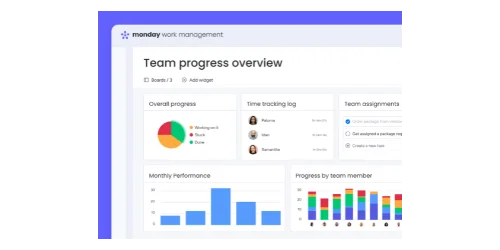
Monday CRM turns boards into live dashboards using drag-and-drop widgets — charts, numbers, workloads, funnels, and leaderboards. Dashboards refresh automatically and can aggregate data across multiple boards, giving managers a unified pipeline view without manual spreadsheets.
Strengths: Visual, real-time, highly customizable, and accessible on all paid tiers. You can combine CRM data with project management metrics on a single dashboard — a capability HubSpot doesn't match.
Limitation: Reports are built from boards, not from a unified CRM data model. Cross-object analytics (conversion by funnel stage, marketing attribution, revenue by lead source) are less structured than in a purpose-built CRM.
HubSpot Reporting
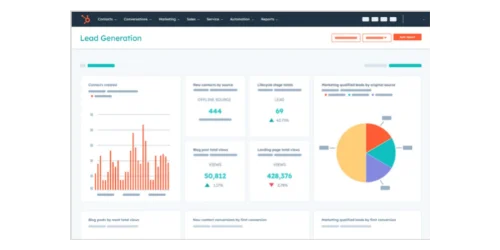
HubSpot's reporting is built around its CRM database. Pre-built dashboards cover pipeline forecasting, sales activity, deal stage conversion, and lead source performance. The Custom Report Builder allows cross-object reporting — linking contacts, deals, companies, and marketing data in a single report.
Strengths: Structured analytics designed for sales and marketing alignment. AI-powered forecasting, waterfall reporting, and marketing attribution are available on Professional plans.
Limitation: Advanced custom reporting and forecasting are locked behind Professional tier ($90–$100/seat/month). Free and Starter tiers include basic dashboards but lack the analytical depth that managers need for strategic decision-making.
For teams that need combined project and sales visibility, Monday's dashboard flexibility is an advantage. For teams that need structured sales performance analytics and marketing attribution, HubSpot's reporting engine is stronger — provided you're on Professional or above.
Which Platform Offers Better Native Integrations?
HubSpot leads with over 1,500 native app integrations, while Monday CRM integrates best within its own software ecosystem.
Monday CRM Integrations
Monday CRM connects natively to Monday.com's project management, service, and development products. If your team uses Monday for project work, the CRM connects without third-party middleware — data flows between boards automatically.
For external tools, Monday offers:
- Gmail and Outlook integration for email sync (Standard plan and above)
- Google Calendar sync for meetings and events
- Slack and Microsoft Teams for notifications
- Zapier and Make (Integromat) support for connecting tools without native integrations
- QuickBooks and Xero via third-party connectors
- MCP Server for connecting AI assistants (Claude, Cursor, ChatGPT) directly to boards
Monday's primary integration advantage is internal: connecting CRM deals to project delivery boards so the handoff from "deal closed" to "project kicked off" is automatic.
HubSpot Integrations
HubSpot's marketplace includes over 1,500 native integrations, covering accounting, communication, marketing, and productivity tools.
Key integrations include:
- Gmail and Outlook (native, all tiers — including free)
- Google Workspace and Microsoft 365 for calendar, contacts, and document sync
- Slack, Microsoft Teams, and Zoom for communications
- QuickBooks, Xero, and FreshBooks for accounting
- WordPress, Shopify, and website builders for lead capture
- The full HubSpot ecosystem — Marketing Hub, Service Hub, Content Hub, Operations Hub
The ecosystem advantage compounds over time. If your business plans to add marketing automation, email campaigns, or customer service ticketing on the same platform, HubSpot supports that scale without requiring Zapier workarounds. Monday CRM now offers a campaigns feature for email marketing, but it's newer and less mature than HubSpot's marketing tools.
Your email platform choice — Google Workspace or Microsoft 365 — affects integration quality for both products. Both support Gmail and Outlook, but HubSpot's email integration is deeper on all tiers (including free), while Monday CRM reserves full email sync for Standard plans and above.
If you're building out a full software stack, our guide to SMB software stacks under $250/month includes CRM as one layer.
How Do the Mobile Apps Compare?
Both platforms offer iOS and Android apps. HubSpot's mobile app is more feature-complete for sales workflows. Monday's mobile app is more visually flexible.
Monday CRM Mobile
Monday's mobile app mirrors the desktop board experience — you see your pipelines, deals, and dashboards in the same visual layout. The thumb-friendly design supports landscape mode, and push notifications keep you updated on deal changes and automation triggers.
Strengths: Visual pipeline management on mobile, custom board views, ability to update deal stages and log activity in a few taps, and integration with Monday's broader project management workspace.
Limitations: Some advanced desktop features (complex automations, dashboard building) are not available on mobile. Users report occasional sync delays with large boards.
HubSpot CRM Mobile
HubSpot's mobile app provides a full record-centric CRM experience. You can view and edit contacts, companies, and deals with access to all custom fields. Call logging captures duration automatically, and the activity timeline shows the complete communication history per contact.
Strengths: Comprehensive contact and deal management, automatic call logging, meeting scheduling, email tracking notifications, and access to Breeze Assistant for on-the-go record summaries.
Limitations: Performance can lag when loading large contact lists. Switching between sections takes 3–5 seconds. Offline mode caches recently viewed records but doesn't support full offline access. Workflow editing requires desktop.
For field sales teams that need speed and visual clarity, Monday's mobile interface is faster and more intuitive for quick updates. For teams that need full contact history, email tracking, and meeting scheduling on mobile, HubSpot's app is more complete.
Who Should Choose Monday CRM
Monday CRM is a strong fit if:
- Your team already uses Monday.com for project management. The single biggest advantage of Monday CRM is eliminating the gap between "deal closed" and "project started." If your team lives in Monday boards, adding CRM to that workspace avoids a second tool and the context-switching that comes with it.
- You need heavy visual customization. Your sales process doesn't follow a standard funnel, and you need the ability to define custom stages, columns, and views without waiting for a feature request. Monday's board-based approach gives you that flexibility.
- Your team is 3–8 people and budget-conscious at scale. Monday CRM Pro at $28/seat/month includes forecasting, AI features, 25,000 automations/month, and 100,000 contacts — comparable functionality to HubSpot Professional at $90–$100/seat/month. For a 5-person team, that's $1,680/year vs. $5,400–$6,900/year.
- You want AI features and external AI integration at a lower price. Monday's AI Sidekick, email composer, and automation blocks are available at the $17/seat/month Standard tier. The MCP server lets you connect Claude, Cursor, or ChatGPT directly to your CRM boards on any plan.
- You value the full customer lifecycle in one platform. Monday CRM connects naturally to Monday's service, project, and development products. The handoff from sales to delivery to support happens within the same workspace.
For a deeper look at Monday.com as a platform (including project management features), see our Monday.com review.
Who Should Choose HubSpot CRM
HubSpot CRM is a strong fit if:
- You prioritize out-of-the-box sales workflow. HubSpot's default pipeline, contact records, and email tracking work from day one. Your team can be productive within hours, not days. For business owners who don't want to configure a CRM — they want to use one — HubSpot reduces that friction.
- You want email tracking and communication tools from day one. Email open tracking, meeting scheduling, live chat, and call logging are included on HubSpot's free tier. No setup, no add-ons, no integration required.
- You need marketing automation down the road. If your growth plan includes email campaigns, lead nurturing sequences, or content marketing, HubSpot's ecosystem lets you add Marketing Hub without switching platforms. That path doesn't exist as cleanly with Monday CRM.
- You're a small team that benefits from HubSpot's free tier. HubSpot's free CRM is legitimately useful for small teams getting started. Contact management, one deal pipeline, email tracking, Breeze Assistant AI, and meeting scheduling at $0/month is a real starting point — not a feature-gated trial.
- You want AI agents handling prospecting and content. HubSpot's Breeze AI agents can research prospects, draft outreach, generate content, and resolve support tickets autonomously — capabilities Monday's AI doesn't match at the same depth.
For a full breakdown of HubSpot CRM's features and free tier limits, see our standalone HubSpot CRM review. If Pipedrive is also on your shortlist, see how HubSpot Starter compares to Pipedrive on cost and features.
The Bottom Line: Start With What You Can Test for Free
Both Monday CRM and HubSpot CRM are legitimate platforms for a small or mid-sized sales team. The right answer is in a structured trial of the one that felt like the better fit when you read the workflow and pricing sections above.
HubSpot's free CRM is a genuine starting point for a small team. Contact management, one pipeline, email tracking, meeting scheduling — you can run that setup for months and learn whether HubSpot's structure fits your workflow before spending a dollar. If it does, Starter from $15/seat/month (annual) is a reasonable next step.
Monday CRM offers a 14-day free trial rather than a permanent free tier. If your team already uses Monday.com for projects, that trial will feel natural and productive — you'll know quickly whether the CRM boards integrate well with your existing workflow. If you're starting from scratch with no Monday experience, factor in a few extra days for configuration.
Neither platform is the wrong choice. Monday CRM gives you a canvas. HubSpot CRM gives you a structure. The one your team actually uses every day is the one that fits.
Related Resources
- Best CRM for Small Business (2026) — A three-way comparison of HubSpot, Pipedrive, and Monday CRM if you haven't narrowed your shortlist yet.
- HubSpot CRM Review — Full standalone review of HubSpot CRM, including free tier limits and upgrade paths.
- Monday.com Review — Covers Monday.com as a project management platform with CRM context.
- HubSpot Starter vs. Pipedrive — Head-to-head cost comparison for service businesses evaluating CRM options.
- Google Workspace vs. Microsoft 365 — Your email platform choice affects CRM integration quality for both Monday and HubSpot.
- Complete Business Software Stack Under $250/Month — How CRM fits into a full SMB software stack alongside accounting, communication, and security tools.
Frequently Asked Questions
Related Articles
More from Business Software

Best CRM for Small Business 2026: HubSpot vs Pipedrive vs Monday
The best CRM for small business in 2026 — comparing HubSpot, Pipedrive, and Monday on real pricing, setup time, pipeline tools, and free options for teams of 5–50.
20 min read

HubSpot CRM Review 2026: Is It Worth It for Small Business?
HubSpot CRM review for small businesses: verified 2026 pricing, free tier limitations, Breeze AI credits, and when upgrading to Starter or Professional actually pays off.
16 min read
HubSpot Starter vs. Pipedrive (2026): The Real Cost Comparison for Service Businesses
Comparing HubSpot Starter and Pipedrive for service businesses. See true costs including hidden fees, feature limitations, and integration options for 2026.
11 min read