

HP ProLiant DL320 Gen11 Business Server Review: Real-World Deployment for Engineering Firms
Complete HP ProLiant DL320 Gen11 review based on real deployment experience. Windows Server 2025 compatibility, fan noise solution, iLO 6 configuration, cost analysis, and comparison with Dell PowerEdge.

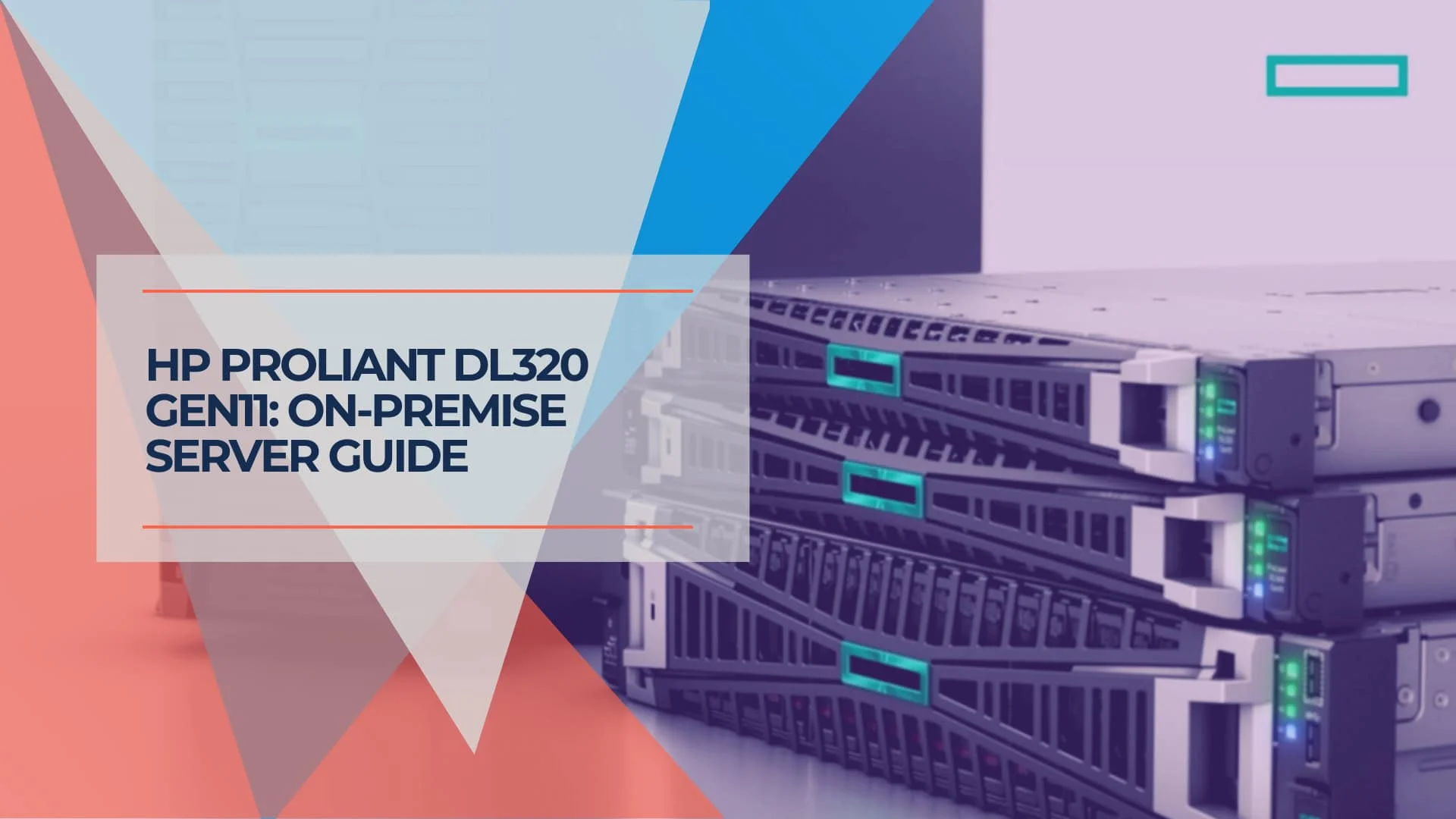
Updated January 2026: Verified Windows Server 2025 compatibility, current pricing, and 2026 hardware context
Who Is the HP ProLiant DL320 Gen11 For?
The HP ProLiant DL320 Gen11 is a 1U single-socket server optimized for edge workloads, VDI, and specialized business applications like CAD. While cloud infrastructure dominates general IT, on-premise servers remain superior for high-bandwidth engineering software and data-heavy PLM systems. The DL320 bridges the gap between basic SMB towers and enterprise blade systems, specifically targeting firms that need local rendering power without the latency of cloud workstations.
This server is ideal for engineering firms running specialized CAD/PLM software with licensing structures that favor on-premise deployment—saving approximately $66,000 annually compared to cloud-based licensing for specialized engineering software.
Key Specifications: HP ProLiant DL320 Gen11
| Specification | Details |
|---|---|
| Processor | 4th/5th Gen Intel Xeon Scalable (up to 32 cores) |
| Memory | Up to 2TB DDR5 (16 DIMM slots, 5600 MT/s) |
| Form Factor | 1U rack-mount server |
| OS Compatibility | Windows Server 2025/2022, Linux |
| Critical Fix Required | Fan noise (Install HPE AMS driver) |
| Typical Price Range | $6,000–$12,000 (as of Jan 2026) |
| Best For | Engineering firms, edge computing, VDI |
| Management | iLO 6 with Silicon Root of Trust |
Affiliate Disclosure: This article contains affiliate links. If you make a purchase through these links, we may earn a small commission at no extra cost to you. As an Amazon Associate, iFeelTech earns from qualifying purchases.
How Do You Fix HP ProLiant DL320 Gen11 Fan Noise?
Fan noise is resolved by installing the HPE Agentless Management Service (AMS) and configuring the "Optimal Cooling" profile in iLO 6. Without the AMS driver, the iLO controller cannot read OS thermal data and defaults fans to a 60–100% duty cycle (65dB+).
Step-by-Step Fix
1. Install AMS: Download the Gen11 AMS Package for Windows Server 2025/2022. This bridges the OS-to-iLO communication gap.
2. Adjust BIOS Profile: In iLO, navigate to Power & Thermal > Thermal Settings and select "Optimal Cooling."
3. Physical Check: Ensure all drive blanks and PCIe covers are installed; open slots disrupt airflow pressure, forcing fans to spin up.
4. Firmware Update: Update to the latest iLO 6 firmware (v3.x or higher as of Jan 2026) and apply the current Service Pack for ProLiant (SPP).
Result: Idle noise drops from 65dB to ~42dB, making the unit office-quiet.
Critical for Office Deployments
This fix is mandatory for office environments. Without AMS, the server runs at datacenter noise levels continuously. Budget 30-45 minutes for the complete fix including firmware updates.
HP ProLiant DL320 Gen11 Technical Specifications
The Gen11 architecture supports 4th and 5th Gen Intel Xeon Scalable processors with up to 32 cores and 2TB of DDR5 memory.
Processor: Supports Intel Xeon Gold 5416S (16-core, 2.0GHz) up to 32-core variants. While the HPE ProLiant Gen12 series with Intel Xeon 6 is now available, the Gen11 remains the value leader for workloads that do not require the absolute newest silicon. For businesses planning 5+ year deployments, the Gen11 platform offers proven driver stability at a significantly lower entry cost.
Memory: 16 DIMM slots using DDR5 SmartMemory (up to 5600 MT/s). Maximum capacity of 2TB provides substantial headroom for future application growth.
Storage: Modular drive bays support NVMe, SAS, and SATA. A typical configuration uses NVMe SSDs for OS/applications with SAS for bulk storage.
Expansion: PCIe Gen5 capability ensures compatibility with modern GPUs for CAD rendering and future hardware upgrades.
Form Factor: 1U rack-mount design with tool-less chassis and modular components for simplified maintenance.
Windows Server 2025 Compatibility
The DL320 Gen11 has full driver compatibility with Windows Server 2025 Standard. The HPE Service Pack for ProLiant (SPP) version 2025.10.0 or later is required for stable NIC performance and complete hardware monitoring integration.
Key compatibility notes:
- All core drivers (storage, network, chipset) fully supported
- iLO 6 integration works seamlessly with Server 2025
- AMS thermal monitoring functional on Server 2025
- Hyper-V role fully supported for virtualization workloads
The upgrade path from Windows Server 2022 to 2025 is smooth with no hardware compatibility issues.
HPE ProLiant DL320 Gen11 virtual tour animated video
Pre-Installation Requirements
Component compatibility (critical):
- Verify all components via HP QuickSpecs before purchasing
- Use HP-qualified memory or verified compatible alternatives
- Check storage drive compatibility matrix
- Confirm PCIe card compatibility and power requirements
Firmware updates (budget 2 hours):
- iLO 6 firmware first (v3.x+ for 2026)
- System ROM (BIOS/UEFI)
- Component firmware (storage, network)
- Service Pack for ProLiant (SPP) - complete bundle
Physical installation checklist:
- Install all drive bay blanks (missing blanks cause fan noise)
- Install PCIe slot covers for unused slots
- Verify air baffle placement
- Confirm rack clearance for cable management
- Verify 800W power distribution capacity
GPU Compatibility for CAD and Engineering Workloads
The DL320 Gen11 supports low-profile GPUs including the NVIDIA A2 (70W, passive cooling) and NVIDIA L4 (72W, single-slot) for CAD acceleration and AI inference workloads.
Compatible GPUs:
- NVIDIA A2 - Best for AI inference and light rendering
- NVIDIA L4 - Excellent for CAD acceleration and video encoding
- AMD Radeon Pro W6400 (50W) - Budget-friendly CAD acceleration
Not Compatible:
- Consumer RTX cards (too tall for 1U, excessive power draw)
- High-power workstation cards (thermal constraints)
For serious GPU compute, consider the 2U DL360 Gen11 instead. The DL320's 1U form factor limits GPU options to low-profile, low-power cards.
View Current HP ProLiant DL320 Gen11 PricingPower Consumption and Efficiency
In January 2026, many businesses have carbon reporting requirements. The DL320 Gen11 offers multiple PSU efficiency tiers:
Power Supply Options:
- 800W Platinum (94% efficiency) - Standard configuration
- 800W Titanium (96% efficiency) - Premium option, ~$200 additional
Typical Power Draw:
- Idle: 85-110W (with Xeon Gold 5416S configuration)
- Normal load (40% CPU): 150-200W
- Peak load: 250-300W
Annual Operating Cost (at $0.12/kWh):
- Platinum PSU: ~$180-240/year
- Titanium PSU: ~$170-230/year
The Titanium PSU pays for itself in 3-4 years through reduced power consumption, making it worthwhile for 24/7 operations.
Boot Time Expectations
Gen11 servers have extended POST times due to comprehensive hardware initialization and security checks. Expect 4-6 minutes for a cold boot from power-on to OS login.
This is normal behavior, not a defect. The extended POST includes:
- Memory training and initialization
- Silicon Root of Trust verification
- iLO subsystem initialization
- Storage controller enumeration
For planned reboots, use the "Fast Boot" option in BIOS to reduce POST time to ~2 minutes (skips some hardware checks).
Need Help with Server Setup?
If extended boot times or server configuration seem overwhelming, our IT consulting team can handle the complete setup, from firmware updates to Windows Server 2025 deployment.
iLO 6 Remote Management: Why HP Wins Here
iLO 6 is HP's primary advantage over Dell and Lenovo. The management processor provides complete remote access to server hardware, critical for sites with limited on-site IT staff.
Key iLO 6 capabilities:
- Remote KVM: Full keyboard/video/mouse control over network
- Virtual media: Mount ISO images remotely for OS installation
- Power management: Remote power cycling and graceful shutdowns
- Hardware monitoring: Real-time temperature, fan, and voltage monitoring with alerting
- Silicon Root of Trust: Hardware-level security verification on every boot
Setup time: Budget 2-3 hours for initial configuration (static IP, user accounts, SSL certificates).
2026 firmware note: Ensure iLO 6 firmware is v3.x or higher for optimal compatibility with Windows Server 2025 and improved fan control algorithms.
Real-World Performance: Engineering Workload Testing
The DL320 Gen11 (Xeon Gold 5416S, 64GB DDR5) performs well in engineering environments with 15+ concurrent users running CAD and PLM software.
Performance results:
- CAD rendering: Multiple concurrent users without degradation. 16-core Xeon handled complex 3D modeling effectively.
- Database (SQL Server): DDR5 memory provided noticeable cache performance improvements for project databases.
- File operations: NVMe storage delivered excellent I/O for large engineering file transfers.
Resource utilization (typical load):
- CPU: 25-40% average, spikes to 70-80% during rendering
- Memory: 35-45GB used (64GB config), leaving headroom for growth
- Storage: NVMe for OS/apps, SAS for bulk data worked well
Business impact:
- CAD launch times improved ~40% vs. previous workstation setup
- Centralized storage improved team collaboration
- Consistent uptime eliminated previous infrastructure crashes
Cost Analysis: On-Premise vs. Cloud (2026 Pricing)
Total deployment cost (January 2026): $9,000-$13,000
Hardware breakdown:
- Server (Xeon Gold 5416S, 64GB): $8,000-$10,000
- UPS system: $800-$1,200
- Rack/cabling: $500-$1,000
Software licensing:
- Windows Server 2025 Standard (16-core): $800-$1,500
- User CALs (15 users): $2,250-$4,500
- Backup/security software: $500-$1,500/year
Annual operating costs:
- Power (200-300W average): $180-$240/year
- Extended warranty/support: $1,200-$2,400/year
- IT maintenance (2-4 hrs/month): Variable
ROI for engineering firms:
The on-premise server saves approximately $66,000 annually compared to cloud-based CAD/PLM licensing for specialized engineering software. The hardware investment pays for itself in 2-3 months.
When on-premise wins:
- Specialized software with expensive cloud licensing
- High-bandwidth applications (CAD, video, large datasets)
- Data sovereignty requirements
- Predictable workloads
When cloud wins:
- Variable/seasonal workloads
- Limited IT staff and no managed services
- Applications with cloud-friendly licensing
- Rapid scaling requirements
Not sure which approach fits your business? Our IT consulting services include infrastructure planning to help you make the right decision between on-premise, cloud, or hybrid deployments.
HP ProLiant DL320 Gen11 vs. Dell PowerEdge R450
The HP DL320 Gen11 offers superior remote management via iLO 6, while the Dell PowerEdge R450 provides lower initial hardware costs.
| Feature | HP ProLiant DL320 Gen11 | Dell PowerEdge R450 |
|---|---|---|
| Primary Advantage | Management (iLO 6) & Security | Upfront Price & Component Cost |
| Build Quality | Tool-less chassis, modular design | Standard enterprise build |
| Noise Levels | High out-of-box (Requires AMS fix) | Moderate out-of-box |
| Remote Management | iLO 6 (intuitive, Silicon Root of Trust) | iDRAC (granular control) |
| Typical Price Premium | Baseline | 10-15% cheaper for equivalent RAM/Storage |
| Support Ecosystem | Consistent global support | Slightly faster initial response |
| Ideal For | Complex/Remote Deployments | Budget-Strict Deployments |
While the Dell R450 is approximately 15% cheaper for equivalent RAM/Storage, HP's Silicon Root of Trust and iLO 6 ecosystem make the DL320 preferable for sites with limited on-site IT staff.
For businesses evaluating multiple server options, our IT consulting team can provide vendor-neutral recommendations based on your specific workload requirements.
Common Issues and Quick Fixes
Fan noise (most common):
- Install HPE AMS driver (see detailed fix above)
- Verify all drive blanks and PCIe covers installed
- Update iLO firmware to v3.x+
Memory compatibility:
- Use HP-qualified DIMMs or verified compatible alternatives
- Check HP QuickSpecs database before purchasing third-party RAM
Driver issues:
- Install Service Pack for ProLiant (SPP) for complete driver coverage
- Windows Server 2025 requires SPP 2025.10.0 or later
iLO access problems:
- Verify network cable and VLAN configuration
- Check firewall rules (iLO uses port 443)
- Reset to default credentials if needed, then reconfigure
Storage not recognized:
- Ensure drives on HP compatibility matrix
- Some third-party NVMe drives may need firmware updates
Deployment Checklist: What to Know Before You Buy
Time requirements:
- Initial setup: 6-8 hours (firmware, OS, configuration)
- iLO configuration: 2-3 hours
- AMS fan fix: 30-45 minutes
- Testing and validation: 2-4 hours
Pre-purchase verification:
- Check HP QuickSpecs for memory/storage compatibility
- Verify Windows Server 2025 licensing (16-core minimum)
- Confirm rack space and power availability (800W PSU)
- Budget for UPS system ($800-$1,200)
Critical first steps:
- Update all firmware via Service Pack for ProLiant (SPP)
- Configure iLO 6 with static IP and SSL certificates
- Install Windows Server 2025 Standard
- Install HPE AMS immediately (fixes fan noise)
- Configure "Optimal Cooling" in iLO thermal settings
- Install all drive blanks and PCIe covers
Ongoing maintenance:
- Firmware updates: Quarterly
- Windows updates: Monthly
- Backup verification: Weekly
- Hardware monitoring: Continuous via iLO
Support recommendations:
- Register for HP business support before deployment
- Consider 3-year extended warranty ($1,200-$2,400/year)
- Establish relationship with local HP partner for rapid support
Alternatively, our managed IT services include proactive server monitoring, maintenance, and 24/7 support, eliminating the need to manage vendor relationships directly.
Final Verdict: HP ProLiant DL320 Gen11 in January 2026
Bottom Line
Rating: 4.2/5
The HP ProLiant DL320 Gen11 remains a solid 1U server choice in January 2026, particularly for engineering firms with specialized software licensing that favors on-premise deployment. The Gen11 platform (4th/5th Gen Xeon) still offers 3-5 years of useful life. Despite the arrival of Gen12, the Gen11's performance-per-dollar ratio makes it the superior choice for budget-conscious engineering firms in 2026.
Critical requirement: You must install the AMS driver to fix fan noise. This is non-negotiable for office deployments.
Who Should Buy This Server
Best for:
- Engineering firms running CAD/PLM software with on-premise licensing advantages
- Businesses needing local rendering power without cloud latency
- Organizations with limited on-site IT staff (iLO 6 remote management excels here)
- Companies requiring data sovereignty and control
Not ideal for:
- Organizations with cloud-friendly application licensing
- Businesses needing serious GPU compute (1U form factor too restrictive)
- Budget-first deployments (consider Dell R450 or refurbished options)
2026 Pricing Context
With the official release of the HPE ProLiant Gen12 portfolio, Gen11 pricing has softened significantly. Typical configurations now range $6,000-$12,000, creating a "sweet spot" for buyers who want enterprise reliability without the early-adopter premium of the new Gen12 hardware.
Total deployment cost: $9,000-$13,000 including Windows Server 2025 licensing and setup.
Windows Server 2025 Update Path
If deploying new in 2026, start with Windows Server 2025 Standard rather than 2022. The licensing cost is similar, and you'll avoid a near-term upgrade cycle. The DL320 Gen11 has full compatibility with Windows Server 2025.
For professional server implementation planning, including hardware verification, AMS configuration, and Windows Server 2025 deployment, contact our team for a consultation.
Related Articles
More from Business Hardware

Small Business Server Setup Guide for 2026
Plan a small business server in 2026: compare NAS, cloud and on-prem options, size hardware, estimate costs, and follow a secure deployment checklist.
19 min read
APC vs CyberPower UPS for a Small Office: How to Choose
APC or CyberPower for your office? Compare suitable UPS models by load, battery-backed outlets, runtime, replacement batteries and monitoring.
9 min read
Refurbished Business Laptops: Recommended Models and Buying Checklist (2026)
Recommended refurbished ThinkPad, Dell and EliteBook models, plus the seller, battery, warranty and total-cost checks to make before you buy for your business.
17 min read