

UniFi NAS Buyer's Guide 2026: UNAS 2 vs Pro 4 vs Pro vs Pro 8
Complete UniFi NAS buyer's guide for 2026. Compare UNAS 2 ($199), UNAS Pro 4 ($499), UNAS Pro ($499), and UNAS Pro 8 ($799) — with confirmed pricing, specs, and honest performance analysis for business buyers.


Quick Reference — February 2026
| Use Case | Recommended Model | Price |
|---|---|---|
| Camera archiving / edge recording | UNAS 2 | $199 |
| Compact 1U rackmount, 10G SFP+ | UNAS Pro 4 | $499 |
| Maximum bay count at $499 | UNAS Pro (7 bays, no NVMe) | $499 |
| 8 bays + copper 10GbE + redundant PSU | UNAS Pro 8 | $799 |
| Desktop with NVMe, no rack | UNAS 4 (expected Q1 2026) | ~$379 |
UniFi's storage line integrates natively with UniFi Network, enabling teams already running UniFi switches, access points, and gateways to manage file storage from the same console. This guide covers every current model with confirmed pricing and specs, software capabilities and limitations, infrastructure requirements, and buying guidance for SMB and MSP environments.
New to UniFi? Start with our Complete UniFi Buyer's Guide for gateway, switch, and access point recommendations before adding NAS to your ecosystem.
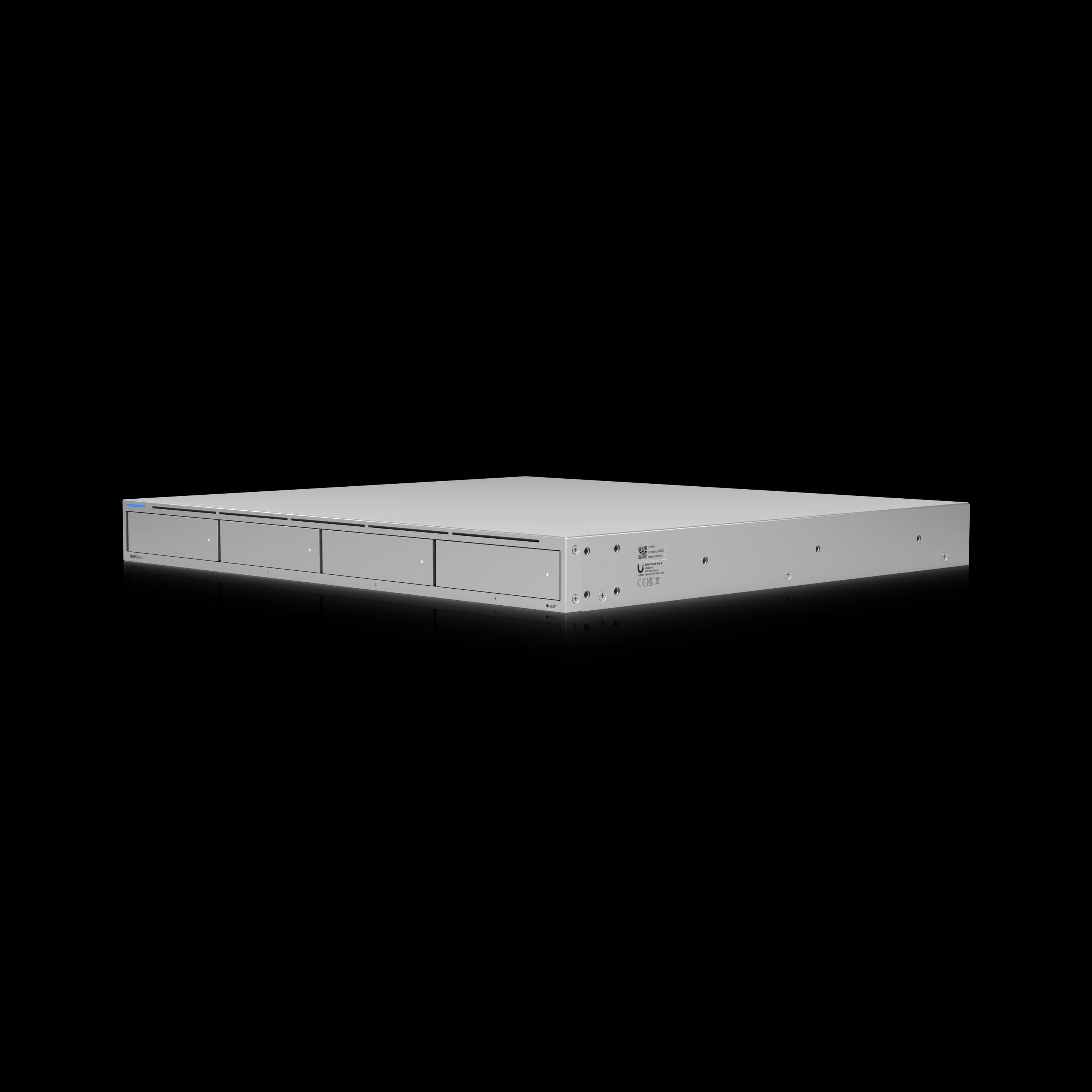
UniFi UNAS Pro 4
Compact 1U rackmount NAS with dual 10G SFP+, NVMe caching, and license-free UniFi Drive.
- 4 bays + 2× NVMe cache
- Dual 10G SFP+
- 8 GB RAM (fixed)
- 1U rackmount
- License-free
*Price at time of publishing
UniFi NAS Product Lineup
Complete Product Lineup Comparison
| Model | Storage | Network | Price | Availability |
|---|---|---|---|---|
| UNAS 2 | 2× 3.5" HDD | 2.5 GbE + USB-C | $199 | Available Now |
| UNAS 4 | 4× 2.5/3.5" + 2× M.2 NVMe | 2.5 GbE + USB-C | ~$379 (est.) | Q1 2026 |
| UNAS Pro | 7× 2.5/3.5" HDD/SSD | 10G SFP+ + 1 GbE | $499 | Available Now |
| UNAS Pro 4 | 4× 2.5/3.5" + 2× M.2 NVMe | 2× 10G SFP+ + 1 GbE | $499 | Available Now |
| UNAS Pro 8 | 8× 2.5/3.5" + 2× M.2 NVMe | 2× 10G SFP+ + 10 GbE RJ45 | $799 | Available Now |
Model Specifications and Analysis
Available Now
UNAS 2: Entry-Level Desktop Storage ($199)
The UNAS 2 is UniFi's entry-level desktop NAS at $199. PoE++ powering means it can be installed near camera clusters or in remote locations without a separate power run — a practical advantage for distributed edge recording deployments.
Technical Specifications
- Price: $199
- Storage: 2 x 3.5" HDD support
- Processor: Quad-Core ARM Cortex-A55 at 1.7 GHz
- Memory: 4 GB RAM
- Network: 2.5 GbE RJ45 + 5 Gbps USB-C
- Power: PoE++ (60W PoE++ injector included)
- Form Factor: Compact Desktop (135 x 129 x 223.7 mm)
Performance context: The ARM Cortex-A55 processor handles file storage and camera archiving adequately. It does not support virtual machines, Docker containers, or compute-intensive workloads. The UNAS 2 is a backup and file sharing appliance — not a general-purpose server.
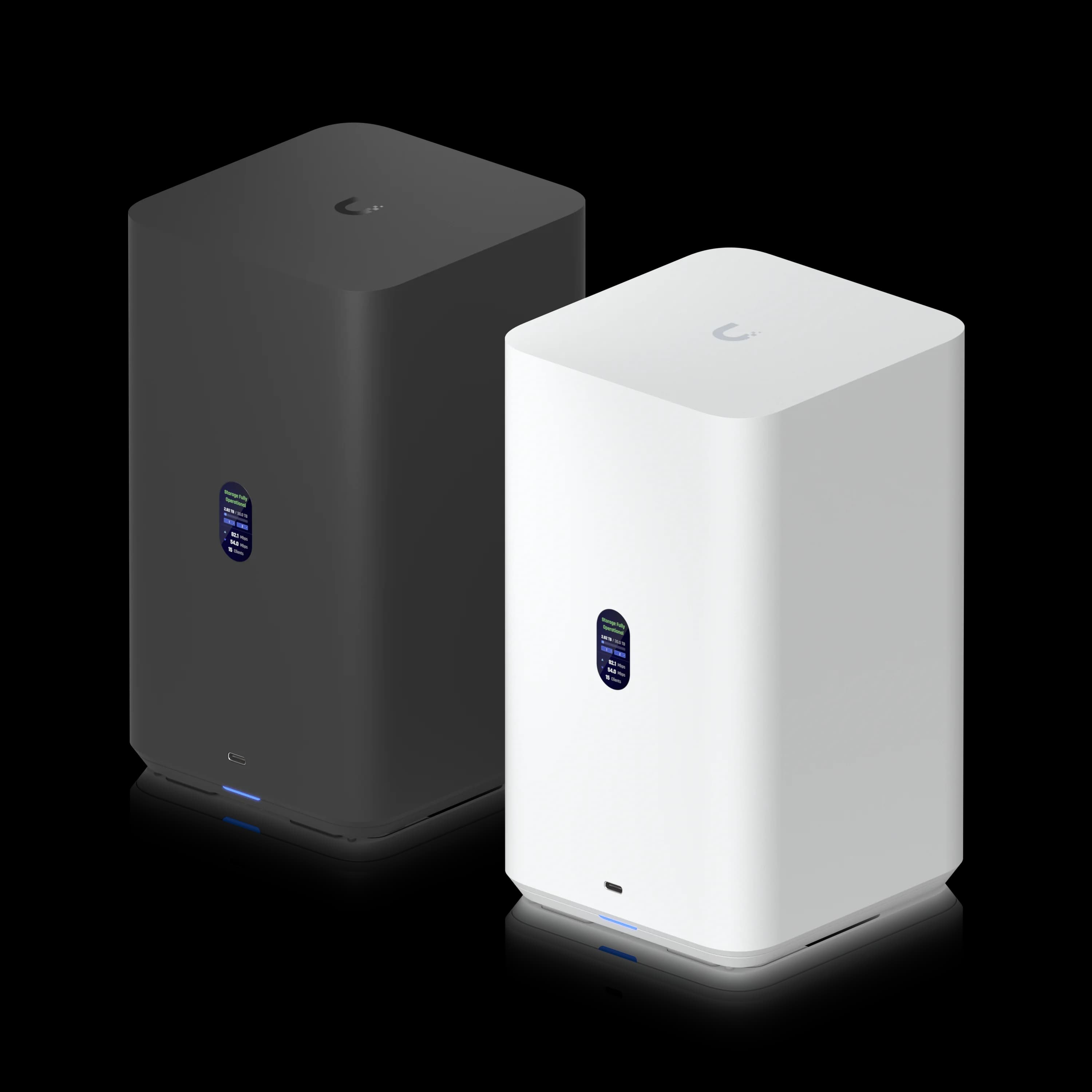
UniFi UNAS 2
$199PoE++-powered desktop NAS for edge recording and basic backup.
UNAS Pro: Professional Rackmount Solution ($499)
The UNAS Pro is Ubiquiti's 2U, 7-bay rackmount NAS at $499. It offers 10G SFP+ connectivity and covers standard business file sharing and backup workloads reliably. No NVMe caching is available on this model — that distinguishes it from the newer Pro 4 at the same price.
Technical Specifications
- Price: $499
- Storage: 7 x 2.5/3.5" HDD/SSD support
- Dimensions: 442 x 325 x 87 mm (17.4 x 12.8 x 3.4")
- Processor: Quad-Core ARM Cortex-A57 at 1.7 GHz
- Memory: 8 GB RAM
- Network: 10G SFP+ + 1 GbE RJ45 (Note: No 10GbE RJ45)
- Features: 1.3" touchscreen, hot-swappable drives
- Power: Universal AC input with USP-RPS DC backup support
Connectivity note: The UNAS Pro uses 10G SFP+ only — there is no 10GBASE-T copper port. Budget for SFP+ DAC cables or transceivers. The UNAS Pro 8 adds a native 10GbE RJ45 port for copper-switch environments.
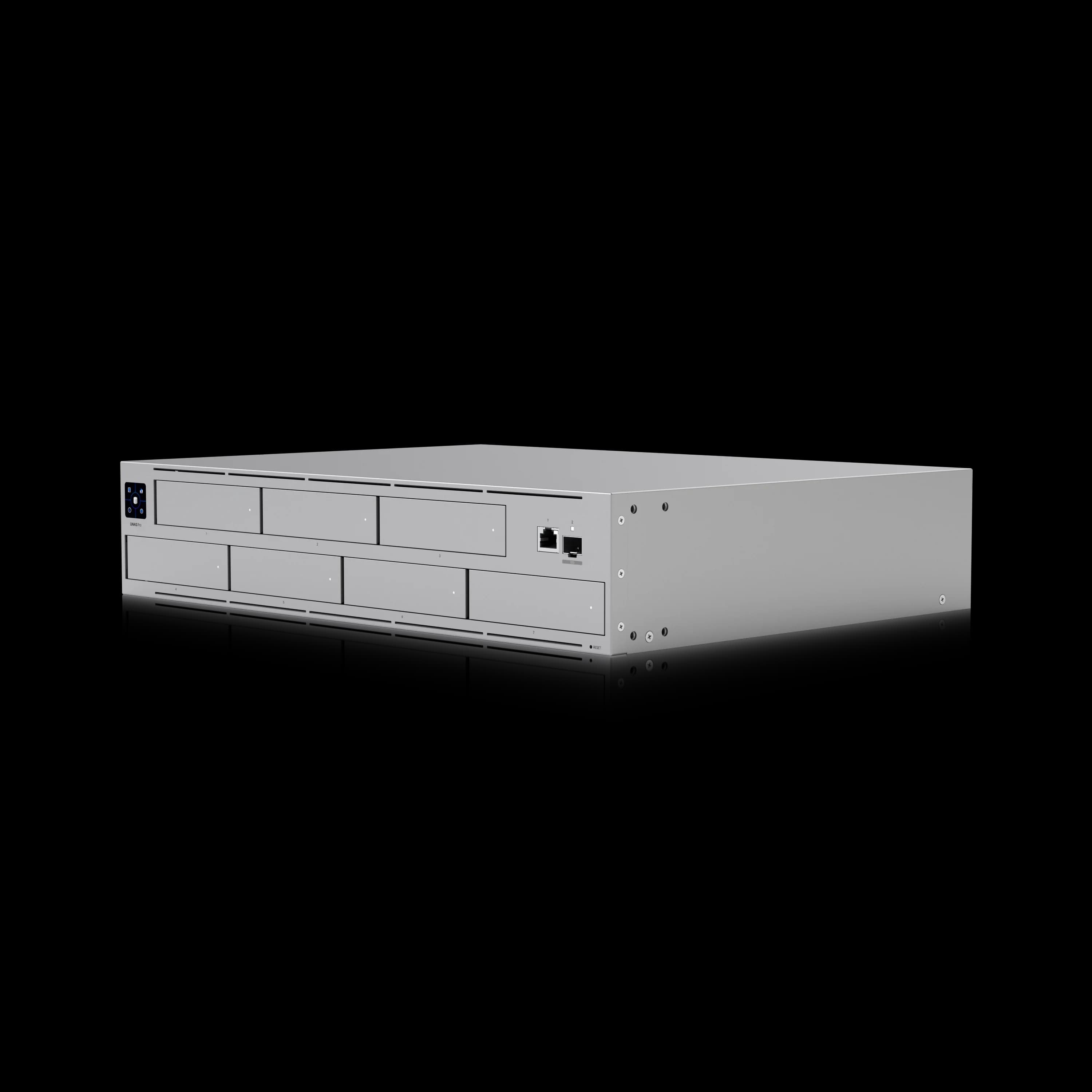
UniFi UNAS Pro
$4992U rackmount NAS with 7 bays and 10G SFP+ — maximum bay count at $499.
UNAS Pro 8: High-Capacity Rackmount with Redundant Power ($799)
The UNAS Pro 8 is a 2U rackmount NAS with eight drive bays, dual 10G SFP+, one 10GbE RJ45 port, NVMe caching, and dual redundant hot-swap power supplies — at $799.
Confirmed Specifications
- Price: $799
- Storage: 8× 2.5/3.5" HDD/SSD (hot-swap) + 2× M.2 NVMe cache slots
- Network: 2× 10G SFP+ + 1× 10GbE RJ45 (10G/5G/2.5G/1G/100M)
- Processor: Quad-Core ARM Cortex-A57 @ 2.0 GHz
- Memory: 16 GB RAM
- Power: 2× hot-swappable 550W AC/DC modules (fully redundant); max 250W system draw (25W base + up to 225W drive budget)
- Form Factor: 2U Rackmount (442.4 × 480 × 87.4 mm, 25.35 lb)
- UI Care: $199 for 5-year coverage, advanced RMA, prepaid return shipping
Why the Pro 8 over the Pro 4? Three reasons: (1) 8 bays vs 4 — double the raw storage capacity; (2) the native 10GbE RJ45 port eliminates transceiver costs for copper-switch environments; (3) dual hot-swap redundant PSUs — a business-continuity feature absent from every other model in the lineup. The 16 GB RAM (vs 8 GB on Pro 4) also provides more headroom for multi-user concurrent workloads.
Key limitations: 2U depth (480mm) requires a full-depth rack. At ~25 lb, installation requires two people. Acoustically, dual 1U-style fans at load are audible — rack enclosure or server room placement is expected.
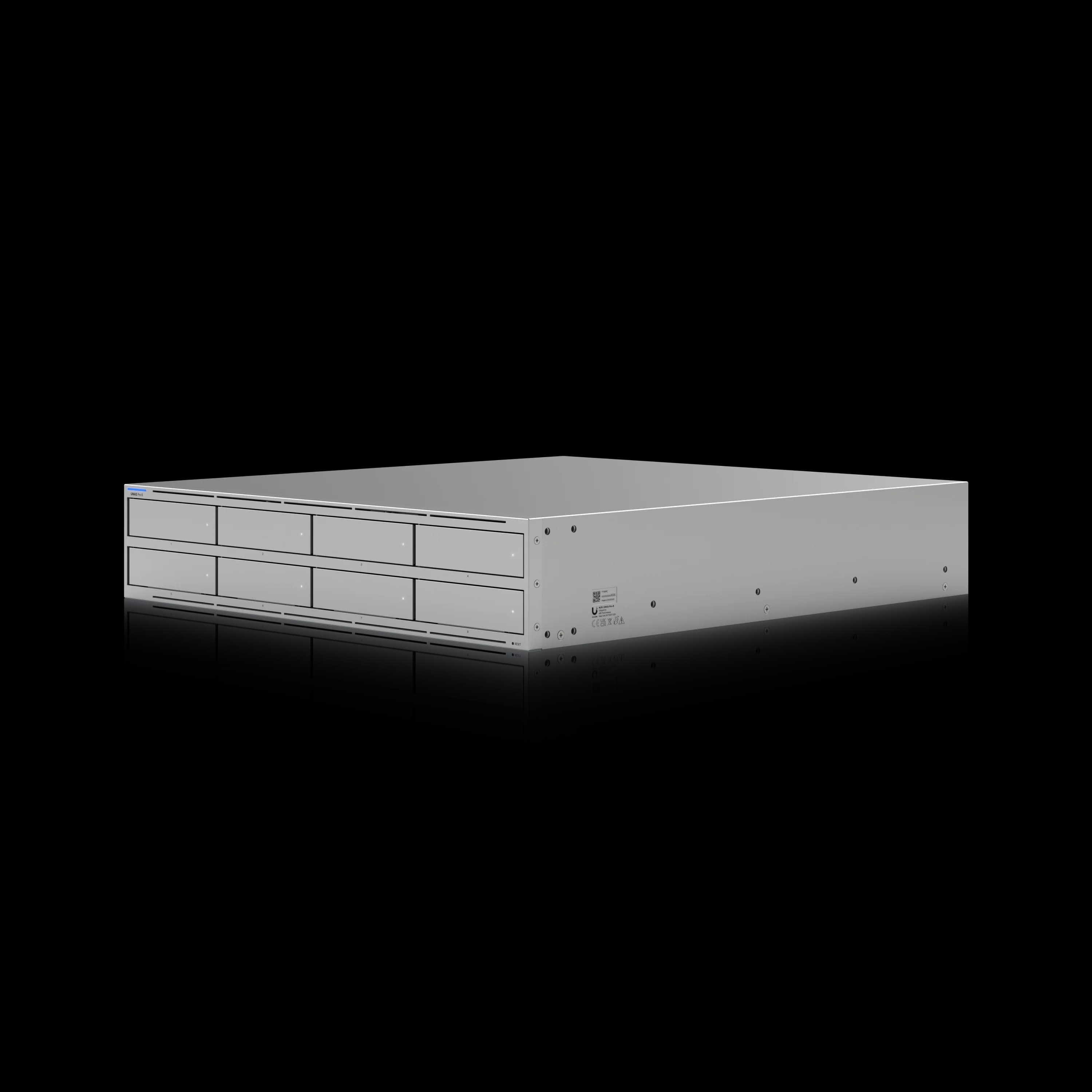
UniFi UNAS Pro 8
$7992U rackmount with 8 bays, dual redundant PSUs, 10GbE RJ45, and NVMe caching.
Available Soon: UNAS 4
Introducing: Next-Gen UniFi Storage
UNAS 4: Enhanced Desktop NAS (Q1 2026)
The UNAS 4 is Ubiquiti's upcoming desktop NAS with 4 bays, NVMe caching, and PoE+++ power — at an estimated $379. It is listed in the UI Store and expected to ship in Q1 2026.
Key Features
- Expected Price: ~$379
- Storage: 4 x 2.5/3.5" HDD support + 2 x M.2 NVMe SSD slots
- Network: 2.5 GbE RJ45 + 5 Gbps USB-C
- Power: PoE+++ (90W PoE+++ injector)
- Availability: Q1 2026 (delayed from Q4 2025)
- Dimensions: 246 x 129 x 224.5 mm (9.7 x 5.1 x 8.8")
Who should buy: The UNAS 4 is the right pick for a small office that needs 4 bays and NVMe caching in a desktop, PoE-powered form — without rack infrastructure. At 4 GB RAM and 2.5 GbE, it is not a high-throughput device; plan accordingly.
UNAS Pro 4: Compact 1U Rackmount — Now Available ($499)
The UNAS Pro 4 launched in early 2026 at $499 — the same price as the original UNAS Pro, but in a 1U form factor with NVMe caching and dual 10G SFP+. This is the model to buy if you have a 1U rack slot and an existing 10G SFP+ switch.
Confirmed Specifications
- Price: $499 (confirmed)
- Storage: 4× 2.5"/3.5" HDD/SSD (hot-swap) + 2× M.2 NVMe cache slots (up to 4 TiB each, cache only)
- Processor: Quad-Core ARM Cortex-A57 @ 2.0 GHz
- Memory: 8 GB RAM (fixed — not user-upgradable)
- Network: 2× 10G SFP+ + 1× 1 GbE RJ45 (management) — no 10GBASE-T copper
- Form Factor: 1U Rackmount (442.4 × 400 × 43.7 mm)
- Power: Internal 150W AC/DC + USP-RPS DC input
- RAID: RAID 5, 6, 10
- Platform: UniFi Drive (license-free)
Key strengths: The UNAS Pro 4 fills a genuine gap — 1U, dual 10G SFP+, NVMe caching, and no licensing, all at $499. Cached sequential reads reach 700–900 MB/s in production deployments. It is the right pick for UniFi-ecosystem SMBs with tight rack space and 10G SFP+ switches already in place.
Key limitations: NVMe slots are cache-only (not primary storage). No 10GBASE-T port — copper-switch users need SFP+→RJ45 transceivers (~$30–$65/port). 8 GB RAM is soldered and non-upgradable. No Docker, VMs, or iSCSI.
vs. UNAS Pro ($499): Pro 4 wins on NVMe caching and 1U form factor; UNAS Pro wins on raw bay count (7 bays vs 4) if you need more storage in 2U.
UniFi UNAS Pro 4
$4991U rackmount NAS with dual 10G SFP+, NVMe caching, and license-free UniFi Drive at $499.
Read the full UNAS Pro 4 review →
With hardware covered, the next determinant in the buying decision is the software platform every UNAS device runs: UniFi Drive.
How Does UniFi Drive Compare to Synology DSM?
UniFi Drive offers simple, license-free file storage and backup managed inside UniFi Network, while Synology DSM provides advanced features like Docker containers, virtual machines, and over 100 native applications.
UniFi NAS devices run UniFi Drive, a storage platform focused strictly on file sharing, camera archiving, and backup. Synology's DiskStation Manager (DSM) is a mature, application-layer operating system.
Synology advantages:
- Full virtual machine hosting (Virtual Machine Manager)
- Docker container support (Container Manager)
- iSCSI block storage for virtualization environments
- Library of 100+ native applications (Plex, Surveillance Station, Photo Station, etc.)
- Active Backup for Business: Full PC image backups for Windows workstations — native bare-metal restore capability. UniFi Drive has no equivalent; Windows endpoints can only use SMB drive mapping or manual backup agents.
- Flexible RAID with Synology Hybrid RAID (SHR), which supports mixed drive sizes. UniFi Drive uses standard RAID 5/6/10 with same-capacity drive requirements.
- Btrfs with active data scrubbing: Synology uses the Btrfs file system with scheduled data scrubbing and self-healing for silent data corruption (bit rot). UniFi Drive currently lacks scheduled Btrfs data scrubbing via the GUI — a meaningful gap for long-term data integrity on large arrays.
- Expandable RAM on most models
UniFi advantages:
- Single-pane-of-glass management with UniFi Network, Protect, and Access — no separate login
- Zero licensing fees for core platform functionality
- Native UniFi Protect camera archiving integration
- Simpler onboarding for existing UniFi ecosystem customers
Verdict: Choose Synology for application hosting, virtualization, iSCSI, or Windows PC imaging. Choose UniFi NAS for streamlined, license-free file storage and camera archiving inside an existing UniFi infrastructure.
UniFi Drive Software Platform
All UniFi NAS devices run UniFi Drive, a license-free storage platform. The Drive 4.0 update released in February 2026 added several capabilities relevant to SMB buyers.
UniFi Drive 4.0 — Current Feature Set
Storage & Protection
- Snapshot management — up to 4,096 snapshots per volume
- Volume encryption
- S.M.A.R.T. health monitoring surfaced directly in the UniFi console
- File access logging for audit trails
Backup Targets
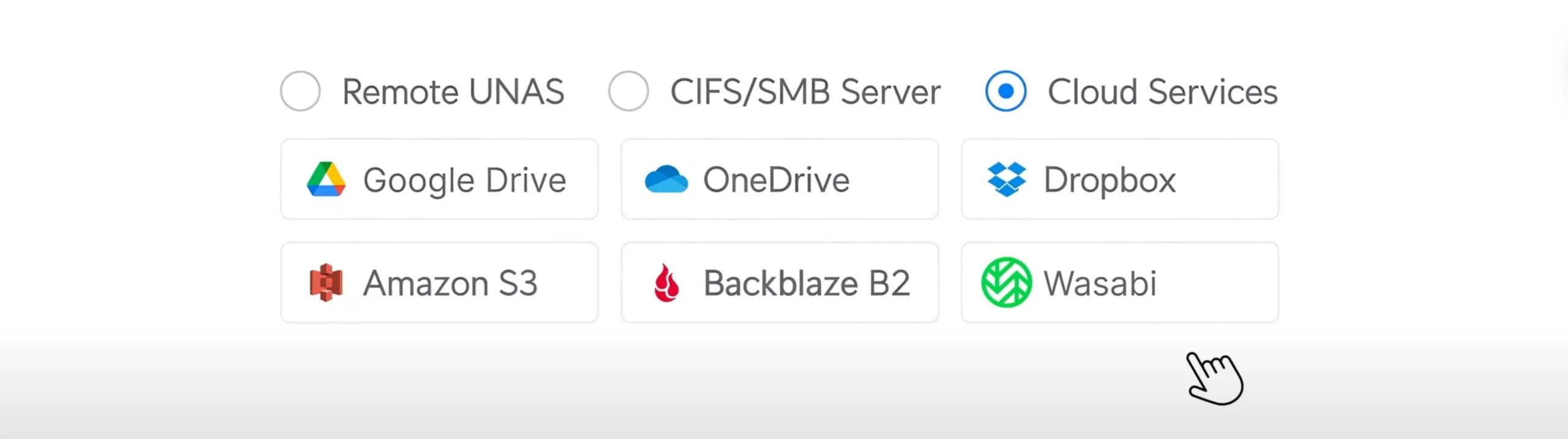
- Cloud backup to Google Drive, OneDrive for Business, Dropbox, AWS S3, Backblaze B2, and Wasabi
- Microsoft 365 OneDrive backup (new in Drive 4.0): Archives OneDrive data from Entra ID work/school accounts to local UNAS storage — providing an offline, versioned copy protected from ransomware and accidental deletion. Personal Microsoft 365 accounts are not supported.
- NAS-to-NAS replication for multi-site 3-2-1 backup configurations
Access & Integration
- SMB, CIFS, and NFS protocol support
- Active Directory authentication via UniFi Identity (no separate local user list)
- Time Machine support for macOS endpoint backup
- Identity Endpoint for remote SMB drive mapping without VPN (requires UniFi Gateway)
Mobile — new in Drive 4.0
- Automatic iOS and Android photo backup via the UniFi Endpoint app — operates similarly to iCloud or Google Photos, backing up camera rolls to your UNAS automatically in the background
- Remote file access without VPN configuration
- Share link generation and file transfers from mobile
What Drive 4.0 does not include: Docker containers, virtual machines, iSCSI block storage, desktop sync client, or SharePoint/Exchange backup (on roadmap). For those workloads, evaluate Synology DSM or QNAP QTS.
Total Cost of Ownership
The hardware purchase is one component of the total cost. A practical TCO estimate for a UniFi NAS deployment should include drives, NVMe cache, cabling, and optional UI Care coverage.
| Cost Item | UNAS Pro 4 Example | UNAS Pro 8 Example |
|---|---|---|
| NAS unit | $499 | $799 |
| 4× Seagate IronWolf Pro 8TB | ~$640 | — |
| 8× Seagate IronWolf Pro 8TB | — | ~$1,280 |
| 2× NVMe cache SSD (1TB each) | ~$120 | ~$120 |
| SFP+ DAC cables (2×) | ~$30 | — (RJ45 native) |
| UI Care (5-year) | $129 (optional) | $199 (optional) |
| Estimated total (no UI Care) | ~$1,289 | ~$2,199 |
For businesses already running UniFi switches and gateways, management overhead is reduced compared to operating a separate NAS platform — no additional monitoring console, no separate vendor support contracts, no parallel update schedule.
Network Switch Requirements
One configuration step that is frequently missed on 10GbE deployments is Flow Control. Without it, rackmount UNAS models experience degraded throughput and packet loss under load regardless of switch speed or cable quality.
Required: Enable Flow Control on 10GbE Switch Ports
Navigate to each switch port connected to a UNAS Pro, Pro 4, or Pro 8 in UniFi Network and enable Flow Control on all data and uplink ports carrying NAS traffic.
MC-LAG support: Ubiquiti has announced MC-LAG (Multi-Chassis Link Aggregation Group) support for the UNAS Pro 4 and Pro 8's 10G interfaces. MC-LAG allows the NAS to bond its dual 10G uplinks across two separate switches, eliminating the switch itself as a single point of failure — a high-availability networking feature enterprise buyers should evaluate when designing redundant storage infrastructure.
Connectivity requirements by model:
- UNAS 2 / UNAS 4: Covered in the model spec sections above. PoE-powered; connect to any 2.5 GbE or faster switch port with adequate wattage.
- UNAS Pro 4: SFP+ only — no 10GBASE-T. SFP+→RJ45 transceivers (~$30–$65/port) are required for copper-switch environments. Use Cat6A for any RJ45 runs.
- UNAS Pro 8: SFP+ or native 10GbE RJ45 (Cat6A minimum). No transceiver required for copper connections.
Implementation Best Practices
Security Implementation
UniFi NAS security relies on network-level controls and Active Directory integration:
- Active Directory: Use AD authentication for centralized user management
- VLAN Segmentation: Isolate storage traffic from guest/IoT networks
- Firewall Rules: Restrict NAS access to authorized VLANs only
- Snapshots: Configure automated snapshots as ransomware protection
- Cloud Backup: Enable offsite backup to S3/Backblaze for disaster recovery
UniFi Drive does not support two-factor authentication natively. If you need MFA for storage access, implement it at the network level using UniFi Gateway policies.
Business Implementation Strategies
Small Office Implementation (5–25 Employees)
The UNAS 4 or UNAS Pro 4 are the right starting points, depending on whether you need rack form factor.
UNAS 4 (desktop, PoE+++): 4 bays, NVMe caching, 2.5 GbE, no rack required. Correct for small offices without a rack.
UNAS Pro 4 ($499, 1U): 4 bays, NVMe caching, dual 10G SFP+. Correct if you have a rack and 10G SFP+ switching.
Setup checklist:
- Verify PoE++ capacity on your switch (60W for UNAS 2, 90W for UNAS 4)
- Use SSDs, not HDDs if you need responsive file sharing (adds ~$200-300 to total cost)
- Configure automated snapshots immediately after setup
- Enable cloud backup to S3/Backblaze for offsite protection
Medium Business Implementation (15–50 Employees)
The UNAS Pro 8 ($799) is the recommended choice. Eight bays, 16 GB RAM, native 10GbE RJ45, NVMe caching, and redundant PSUs address every checklist item for this segment.
At $499: The UNAS Pro 4 is the alternative for tighter budgets — 4 bays, dual 10G SFP+, NVMe caching. Requires SFP+→RJ45 transceivers if your switch has copper-only 10G ports.
Deployment checklist:
- Enable Flow Control on all switch ports (see network section above)
- 10GbE infrastructure is mandatory for good performance at this scale
- RAID 6 or RAID 10 for data protection with adequate capacity
- Active Directory integration for centralized user management
- Offsite backup to cloud storage (S3, Backblaze, etc.)
Integration with existing backup strategies ensures comprehensive data protection beyond local snapshots.
Competitive Analysis: UniFi vs Synology vs QNAP
| Feature | UniFi NAS | Synology | QNAP |
|---|---|---|---|
| Price (4-bay rack) | $499 UNAS Pro 4 (available now) | $700–$800 (RS422+) | $500–$700 (TS-464) |
| Management | Unified with UniFi Network | Separate DSM interface | Separate QTS interface |
| Docker Support | ❌ None | ✅ Full support | ✅ Full support |
| Virtual Machines | ❌ None | ✅ Virtual Machine Manager | ✅ Virtualization Station |
| Mobile App | ✅ UniFi Drive app | ✅ DS File, DS Photo, etc. | ✅ Qfile, Qphoto, etc. |
| Active Directory | ✅ Yes (via UniFi Identity) | ✅ Yes | ✅ Yes |
| License Costs | ✅ Free | ❌ Some apps require licenses | ❌ Some apps require licenses |
| 10G Built-in | ✅ Dual SFP+ (Pro 4/Pro 8) | ❌ Add-in card required (RS422+) | ❌ Add-in card required |
| NVMe Cache | ✅ Pro 4, Pro 8 | ❌ RS422+ lacks NVMe | Varies |
| High Availability | ⚠️ Dual PSUs on Pro 8 only (no dual-controller HA) | ✅ Active-Passive HA (Synology SHA) | ⚠️ Limited HA options |
| Best For | UniFi ecosystem users | Feature-rich deployments | Power users, home labs |
Real-World Implementation Insights
Deployment observations from South Florida SMB and MSP environments:
UNAS 2: Well-suited for camera archiving in distributed locations. PoE++ powering has been particularly practical in deployments without a local rack. For active shared file access, install SSDs or set expectations accordingly — concurrent HDD users will notice response times.
UNAS Pro: Most deployments at this model moved to the Pro 4 once it launched. The 7-bay capacity remains the reason to choose it — businesses already near capacity on 4 bays should consider the Pro or Pro 8 instead.
UNAS Pro 4: The 1U form factor has been a practical win in cramped network closets where earlier UNAS Pro installations required a second rack unit. Cached sequential reads consistently hit 700–900 MB/s over SFP+ DAC cables in production. One practical note: do not install this within earshot of a workspace — the 1U fans are audible under sustained load. Budget for SFP+ DAC cables or transceivers at deployment time. Full review →
UNAS Pro 8: The native 10GbE RJ45 port has simplified copper-switch deployments — no transceiver budget required. Redundant PSUs matter most in environments without a UPS, where a single PSU failure would otherwise mean unplanned downtime.
Frequently Asked Questions
Can I upgrade the RAM in a UniFi NAS?
It depends on the model. The UNAS Pro 4 has 8 GB of RAM soldered to the board — it is not user-upgradable. The UNAS Pro 8 ships with 16 GB. If RAM expandability matters for your workload, Synology models like the DS923+ or RS1221+ support field-upgradable memory.
Can I use non-Ubiquiti hard drives in a UniFi NAS?
Yes. UniFi NAS devices accept standard 3.5" SATA drives from any manufacturer. Ubiquiti publishes a qualified drive list, and using a drive not on that list may display a compatibility advisory in the UI — but the drive will operate normally. Ubiquiti also sells their own UACC-HDD-E enterprise drives in 8TB, 16TB, and 24TB, but these are optional, not required.
Does UniFi Drive support Microsoft 365 backup?
Yes, as of Drive 4.0 (February 2026). The M365 OneDrive backup feature archives OneDrive data from Entra ID work/school accounts locally to your UNAS. Personal Microsoft 365 accounts are not supported. SharePoint and Exchange backup are listed on the roadmap but are not in the current release.
Can UniFi NAS run Docker, Plex, or virtual machines?
No. UniFi Drive is a file and backup platform. It does not support Docker containers, VMs, or application hosting. Plex Media Server cannot be installed. For those workloads, Synology or QNAP are the appropriate platforms.
Does UniFi Drive require license fees?
No. The core UniFi Drive platform is license-free across all UNAS models. There are no per-seat, per-share, or annual subscription fees for file sharing, backup, or replication features.
What is UI Care and do I need it?
UI Care is Ubiquiti's optional extended warranty. For the UNAS Pro 4, it costs $129 for 5-year coverage including advanced RMA and prepaid return shipping. For the UNAS Pro 8, it is $199 for the same 5-year term. For MSPs managing client hardware, UI Care converts a days-long replacement process into a next-business-day swap. Standard warranty without UI Care is 1 year.
What Drives and NVMe SSDs Work with UniFi NAS?
UniFi NAS devices accept standard 3.5" and 2.5" SATA drives — there is no proprietary drive requirement. Ubiquiti publishes a qualified HDD/SSD compatibility list in the UniFi Drive documentation; drives outside that list may display a compatibility advisory but will operate normally.
Recommended HDD options (NAS-rated):
- Seagate IronWolf Pro — 4TB–24TB, 7200 RPM, 300 TB/year workload rating, 5-year warranty
- WD Red Pro — 2TB–24TB, 7200 RPM, 300 TB/year workload rating, 5-year warranty
- Ubiquiti UACC-HDD-E — Available in 8TB, 16TB, and 24TB; enterprise-rated (550 TB/year), verified for UniFi NAS compatibility
For the NVMe cache slots (Pro models): The M.2 slots are cache only — they cannot be provisioned as primary storage volumes. Any PCIe 3.0 or 4.0 M.2 NVMe SSD works. High-endurance enterprise SSDs (e.g., WD Red SN700, Samsung PM9A3) are recommended for cache duty to handle sustained writes. Maximum capacity per slot: 4 TiB.
Drive type warning: Only use CMR (Conventional Magnetic Recording) drives in a UniFi NAS RAID array. SMR (Shingled Magnetic Recording) drives — including some WD Red (non-Plus/Pro) and Seagate Barracuda models — have write performance characteristics that cause severe degradation and potential rebuild failures in RAID environments. When in doubt, buy drives explicitly labeled as CMR, NAS, or Pro.
Drive matching: UniFi Drive uses standard RAID 5/6/10 with identical-capacity drive requirements. All drives in an array must be the same size — unlike Synology's SHR (Synology Hybrid RAID), UniFi Drive does not support flexible mixed-drive arrays. Plan your initial drive purchase with expansion in mind.
Power Consumption and Acoustics
| Model | Base Draw (no drives) | Max System Draw | Drive Budget | PSU Configuration |
|---|---|---|---|---|
| UNAS 2 | ~10W | 60W | 50W | PoE++ (60W external) |
| UNAS 4 | ~10W | 90W | 80W | PoE+++ (90W external) |
| UNAS Pro | ~20W | ~120W | ~100W | Internal AC/DC |
| UNAS Pro 4 | ~25W | 150W | 125W | Internal 150W AC/DC |
| UNAS Pro 8 | ~25W | 250W | 225W | 2× hot-swap 550W (redundant) |
Acoustics: Desktop models (UNAS 2, UNAS 4) are suitable for office placement. Rackmount Pro models use small, high-RPM fans common to 1U/2U server hardware — audible under load. The UNAS Pro 4 and Pro 8 are appropriate for a dedicated server room, network closet, or sound-isolated rack enclosure; they are not suitable for placement near workstations or in open office areas.
Warranty and UI Care Support
Ubiquiti's standard hardware warranty for UNAS NAS devices covers manufacturing defects. For SMB and MSP deployments where downtime is a business impact, Ubiquiti offers UI Care extended coverage:
| Model | Standard Warranty | UI Care (5-Year) | Coverage |
|---|---|---|---|
| UNAS Pro 4 | 1 year | $129 | Advanced RMA, prepaid return shipping, priority support |
| UNAS Pro 8 | 1 year | $199 | Advanced RMA, prepaid return shipping, priority support |
UI Care converts a hardware failure from a multi-day sourcing and shipping problem into a next-business-day replacement scenario. For MSPs managing client infrastructure, it is a straightforward TCO decision — a single avoided emergency hardware replacement covers the cost of coverage.
Professional Implementation Services
iFeelTech provides UniFi NAS implementation services throughout South Florida, including:
- Network infrastructure assessment (PoE capacity, 10GbE readiness)
- Flow Control configuration for optimal 10GbE performance
- Active Directory integration and security hardening
- RAID configuration and capacity planning
- Cloud backup setup (S3, Backblaze, etc.)
Affiliate Disclosure: This article contains affiliate links. If you make a purchase through these links, we may earn a small commission at no extra cost to you.
Conclusion: Should You Buy UniFi NAS?
Buy UniFi NAS if:
- You already run UniFi networking gear and want unified management
- You need simple file sharing and backup without complex applications
- You're deploying UniFi Protect and want integrated camera archiving
- You value license-free software and operational simplicity
Buy Synology/QNAP instead if:
- You need Docker, virtual machines, or extensive application support
- You want the most mature NAS software ecosystem
- You're not invested in the UniFi ecosystem
- You need advanced features like iSCSI or complex automation
Current Buying Recommendations (February 2026):
- Buy now: UNAS Pro 4 ($499) for compact 1U rackmount with NVMe caching — full review
- Buy now: UNAS Pro 8 ($799) for 8-bay rackmount deployments needing copper 10GbE
- Buy now: UNAS 2 ($199) for camera archiving and basic backup
- Watch for Q1 2026: UNAS 4 (~$379) for desktop small-office deployments with NVMe
- Legacy option: UNAS Pro ($499) works but buy the Pro 4 instead for the same price with NVMe caching
UniFi NAS is appropriate for its intended use case: file storage and backup managed inside an existing UniFi network. For application hosting, iSCSI, Docker, or a mature software ecosystem, Synology and QNAP remain the better-fit platforms.
For professional UniFi NAS implementation services in Miami and South Florida, contact iFeelTech at (305) 423-2408 or visit our UniFi networking services page.
Affiliate Disclosure: This article contains affiliate links. If you make a purchase through these links, we may earn a small commission at no extra cost to you.
Related Articles
More from UniFi Networks

Complete UniFi Buyer's Guide: Professional Network Setup
Comprehensive UniFi ecosystem guide with premium product recommendations by office size. Map gateways, switches, WiFi 7 access points, and cameras with complete setup examples under $1,500 and $5,000.
33 min read
UniFi Gateway Selection Guide 2026: When You Need More Than Cloud Gateway Ultra
Complete UniFi gateway comparison from Cloud Gateway Ultra ($129) to Enterprise Fortress Gateway ($1,999). Learn exact thresholds for device count, throughput, and storage needs.
19 min read
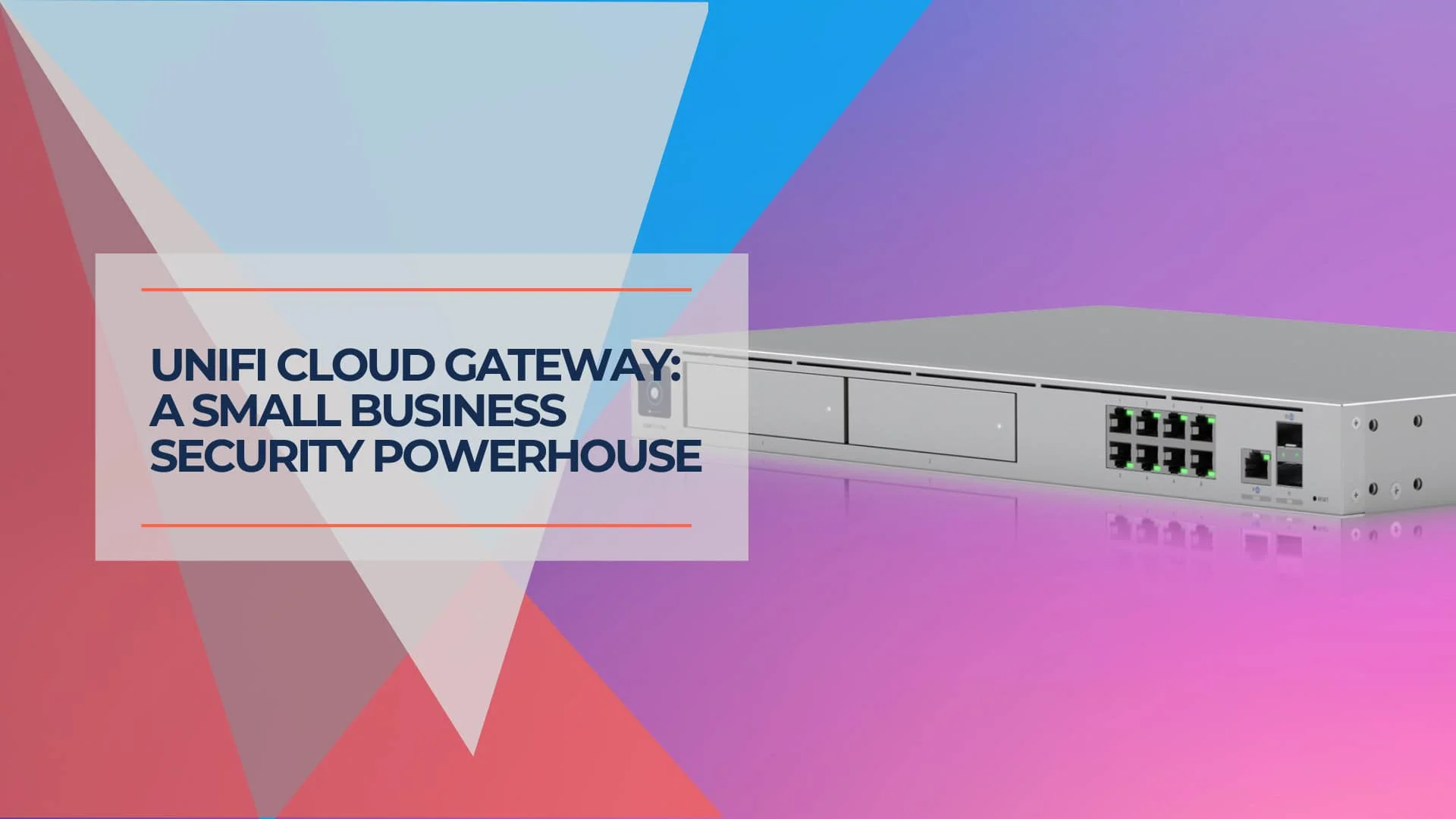
Network Security in a Box: Enterprise Protection Under $1,000 with UniFi
Achieve enterprise-grade network security for under $1,000 with UniFi gateway, CyberSecure by Proofpoint, and free UniFi Identity VPN. Complete deployment guide for small businesses.
22 min read