

MacBook Air M4 (16GB) Review: Business Laptop Value Assessment for March 2026
Professional review of the MacBook Air M4 at clearance pricing. Real-world performance insights, M5 announcement analysis, configuration guidance, and business value assessment for March 2026.

March 2026 Update — M5 Announced
As of March 5, 2026, Apple announced the MacBook Air M5 (available March 11) starting at $1,099 with 512GB base storage. Apple has repositioned the 13-inch M4 MacBook Air as the official entry-level model at $999, while retailers are clearing 15-inch and higher-tier M4 configurations at $999-$1,299. For business buyers who don't require the M5's doubled storage or Wi-Fi 7, the M4 represents a practical option.
Affiliate Disclosure: This article contains affiliate links. If you make a purchase through these links, we may earn a small commission at no extra cost to you.
The MacBook Air M4 entered clearance pricing following Apple's March 2026 M5 announcement. This review examines whether the M4 at $999-$1,299 remains a practical choice for business buyers, based on several months of daily use in a professional IT consulting environment.
Key Findings:
- M4 clearance pricing: $999-$1,299 (various configurations)
- M5 pricing: $1,099-$1,299 with 512GB base storage and Wi-Fi 7
- Real-world battery life: 14-16 hours under typical business workloads
- 16GB RAM standard across all M4 models
- Dual 4K monitor support with lid open (unlike M3)
Is the M4 MacBook Air (16GB) still a good deal in 2026?
Yes. At $999-$1,099, the M4 provides competitive value for business buyers who don't need the M5's 512GB base storage or Wi-Fi 7.
Following the M5 MacBook Air announcement (March 3, 2026; available March 11), Apple has positioned the 13-inch M4 Air as the official budget option at $999, while retailers clear 15-inch and upgraded M4 models at $999-$1,299. For business users, this pricing provides access to 16GB of unified memory—the standard baseline—at $100-$200 less than the M5. The M4's performance remains competitive for standard business tasks like productivity software, web applications, and video conferencing.
Amazon Pricing Note
Amazon often defaults to the "Bundle with AppleCare+" view (showing ~$1,142). Make sure to check the "Laptop Only" or "Style" options to see the sub-$850 price.
Current MacBook Air M4 Pricing (March 2026)
Following the M5 announcement, Apple positioned the 13-inch M4 as the official $999 entry model, while retailers clear 15-inch and upgraded configurations. Pricing as of March 5, 2026:
| Model | Current Clearance Price | Original List Price | Savings |
|---|---|---|---|
| 13" 16GB / 512GB SSD | $999 | $1,199.00 | $200 |
| 15" 16GB / 256GB SSD | $999 | $1,199.00 | $200 |
| 15" 16GB / 512GB SSD | $1,099 | $1,399.00 | $300 |
| 15" 24GB / 512GB SSD | $1,299 | $1,599.00 | $300 |
Real-World Performance: My Experience as Primary Work Laptop
I've been using the MacBook Air M4 as my primary laptop for several months. It consistently handles my daily workload, from client meetings to project deployments, without the performance compromises typically associated with ultraportable laptops.
Daily Workflow Performance
Running multiple coding projects simultaneously while managing business operations, the 16GB configuration handles my workflow without slowdowns. I regularly have development environments, AI agents running in the background, video calls, and multiple browser windows open—all while maintaining smooth operation throughout 10+ hour work days.
All-Day Battery Reality
The M4 Air delivers reliable all-day battery life. In my testing, it consistently provides 14-16 hours of mixed productivity work. Tested at 50% screen brightness while running Slack, Chrome with 15 tabs, and Zoom for video calls, the battery performance remained consistent across typical business workloads. When moving between client sites and working remotely, I rarely need to charge during the workday, eliminating the need to carry chargers for standard business use.
Professional Deployment Insights
After setting up hundreds of business computers this year, I've observed how different hardware performs in real business environments. The MacBook Air M4 consistently delivers competitive price-to-performance value compared to Windows business laptops, particularly when considering total cost of ownership, including software, support, and longevity.
Technical Foundation: Apple M4 Architecture
The M4 chip's architecture contributes to this reliable performance through several key improvements:
Processing Capabilities
- 10-core CPU (4 performance + 6 efficiency cores) handles multitasking effectively
- 10-core GPU supports both creative tasks and computational workloads
- 16-core Neural Engine accelerates AI applications and machine learning tasks
- Hardware media encoding reduces processing overhead for video calls and content creation
Memory and Storage Integration
- Unified memory architecture eliminates traditional bottlenecks between CPU and GPU
- Fast SSD storage with integrated controller provides responsive system performance
- Hardware-level encryption supports business security requirements
Video Conferencing Quality
The M4 Air includes a 12MP Center Stage camera, a significant upgrade from the M3's 1080p camera. Center Stage automatically keeps you centered in the frame during video calls, which proves particularly useful when moving around during presentations or standing desk transitions. The improved sensor delivers noticeably better low-light performance during early morning or evening calls. For business users spending significant time in Zoom, Teams, or Google Meet, this camera upgrade represents a meaningful improvement in professional presentation quality.
Display Quality and Multi-Monitor Setup Experience
The 13.6-inch Liquid Retina display (2560×1664 resolution) provides excellent clarity for both mobile work and as part of a larger workspace. Color accuracy meets professional standards, making it suitable for client presentations and design work.
My Dual 4K Monitor Configuration
I used the MacBook Air M4 for several months in my office with a dual 4K monitor setup, without requiring an additional desktop computer. Unlike previous generations that required the laptop to be closed (clamshell mode) to drive two monitors, the M4 Air supports two external displays with the lid open. Using two USB-C cables, I connected dual 4K displays, creating a three-screen workspace that handled complex business operations effectively. For organizations considering similar setups, USB-C monitors like the Dell S2722QC deliver power, data, and 4K video through a single cable per display.
Setup Details:
- Two Thunderbolt 4/USB-C ports each supporting up to 6K resolution
- Dual 4K displays at 60Hz refresh rate
- Lid-open dual monitor support (unlike M3 which required clamshell mode)
- Single-cable solution per monitor (power, data, and video)
- Clean desk setup without additional docking stations or adapters
This configuration proved particularly effective for consulting work. I kept the laptop's Liquid Retina display for communication apps like Slack and email, while dedicating my two 4K monitors to development tools and documentation—a significant productivity improvement over the M3's clamshell limitation. The setup remained stable throughout extended work sessions without performance issues.
Professional Workspace Benefits
The ability to drive dual 4K monitors from a portable laptop creates flexibility between mobile and office work. I've since added a Mac Mini M4 as a dedicated desktop, but the MacBook Air M4 alone provided a complete professional workspace for months.
Should you wait for the M5 MacBook Air?
Wait for the M5 if you need 512GB of storage or Wi-Fi 7. Buy the M4 on clearance if you want 16GB of RAM for under $1,000.
The M5 MacBook Air (available March 11, 2026) starts at $1,099 for the 13-inch model. It features the new M5 chip, Wi-Fi 7, and a 512GB base drive. For standard business tasks, web applications, and productivity software, the M4's capabilities remain competitive. The $100-$200 savings on the M4 makes clearance pricing attractive for budget-conscious IT deployments that do not require next-generation wireless networking.
M4 vs. M5 Comparison (Verified Specs)
| Feature | M4 Air (Clearance) | M5 Air (New) |
|---|---|---|
| Base RAM | 16GB Unified Memory | 16GB Unified Memory |
| Base Storage | 256GB | 512GB (2x faster SSD) |
| Street Price | $999-$1,299 (clearance) | $1,099-$1,299 (MSRP) |
| AI Performance | Baseline | Up to 4x faster vs M4 |
| WiFi | WiFi 6E | WiFi 7 |
| Availability | In stock now (clearance) | March 11, 2026 |
| Best For | Budget-conscious buyers, immediate needs | Latest tech, doubled storage |
Used Market Context
Renewed M3 MacBook Airs are currently trading in the $650–$700 range. The $150 difference to the M4 is justified primarily by the RAM upgrade—most M3 base models shipped with only 8GB, while the M4 includes 16GB standard, which better supports modern multitasking requirements.
M3 vs. M4 Air: Key Differences
For buyers comparing clearance M3 models against sale-priced M4 units, here are the critical distinctions:
| Feature | M3 Air | M4 Air |
|---|---|---|
| Base RAM | 8GB (16GB upgrade available) | 16GB standard |
| Dual Monitor Support | Requires clamshell mode (lid closed) | Lid-open dual display support |
| Current Pricing | $650-$700 (renewed/clearance) | $999 (new, official entry model) |
| CPU | 8-core (4P + 4E) | 10-core (4P + 6E) |
| Camera | 1080p FaceTime HD | 12MP Center Stage |
| WiFi | WiFi 6E | WiFi 6E |
| Best For | Budget-conscious buyers accepting 8GB limitation | Business users needing 16GB and dual monitors |
The $150 premium for the M4 delivers two critical upgrades: double the base RAM and the ability to use the laptop screen alongside two external monitors—both essential for modern business productivity.
Check Current M4 Air PricingHow does the M4 Air compare to Windows ARM laptops?
The M4 Air offers superior battery life and resale value. Choose Windows ARM for strict Microsoft enterprise environments.
The primary Windows ARM competitor is the Microsoft Surface Laptop 7 with Snapdragon X Elite chip. Both platforms offer mature ARM implementations with strong efficiency. The M4 Air delivers 14-16 hours of real-world battery life compared to the Surface Laptop 7's 12-15 hours under similar workloads. Both handle standard business applications effectively. The Surface Laptop 7 provides native Windows compatibility for organizations committed to the Microsoft ecosystem, while the M4 Air offers better battery life and typically stronger resale value.
Key Differences: M4 Air vs. Surface Laptop 7
| Feature | MacBook Air M4 | Surface Laptop 7 |
|---|---|---|
| Battery Life | 14-16 hours (real-world) | 12-15 hours (real-world) |
| Base RAM | 16GB standard | 16GB standard |
| Starting Price | $999 (clearance) | $699-$849 (clearance) |
| Display | 13.6" Liquid Retina (60Hz) | 13.8" PixelSense (120Hz touchscreen) |
| WiFi | WiFi 6E | WiFi 7 |
| IT Management | Apple Business Manager, MDM | Microsoft Intune, Active Directory |
| Best For | macOS ecosystem, resale value | Windows-specific apps, touchscreen |
For organizations evaluating cross-platform options, our business laptop buying guide provides comprehensive comparisons across different platforms and price points.
Is 256GB storage enough for business use?
Yes, 256GB is sufficient for most cloud-based business tasks. Creative professionals or offline workers should upgrade to 512GB.
The primary concern with 256GB drives often relates to read/write speeds. However, for general productivity—such as working in Excel, web applications, and video conferencing—the M4's 256GB drive performs seamlessly. Because Apple standardized 16GB of Unified Memory on the base M4 model, RAM is no longer a bottleneck, making the entry-level SKU a capable machine for standard office roles.
Choosing the Right Storage Capacity
Choose your storage based on how you work:
256GB Base Model ($999):
- Cloud-first workflows (Google Workspace, Microsoft 365)
- Standard business applications with minimal local storage needs
- Users comfortable with external drives for media libraries
512GB Model ($999-$1,099):
- Frequent offline work or travel without reliable connectivity
- Local storage of large project files or media libraries
- Users who prefer self-contained systems without external drives
How much RAM do you need for business?
16GB handles most business multitasking and browser usage. Choose 24GB only for large databases, VMs, or advanced creative work.
The baseline 16GB configuration effectively manages daily workflows, including multiple active browser tabs, video calls, and standard productivity applications running simultaneously. Upgrading to 24GB is a specialized requirement, primarily benefiting developers running extensive local virtual machines or professionals rendering large media files.
For most business users, the 16GB configuration provides sufficient memory headroom. The 24GB option serves specific technical workflows rather than general business computing.
What is the total cost of ownership for the M4 Air?
The M4 Air costs approximately $200 per year over a 5-6 year lifecycle, factoring in hardware and included macOS software.
An M4 MacBook Air purchased in 2026 should comfortably receive macOS updates through 2031-2032, based on Apple's historical support patterns. This extended software support timeline allows organizations to amortize the $999 purchase cost to roughly $200 per year. In comparison, Windows business laptops typically follow 3-4 year refresh cycles, requiring more frequent hardware replacement.
5-Year TCO Breakdown
| Cost Component | M4 MacBook Air | Typical Windows Laptop |
|---|---|---|
| Initial Hardware | $999-$1,099 | $800-$1,000 |
| Software Licensing | Included (macOS, iWork suite) | $100-$200 (Office, utilities) |
| Support & Maintenance | Lower (fewer driver issues) | Higher (varied hardware support) |
| Expected Lifespan | 5-6 years | 3-4 years |
| Annual TCO | ~$200/year | ~$275-$350/year |
The M4's combination of extended macOS support, included productivity software, and lower maintenance requirements contributes to favorable total cost of ownership for business deployments. Organizations planning IT infrastructure investments should factor these lifecycle considerations into purchasing decisions.
Value Assessment: Professional Perspective
At $999-$1,099, the M4 MacBook Air delivers competitive long-term value based on both personal experience and business deployment observations. When clients request laptop recommendations, the MacBook Air M4 consistently performs well compared to similarly priced alternatives.
Real-World Cost Considerations
- Software ecosystem: macOS includes productivity applications that cost extra on Windows
- Support requirements: Fewer driver issues and hardware conflicts reduce IT overhead
- Energy efficiency: Noticeably lower power consumption compared to Intel-based alternatives
- Longevity: Apple's software support timeline typically extends the usable life 4-5 years
Performance vs. Price Analysis
Having worked extensively with business laptops in the $800-1200 range, the MacBook Air M4 at current pricing competes effectively with alternatives in practical business scenarios. The combination of processing power, efficiency, and build quality typically requires upgrading to more expensive business laptop categories to match.
Early 2026 Market Position
With M5 models now available at premium pricing, the M4 occupies a practical position for value-conscious buyers. The M4's performance provides adequate headroom for current business applications. The $100-$200 savings versus the M5 makes the M4 worth considering for organizations prioritizing budget efficiency over the latest specifications.
For organizations evaluating multiple laptop options, our business laptop buying guide provides comprehensive comparisons across different platforms and price points.
Compare all M4 configurationsConfiguration Selection Guidance
Select your configuration based on your primary workflow requirements. Each configuration targets specific use cases:
16GB/256GB Model ($999)
Best suited for:
- Standard office productivity tasks
- Web-based business applications and light local storage needs
- Users who primarily work with cloud-based documents and applications
16GB/512GB Model ($999-$1,099)
Best suited for:
- Users with moderate local storage requirements
- Professionals who frequently work offline or travel extensively
- Businesses wanting additional local storage without cloud dependency
24GB/512GB Model ($1,299)
Best suited for:
- Memory-intensive business applications
- Users running multiple virtual machines or development environments
- Creative professionals working with large design files or media content
Purchase Timing and Availability
Amazon shows consistent inventory availability across all configurations with Prime shipping options. With M5 models launching March 11, 2026, current M4 clearance pricing represents a limited-time opportunity.
Immediate Availability
- All three configurations currently in stock with expedited shipping
- Amazon Business accounts may qualify for additional benefits or volume pricing
- Extended return policies available through Amazon's business programs
March 2026 Buying Window
The M4's clearance pricing creates a favorable buying window for businesses with immediate hardware needs. Once M4 inventory depletes, new purchases will reset to full M5 retail pricing ($1,099+ for base models).
Business Planning Context
Technology refresh cycles typically span 3-4 years for business laptops. The M4's performance characteristics suggest this hardware will remain capable for standard business applications throughout a typical refresh cycle, making the current clearance pricing an opportune moment for fleet deployments.
Alternative Considerations
Before purchasing, evaluate these factors to ensure the MacBook Air M4 aligns with your organization's requirements:
Windows Compatibility Requirements
Organizations with Windows-specific software dependencies should verify application compatibility with macOS or evaluate virtualization solutions. For businesses committed to Windows, our Windows business laptop guide covers alternative options.
Enterprise Management
Businesses requiring extensive device management capabilities should review Apple Business Manager and mobile device management (MDM) solutions. Organizations managing mixed environments may benefit from reviewing our IT infrastructure planning guide.
Support Infrastructure
Organizations should consider their local IT support capabilities and Apple authorized service provider availability in their region. Our IT consulting services can assist with deployment planning and ongoing support.
Frequently Asked Questions
How long will these prices remain available?
As of March 5, 2026, the $999-$1,299 clearance pricing reflects M5 availability (launched March 11, 2026). Once M4 inventory depletes, new purchases will reset to M5 retail pricing ($1,099+). Current inventory levels suggest availability through March 2026, but pricing fluctuates based on retailer inventory management.
Is the base 256GB storage configuration sufficient for business use?
For businesses using cloud-based workflows, 256GB provides adequate local storage for applications and working files. Organizations with extensive local storage needs should consider the 512GB option or evaluate external storage solutions.
How does macOS compatibility affect business software requirements?
Most modern business applications support macOS natively or through web interfaces. Businesses with Windows-specific requirements should evaluate compatibility or virtualization options before purchasing.
What warranty and support options are included?
Apple provides a one-year limited warranty with standard purchase. AppleCare+ extends warranty coverage and provides enhanced support options, which may be valuable for business users requiring extended service coverage.
Can this laptop handle software development workflows?
The M4 chip effectively supports most development environments, including modern IDEs, containerized applications, and local development servers. The 16GB memory configuration handles typical development multitasking requirements.
Professional Assessment and Recommendation
Based on months of using the MacBook Air M4 as my primary work laptop and extensive experience deploying business technology solutions, the current pricing presents a practical opportunity for professional computing needs.
Professional Assessment
After setting up hundreds of computers for different businesses this year, the MacBook Air M4 consistently ranks among my top recommendations for clients seeking value in today's market. The combination of performance, reliability, and efficiency observed through daily use makes it well-suited for most business users.
Real-World Business Performance
This laptop has handled everything from complex client projects to running consulting business operations. It operates all day without charging, drives dual 4K monitors when needed, and handles multiple demanding applications simultaneously. This makes it particularly suitable for business professionals who require flexibility between office and mobile work environments.
Current Market Position
With the M5 MacBook Air launched March 11, 2026, buyers face a clear choice: M4 clearance at $999-$1,299 or M5 at $1,099-$1,299. The M4's performance capabilities continue to meet current business software requirements. The $100-$200 savings on comparable configurations makes the M4 worth considering for budget-conscious business purchases, while the M5 offers doubled base storage and Wi-Fi 7 for those requiring the latest specifications.
Bottom Line
At $999-$1,099, the M4 MacBook Air delivers reliable performance for business buyers in March 2026. The clearance pricing provides an opportunity for small business owners, consultants, and professionals seeking capable hardware at $100-$200 less than the M5. If you need doubled storage (512GB) or Wi-Fi 7, the M5 at $1,099 is worth the premium.
Our team provides IT consulting services throughout South Florida for businesses requiring assistance with laptop deployment, network integration, or comprehensive technology planning. We can help evaluate how the MacBook Air M4 fits your organization's technology infrastructure and workflow requirements.
Related Articles
More from Business Hardware

Building a Private AI Server for Business: 2026 Hardware Guide
Run AI models locally without sending client data to the cloud. Compare Mac Studio vs custom PC builds for law firms and medical practices prioritizing data privacy.
12 min read
Best WiFi 7 Access Points for Small Business
We tested 5 WiFi 7 access points from UniFi, TP-Link, Ruckus, and Cisco. See which delivers the best coverage, speed, and value—plus which have hidden licensing fees.
19 min read
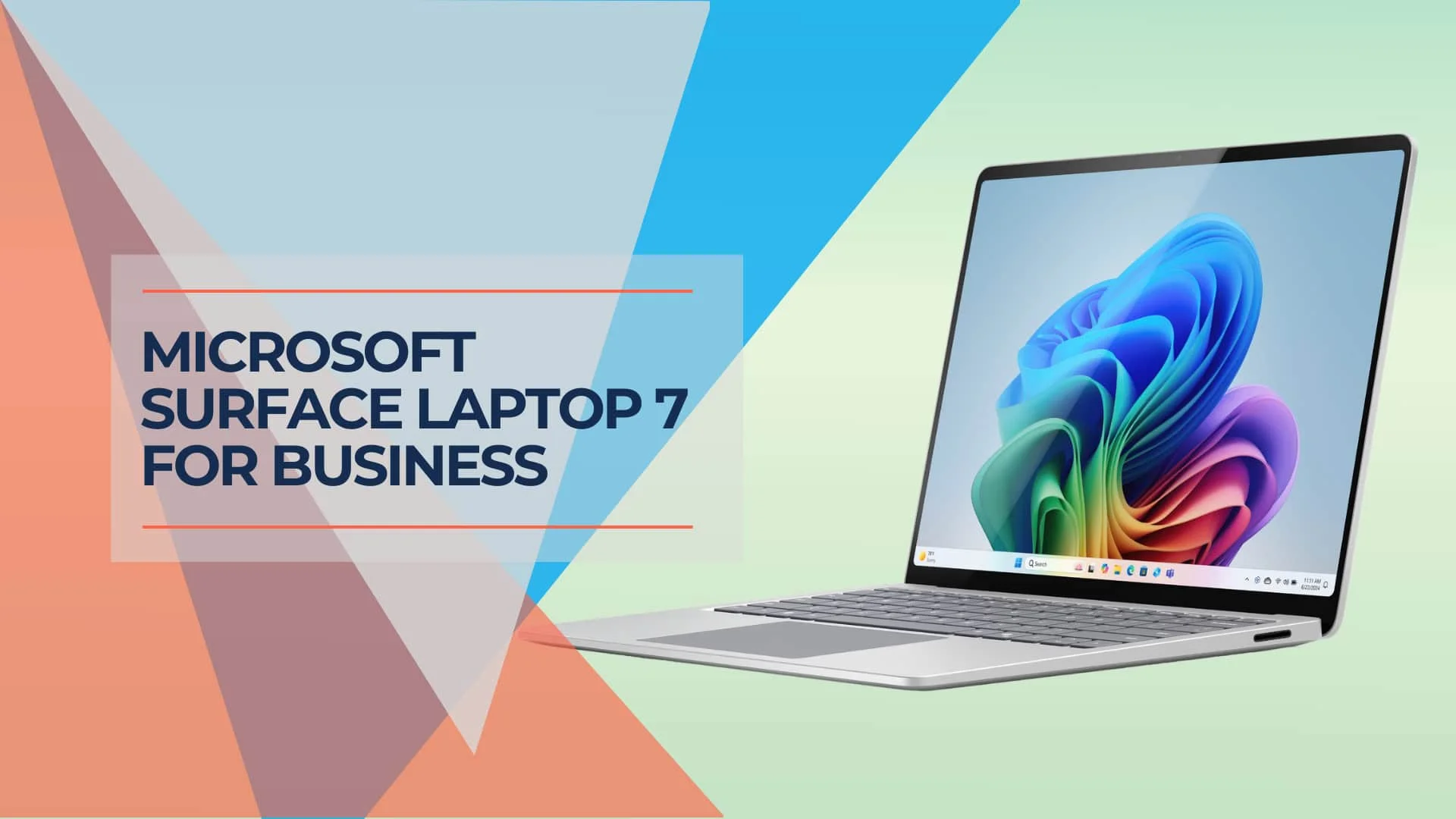
Surface Laptop 7 Review 2026: Is It Still Worth Buying?
18-month long-term review of the Surface Laptop 7 with Snapdragon X Elite. Real-world battery life, app compatibility in 2026, vs MacBook Air M4 comparison, and current pricing guidance.
11 min read