Tresorit Business Review 2026: End-to-End Encryption That Actually Works
We tested Tresorit for 6 months against Dropbox Business and OneDrive. Full 2026 review covering zero-knowledge encryption, real sync speeds, business compliance, eSign, and whether the premium pricing is worth it for your team.

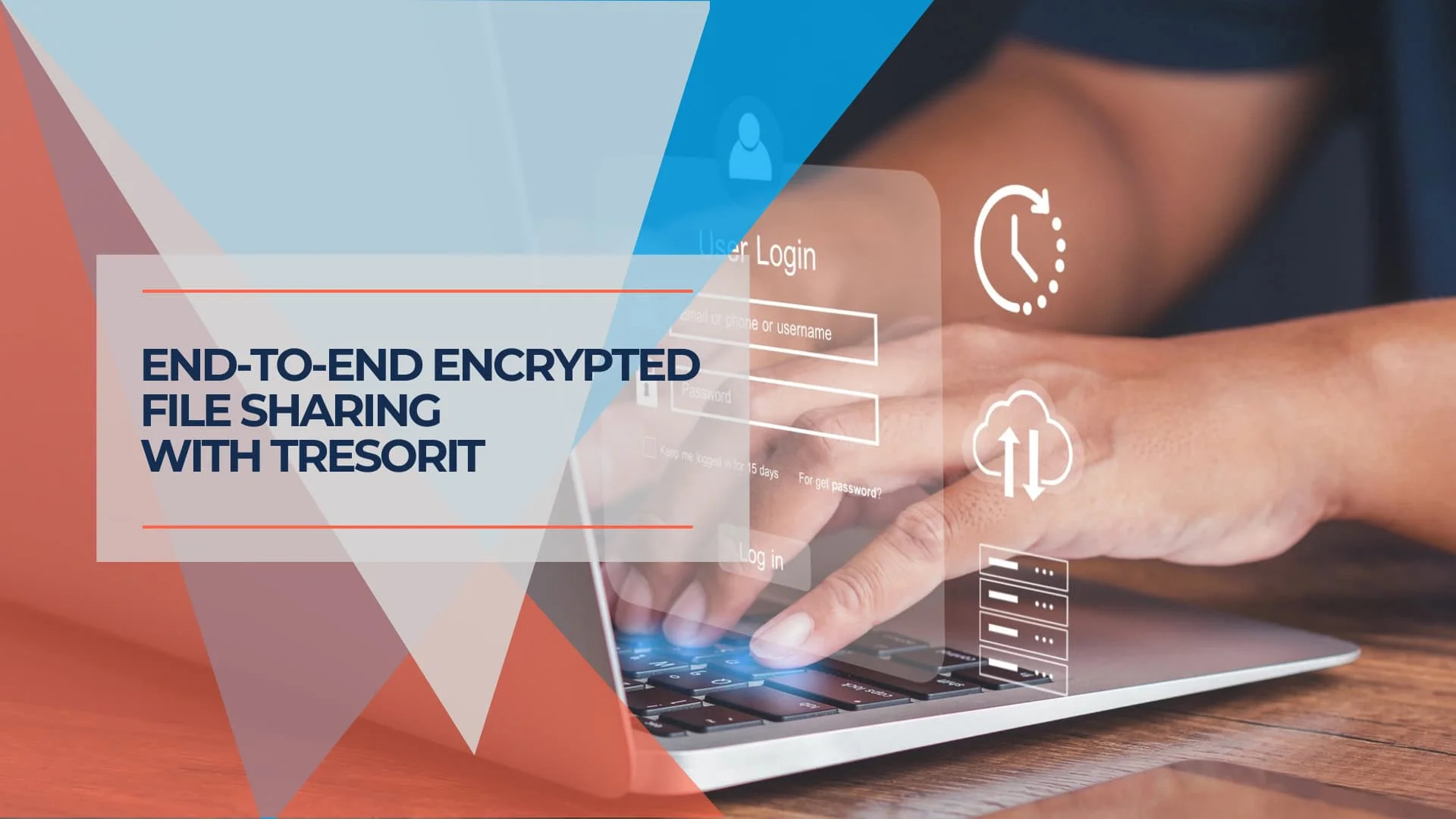
Tresorit charges $19/user/month for business cloud storage when Dropbox Business costs $15 and OneDrive is bundled free with Microsoft 365. After testing Tresorit across multiple devices and workflows for six months, this review explains exactly what that premium buys you -- and where it falls short.
Affiliate Disclosure: This article contains affiliate links. If you make a purchase through these links, we may earn a small commission at no extra cost to you.
Bottom line: Tresorit is one of the most secure encrypted cloud storage options in 2026, with independently audited zero-knowledge architecture and Swiss privacy law protection. But it comes with real trade-offs in sync speed and pricing.
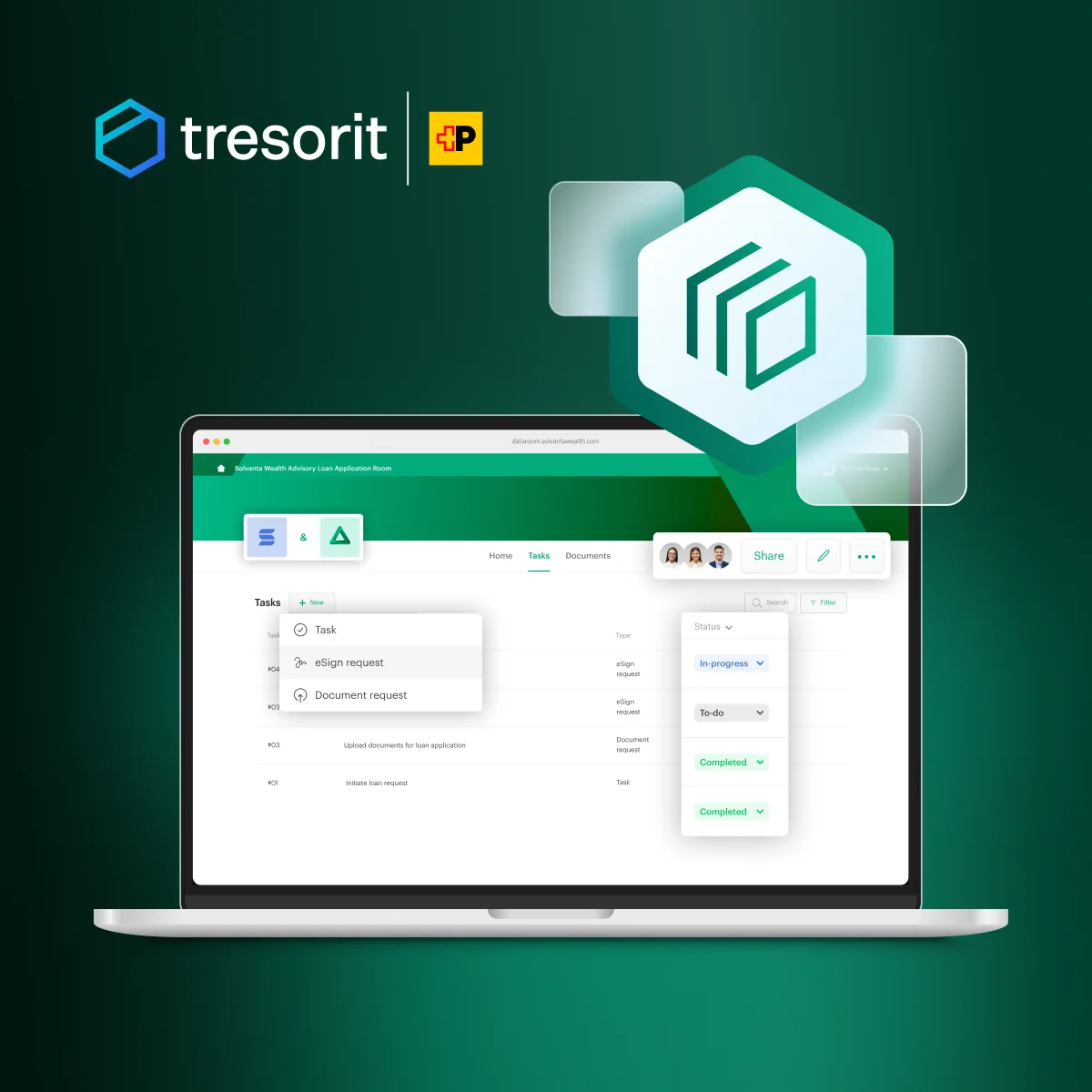
Tresorit
Swiss zero-knowledge encrypted cloud storage with compliance certifications for regulated industries.
- AES-256 client-side encryption
- Swiss privacy jurisdiction
- Global regulatory compliance certifications
- Built-in eSign with eIDAS QES support
*Price at time of publishing
Key Takeaways
| Aspect | What You Should Know |
|---|---|
| Security Approach | Files are encrypted on your device before uploading—no one at Tresorit can access your unencrypted data |
| Privacy Advantage | Swiss-based service operates under stronger privacy laws than US-based alternatives |
| Ideal Use Cases | Healthcare providers, legal professionals, financial advisors, and privacy-conscious individuals |
| Cost Perspective | Premium pricing reflects security focus—the free Basic plan lets you test before committing |
| Performance Trade-off | No block-level sync—changing 1 byte in a 1GB file re-uploads the entire file |
| Collaboration Balance | Secure sharing with granular permission controls for team collaboration |
| Try Before You Buy | The free 3GB Basic plan lets you evaluate the zero-knowledge encryption workflow |
| Migration Tip | Move files in organized batches rather than all at once for a smoother transition |
How Does Tresorit's Zero-Knowledge Encryption Work?
Tresorit encrypts files on your device before uploading them to the cloud. Tresorit's servers never receive your encryption keys, which means the company has zero technical ability to read your data -- even under legal compulsion.
Zero-Knowledge Encryption: How It Works
At the heart of Tresorit's security model is what's called "zero-knowledge" encryption. Your files are encrypted on your own device before they ever leave it. The encryption keys that can unlock your data stay with you, not with Tresorit.
Tresorit employs trusted encryption standards for this process:
- AES-256 encryption for your files
- RSA-4096 encryption for secure key exchange when sharing files
- TLS protocol for secure data transmission
Each file gets its own unique encryption key, which limits the exposure if any single key were compromised.
During testing, this created a noticeably different experience from standard cloud storage. The encryption process happens locally on your computer, which takes longer than standard uploads but ensures files are protected before transmission. The practical benefits are significant:
- Your files are already protected before they travel across the internet
- Sensitive information remains unreadable during transmission and storage
- Even if someone gained access to Tresorit's servers, they would only find encrypted data without the means to read it
- No passwords or encryption keys are sent to Tresorit's servers
This approach proved particularly valuable when working with sensitive client information on guest Wi-Fi networks. Knowing the files were encrypted before transmission provided reassurance, even on untrusted networks.
The Swiss Privacy Foundation
Tresorit's headquarters in Switzerland places it under Swiss privacy laws, which are among the most robust globally. Swiss jurisdiction means Tresorit is not subject to the US CLOUD Act, which can compel US-based providers to hand over user data to government agencies.
For professionals working with clients internationally or individuals concerned about data sovereignty, this legal framework provides protection beyond technical encryption alone.
Security Credentials That Matter
Tresorit has earned ISO 27001:2022 certification, validated by TÜV Rheinland. This internationally recognized standard confirms that Tresorit maintains comprehensive security protocols throughout its organization.
Additionally, independent security assessments by Ernst & Young included penetration testing and code review. Their analysis verified that Tresorit's design effectively prevents the company from accessing user content, which supports the zero-knowledge claims central to the service.
Our Score: 4/5
Tresorit -- Secure File Exchange & Collaboration
Pros:
- Industry-leading security with client-side encryption
- Comprehensive compliance with multiple regulatory frameworks
- Secure file sharing with granular permission controls
- Swiss privacy protection and data residency options
- Independent security audits by Ernst & Young
- Advanced administrative tools for business users
Cons:
- Premium pricing higher than mainstream competitors
- No block-level sync -- entire files re-upload on any change (critical for large files)
- Slower file synchronization compared to services like Dropbox
- Interface complexity might deter casual users
Multiple Layers of Protection
Tresorit adopts a "defense-in-depth" security model with multiple protective layers rather than relying on a single security measure. If one layer is compromised, others remain in place to protect your data.
Multi-Layered Security
- Network security tools to prevent unauthorized access
- Anti-malware systems to protect against digital threats
- Security monitoring to detect suspicious activities
- Behavior analytics to identify unusual access patterns
- Physical security measures at data centers
Choose Where Your Data Lives
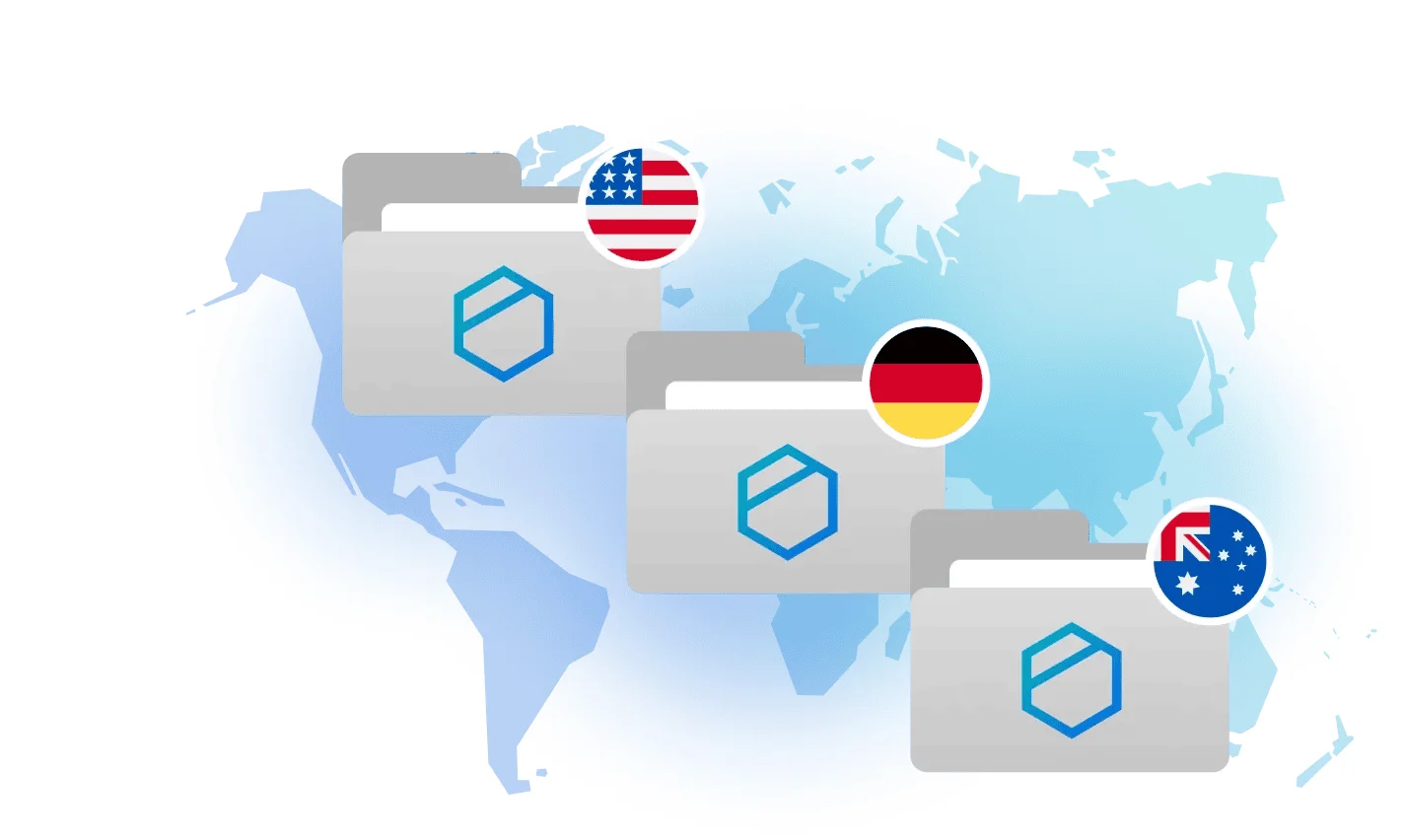
For individuals and businesses with specific privacy needs, Tresorit offers data residency options. This feature allows you to select the geographic region where your encrypted data is stored, with choices including Switzerland and other privacy-friendly locations.
This flexibility is particularly valuable for healthcare data, ensuring information remains in appropriate jurisdictions for compliance purposes.
Does Tresorit Use Block-Level Sync?
Tresorit does not support block-level sync. Because files are encrypted locally before upload, modifying a document requires re-uploading the entire file -- not just the changed portion.
Performance Impact
Here is how this affects file uploads and synchronization in practice:
- Full file re-upload on any change: If you modify a single sentence in a 1GB document, Tresorit re-uploads the entire 1GB file, not just the changed portion
- Impact on large files: Video editors, photographers, and users working with large databases will experience substantially slower sync times compared to Dropbox or Google Drive
- Bandwidth considerations: Users with limited or metered internet connections should be aware of this limitation
Why this happens: Because files are encrypted on your device before upload, Tresorit cannot detect which specific blocks of a file have changed—it only knows the entire encrypted file has been modified.
Who this affects most:
- Video editors working on large project files
- Developers with large binary files or databases
- Users frequently updating large spreadsheets or presentations
- Anyone on slow or metered internet connections
This is a fundamental trade-off between security and performance. Services like Dropbox can analyze file contents to upload only changed portions, but this requires server-side access to unencrypted data -- something Tresorit's zero-knowledge architecture explicitly prevents.
Sync Speed: Observed Results
During testing on a 100 Mbps connection, the re-sync penalty was the most noticeable difference:
| Test Scenario | Dropbox Business | Tresorit Business |
|---|---|---|
| 1GB file, initial upload | ~80-90 seconds | ~90-100 seconds |
| 1GB file, minor edit re-sync | ~2-5 seconds (block-level) | ~90-100 seconds (full re-upload) |
The initial upload speed is comparable. The gap only becomes significant on re-syncs of large files, where Dropbox's block-level sync uploads only the changed data blocks while Tresorit must re-encrypt and re-upload the entire file.
System Resource Impact
Client-side encryption is CPU-intensive. During testing, Tresorit's desktop client consumed noticeably more CPU during uploads than Google Drive or Dropbox, which can impact battery life on laptops. Once files are synced, idle resource usage is comparable to other clients.
How Does Tresorit Handle File Sharing and Collaboration?
Tresorit provides encrypted file sharing with granular permission controls, password-protected links, expiration dates, and download limits. During testing, these features maintained zero-knowledge security while enabling practical teamwork.
Secure Sharing Links with Enhanced Controls
When sharing files with others, Tresorit provides secure links with additional protection options:
| Feature | How It Works | Practical Benefit |
|---|---|---|
| Password protection | Recipients must enter a password to access shared files | Ensures only intended recipients can view sensitive content |
| Expiration dates | Links automatically become inactive after a specified time | Prevents indefinite access to sensitive documents |
| Download limits | Restricts how many times a file can be downloaded | Controls distribution of confidential information |
| Access tracking | Shows when recipients view or download shared content | Provides visibility into document access |
| Email notifications | Alerts you when someone accesses your shared files | Keeps you informed about document activity |
These options provide precise control over file access and duration. During testing with tax documents, expiration dates and access tracking added security without complicating the sharing process.
Permission Management for Teams
For ongoing collaboration with colleagues, Tresorit allows you to set granular permissions that determine precisely what team members can do with shared files:
- View-only access for reference materials that shouldn't be modified
- Edit permissions for collaborative documents that require team input
- Admin rights for team leaders who need to manage access for others
- Revocable access that can be adjusted as team needs change
Secure Workspaces with "Tresors"
Tresorit organizes files in secure spaces called "tresors" (the German word for vault). These function similarly to folders but with added security features:
- End-to-end encryption for all content
- Synchronized access across team members' devices
- Detailed activity logs showing who modified files and when
- Ability to recover previous versions of documents
Cooperative Links for External Collaboration
Working with partners outside your organization presents unique security challenges. Tresorit addresses this with Cooperative Links, which enable secure two-way collaboration even with people who don't have Tresorit accounts.
With these links, external collaborators can:
- View documents securely in their browser
- Edit files if you grant permission
- Upload new content to your secure workspace
- Collaborate without creating their own Tresorit account
Tresorit Send: Secure Large File Transfer
Tresorit Send is a standalone tool that lets you send large encrypted files to anyone -- even non-Tresorit users -- without requiring them to create an account. Think of it as a secure alternative to WeTransfer:
- Send up to 5GB of encrypted files per transfer for free
- Recipients access files via a secure link in their browser
- End-to-end encryption protects files during transfer and download
- No Tresorit account required for recipients
- Set password protection and expiration dates on shared links
This is a useful entry point for testing Tresorit's encryption without committing to a full plan, and a practical tool for one-off secure file transfers.
Business Applications and Compliance
Tresorit supports compliance with HIPAA, GDPR, DORA, FINRA, ITAR, and other regulatory frameworks out of the box. For businesses in regulated industries needing secure cloud storage, here is what the compliance tooling looks like in practice.
Meeting Regulatory Standards
Tresorit supports compliance with numerous regulatory frameworks that govern data protection:
- GDPR: Meets European data protection requirements with appropriate controls
- HIPAA: Provides the security features healthcare organizations need for patient data
- CCPA/CPRA: Aligns with California's consumer privacy regulations
- Additional frameworks: Supports CJIS, DORA, FINRA, ITAR, NIS2, and TISAX requirements
This broad compliance coverage simplifies deployment in regulated environments. The company also offers Business Associate Agreements (BAAs) for healthcare organizations requiring HIPAA compliance.
Industry-Specific Applications
Healthcare
Medical practices and healthcare providers use Tresorit to securely share patient files between facilities while maintaining HIPAA compliance. The encrypted environment protects sensitive medical records during both storage and transmission.
Legal Services
Law firms leverage Tresorit to create secure client portals for document exchange. The detailed access logs provide an audit trail that helps maintain chain of custody for sensitive case documents.
Financial Services
Financial advisors and institutions use Tresorit to exchange confidential financial plans and statements with clients. The expiring links and access controls add protection when sharing sensitive financial data.
Administrative Controls and Oversight
For IT administrators and security teams, Tresorit provides tools to manage user access and monitor activity:
- User provisioning and de-provisioning
- Device approval and remote wipe capabilities
- Detailed activity logs for security monitoring
- Policy enforcement across organization accounts
- Integration with Active Directory for streamlined user management
- Admin password reset: On Business and Enterprise plans, administrators can reset user passwords via Active Directory sync or SSO integration. This prevents company data loss if an individual user forgets their password -- a key safeguard that personal plans lack. Enterprise plans also support Advanced Control and eDiscovery policies for organizational data governance.
Document Workflow with eSign Integration
Tresorit includes an integrated eSign solution that allows you to manage the entire document lifecycle in one secure environment. All business plans include 10 electronic signatures (SES) and 6 EU Qualified Electronic Signatures (QES) as a starter allowance -- 16 total.
eIDAS-Compliant Qualified Electronic Signatures (QES):
Tresorit eSign supports eIDAS-compliant EU Qualified Electronic Signatures through a partnership with Evrotrust, a certified Qualified Trust Service Provider (QTSP). QES signatures carry the highest legal probative value across the EU, equivalent to handwritten signatures. This matters for European B2B users handling contracts, tenders, and legal documents requiring cross-border compliance.
- Documents remain zero-knowledge encrypted throughout the entire signing lifecycle -- neither Tresorit nor Evrotrust can access document content
- Send documents for electronic signature directly from Tresorit
- Collect legally binding signatures without switching between platforms
- Long Term Validation (LTV) ensures signatures remain verifiable for 5, 10, or more years
- Store signed documents securely in your encrypted workspace
For users requiring more signatures, Tresorit offers eSign add-on packages at additional cost.
Tresorit eSign Demo
Tresorit Across Your Devices
Tresorit provides desktop, mobile, and web access across all major platforms, with consistent encryption applied on each.
Desktop Experience
Tresorit offers dedicated applications for all major desktop operating systems:
- Windows: Full-featured app with seamless integration into File Explorer
- macOS: Native application that works with macOS Finder
- Linux: Both graphical interface and command-line options for technical users. The GUI requires X11; on Wayland-default distributions such as Ubuntu 24.04+, it runs under the XWayland compatibility layer that ships by default. Users who have disabled XWayland entirely are limited to the CLI client.
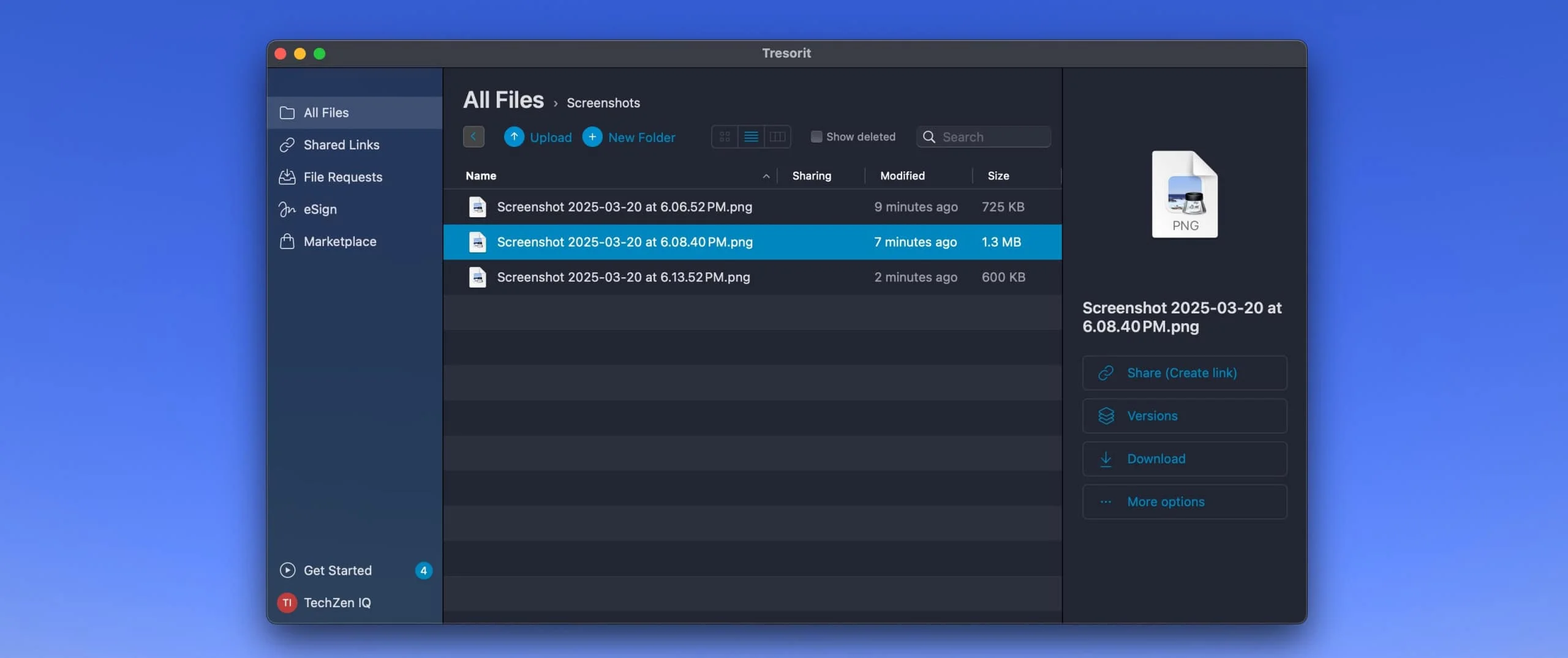
The desktop applications allow you to select which folders to synchronize to your computer, giving you control over local storage usage. Changes made to files automatically sync across your devices.
Mobile Access to Your Files
Tresorit's mobile apps for iOS and Android provide on-the-go access with the same encryption applied on desktop:
- Securely browse all your documents
- Download files for offline access
- Upload new files and photos directly from your device
- Share documents securely while on the go
- Automatic photo backup for additional protection
- Built-in encrypted document scanner: Scan physical documents directly into an encrypted tresor using your phone's camera. The scanned image is stored only inside Tresorit -- it is not saved to your device's camera roll or local storage. For healthcare and legal professionals, this means scanning sensitive patient records or case documents in the field without leaving unencrypted copies on the phone.
Web Browser Accessibility
For times when you need to access files from a computer without Tresorit installed, the web interface provides a convenient solution:
- Access your files from any modern web browser
- No software installation required
- Same end-to-end encryption protection
- Ability to upload, download, and share files
Tresorit Drive: Cloud Access Without Local Storage
Tresorit Drive provides a virtual-drive approach to accessing your cloud files:
- Access files as if they were on a local drive
- Files remain in the cloud until opened, saving local storage space
- Changes save directly to the cloud
- Work with large files without downloading them entirely
Drive vs. Sync: Choose the Right Mode
Tresorit Drive (virtual/streaming): Best for archiving and accessing large file collections without consuming local disk space. Files stream on-demand but may have slight lag when opening.
Tresorit Sync (local folders): Best for active work files you modify frequently. Files are stored locally for instant access, with changes syncing to the cloud.
Recommendation: Use Drive for reference materials and archives; use Sync for active projects to avoid lag.
Productivity Integrations
Tresorit integrates with several productivity applications, allowing teams to share encrypted files without leaving their existing workflows.
Email Integration for Secure Sharing
Microsoft Outlook Add-in
- Replace traditional email attachments with secure Tresorit links
- Encrypt entire email content with a single click
- Set access permissions directly from your email interface
- Track when recipients access your shared files
- Works with both desktop Outlook and Outlook 365
Gmail Add-in
- Chrome extension that integrates directly with your Gmail interface
- Share files securely without leaving your email workflow
- Apply expiration dates and password protection to shared links
- Avoid the file size limitations of traditional email attachments
- Monitor when recipients view or download your files
Microsoft Teams Integration
For organizations using Microsoft Teams for communication, Tresorit's integration enhances file sharing:
- Access and share Tresorit files directly within Teams channels
- Maintain end-to-end encryption for files shared in Teams
- Keep sensitive documents protected while collaborating in chat
- Combine Teams' communication tools with Tresorit's security features
Authentication and Identity Management
Single Sign-On Options:
- Integration with Microsoft Entra ID (formerly Azure AD)
- Support for Google Workspace SSO
- Compatibility with Okta identity management
- Streamlined authentication while maintaining security
Active Directory Synchronization:
- Automatically sync users and groups from Active Directory
- Simplify user management for IT departments
- Assign "tresor" memberships based on AD groups
- Automate onboarding and offboarding processes
Security Monitoring Integration
For organizations with sophisticated security operations, Tresorit integrates with Microsoft Sentinel:
- Send Tresorit activity logs to Microsoft Sentinel
- Incorporate file access events into security monitoring
- Create alerts for suspicious file activity
- Centralize security monitoring across platforms
How Much Does Tresorit Cost in 2026?
Tresorit pricing starts at $4.75 per month for personal use and $19.00 per user per month for business plans, billed annually. The premium over mainstream cloud storage funds the infrastructure required for zero-knowledge encryption and Swiss data residency.
Personal Plans Overview
| Plan | Monthly Price (Billed Annually) | Storage | Max File Size | Key Features |
|---|---|---|---|---|
| Basic | Free | 3GB | 500MB | Basic secure file access and sharing |
| Personal Lite | $4.75 | 50GB | 2GB | Secure file sharing, multi-device access |
| Personal Essential | $11.99 | 1TB | 10GB | Enhanced file sharing capabilities |
| Personal Pro | $27.49 | 4TB | 10GB | Advanced sharing, encrypted file requests |
The free Basic plan offers a good introduction to Tresorit's security features, though with limited storage and file size restrictions. For most individual users, the Personal Essential plan provides a balanced option with sufficient storage.
Business Plans Comparison
| Plan | Price per User (Monthly, Billed Annually) | Min Users | Storage per User | Max File Size | Notable Features |
|---|---|---|---|---|---|
| Business | $19.00 | 3 | 2TB per user (6TB pooled) | 15GB | Admin controls, secure collaboration |
| Professional | $27.49 | 1 | 4TB | 10GB | Single-user business option |
| Enterprise | Custom pricing | Custom (contact sales) | Custom | 20GB | SSO, advanced integration, personalized support |
Business plans require a minimum of three users for most tiers, with the exception of the Professional plan which works for individual business users.
Free Trial and Basic Plan
If you're considering Tresorit but want to test it before committing, the company offers both a free Basic plan and a 14-day free trial of their paid plans.
Basic Plan Includes
- 3GB of secure storage
- Core end-to-end encryption features
- Basic file-sharing capabilities
- Access across multiple devices
- No time limitation
Tresorit vs Proton Drive vs OneDrive: 2026 Comparison
Tresorit's main competitors for business encrypted storage are Proton Drive and OneDrive (via Microsoft 365). The three services take fundamentally different approaches to encryption, pricing, and ecosystem integration.
Security Comparison with Major Providers
| Provider | Encryption Approach | Provider Access to Data | Privacy Jurisdiction |
|---|---|---|---|
| Tresorit | End-to-end, client-side | No access (zero-knowledge) | Switzerland |
| Dropbox | Server-side encryption | Technical ability to access | United States (CLOUD Act) |
| Google Drive | Server-side encryption | Can scan content for various purposes | United States (CLOUD Act) |
| OneDrive | Server-side encryption | Potential access to content | United States (CLOUD Act) |
Tresorit's zero-knowledge approach means the service cannot access your unencrypted files, even if requested by authorities.
User Experience Trade-offs
- File synchronization: Services like Dropbox often provide faster initial uploads due to block-level sync technology. Tresorit's encryption process can result in slightly slower performance.
- Third-party integration: Mainstream providers typically offer more extensive integration with third-party apps. Tresorit focuses on business productivity tools while emphasizing security.
- Interface simplicity: Dropbox and Google Drive are praised for straightforward interfaces. Tresorit's interface includes more security options that some users might find initially more complex.
Other Security-Focused Alternatives
Sync.com:
- Also offers zero-knowledge encryption
- Generally more affordable than Tresorit
- Strong security features but fewer business-oriented tools
Proton Drive:
- Swiss-based with similar privacy advantages
- Part of the Proton privacy ecosystem (including Proton Mail, VPN, and Pass)
- The Proton Business Suite at $12.99/user/month bundles encrypted email, calendar, VPN, password manager, and 1TB of storage -- a broader toolset at a lower price, though with less mature admin controls than Tresorit
- Newer service with a developing feature set for enterprise use
Tresorit vs Proton Drive vs OneDrive for Business
These three services represent the main options for businesses evaluating encrypted cloud storage in 2026. The choice comes down to Tresorit's zero-knowledge architecture, Proton's growing privacy ecosystem, or OneDrive already bundled in Microsoft 365.
| Feature | Tresorit Business | Proton Drive Professional | OneDrive for Business |
|---|---|---|---|
| Price (per user/mo, annual) | $19.00 (min 3 users) | $7.99 (min 2 users) | ~$12.50 (with M365 Business Standard) |
| Storage per User | 2TB | 1TB | 1TB |
| Encryption | Zero-knowledge, client-side (AES-256) | Zero-knowledge, client-side | Server-side (Microsoft-managed keys) |
| Provider Access to Data | None (zero-knowledge) | None (zero-knowledge) | Microsoft can access content |
| Privacy Jurisdiction | Switzerland | Switzerland | United States (CLOUD Act) |
| Block-Level Sync | No (full file re-upload) | No | Yes |
| Max File Size | 15GB | No documented limit | 250GB |
| Compliance Certs | ISO 27001:2022, HIPAA BAA, GDPR, DORA, FINRA, ITAR, TISAX | ISO 27001, GDPR | ISO 27001, HIPAA BAA, SOC 1/2, FedRAMP |
| Admin Tools | Extensive (AD sync, device management, policy enforcement, SIEM) | Basic (growing) | Extensive (full Microsoft admin center) |
| eSign Integration | Built-in (eIDAS QES via Evrotrust) | None | None (requires DocuSign or similar) |
| Ecosystem | Standalone storage + eSign + Data Rooms | Proton Mail, Calendar, VPN, Pass (with Business Suite at $12.99/user/mo) | Full Microsoft 365 (Word, Excel, Teams, SharePoint) |
| Best For | Regulated industries needing zero-knowledge compliance | Privacy-focused teams wanting affordable encryption | Teams already invested in Microsoft ecosystem |
Verdict: Tresorit is well-suited for businesses in regulated industries (healthcare, legal, financial) that need provable zero-knowledge encryption and compliance certifications. Proton Drive offers strong encryption at a lower price point but lacks Tresorit's mature admin controls. OneDrive has the strongest ecosystem integration and block-level sync, though neither feature addresses zero-knowledge privacy the way the two Swiss providers do.
For a detailed business-focused comparison, see our Tresorit vs Proton Drive business guide.
Tresorit as a Boxcryptor Replacement
Boxcryptor was acquired by Dropbox in 2022 and discontinued its standalone product in 2023. If you were a Boxcryptor user looking for a replacement, Tresorit is one of the strongest options:
Why Tresorit works as a Boxcryptor alternative:
- Same core promise: Client-side encryption before files leave your device
- Standalone solution: Unlike Boxcryptor (which encrypted files on other cloud services), Tresorit is a complete cloud storage + encryption platform
- Different architecture: Tresorit's zero-knowledge model means the company cannot access your data, whereas Boxcryptor's server-based key management introduced a theoretical vulnerability
- Swiss jurisdiction: Not subject to US CLOUD Act (Boxcryptor was German-based, then acquired by US company Dropbox)
The trade-off: Boxcryptor let you keep using Dropbox/Google Drive with an encryption layer. Tresorit requires migrating your files to their platform entirely. If you need to stay on Dropbox, consider Cryptomator (free, open-source) as a closer Boxcryptor replacement.
For users who valued Boxcryptor's encryption and are willing to switch platforms, Tresorit offers a more comprehensive security architecture.
Where Tresorit Stands Out
- Compliance features: Extensive support for regulatory requirements makes it appropriate for highly regulated industries
- Business collaboration: Secure sharing and permission controls specifically designed for business environments
- Administrative controls: Comprehensive tools for managing team access and monitoring usage
- Swiss privacy protection: Location in a jurisdiction with strong privacy laws
Tresorit - Introducing the User Experience
How Do You Set Up Tresorit?
Tresorit's 14-day free trial gives you full access to paid features. Here is how to set up your account and migrate files securely.
Setup Process Overview
- Create your account: Start by signing up for Tresorit's free Basic plan or 14-day trial
- Download the application: Install Tresorit on your primary device (computer, phone, or tablet)
- Create your first "tresor": This encrypted folder will store and sync your files
- Set a strong password: Choose a unique, complex password (see critical warning below)
- Install on additional devices: Download Tresorit on other devices for consistent access
CRITICAL: Password Recovery Impossible
Losing your password means permanent data loss. This is not a bug—it's a feature of zero-knowledge encryption.
- Tresorit cannot reset your password or recover your data
- There is no "forgot password" recovery option that preserves your files
- If you lose your password, your encrypted files become permanently inaccessible
- Action required: Store your password in a reputable password manager immediately
This is inherent to zero-knowledge encryption. Your encryption keys are derived from your password and never leave your device. Without your password, the encryption cannot be reversed -- not by Tresorit, and not by anyone else.
Migrating from Other Cloud Services
Step-by-Step Migration Approach:
- Download files from your current provider: Start by downloading your files to your local computer
- Organize before uploading: Take this opportunity to organize files into logical groups
- Create tresors for different categories: Set up separate tresors for different types of content
- Upload to Tresorit: Move your files into the appropriate tresors
- Verify successful migration: Check that all files have uploaded correctly before deleting from your previous service
For larger collections of files, consider migrating in batches to make the process more manageable. For a full walkthrough of moving from Dropbox specifically, see our Dropbox to encrypted cloud storage migration guide.
Best Practices for Maximum Security
Security Best Practices
- Use a password manager: Generate and store strong, unique passwords for your Tresorit account
- Enable two-factor authentication: Add this additional security layer to prevent unauthorized access
- Be selective about sharing permissions: Only grant edit access when necessary; use view-only sharing when possible
- Set expiration dates for shared links: Avoid leaving sensitive documents accessible indefinitely
- Regularly review access logs: Monitor who has accessed your shared files
- Keep your applications updated: Ensure you're running the latest version of Tresorit on all devices
Organizing Your Secure Workspace
- Create tresors by project or department: Separate work files into logical categories
- Use descriptive naming conventions: Clear names make files easier to find
- Consider access needs when structuring: Group files that will be shared with the same people
- Utilize the "favorite" feature: Mark frequently accessed files for quicker access
- Take advantage of Tresorit Drive: Use this feature for large collections that you don't need stored locally
Who Should NOT Use Tresorit?
Tresorit prioritizes security and privacy, but that focus introduces trade-offs that make it a poor fit for certain workflows:
Video Editors and Creative Professionals
Why not: The lack of block-level sync means editing a 50GB video project file will re-upload the entire 50GB on every save. This makes Tresorit impractical for:
- Video editing workflows (Premiere Pro, Final Cut Pro, DaVinci Resolve)
- Large Photoshop/Illustrator files with frequent iterations
- 3D modeling and CAD files
- Audio production with large project files
Better alternative: Dropbox or Google Drive with their block-level sync technology.
Users with Slow or Metered Internet
Why not: Without differential sync, even small changes trigger full file re-uploads. On slow connections (< 10 Mbps upload) or metered/capped data plans, this becomes costly and time-consuming.
Impact: A 5GB spreadsheet with one cell changed = 5GB upload every time.
Budget-Conscious Individual Users
Why not: At $11.99/month for 1TB, Tresorit is 2-3x more expensive than mainstream alternatives:
- Google One: $9.99/month for 2TB
- Dropbox Plus: $9.99/month for 2TB (with better sync performance)
- Proton Drive: $3.99/month for 200GB (Drive Plus) or $9.99/month for 500GB (Proton Unlimited bundle with email, VPN, calendar)
Who should pay the premium: Only if Swiss privacy laws and zero-knowledge encryption are critical requirements for your threat model.
Users Who Forget Passwords
Why not: There is no password recovery. Forgetting your password means permanent data loss. If you don't use a password manager or have a history of needing password recovery, Tresorit may not be a good fit.
Teams Needing Extensive Third-Party Integrations
Why not: Tresorit focuses on security over ecosystem breadth. Limited integrations compared to:
- Google Workspace (Docs, Sheets, Slides, Meet)
- Microsoft 365 (Word, Excel, PowerPoint, Teams deep integration)
- Dropbox (Slack, Zoom, Adobe, 300+ app integrations)
Conclusion: Is Tresorit Right for You?
After months of testing Tresorit across multiple devices and workflows, it delivers on its core promise: client-side encryption with Swiss privacy protection. However, the block-level sync limitation and premium pricing mean it's not for everyone.
Final Verdict
Tresorit's strengths:
- Zero-knowledge architecture: Client-side encryption with AES-256, ISO 27001:2022 certified
- Swiss jurisdiction: Not subject to US CLOUD Act; operates under Swiss Federal Data Protection Act
- Compliance readiness: HIPAA BAA available, GDPR compliant, supports DORA, FINRA, ITAR, NIS2, TISAX
- Business admin controls: Active Directory integration, device management, granular access logs
- Cross-platform support: Windows, macOS, Linux (with caveats), iOS, Android
Key limitations:
- No block-level sync: Full file re-upload on any change (a major limitation for large files)
- Premium pricing: $19/user/mo (Business) vs. Dropbox Business at $15/user/mo; personal plans start at $11.99/mo for 1TB
- No password recovery: Lost password = permanent data loss
- Limited integrations: Focused on security over ecosystem breadth
Best for:
- Healthcare providers needing HIPAA compliance
- Legal firms requiring audit trails and chain of custody
- Financial advisors handling sensitive client data
- Businesses in regulated industries (GDPR, FINRA, ITAR)
- Users whose threat model requires Swiss privacy laws
Not for:
- Video editors or creative professionals (block-level sync critical)
- Users with slow/metered internet connections
- Budget-conscious individuals (Proton Drive offers better value)
- Teams needing extensive third-party app integrations
The free 3GB Basic plan lets you test the zero-knowledge encryption model before committing. Start with non-critical files to evaluate sync performance on your internet connection.
Tresorit's security architecture is sound, but the performance trade-offs are real. The lack of block-level sync isn't a minor inconvenience—it's a fundamental limitation that makes Tresorit unsuitable for certain workflows. If your use case aligns with Tresorit's strengths (compliance, Swiss privacy, business controls) and you can work within its constraints (no differential sync, premium pricing), it's a solid choice. Otherwise, evaluate Proton Drive for individuals or stick with Dropbox/Google Drive with additional encryption layers.
Prices verified March 2026. Tresorit pricing may vary by region and plan.
Frequently Asked Questions
Is Tresorit HIPAA compliant?
Yes. Tresorit offers a HIPAA Business Associate Agreement (BAA) and uses zero-knowledge encryption so even a breach would not expose readable PHI. It is also GDPR, FINRA, ITAR, and ISO 27001:2022 certified.
What happens if I lose my Tresorit password?
Your data becomes permanently inaccessible. Tresorit's zero-knowledge architecture means they cannot reset your password or recover files. Business plans mitigate this: admins can reset user passwords via Active Directory sync or SSO.
Is Tresorit slower than Dropbox for file sync?
Yes, for large files. Tresorit does not use block-level sync — entire files re-upload on any change. For typical document workflows this is not noticeable, but it matters for large files such as video or CAD files.
Does Tresorit integrate with Microsoft 365 or Google Workspace?
Yes. Tresorit integrates with Microsoft Teams, Outlook, and Gmail via plug-ins. Active Directory sync and SSO via Azure AD, Okta, and Google Workspace are available on Business and Enterprise plans.
How much does Tresorit Business cost?
Tresorit Business starts at $19/user/month (annual billing, minimum 3 users, 2TB storage per user). This is higher than Dropbox but includes zero-knowledge encryption and compliance certifications Dropbox does not offer.
Related Articles
More from Business Software
Moving from Dropbox to Encrypted Cloud Storage: Complete Migration Guide
Step-by-step guide to switching from Dropbox to zero-knowledge encrypted storage like Tresorit, pCloud, or Proton Drive. Includes migration planning, team training, and compliance documentation.
13 min read
Tresorit vs Proton Drive: Which Encrypted Cloud Storage is Right for Your Business?
Detailed comparison of Tresorit and Proton Drive for business use. Pricing, features, compliance capabilities, and real-world scenarios to help you choose the right encrypted cloud storage.
15 min read
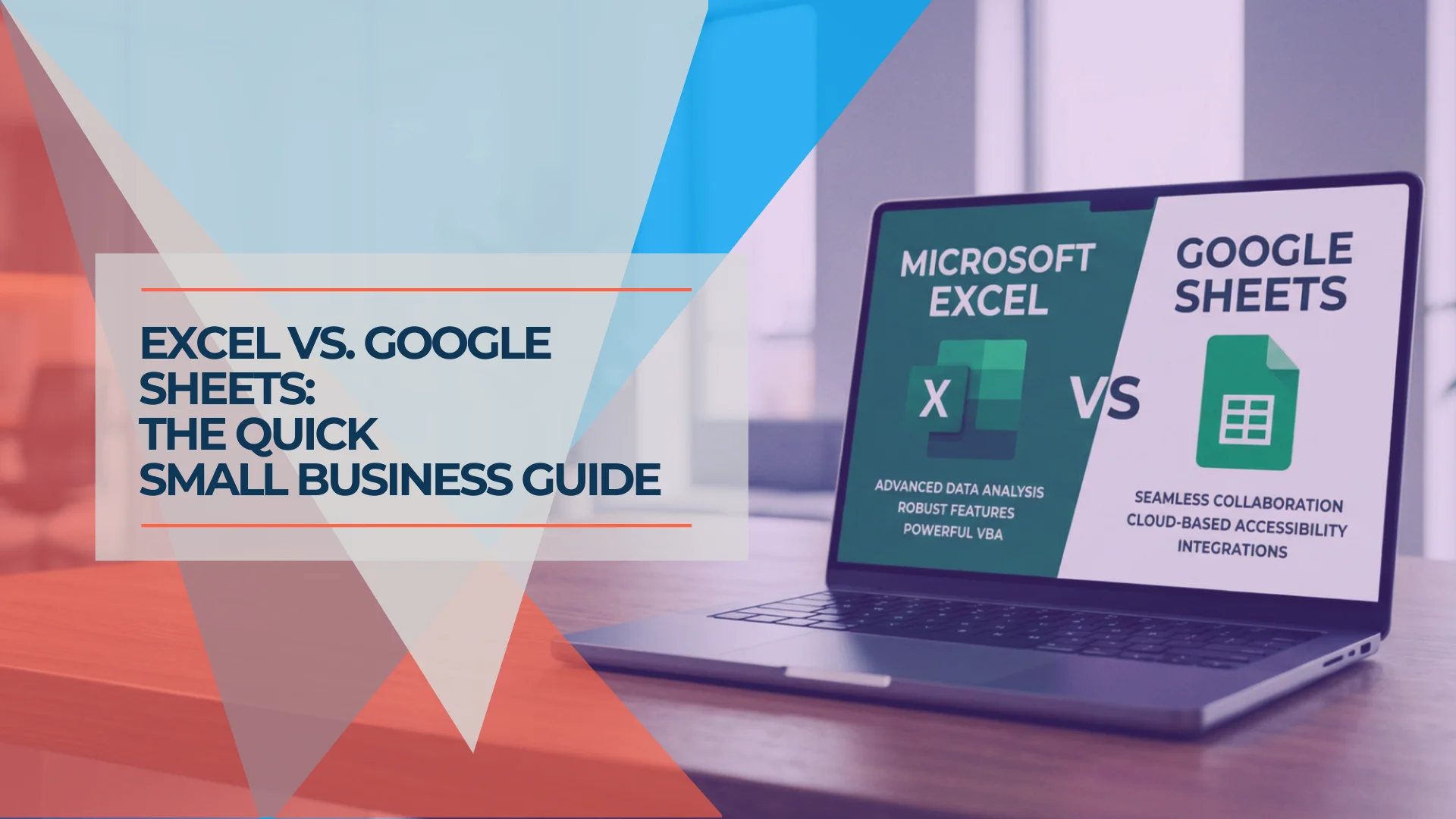
Excel vs Google Sheets: Which Should Your Business Use?
A practical comparison of Excel and Google Sheets for small businesses in 2026: where Google has caught up, where Excel still leads, and how to decide.
11 min read