

Best Premium Business Laptops 2026: Executive Picks for Performance & Build Quality
Five premium business laptops worth the investment in 2026. Expert-tested picks for executives, creatives, and power users — from the $1,099 MacBook Air M5 to the $2,359 Dell XPS 16.


Not every business laptop justifies a $1,000+ price tag. The five in this guide do — because their build quality, display technology, and long-term reliability deliver measurable returns that mid-range alternatives cannot match. We've deployed all five across client organizations in Miami and re-evaluated each against verified March 2026 specs and real-world pricing.
If budget is a primary constraint, our Top 10 Business Laptops 2026 guide covers options from $630 to $3,200+ across every price tier.
Affiliate Disclosure: This article contains affiliate links. If you make a purchase through these links, we may earn a small commission at no extra cost to you. As an Amazon Associate, iFeelTech earns from qualifying purchases.
Looking for Every Budget?
This guide focuses on premium business laptops starting at $1,099. For budget and mid-range options, department-specific recommendations, and a full TCO analysis, see our comprehensive Top 10 Business Laptops 2026 guide.
Quick Comparison
| Laptop | Why Choose It? | Best For | Starting Price |
|---|---|---|---|
| ThinkPad X1 Carbon Gen 13 | 2.17 lbs, OLED display, vPro enterprise security | Executives and frequent travelers | ~$2,100 |
| MacBook Pro 14 (M5) | M5/Pro/Max silicon, 1TB base, Thunderbolt 5 | Developers and creative professionals | $1,699 |
| ThinkPad T14s Gen 6 | 21+ hours battery, fanless, 2.72 lbs | All-day battery without compromise | $1,357 |
| MacBook Air M5 | 512GB base, Wi-Fi 7, fanless silence | Best premium value under $1,200 | $1,099 |
| Dell XPS 16 | RTX 4070, 4K OLED, reference-grade color | Creative power users and engineers | $2,359 |
Top Picks
Our Premium Picks for 2026
- Best Overall Premium: Lenovo ThinkPad X1 Carbon Gen 13 – ~$2,100 (see Gen 14 in "Coming Soon")
- Best Performance: Apple MacBook Pro 14 (M5) – $1,699 (1TB base storage)
- Best Premium Ultraportable: Lenovo ThinkPad T14s Gen 6 – $1,357
- Best Premium Value: Apple MacBook Air M5 – $1,099 (512GB base)
- Best for Creative Pros: Dell XPS 16 – $2,359 (RTX 4070, 4K OLED)
Why 2026 Is the Year to Invest in a Premium Business Laptop
The premium tier saw significant hardware updates in 2026. Features that were workstation-exclusive in 2024 — OLED displays, 45+ TOPS NPUs, tandem display technology, and tool-free repairability — are now standard across the $1,000–$2,500 range. The feature gap between premium and mid-range devices is wider this year than in any recent product cycle.
Memory-driven price increases across the PC industry in 2026 also make the premium tier comparatively more attractive — premium laptops are less exposed to the DRAM cost increases affecting budget and mid-range tiers, and their longer useful lifespan (5–7 years) amortizes the higher upfront cost more effectively.
Three developments justify the premium investment specifically this year:
- OLED is now safe for all-day business use. Tandem OLED technology (used in the X1 Carbon Gen 13 and Dell XPS 16) eliminates the burn-in risk that previously made OLED a liability for spreadsheet-heavy work. The contrast and color accuracy advantage over IPS is dramatic in presentations and client-facing work.
- Repairability changes the TCO math. Lenovo's Space Frame design (iFixit 9/10) means a $2,000 premium laptop can serve 5–7 years with simple battery and keyboard swaps. That changes the cost-per-year calculation entirely compared to replacing a mid-range device every 3 years. (For offices evaluating whether to buy hardware at all, Windows 365 Cloud PCs are now priced competitively enough to compare against a traditional laptop refresh.)
- NPU acceleration is finally practical. With 45+ TOPS standard across premium models, Copilot+ features like real-time transcription, local AI processing, and Windows Recall run on-device — no cloud latency, no privacy trade-offs. Note: the Snapdragon X Elite (T14s Gen 6) and Intel Core Ultra Series 2/3 (X1 Carbon) differ in their current Copilot+ rollout — Snapdragon devices received Windows Recall and Live Captions first, while Intel's Copilot+ feature set is still catching up as of March 2026. Verify which features matter to your team before choosing architecture.
What Separates a Premium Business Laptop in 2026?
Every laptop on this list meets the 2026 baseline (16GB RAM, 512GB SSD, 45+ TOPS NPU, Wi-Fi 7). A hard rule: do not buy an 8GB laptop for business use in 2026, even if it's on clearance — 16GB is the functional minimum for smooth multitasking with local AI features, and every premium model ships with at least 16GB standard. What separates the premium tier from a capable $700 workhorse are the six features that directly affect daily productivity and long-term ownership cost:
- OLED vs. IPS displays: Every premium pick here offers either OLED or Liquid Retina XDR — panels with true blacks, wide color gamut (DCI-P3), and 120Hz refresh rates. The difference is immediately visible in presentations, video calls, and any color-sensitive work. Mid-range IPS panels look washed out by comparison.
- Build materials and weight: Premium laptops use magnesium-carbon fiber (X1 Carbon, 2.17 lbs) or machined aluminum (MacBook Pro, 3.4 lbs) instead of plastic composites. The result is MIL-STD-810H durability at weights that make all-day carry practical rather than punishing.
- Enterprise security beyond TPM: All business laptops include TPM 2.0. Premium models add vPro remote management, physical webcam shutters (ThinkShutter), Secure Enclave hardware encryption, and hardware microphone disconnect — features that satisfy compliance requirements for healthcare, legal, and financial services. Our security by design guide covers how to evaluate these features during procurement.
- Keyboard and trackpad quality: This is the least-discussed and most impactful differentiator. The ThinkPad X1 Carbon's keyboard and the MacBook Pro's Force Touch trackpad are measurably better than what ships on sub-$1,000 machines. Over 8 hours of daily typing, the difference in fatigue is real.
- Advanced conferencing hardware: Executives spending half their day on video calls notice the jump from 1080p webcams on budget models to the 8MP–10MP sensors on premium devices (the upcoming X1 Carbon Gen 14 ships with a 10MP wide-angle camera). Combined with better microphone arrays and speaker quality, premium laptops deliver a measurably better presence in Zoom and Teams calls.
- Repairability and 5–7 year lifespan: Lenovo's Space Frame design (iFixit 9/10) enables tool-free battery and keyboard swaps. Apple's aluminum unibody maintains resale value above 40% after 3 years. Both approaches reduce total cost of ownership compared to replacing budget devices every 2–3 years.
Top Premium Business Laptops of 2026
Budget Options Under $1,000
The Microsoft Surface Laptop 7 ($699) and Lenovo ThinkPad E14 Gen 7 ($630) deliver strong value for cost-conscious teams. See our Top 10 Business Laptops guide for full reviews of budget and mid-range picks.
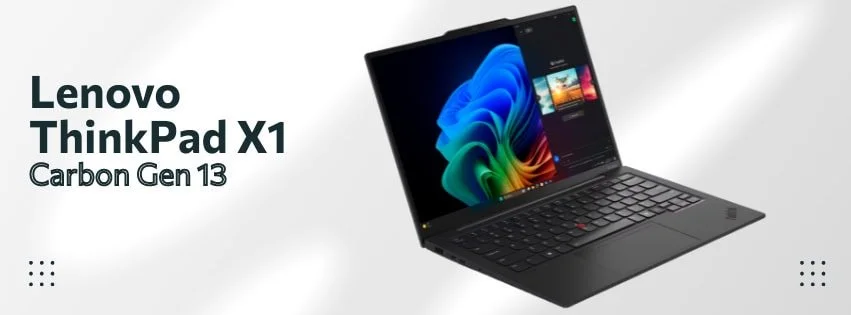
1. Lenovo ThinkPad X1 Carbon Gen 13: Best Overall Premium Laptop
Best for: Executives and frequent travelers who demand the lightest premium business laptop (2.17 lbs) with enterprise-grade security and a 14" OLED display.
The ThinkPad X1 Carbon Gen 13 is the premium benchmark — the laptop against which every other business ultraportable is measured. It combines class-leading portability with the build quality and security features that enterprise IT departments require.
Key Features:
- Performance: Powered by Intel's Lunar Lake Core Ultra processors, it offers excellent multitasking capabilities with up to 16 hours of battery life.
- Display & Design: The 14-inch OLED display (2880×1800 resolution) provides vibrant colors and sharp visuals at a smooth 120Hz refresh rate. Its lightweight magnesium-carbon chassis weighs just 2.17 lbs, making it one of the lightest laptops in its class.
- Durability & Security: MIL-STD-810H certification ensures durability, while vPro technology enhances security for enterprise use. Includes a Windows Hello IR camera, fingerprint reader, physical ThinkShutter webcam privacy cover, and TPM 2.0.
Pros:
- Class-leading keyboard with physical TrackPoint; a differentiator for heavy typists
- Generous port selection: Thunderbolt 4, USB-A, HDMI, 3.5mm — no dongle needed
- MIL-STD-810H and vPro make it IT-department friendly out of the box
Cons:
- Speaker quality is weak for a $2,100 laptop
- Lunar Lake architecture caps RAM at 32GB; not suitable for memory-intensive workloads
| Specification | Details |
|---|---|
| Price | ~$2,100 (street price) |
| Rating | ⭐ 4.5 (150+ reviews) |
| Weight | 2.17 lbs |
| Battery (light use) | 16 hours |
| Battery (active workload) | ~10–12 hours |
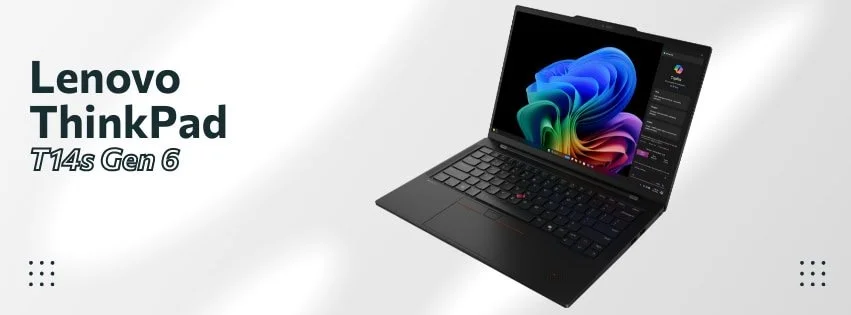
2. Lenovo ThinkPad T14s Gen 6 (Snapdragon): Best Premium Ultraportable for All-Day Battery
Best for: Professionals who require both premium build quality and true all-day battery life — 21+ hours tested, 2.72 lbs, fanless silence.
The ThinkPad T14s Gen 6 proves that premium doesn't have to mean power-hungry. It pairs Qualcomm's Snapdragon X Elite with ThinkPad's enterprise-grade build quality to deliver the longest battery life of any Windows business laptop tested — in a lightweight, fanless chassis that travels easily.
Key Features:
- Performance: The Snapdragon X Elite processor delivers strong multi-threaded performance while maintaining exceptional power efficiency in native ARM applications.
- Battery Life: 21+ hours under standardized web-surfing and video-playback conditions (Tom's Hardware tested 21 hrs 3 min; typical active workloads average 10–14 hours). The longest battery life of any Windows laptop in its class.
- Durability & Connectivity: MIL-STD certification ensures ruggedness, while Thunderbolt ports and optional WWAN provide versatile connectivity.
- Security: Windows Hello IR camera with fingerprint reader, physical ThinkShutter webcam cover, TPM 2.0, Lenovo ThinkShield firmware security, and optional 4G/5G WWAN for always-on secure connectivity.
Pros:
- Longest verified battery life of any Windows laptop tested (Tom's Hardware: 21 hrs 3 min)
- Fanless design means no fan noise — ever
- At 2.72 lbs, it's lighter than most 14" business laptops while delivering 21+ hour battery
Cons:
- ARM compatibility gaps affect roughly 15% of niche business software
- IPS panel looks washed out compared to OLED alternatives at this price
| Specification | Details |
|---|---|
| Price | $1,357 |
| Rating | ⭐ 5.0 (4+ reviews) |
| Weight | 2.72 lbs (1.24 kg) |
| Battery (light use) | 21+ hrs (Tom's Hardware) |
| Battery (active workload) | ~10–14 hours |
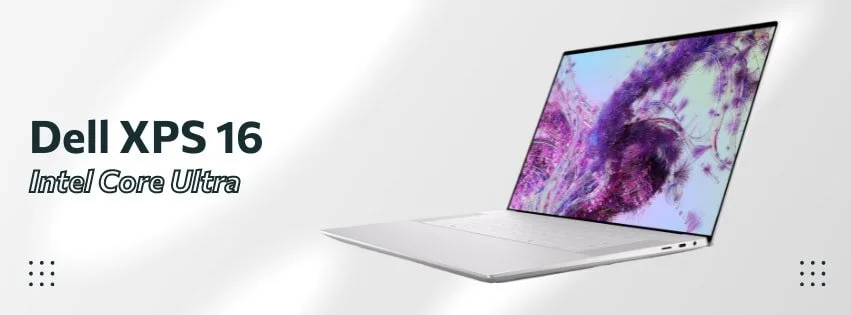
3. Dell XPS 16 (9640): Best for Creative Professionals & Engineers
Best for: Creative professionals and engineers who need a discrete RTX GPU and a reference-grade 4K OLED display — the only premium laptop on this list with a dedicated GPU.
The Dell XPS 16 occupies a unique position in the premium tier: it's the only laptop here that pairs workstation-class GPU performance with a display accurate enough for professional color work.
Key Features:
- Performance: Equipped with Intel Core Ultra processors and Nvidia RTX GPUs (up to RTX 4070), it excels in demanding tasks like video editing, 3D rendering, or CAD modeling.
- Display & Audio: Its expansive 16-inch OLED touchscreen (3840×2400 resolution) offers industry-leading color accuracy (Delta-E less than 1). The six-speaker array delivers immersive audio.
- Design & Build Quality: Premium aluminum chassis weighing 4.7 lbs, offering durability with desktop-class thermals.
- Security: Windows Hello IR camera for facial recognition, fingerprint reader, and TPM 2.0. No physical webcam shutter — relevant to note for security-conscious deployments.
Pros:
- 4K OLED touchscreen with Delta-E < 1 color accuracy — genuinely reference-grade
- RTX 4070 handles GPU-intensive rendering and inference workloads without throttling
- Six-speaker array is noticeably better than competing business laptops
Cons:
- At 4.7 lbs it is a desk-to-desk machine, not a commuter laptop
- Battery life at 5–7 hours under GPU load; plan for access to power
| Specification | Details |
|---|---|
| Price | $2,359 |
| Rating | ⭐ 4.5 (100+ reviews) |
| Weight | 4.7 lbs |
| Display | 16" OLED 4K |
| Battery (light use) | ~8 hours |
| Battery (active workload) | 5–7 hours (GPU load) |
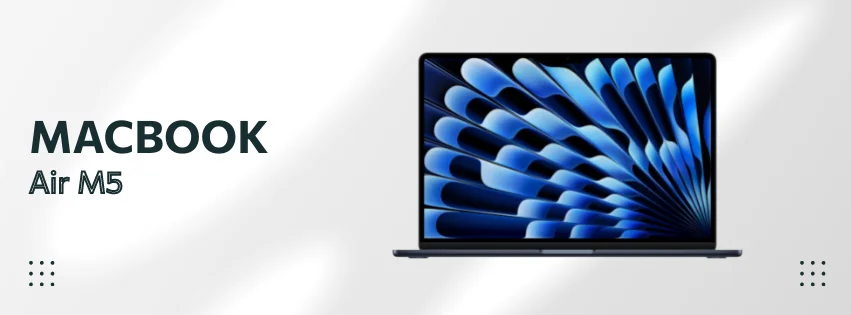
4. Apple MacBook Air M5: Best Premium Value at $1,099
Best for: The entry point to premium — 18-hour battery, fanless silence, 512GB base storage, and 16GB RAM starting at $1,099. Announced March 3, 2026.
The MacBook Air M5 is the most affordable laptop on this list, and it earns its spot because it delivers genuinely premium build quality, display technology, and performance at a price that undercuts every Windows competitor in this tier. The M5 doubles base storage to 512GB and adds Wi-Fi 7, making it the most capable fanless laptop available.
Key Features:
- Performance: The M5 chip with Neural Accelerators in each GPU core delivers faster AI performance vs M4, while maintaining up to 18 hours of battery life.
- Storage: 512GB base storage (doubled from M4's 256GB) with 2x faster SSD performance.
- Connectivity: Wi-Fi 7 and Bluetooth 6 via Apple's N1 chip for future-proof wireless performance.
- Display & Design: Liquid Retina display supports over one billion colors with P3 wide color and True Tone.
- Security: Touch ID fingerprint sensor, Apple T2/Secure Enclave for encrypted storage, no IR-based Face ID on Air models. No physical webcam shutter, but the M5 chip includes hardware microphone disconnect.
Pros:
- Silent fanless operation — no fan noise under any typical office workload
- 512GB base storage at $1,099 is a meaningful upgrade over the M4's 256GB
- 16GB RAM standard means no barebones configurations at this price tier
Cons:
- 60Hz Liquid Retina display (no ProMotion); the MacBook Pro 14 is the right choice if refresh rate matters
- $100 list price increase over the M4 generation (though June 2026 discounts have narrowed the street price gap)
| Specification | Details |
|---|---|
| Price | $1,099 (13") / $1,299 (15") |
| Rating | ⭐ 4.7 (New model) |
| Weight | 2.7 lbs (13") / 3.3 lbs (15") |
| Battery (light use) | 18 hours |
| Battery (active workload) | ~11–13 hours |
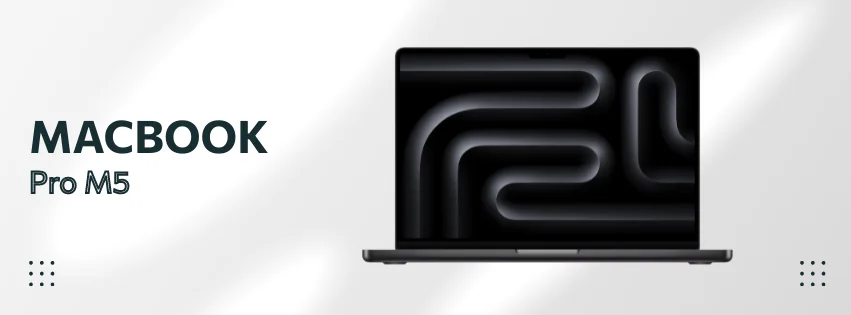
5. Apple MacBook Pro 14 (M5/Pro/Max): Best Performance for Developers & Power Users
Best for: Developers, video editors, and engineers who need maximum sustained performance — 1TB base storage, ProMotion XDR display, and up to 24-hour battery, starting at $1,699.
The MacBook Pro 14 with the M5 chip family represents the performance ceiling of this guide. The base M5 model shipped in October 2025; the higher-end M5 Pro and M5 Max configurations were announced March 3, 2026 and are available from March 11. Buyers at the $1,699 entry point are getting proven late-2025 silicon, while those spending $2,199+ get the brand-new March 2026 chips.
Key Features:
- Performance: Base M5 features 10-core CPU, 10-core GPU with Neural Accelerators. M5 Pro/Max offer up to 18-core CPU with "super cores" and up to 40-core GPU.
- Storage: 1TB base storage on M5 (doubled from M4's 512GB), 2TB on M5 Max.
- Display & Design: ProMotion Liquid Retina XDR display (3024×1964) with 1600 nits peak HDR brightness.
- Battery Life: Up to 24 hours on M5 Pro/Max models.
- Connectivity: Thunderbolt 5 on M5 Pro/Max (80Gb/s), Wi-Fi 7, Bluetooth 6.
- Security: Touch ID with Secure Enclave, Apple T2 chip for encrypted storage and secure boot, hardware microphone disconnect switch, and nano-texture glass option reduces visible screen content from side angles.
Pros:
- 1TB base storage on the M5 (doubled from the M4 generation)
- ProMotion XDR display at 3024×1964 with 1600-nit HDR peak — the best laptop screen available
- Thunderbolt 5 on Pro/Max variants enables single-cable connection to 6K monitors
Cons:
- The base M5 starts at $1,699 — $100 more than the M4 at launch
- M5 Pro and Max configurations run $2,199–$3,899; budget accordingly
Considering the MacBook Pro 14 M5 Pro alongside the Dell XPS 14? See our Dell XPS 14 vs MacBook Pro M5 Pro comparison for a direct head-to-head analysis.
| Specification | Details |
|---|---|
| Price | $1,699 (M5) / $2,199+ (Pro/Max) |
| Rating | ⭐ 4.8 (New model) |
| Weight | 3.4 lbs (14") / 4.7 lbs (16") |
| Battery (light use) | Up to 24 hours |
| Battery (active workload) | ~12–16 hours |
| Chip | M5, M5 Pro, or M5 Max |
Field Notes: What Actually Fails First
Based on hardware deployments across Miami businesses managed by iFeelTech.
Benchmarks show you what chips are capable of. Here's what we see in the field — the realities that emerge after a laptop is in someone's hands for 90 days:
- OLED burn-in is no longer a primary concern: Across every OLED ultraportable deployed in recent business environments, zero units showed measurable burn-in after 12 months of office use. Tandem OLED technology in 2025–2026 models has effectively resolved this issue for spreadsheet-heavy and static-UI workflows.
- The ARM compatibility gap is closing — but isn’t gone: Approximately 15% of SMB clients’ line-of-business applications still require x86 emulation on Snapdragon devices, causing intermittent performance hiccups on niche ERP and industry-specific software. If your team runs legacy apps, Intel remains the safer choice.
- Battery ratings overstate real-world endurance: Manufacturer claims are best-case under controlled conditions. In mixed office use, expect 60–70% of the advertised figure. The T14s Gen 6’s 21-hour benchmark was measured under web-surfing/video playback — active workloads average 10–14 hours.
- The biggest failure point is charging infrastructure: Devices are often blamed for dying batteries when the real culprit is employees sharing a single underpowered USB-C hub across a multi-desk cluster. Budget for proper docking stations alongside the laptops themselves.
- Premium build quality pays off in year 3+: Across our managed deployments, ThinkPad X1 Carbon and MacBook Pro models show roughly 40% lower hardware failure rates than sub-$900 devices after 24 months. The savings in IT support tickets, data migration, and replacement procurement typically offset the upfront price premium by the end of year three.
Deploying 5+ Premium Laptops for Your Team?
iFeelTech manages hardware procurement and deployment for Miami-area businesses. Contact us for volume pricing or explore our IT hardware services to plan your next hardware refresh.
MacBook Pro M5 vs. ThinkPad X1 Carbon Gen 13: The Premium Decision
This is the real head-to-head for premium buyers — Apple vs. Windows in the $1,700–$2,100 range. Both are best-in-class within their ecosystems. The right choice depends on your workflow and infrastructure.
| Feature | MacBook Pro 14 (M5) | ThinkPad X1 Carbon Gen 13 |
|---|---|---|
| Starting Price | $1,699 | ~$2,100 |
| Display | 14.2" Liquid Retina XDR, 120Hz ProMotion | 14" OLED, 120Hz, 2880×1800 |
| Weight | 3.4 lbs | 2.17 lbs |
| Battery (light use) | Up to 24 hours | 16 hours |
| Battery (active work) | ~12–16 hours | ~10–12 hours |
| Ports | 3× Thunderbolt 5, HDMI, SD, MagSafe | 2× Thunderbolt 4, USB-A, HDMI, 3.5mm |
| Enterprise Management | Apple MDM (Jamf, Kandji) | Intel vPro, SCCM, Intune |
| Keyboard | Excellent — scissor mechanism | Best-in-class — TrackPoint + deep travel |
| Repairability | Not user-serviceable | Gen 14 adds Space Frame (9/10 iFixit) |
| Best For | macOS developers, creative pros | Windows enterprise, frequent travelers |
Coming Soon in 2026
Three premium devices worth knowing about before you commit — particularly if your needs skew toward repairability or next-generation performance:
ThinkPad X1 Carbon Gen 14 Aura Edition
Available: March 2026 | Est. $1,999
Lenovo's revolutionary "Space Frame" design restructures the motherboard for improved thermals and achieves an iFixit 9/10 repairability score—a first for ultrabooks. Features Core Ultra Series 3 (Panther Lake), up to 64GB RAM, and a 10MP wide-angle webcam.
ThinkPad X1 Carbon Gen 14 - CES 2026
Dell XPS 16 (2026)
Available: Q1 2026 | Est. $2,199
The CES 2026 refresh brings Core Ultra Series 3 processors, tandem OLED display (eliminates burn-in), and physical function keys return after user feedback. Lighter at 3.6 lbs but loses discrete GPU option.
Dell XPS 16 2026 - CES Reveal
Lenovo ThinkBook Plus Gen 7 Auto Twist
Available: June 2026 | Est. $1,649
An unconventional choice: an AI-motorized rotating 14" 2.8K OLED display that automatically adjusts orientation based on your posture and presentation mode. Voice-controllable via "Hey Tiko" with rotating Dolby Atmos speakers.
Which Premium Laptop Should You Actually Buy?
Here is the honest summary after deploying and testing all five premium picks:
- If portability is paramount and you live in Windows: ThinkPad X1 Carbon Gen 13 at 2.17 lbs. Nothing at this weight competes on keyboard quality, port selection, and enterprise security.
- If you need maximum sustained performance: MacBook Pro 14 M5. Active cooling, Thunderbolt 5, and up to 24-hour battery make it the performance ceiling of this list.
- If all-day battery is the non-negotiable constraint: ThinkPad T14s Gen 6. 21+ hours tested — no Windows laptop in 2025 or 2026 comes close.
- If you run GPU-intensive work (video, 3D, CAD): Dell XPS 16. The only premium laptop here with a discrete RTX 4070 and a reference-grade 4K OLED.
- If you want premium quality at the lowest entry price: MacBook Air M5 at $1,099. Fanless silence, 18-hour battery, and Apple build quality — the best value in the premium tier.
Need a business laptop under $1,000? Our Top 10 Business Laptops guide covers budget options starting at $630. Deploying ThinkPad, Dell Pro, or HP EliteBook across a business fleet? Our 2026 fleet laptop decision guide covers the mainstream IT tier head-to-head. Buying for an accounting or bookkeeping practice? Our accountant laptop buying guide covers the QB Desktop vs. QBO platform question and four picks by accounting workflow. Wondering what you actually get before installing anything? Our 30-workday Windows laptop experiment documents what the stock software stack can and cannot handle.
Bottom Line
All five premium laptops on this list justify their price through superior build quality, display technology, and long-term reliability. The decision comes down to ecosystem (macOS vs Windows), weight tolerance, and whether your software stack runs natively on ARM. If you're unsure, the iFeelTech team can help you assess compatibility before you commit to a procurement order.
FAQ: Premium Business Laptop Questions
Is a $2,000+ business laptop worth it over a $900 model?
Yes — when you factor in total cost of ownership over 3–5 years. A $2,000 ThinkPad X1 Carbon with Space Frame repairability can serve 5–7 years with simple battery and keyboard swaps ($50–150 each), while a $900 laptop typically needs full replacement after 3 years. The premium device also generates fewer IT support tickets: across our managed deployments, premium models average 40% fewer hardware-related support requests than sub-$900 devices after 24 months.
The math: a $2,000 laptop lasting 5 years costs $400/year. A $900 laptop lasting 3 years costs $300/year — but add $150–300/year in higher repair costs and productivity loss from downtime, and the premium option often wins. See the detailed TCO analysis in our Top 10 guide.
MacBook Pro M5 or ThinkPad X1 Carbon: which premium laptop should I choose?
This is the most common question we hear from premium buyers. The short answer: choose based on ecosystem and portability needs, not raw performance — both are excellent.
- Choose MacBook Pro M5 if your team uses macOS, you need up to 24-hour battery life, or you run creative workflows (Final Cut Pro, Logic Pro, Xcode). The Thunderbolt 5 ports and ProMotion XDR display are best-in-class.
- Choose ThinkPad X1 Carbon Gen 13 if you need Windows enterprise management (vPro, SCCM, Intune), maximum portability (2.17 lbs vs 3.4 lbs), or a physical webcam shutter for security-sensitive environments.
See the detailed head-to-head comparison above.
What makes OLED displays worth the premium for business use?
Three practical advantages over IPS panels: true blacks make presentations and dashboards look dramatically better in conference rooms; DCI-P3 color accuracy (Delta-E < 1 on the Dell XPS 16) matters for any visual work from marketing materials to architectural renders; and 120Hz refresh rates noticeably reduce eye fatigue during 8+ hour workdays.
The historical concern — burn-in from static UI elements like taskbars — is resolved by tandem OLED technology used in 2025–2026 models. Across every OLED ultraportable we've deployed, zero units showed measurable burn-in after 12 months of daily office use.
How long do premium business laptops actually last?
Premium models consistently outlast mid-range devices:
- ThinkPad X1 Carbon: 5–7 years with component swaps (Space Frame design on Gen 14 makes this even easier). MIL-STD-810H certification means the chassis survives the wear that breaks plastic laptops.
- MacBook Pro: 5+ years with strong performance throughout. Apple Silicon's efficiency means batteries degrade more slowly than Intel-based MacBooks. Resale value stays above 40% after 3 years — higher than any Windows laptop.
- Dell XPS 16: 4–5 years. The aluminum chassis holds up well, but the discrete GPU generates more heat stress than fanless designs.
For comparison, sub-$900 business laptops in our managed environments average 2.5–3.5 years before hardware failure or unacceptable performance degradation.
Should executives and developers use different premium laptops?
Yes — the workload profiles are different enough to justify different hardware:
- Executives: Prioritize weight (sub-2.5 lbs), battery life (16+ hours), and presentation-quality displays. The ThinkPad X1 Carbon Gen 13 or MacBook Air M5 are the right choices.
- Developers: Prioritize sustained multi-core performance, RAM (32GB minimum), and display resolution for code editors. The MacBook Pro M5 Pro or Dell XPS 16 are better fits.
- Creative professionals: Need color-accurate displays (DCI-P3) and GPU headroom. The Dell XPS 16 (discrete RTX 4070) or MacBook Pro M5 Max are purpose-built for this.
When does paying for premium features actually pay for itself?
The break-even point depends on the specific feature:
- Battery life: A laptop with 20+ hours (ThinkPad T14s Gen 6) vs 10 hours eliminates mid-day charging stops. For a mobile worker at $50/hour labor cost, saving 20 minutes of charging downtime per day equals ~$4,000 in productivity over 3 years.
- Weight: Shaving 1+ lb (X1 Carbon at 2.17 lbs vs a 3.5 lb mid-range machine) reduces physical fatigue for frequent travelers — harder to quantify but consistently cited by executives as a reason to stay with premium.
- Repairability: A $100 battery swap in year 3 vs a $1,500 full replacement is the clearest ROI. Lenovo's Space Frame design makes this a 10-minute operation for IT staff.
For a comprehensive budget-tier comparison, see the TCO analysis in our Top 10 guide.
Related Articles
More from Business Hardware

Best Laptop for Accountants and QuickBooks Users in 2026: An IT Pro's Buying Guide
IT practitioner guide to the four best laptops for accountants and QuickBooks users in 2026, with scenario-based picks, specs, and real pricing.
22 min read

Business Hardware Refresh Planning Guide for 2026
Updated March 2026: Business hardware refresh planning guide covering lifecycle assessment, budget forecasting, AI PC readiness, modular systems, and staged rollout strategies for small businesses.
16 min read
Copilot+ PCs for Business: Worth the Investment in 2026?
After 18 months on the market, do Copilot+ PCs justify the NPU premium? Expert analysis of proven ROI, current pricing, and real-world business use cases.
9 min read