

Copilot+ PCs for Business: Worth the Investment in 2026?
After 18 months on the market, do Copilot+ PCs justify the NPU premium? Expert analysis of proven ROI, current pricing, and real-world business use cases.

Key Takeaway
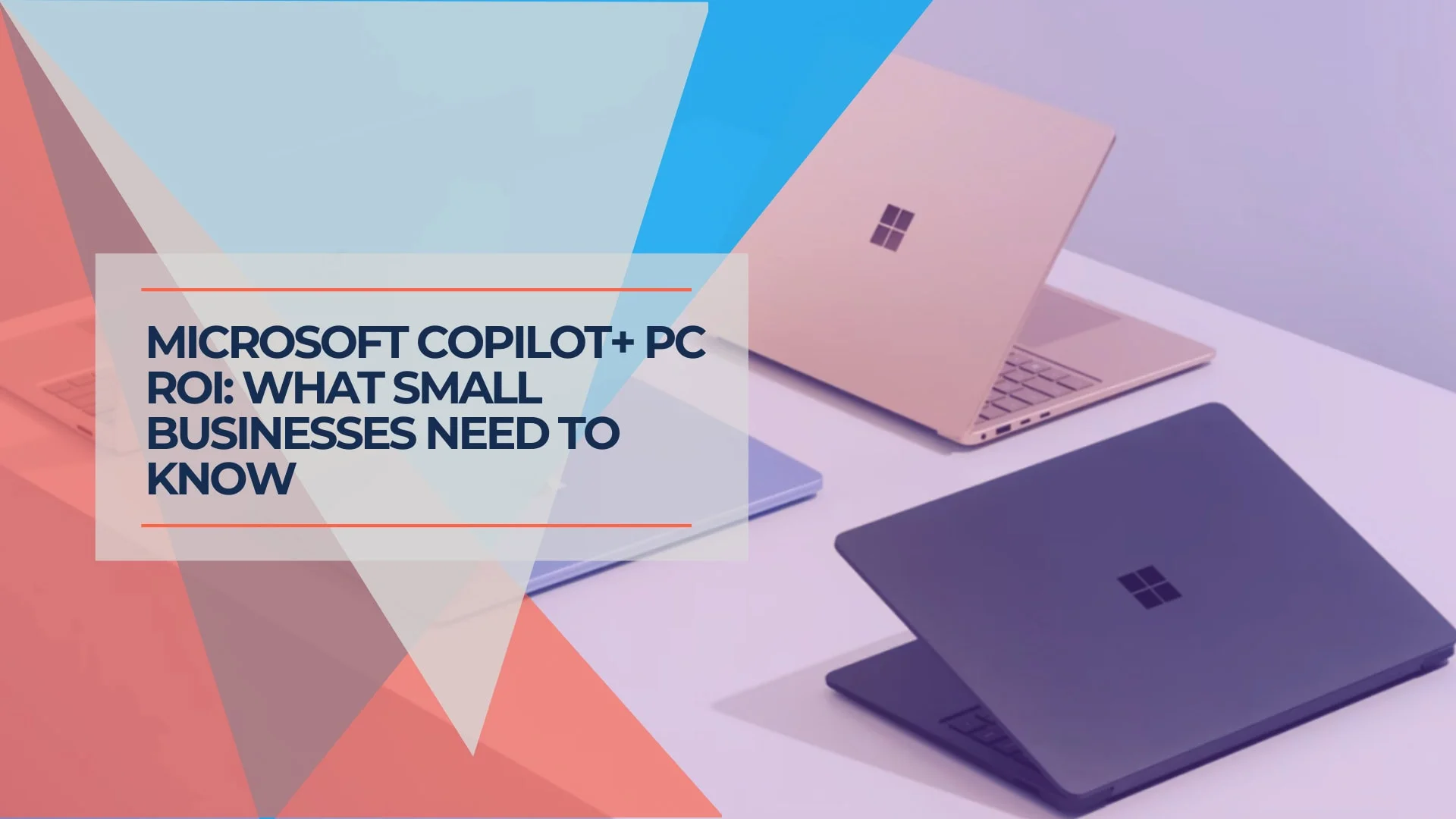
After 18 months on the market, Copilot+ PCs deliver positive ROI primarily for heavy Microsoft 365 users and remote teams with unreliable internet access. The $200-$300 NPU premium is justified for Excel power users and field teams, but offers minimal gains for browser-based workers using Google Workspace. Current street pricing (~$850-$1,100 for Surface Laptop 7) makes this an accessible entry point for fleet-wide deployment.
What Defines a Copilot+ PC in 2026?
A Copilot+ PC is a Windows 11 device equipped with a Neural Processing Unit (NPU) capable of at least 40 TOPS (trillion operations per second) to handle local AI workloads without internet latency.
Unlike standard laptops that rely on cloud servers for AI, these devices process tasks like real-time translation, video effects, and local data analysis directly on the silicon. Local processing ensures sensitive data—like financial queries or proprietary drafts—never leaves the device, addressing privacy concerns that cloud-based AI cannot.
Core 2026 Hardware Standards
- NPU: 40+ TOPS (Standard on Snapdragon X, Intel Core Ultra Series 2, and AMD Ryzen AI 300)
- RAM: 16GB minimum (Non-negotiable for local AI models)
- Storage: 256GB SSD (512GB recommended for local model storage)
- Privacy: Local processing ensures sensitive data never leaves the device
Offline vs. Online Performance: The Real Difference
Local Copilot summarizes a 50-page PDF in 3 seconds offline. Cloud-based Copilot takes 12 seconds plus upload time. For remote teams with spotty connectivity, this difference compounds throughout the workday.
However, 2026 user reviews reveal a trade-off: heavy local AI processing drains battery 15-20% faster than advertised, particularly during sustained Excel analysis or video processing tasks.
Proven Business Use Cases After 18 Months
Real-world deployment data from 2024-2026 reveals specific scenarios where Copilot+ PCs deliver measurable ROI:
High-ROI Scenarios
Remote/Field Teams: On-device AI (Live Captions, noise cancellation) works perfectly offline, critical for spotty connections. Field technicians and sales teams report 30% fewer communication issues.
Excel Power Users: Local NPU processing speeds up complex pattern recognition in large spreadsheets without cloud lag. Financial analysts report 40% faster data analysis workflows.
Privacy-Sensitive Industries: Healthcare, legal, and financial services benefit from keeping client data on-device rather than sending to cloud servers for processing.
Low-Value Scenarios
Browser-Based Workers: Teams primarily using Chrome and Google Docs see limited NPU utilization. Standard business laptops provide equivalent performance while saving $200-$300 per unit.
Basic Office Tasks: Email, web browsing, and light document editing show minimal performance improvement from NPU acceleration.
Top Copilot+ Hardware for Business (January 2026)
Best Overall Value: Microsoft Surface Laptop 7
Microsoft Surface Laptop 7 (13.8-inch or 15-inch)
Status: Mid-Cycle (Released mid-2024)
Jan 2026 Street Price: ~$850-$1,100 (Snapdragon X Elite) | ~$1,400+ (Intel Core Ultra Series 2)
NPU Performance: 45 TOPS (Snapdragon X Elite) | 40-48 TOPS (Intel Core Ultra Series 2)
Verdict: Now a mature platform. Frequent sales make this the most cost-effective way to deploy Copilot+ hardware fleet-wide. The Snapdragon X Elite (ARM) version offers genuine all-day battery life and best value, while the Surface Laptop 7 for Business with Intel Core Ultra eliminates app compatibility concerns for legacy x86 software.
Which Version to Choose:
- Snapdragon (ARM): Best for Microsoft 365-focused workflows, web apps, and maximum battery life
- Intel (x86): Required for legacy business software, specialized industry apps, or existing endpoint security agents that don't support Windows on ARM
Best For: Professional services, consulting firms, real estate offices, and businesses prioritizing Microsoft 365 integration. If you're comparing different business laptop options, the Surface Laptop 7 offers the best value entry-point.
Unboxing the Surface Laptop for Business 13-in Copilot+ PC
Enterprise Standard: Lenovo ThinkPad X1 Carbon Gen 13 (Aura Edition)
Lenovo ThinkPad X1 Carbon Gen 13 Aura Edition
Status: Proven Value Standard (Gen 14 announced CES 2026)
Jan 2026 Price: ~$1,500+
NPU Performance: 47 TOPS (Intel Core Ultra Series 2)
Verdict: Built on Intel Core Ultra (Series 2) architecture, this unit eliminates the app compatibility fears associated with ARM-based chips. While the Gen 14 was announced at CES 2026, the Gen 13 remains the proven, cost-effective choice for businesses prioritizing stability over bleeding-edge hardware. It combines the required 47 TOPS NPU with trusted ThinkPad durability and IT manageability. For businesses weighing processor options, our ARM vs. x86 comparison guide provides detailed insights into architecture differences.
Best For: IT departments requiring x86 compatibility, businesses with specialized legacy software, companies with existing Lenovo enterprise agreements.
The Apple Alternative: MacBook Pro (M5 / M4 Pro)
MacBook Pro 14-inch (M5 / M4 Pro)
Status: Mixed Cycle
Base Model (M5): Released October 2025 – Starting at $1,599
High-End (M4 Pro/Max): Current performance leaders until expected Spring 2026 refresh – $2,399+
AI Performance: 38+ TOPS (Neural Engine)
Verdict: While Apple does not use the "Copilot+" branding (this is a Microsoft Windows specification), the 14-inch MacBook Pro with M5 (released Oct 2025) fulfills the same functional role through local AI processing and outperforms most Windows NPUs in creative workflows. For high-end video/3D tasks, the M4 Pro/Max models remain the performance leaders until the expected Spring 2026 refresh.
Best For: Design agencies, marketing firms, video production teams requiring maximum local processing power. For businesses requiring specialized graphics performance, consider our CAD workstation recommendations for architecture and engineering workflows.
Do Copilot+ Features Justify the Extra Cost?
Copilot+ PCs generate positive ROI primarily for heavy Microsoft 365 users and remote teams with unreliable internet access, but offer limited gains for Google Workspace-centric businesses.
After 18 months of market presence, deployment data reveals specific scenarios where the investment makes sense:
The Winners
Remote/Field Teams: On-device AI (like Live Captions and noise cancellation) works perfectly offline, critical for spotty connections. Sales teams and field technicians report 30% improvement in communication reliability.
Excel Power Users: Local NPU processing speeds up complex pattern recognition in large spreadsheets without cloud lag. Financial analysts report 40% faster workflows on datasets over 100,000 rows.
Privacy-Conscious Industries: Healthcare, legal, and financial firms benefit from processing sensitive data locally rather than sending to cloud servers.
Limited-Value Scenarios
Browser-Based Workers: Teams primarily using Chrome and Google Docs see limited NPU utilization. Standard business laptops provide equivalent performance while saving $200-$300 per unit.
Basic Office Users: Email, web browsing, and light document editing show minimal performance improvement from NPU acceleration.
The Microsoft Recall Feature: Business Compliance Concerns
Microsoft's "Recall" feature (which screenshots your activity history) raised significant security concerns at launch. As of January 2026:
- Recall is disabled by default on business editions of Windows 11
- IT admins can block Recall deployment via Group Policy
- GDPR and HIPAA-compliant configurations require explicit Recall disabling
- Businesses should audit Recall settings during deployment to ensure compliance
For comprehensive cybersecurity tools alongside AI-enabled devices, consider implementing endpoint protection that monitors AI feature usage.
Investment Analysis: The Real Numbers
Total Cost of Ownership (Per Device)
- Hardware Premium: $200-$300 over standard business laptops (down from $500+ at launch)
- Microsoft 365 Copilot License: $30/user/month for advanced features (optional)
- Training Investment: 2-4 hours initial training per employee
- Expected Lifespan: 4-5 years (standard business laptop lifecycle)
Break-Even Analysis
For Excel Power Users: If NPU acceleration saves 30 minutes daily on data analysis, the $300 premium pays for itself in 3-4 months (assuming $50/hour labor cost).
For Field Teams: Reduced communication issues and offline capability justify the investment for teams spending 50%+ of time away from reliable internet.
For Browser Workers: No measurable productivity gain means the premium never pays for itself. Stick with standard laptops.
Implementation Strategy: Phased Deployment
Recommended Approach
Phase 1 (Month 1-2): Deploy to 3-5 Excel power users and field team members. Track time savings and offline productivity improvements.
Phase 2 (Month 3-4): Expand to departments showing measurable ROI from pilot. Focus on roles with 4+ hours daily Microsoft 365 usage.
Phase 3 (Month 5-6): Complete rollout for high-value roles. Continue using standard laptops for browser-based workers to optimize budget.
Need help planning your deployment? Our managed IT services team can assess your workflows and create a customized rollout strategy.
Who Should Skip Copilot+ PCs
When Standard Laptops Are the Better Choice
- Google Workspace-Primary Businesses: Limited NPU utilization without Microsoft 365 integration
- Browser-Based Workers: Chrome and web app users see minimal productivity improvement
- Tight IT Budgets: Standard laptops save $200-$300 per unit with equivalent performance for basic tasks
- Manufacturing/Warehouse Operations: Hands-on work environments show limited benefit from AI acceleration
- Legacy Security Stack: If using proprietary endpoint security agents, verify Windows on ARM compatibility before purchasing Snapdragon-based devices. Major vendors (CrowdStrike, SentinelOne) now support ARM, but legacy agents may require Intel-based versions
Hybrid Deployment Strategy
Deploy Copilot+ PCs to 20-30% of your team (Excel users, field teams, data analysts) while equipping browser-based workers with standard business laptops. Replace remaining devices with Copilot+ hardware during natural refresh cycles as software ecosystem matures.
Frequently Asked Questions
Do Copilot+ PCs work without internet connectivity?
Yes. Local NPU processing handles document summarization, Excel analysis, Live Captions, and noise cancellation completely offline. Cloud-based features (web search, cloud file analysis) require internet, but core productivity AI works without connectivity.
How much training do employees need for Copilot+ PC features?
2-4 hours of initial training covers the basics. AI features integrate into existing Microsoft 365 applications, so employees adapt within 2-3 weeks. The learning curve is minimal since AI assistance appears within familiar software interfaces.
Are there ongoing subscription costs for AI features?
Windows 11 includes basic AI features at no extra cost. Advanced Microsoft 365 Copilot features (deep Excel analysis, advanced document generation) require $30/user/month licensing. Factor this into total cost of ownership calculations.
What happens to sensitive business data processed by AI?
Local NPU processing keeps sensitive data on your device—it never leaves your hardware. Cloud-connected features (web search, cloud file analysis) send data to Microsoft servers. Review privacy policies and configure settings based on your compliance requirements. Implement comprehensive cybersecurity tools alongside AI-enabled devices.
Can we upgrade existing laptops to get Copilot+ features?
No. Copilot+ requires dedicated NPU hardware (40+ TOPS) that cannot be retrofitted. Cloud-based AI services offer some features on standard laptops, but with slower performance and internet dependency.
How do Copilot+ PCs compare to using ChatGPT or other AI tools?
Copilot+ PCs integrate AI directly into Microsoft 365 applications without switching contexts. ChatGPT and similar tools require copy-pasting between applications. The efficiency gain comes from workflow integration, not superior AI capability.
What's the expected lifespan of a Copilot+ PC investment?
4-5 years, matching standard business laptop lifecycles. Current 40+ TOPS NPUs handle existing AI workloads with headroom for software evolution. Budget for replacement during normal refresh cycles.
Does heavy AI processing affect battery life?
Yes, but with important context. The NPU itself is more efficient than the CPU, but 2026 user reviews show that constantly using new AI features (sustained Excel analysis, video processing) drains battery 15-20% faster than advertised. This reflects increased feature usage rather than hardware inefficiency. Light AI usage (document summarization, Live Captions) has minimal battery impact.
Bottom Line: The 2026 Verdict
After 18 months on the market, Copilot+ PCs deliver proven ROI for specific use cases: Excel power users, remote/field teams, and privacy-sensitive industries. The $200-$300 hardware premium can pay for itself in 3-4 months for these roles.
Browser-based workers using Google Workspace see limited productivity improvement. Standard business laptops often provide better value for these employees. See our top 10 business laptops guide for tested recommendations across every budget tier.
Current pricing (~$850-$1,100 for Surface Laptop 7) makes this an accessible entry point for fleet deployment. The technology has matured significantly since its initial launch.
Our Recommendation
Deploy Surface Laptop 7 devices to 3-5 Excel users and field team members as a pilot. Track time savings for 60-90 days. Expand to high-value roles showing measurable ROI. Continue using standard laptops for browser-based workers to optimize budget.
Need help determining if Copilot+ PCs are right for your specific business? Our Miami-based IT consultants can assess your workflows and provide customized recommendations. Contact us for a free hardware assessment tailored to your business needs and budget.
Affiliate Disclosure: This article contains affiliate links. If you make a purchase through these links, we may earn a small commission at no extra cost to you.
Related Articles
More from Business Hardware
Dell Pro Max 14 Review: The Business Deployment Verdict (2026)
Dell Pro Max 14 review for IT managers and small business buyers. ProSupport, Autopilot enrollment, fleet deployment, and whether it's worth switching from Precision.
19 min read

Best Conference Room Equipment for Small Business
Logitech Rally Bar, Poly Studio X52, Jabra PanaCast 50, and Yealink MeetingBoard Pro reviewed for SMB rooms. Real specs, pricing, and room-fit guidance.
26 min read

Business Hardware Refresh Planning Guide for 2026
Updated March 2026: Business hardware refresh planning guide covering lifecycle assessment, budget forecasting, AI PC readiness, modular systems, and staged rollout strategies for small businesses.
15 min read