

UniFi Cloud Gateway Max Review: The $199 Gateway That's Right for Most Offices
The UCG-Max delivers 2.3 Gbps IDS/IPS, 4x 2.5GbE ports, and full UniFi Protect in a $199 fanless device. We've deployed it across dozens of client sites. Here's who it's for.

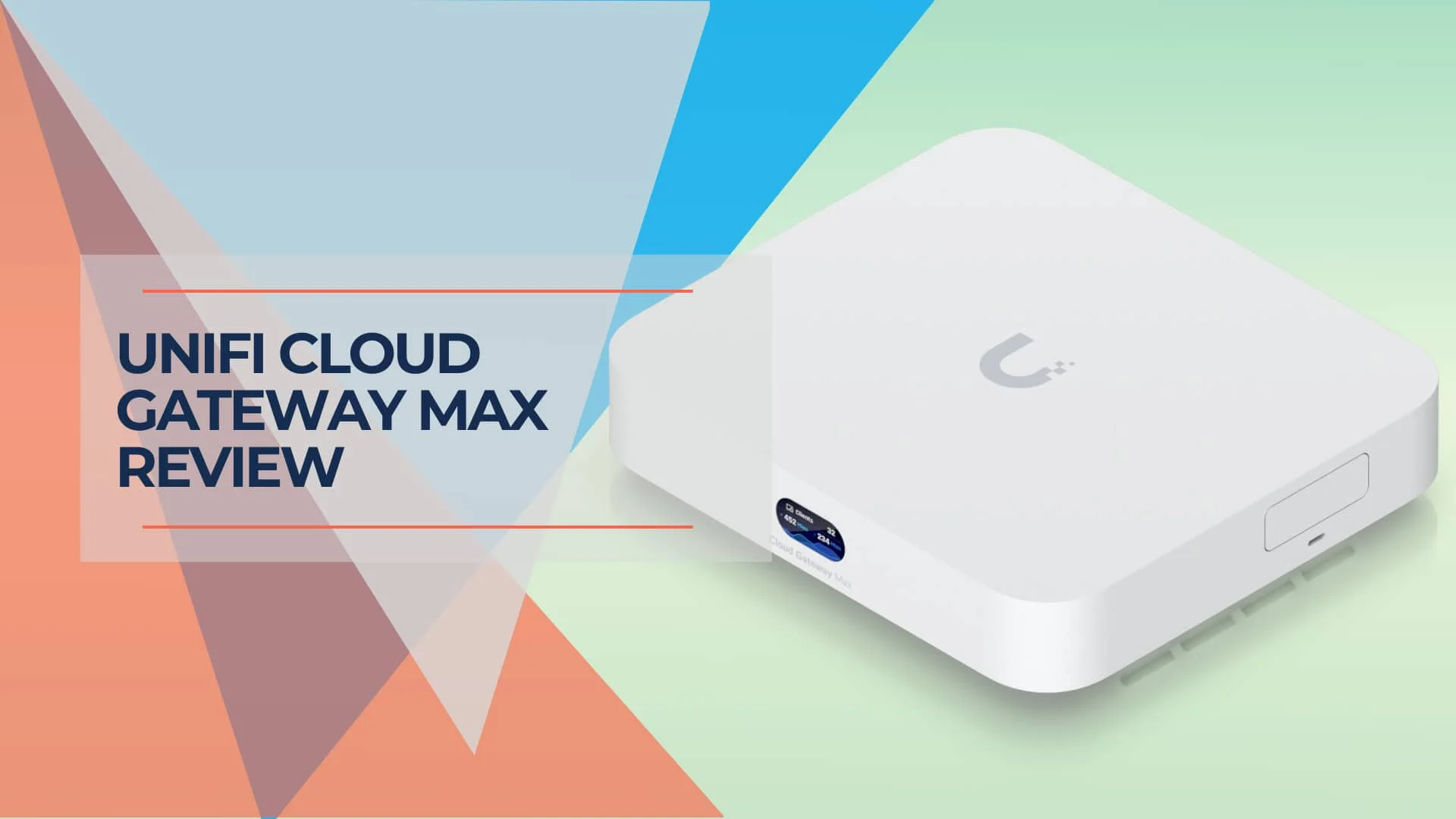
The UniFi Cloud Gateway Max is the gateway we recommend to most small business clients. At $199, it delivers 2.3 Gbps IDS/IPS throughput, four 2.5 GbE ports, UniFi Protect support, and a full built-in controller — all in a fanless box that draws 16 watts.
The UCG-Max has been on the market since mid-2024. The firmware is stable, the performance is field-tested across hundreds of client deployments, and the platform has received meaningful updates — most significantly, the IDS/IPS throughput improvement from 1.5 Gbps to 2.3 Gbps via the OS 4.1+ firmware update. That matched the Dream Router 7's security throughput at $80 less.
This review covers specs, real-world deployment notes, benchmarks, and the specific scenarios where the UCG-Max is the right call — and where it isn't.
May 2026 Update
The UCG-Max has received two meaningful platform updates since this review was originally published:
- UniFi OS 4.1+: IDS/IPS throughput improved from 1.5 Gbps to 2.3 Gbps — matching the Dream Router 7's security performance at $80 less.
- UniFi Network Zone-Based Firewall: The new firewall engine (Network 9.0+) simplifies rule management significantly. If you are running legacy firewall rules on an existing UCG-Max, migrating to zone-based rules is worth the effort.
- G6 Camera Compatibility: The full G6 camera lineup (G6 Bullet, G6 Turret, G6 Instant, G6 PTZ) is fully compatible with the UCG-Max's built-in NVMe storage. No hardware change required to add G6 cameras to an existing Protect setup.
- CyberSecure pricing unchanged: The $99/year subscription remains current pricing as of May 2026, covering 55,000+ IPS signatures with real-time updates via Proofpoint.
Affiliate Disclosure: This article contains affiliate links. If you make a purchase through these links, we may earn a small commission at no extra cost to you.
UCG-Max vs. 2026 Alternatives — Quick Decision Guide:
- Sub-2 Gbps internet + no built-in WiFi needed → UCG-Max ($199)
- Need built-in WiFi 7 → Dream Router 7 ($279)
- 10G backbone + PoE+ required → UCG Fiber ($279)
- Warehouse / extreme heat / harsh environment → UCG Industrial
UCG-MAX at a Glance: Key Numbers
| Spec | Value |
|---|---|
| Price | $199 (No Storage) / $279 (512GB) |
| IDS/IPS Throughput | 2.3 Gbps (UniFi OS 4.1+) |
| WAN Port | 1x 2.5 GbE (remappable to LAN) |
| LAN Ports | 4x 2.5 GbE |
| Max Storage | Up to 2TB NVMe (M.2 slot) |
| Max Camera Count | 15 HD / 8 2K / 5 4K |
| Max Managed Devices | 30+ UniFi devices, 300+ clients |
| Processor | Quad-core ARM Cortex-A53 @ 1.5 GHz |
| Memory | 3 GB DDR4 |
| Power Draw | ~8–10W idle / 16.1W max, fanless |
| WiFi | None (wired gateway only) |
| Dimensions | 141.8 × 127.6 × 30 mm |
Bottom Line
- The UCG-MAX delivers 2.3 Gbps routing with IDS/IPS enabled, four 2.5 GbE LAN ports, and up to 2TB NVMe storage for UniFi Protect.
- At $199 (no storage) or $279 (512GB), it remains the best-value wired gateway for small offices with sub-2 Gbps internet.
- For 10Gbps needs or integrated WiFi 7, consider the UCG Fiber ($279) or Dream Router 7 ($279) instead.
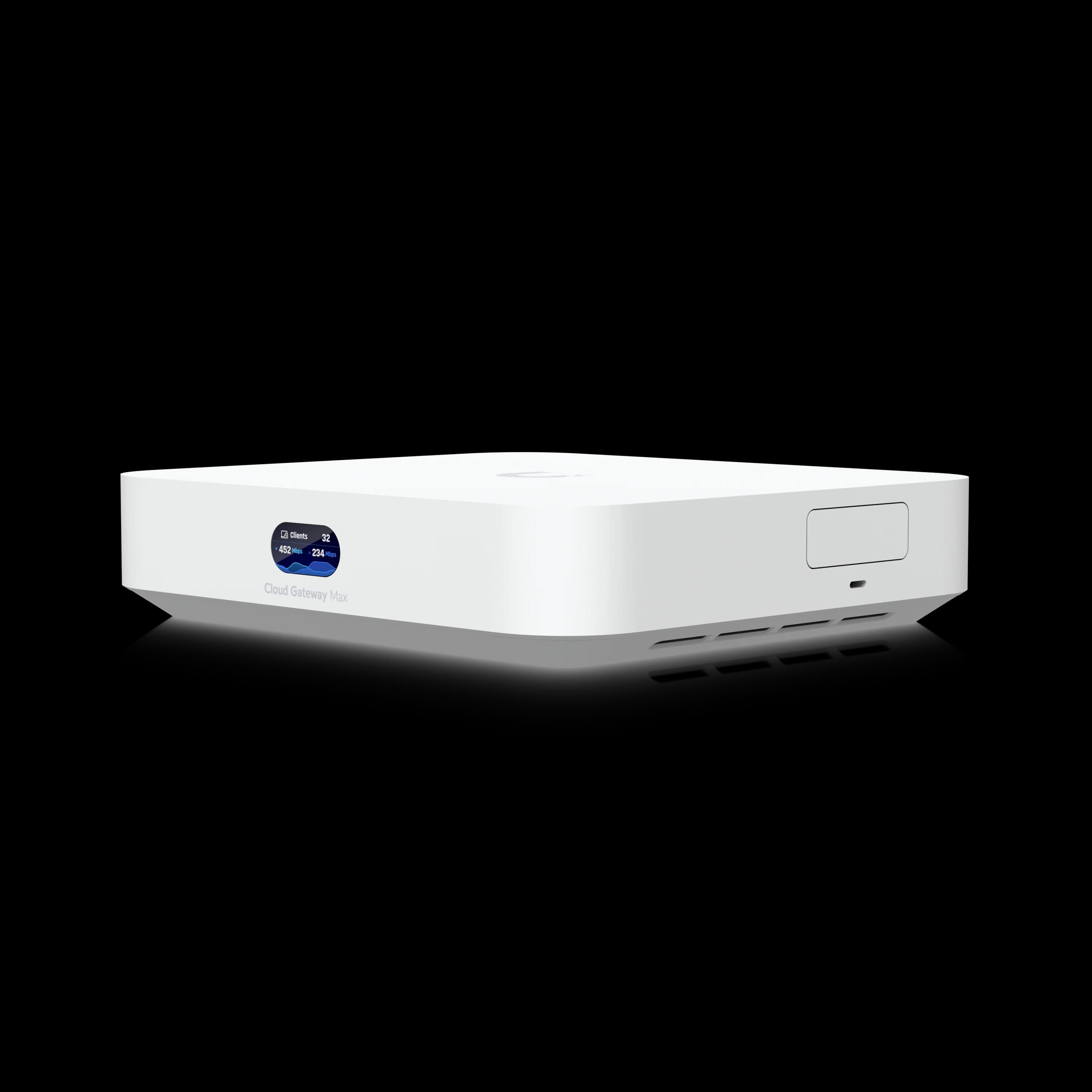
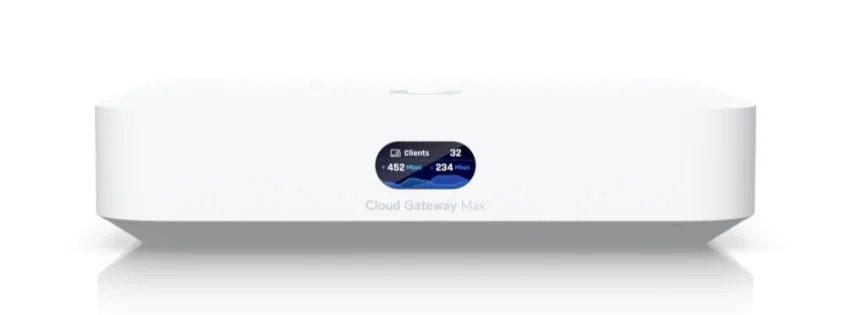
Cloud Gateway Max
Best-value wired gateway for small offices with sub-2 Gbps internet and UniFi Protect.
- 2.3 Gbps IDS/IPS throughput
- Up to 2TB NVMe storage for UniFi Protect
- Four 2.5 GbE LAN ports
- Fanless, compact design
*Price at time of publishing
UCG-Max Hardware Specifications
The UCG-Max includes a 1.5 GHz quad-core ARM processor, 3 GB RAM, one 2.5 GbE WAN port, four 2.5 GbE LAN ports, and up to 2TB NVMe storage for UniFi Protect.
At 141.8 × 127.6 × 30 mm, this compact, fanless device draws approximately 8–10W at idle and a maximum of 16.1W under full load, powered by USB-C. It replaces the need for a separate Network Video Recorder (NVR) and cloud key, running the full UniFi ecosystem locally.
Integrated UniFi Ecosystem Support
The UCG-MAX runs the full UniFi ecosystem locally. It supports:
- UniFi Network: For managing network devices and traffic
- UniFi Protect: For video surveillance
- UniFi Talk: For VoIP communications
- UniFi Access: For access control systems
- UniFi Connect: For remote device management
All five applications run locally on the device, eliminating the need for a separate Cloud Key or controller.
High-Speed Networking Capabilities
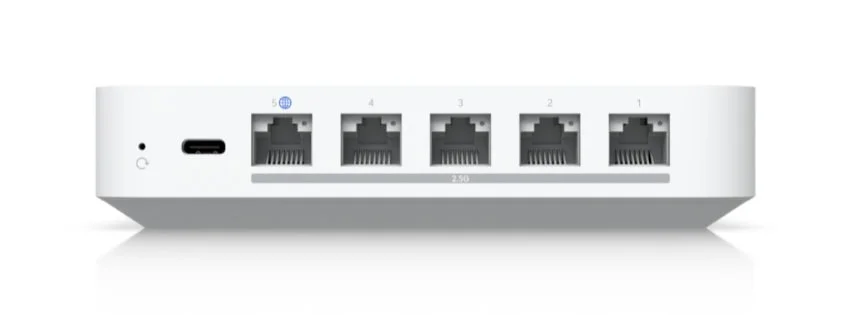
The device is equipped with 2.5 Gigabit Ethernet (GbE) ports:
- 1 x 2.5 GbE WAN port
- 4 x 2.5 GbE LAN ports (one remappable to WAN)
All ports exceed standard Gigabit Ethernet by 2.5x. For businesses requiring 10Gbps uplinks, the UCG Fiber is the better fit.
Built-in Storage for Security Footage
The UCG-MAX has a pre-installed 512 GB SSD module (1TB and 2TB options are also available) dedicated to UniFi Protect camera storage. According to Ubiquiti, this allows for:
- Up to 15 HD (1080p) cameras
- Up to 8 2K cameras
- Up to 5 4K cameras
The G6 camera series released in 2025, featuring enhanced 4K imaging and AI capabilities, pairs directly with the UCG-MAX's built-in NVR storage.
The UCG-MAX maintains a small physical footprint:
- Dimensions: 141.8 x 127.6 x 30 mm (5.6 x 5 x 1.2")
- Weight: 519 g (1.1 lb)
- Power method: USB Type-C (5V DC/5A)
- Power consumption: ~8–10W at idle / 16.1W maximum
The UCG-MAX is completely fanless and uses passive cooling, making it silent in operation. Under sustained load with IDS/IPS and Protect recording active, the aluminum chassis typically hovers around 40-45°C (104-113°F) -- warm to the touch but well within the operating range. Avoid stacking it directly on top of cable modems or other heat-generating equipment, and leave at least a few centimeters of clearance on all sides. The compact design and USB-C power delivery make it easy to deploy on a desk, in a network closet, or wall-mounted. For deployments in warehouses, manufacturing floors, or outdoor-adjacent areas where temperatures exceed office range or dust is a factor, the UCG Industrial is the purpose-built alternative — the UCG-Max's passive aluminum chassis is designed for controlled office environments, not industrial ones.
UniFi Network 10 - Official Intro
iFeeltech Field Notes: Where We Deploy the UCG-MAX
We are a Miami-based IT services firm and have deployed the UCG-MAX across dozens of client sites since its launch. Here is how it fits into our current project mix:
"The UCG-MAX is our default gateway recommendation for small offices — typically 5 to 30 employees, internet plans under 2 Gbps, and no dedicated IT closet. The compact form factor, USB-C power, and passive cooling let us install it in a desk drawer, above a drop ceiling, or behind a monitor. Two years of production use across client sites has produced virtually no hardware failures. The firmware is stable and the configuration workflow is the same as every other UniFi gateway. The only time we steer clients elsewhere is when they need 10G uplinks for the U7 Pro XGS or want cellular failover built in — then it's the UCG Fiber or Dream Router 5G Max."
— Nandor Katai, iFeeltech Network Engineer
Need help sizing your Protect storage or deciding between the UCG-Max and UCG Fiber for your office? Book a free 15-minute network audit with our Miami team.
Does the UCG-Max Support Multi-Gigabit Internet?
Yes, the UCG-Max supports multi-gigabit internet connections up to 2.5 Gbps via its dedicated 2.5 GbE WAN port.
Because all five ports operate at 2.5 GbE, the gateway handles multi-gigabit traffic without bottlenecking internal traffic. For 10 Gbps WAN connections — or deployments using WiFi 7 U7 Pro XGS access points that require 10G backhaul — the UCG Fiber is required. For a direct comparison on throughput, cameras, and total cost, see our Cloud Gateway Ultra vs Cloud Gateway Max comparison.
What Is the UCG-Max Routing Speed?
The UCG-Max delivers 2.3 Gbps of routing throughput with IDS/IPS enabled, and 800 to 1,000 Mbps for WireGuard VPN connections.
This 2.3 Gbps ceiling requires UniFi OS 4.1 or newer. For OpenVPN, higher CPU overhead drops speeds to 300–400 Mbps. In our client deployments, ISPs requiring PPPoE authentication typically achieve 950 Mbps to 1.1 Gbps — slightly below line-rate due to PPPoE encapsulation overhead.
Gateway Throughput Comparison
How does the UCG-MAX stack up against the 2025-2026 gateway lineup?
| Specs | 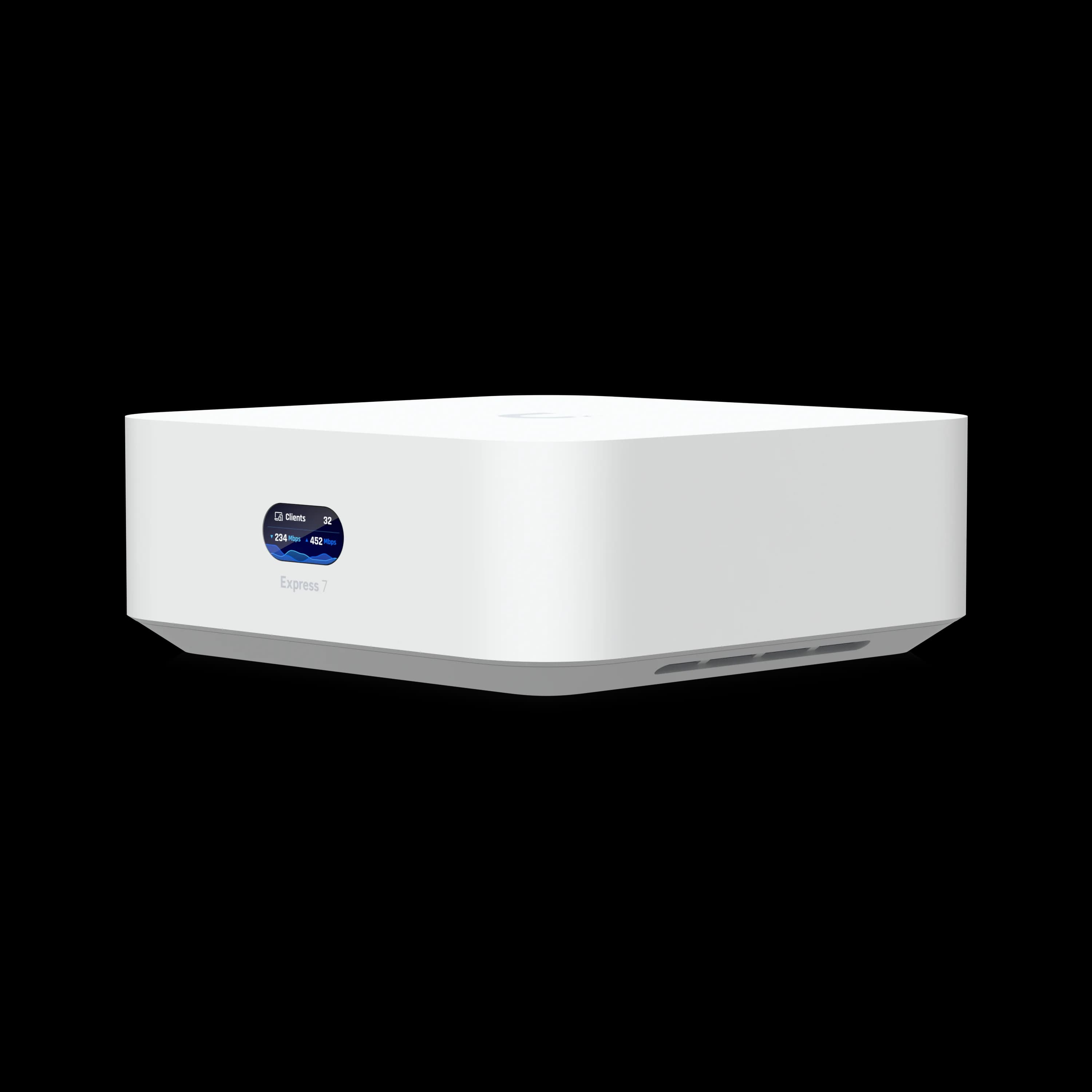 Express 7$199 | UI Store | |||
|---|---|---|---|---|
| IDS/IPS Throughput | 2.3 Gbps | 2.3 Gbps | 5 Gbps | 2.3 Gbps |
| Storage | Up to 2TB NVMe | 64GB microSD | Up to 2TB NVMe | None |
| WiFi | None | WiFi 7 Tri-Band | None | WiFi 7 (6GHz) |
| PoE Ports | None | 1x PoE | 1x PoE+ | None |
For offices with internet connections up to 2 Gbps, the UCG-MAX handles routing and security without becoming a bottleneck. Networks requiring 10Gbps uplinks should look at the UCG Fiber.
Real-World Performance Benchmarks
Independent testing confirms these figures in real-world conditions:
| Scenario | Throughput | Notes |
|---|---|---|
| Without IDS/IPS | 2.3+ Gbps | Near line-rate on all ports |
| With IDS/IPS enabled | 2.0+ Gbps | Exceeds Ubiquiti's original 1.5 Gbps estimate |
| VPN (WireGuard) | 800-1000 Mbps | Varies by encryption overhead |
| VPN (OpenVPN) | 300-400 Mbps | Higher CPU usage |
PPPoE Users: ISPs using PPPoE typically see 950 Mbps to 1.1 Gbps on the UCG-Max. Configure your modem in bridge mode and let the UCG-Max handle PPPoE authentication directly for maximum throughput.
Processing Power and Memory
The UCG-MAX is equipped with:
- Quad-core ARM Cortex-A53 processor running at 1.5 GHz
- 3 GB DDR4 system memory
- 512 GB NVMe SSD (or selectable storage options up to 2TB)
This hardware handles network traffic, security cameras, access control, and VoIP for environments with up to 30+ UniFi devices and 300+ clients.
Multi-WAN and Failover
One of the four LAN ports can be remapped to a second WAN port, enabling load balancing across two ISP connections or automatic failover when the primary link drops. Failover is near-instantaneous. This works with cable, fiber, Starlink, or an external LTE/5G modem — see our 5G failover setup guide for configuration steps.
UniFi Protect Performance
The UCG-MAX doubles as a small-scale NVR supporting up to 15 HD cameras, 8 2K cameras, or 5 4K cameras (see storage details above). It is fully compatible with the G6 camera lineup released in 2025, including the G6 Bullet, G6 Turret, and G6 Instant.
CPU load under combined workloads: Running five G6 Pro Turrets at 4K while simultaneously pushing 2 Gbps of IDS/IPS-inspected traffic drives CPU utilization above 80%. In practice, plan for either full camera capacity or maximum IDS/IPS throughput, but not both at peak load. Reducing to three 4K streams keeps CPU headroom comfortable for concurrent high-throughput routing. Businesses requiring more cameras or higher throughput should consider the UCG Fiber for its faster storage I/O.
Camera Retention by Storage Option
How long can you store footage? This depends on your storage tier, camera count, and resolution. See our UniFi Protect storage planning guide for a full breakdown by camera type:
| Storage | 1080p Cameras | 2K Cameras | 4K Cameras | Retention (24/7) |
|---|---|---|---|---|
| 512GB | 5-8 cameras | 3-5 cameras | 2-3 cameras | 7-14 days |
| 1TB | 10-15 cameras | 6-10 cameras | 4-6 cameras | 14-30 days |
| 2TB | 20-30 cameras | 12-20 cameras | 8-12 cameras | 30-60 days |
Motion-only recording extends retention by 3-5x compared to continuous recording.
UCG-MAX Built-In Network Security Features
The UCG-MAX provides an application-aware firewall, VLAN segmentation, and 2.3 Gbps Intrusion Detection and Prevention (IDS/IPS). It natively supports content filtering and site-to-site VPNs, with optional CyberSecure ($99/year) integration for real-time threat intelligence powered by Proofpoint.
Intrusion Detection and Prevention System (IDS/IPS)
The UCG-MAX includes both Intrusion Detection System (IDS) and Intrusion Prevention System (IPS) capabilities:
- Detects and blocks potential network threats in real-time
- Operates at speeds up to 2.3 Gbps (with UniFi OS 4.1+), minimizing impact on network performance
For comparison, the UCG Fiber reaches up to 5 Gbps IDS/IPS throughput for networks that need more headroom.
Application-Aware Firewall
The UCG-Max's firewall operates at the application layer — not just by port number. You can permit Zoom and block Dropbox on the same network, or restrict Spotify on guest VLANs while leaving business applications unrestricted. This is configured via Traffic Rules in UniFi Network, no CLI required.
Content Filtering and CyberSecure
The UCG-MAX includes built-in content filtering:
- Blocks access to inappropriate or harmful websites
- Customizable filtering rules to align with company policies
- Support for Ubiquiti's CyberSecure subscription service (powered by Proofpoint)
The UCG-MAX is compatible with CyberSecure ($99/year), which adds real-time threat intelligence and enhanced URL filtering. Larger enterprise gateways support CyberSecure Enterprise ($499/year), but for most small business deployments the standard tier covers the essentials.
VLAN Support and Network Segmentation
The UCG-Max supports multiple isolated networks with IPS enforcement active across all of them. Each VLAN can have its own firewall zone, DNS filtering policy, and traffic-shaping profile — configured through the zone-based firewall introduced in UniFi Network 9.0.
Integrated Security with UniFi Protect
When paired with UniFi Protect cameras, the UCG-MAX adds:
- Smart detection capabilities for identifying people, vehicles, and license plates
- Secure storage of video footage on the built-in 512 GB SSD (with 1TB and 2TB options)
- Compatibility with the new G6 camera series and enhanced AI features
The G6 PTZ camera and other 2025 releases add pan-tilt-zoom tracking and improved AI detections, all managed through the UCG-MAX's Protect interface.
UCG-Max Setup and Configuration Workflow
The UCG-Max is configured locally using the built-in UniFi Network application, requiring under ten minutes via web browser or mobile app.
The workflow is identical to managing any previous Dream Machine or Cloud Key. What is specific to managing the UCG-Max:
- Protect storage management: The built-in NVMe drive appears as a local Protect recording target. You can monitor drive health, adjust retention policies per camera, and switch between continuous and motion-only recording directly from the Protect dashboard.
Pro Tip: Swapping the NVMe Drive Erases All Footage
If you upgrade the UCG-Max's NVMe drive to a larger capacity after deployment, all recorded footage is permanently erased in the process. Decide on your storage tier at purchase time — the 512GB, 1TB, or 2TB options — and save the swap headache later.
- UniFi OS 4.1+ firmware: The IDS/IPS throughput improvement from 1.5 to 2.3 Gbps is delivered through firmware, not hardware. Make sure automatic updates are enabled, or manually update via Settings > System > Firmware to get the latest performance and security patches.
- Zone-Based Firewall (Network 9.0+): The newer firewall engine simplifies rule creation compared to the legacy interface. If your UCG-MAX is still running older firewall rules, migrating to the zone-based model is worth the effort for cleaner configuration.
- Site-Magic SD-WAN: For multi-site deployments, the UCG-MAX supports Ubiquiti's Site-Magic mesh VPN. This is configured at the site level in the UniFi portal and requires no additional licensing.
Should You Upgrade from the USG to the UCG-Max?
Yes — upgrading from a USG to the UCG-Max increases IDS/IPS throughput from 85 Mbps to 2.3 Gbps and adds built-in NVR storage for cameras.
If you are running a USG, USG-Pro, or first-generation Dream Machine, here is a full comparison:
| USG / USG-Pro | Dream Machine (UDM) | UCG-MAX | |
|---|---|---|---|
| IDS/IPS Throughput | ~85 Mbps (USG) / ~250 Mbps (Pro) | ~850 Mbps | 2.3 Gbps |
| Port Speed | 1 GbE | 1 GbE (+ SFP on Pro) | 2.5 GbE |
| Built-in NVR | No | No (external HDD bay) | Yes (NVMe, up to 2TB) |
| UniFi OS | Legacy controller | UniFi OS 1.x | UniFi OS 4.x |
| WiFi | No | Built-in WiFi 5 | No |
| Form Factor | Rack / desktop | Desktop sphere | Compact desktop |
The biggest practical gains are IDS/IPS speed (from unusable on the USG to full line-rate on the UCG-MAX) and integrated NVR storage. If you were running a Cloud Key Gen2 Plus alongside your USG for Protect recording, the UCG-MAX consolidates both into one device.
When to skip the UCG-MAX and go straight to the UCG Fiber or UDR7: If your current internet plan exceeds 2 Gbps or you are planning a U7 Pro XGS deployment requiring 10G uplinks, the UCG-MAX's 2.5 GbE ports will become a bottleneck. In that case, the UCG Fiber ($279) gives you 10Gbps ports at the same price as the UCG-MAX 512GB model.
Pros and Cons: 2026 Perspective
Pros
-
Proven Reliability: Nearly two years on the market with consistent firmware updates and stable performance in production environments.
-
Flexible Pricing: Starts at $199 (no storage) or $279 (512GB), with NVMe upgrade options up to 2TB.
-
All-in-One Form Factor: Router, firewall, VPN gateway, and NVR in a single fanless box -- fewer devices to manage, power, and troubleshoot.
-
2.3 Gbps IDS/IPS: Matches the UDR7's security throughput after the UniFi OS 4.1+ firmware update, sufficient for most small business connections.
-
Full Security Stack: IDS/IPS, application-aware firewall, content filtering, and optional CyberSecure ($99/year) without needing a separate security appliance.
-
Built-In NVMe Storage: Configurable NVMe storage for UniFi Protect eliminates a separate recorder and supports the latest G6 cameras. The NVMe drive is also significantly more durable than the UDR7's 64GB microSD card for continuous 24/7 recording workloads — Ubiquiti's own UDR7 manual specifically recommends using a "high-endurance microSD card designed for continuous recording," acknowledging the write-cycle limitation.
Cons
-
No Integrated WiFi: Unlike the UDR7 and Express 7, the UCG-MAX doesn't include built-in WiFi, requiring separate access points for wireless networking.
-
No 10Gbps Ports: The UCG-MAX's 2.5 GbE ports limit future upgrade potential compared to the UCG Fiber's 10G SFP+ and 10 GbE RJ45 ports.
-
No Built-in PoE: Unlike the UDR7 (1x PoE) and UCG Fiber (1x PoE+), the UCG-MAX has no PoE ports—you'll need a separate PoE switch or injectors.
-
Storage Limitations for Large Deployments: The 512 GB base storage may be insufficient for extensive 24/7 video recording with higher-resolution G6 cameras.
-
NS Version Requires Sled Purchase: If you buy the $199 "No Storage" version, you must separately purchase the NVMe sled accessory (~$20) to add storage later.
2025-2026 Gateway Landscape: How the UCG-MAX Compares
Ubiquiti expanded its gateway lineup in 2025 with 10-gigabit models, WiFi 7 integration, and PoE support. For a full overview of the current UniFi product lineup, see our UniFi buyer's guide. Here is how each option compares to the UCG-MAX.
Find Your Perfect Gateway
Not sure which UniFi gateway is right for you? Use our interactive tool to get a personalized recommendation:
UniFi Gateway Selector
Answer a few questions to find your ideal gateway
Recommended Gateway
Based on your requirements
Need help choosing? Get a free consultation
Dream Router 7 (UDR7)
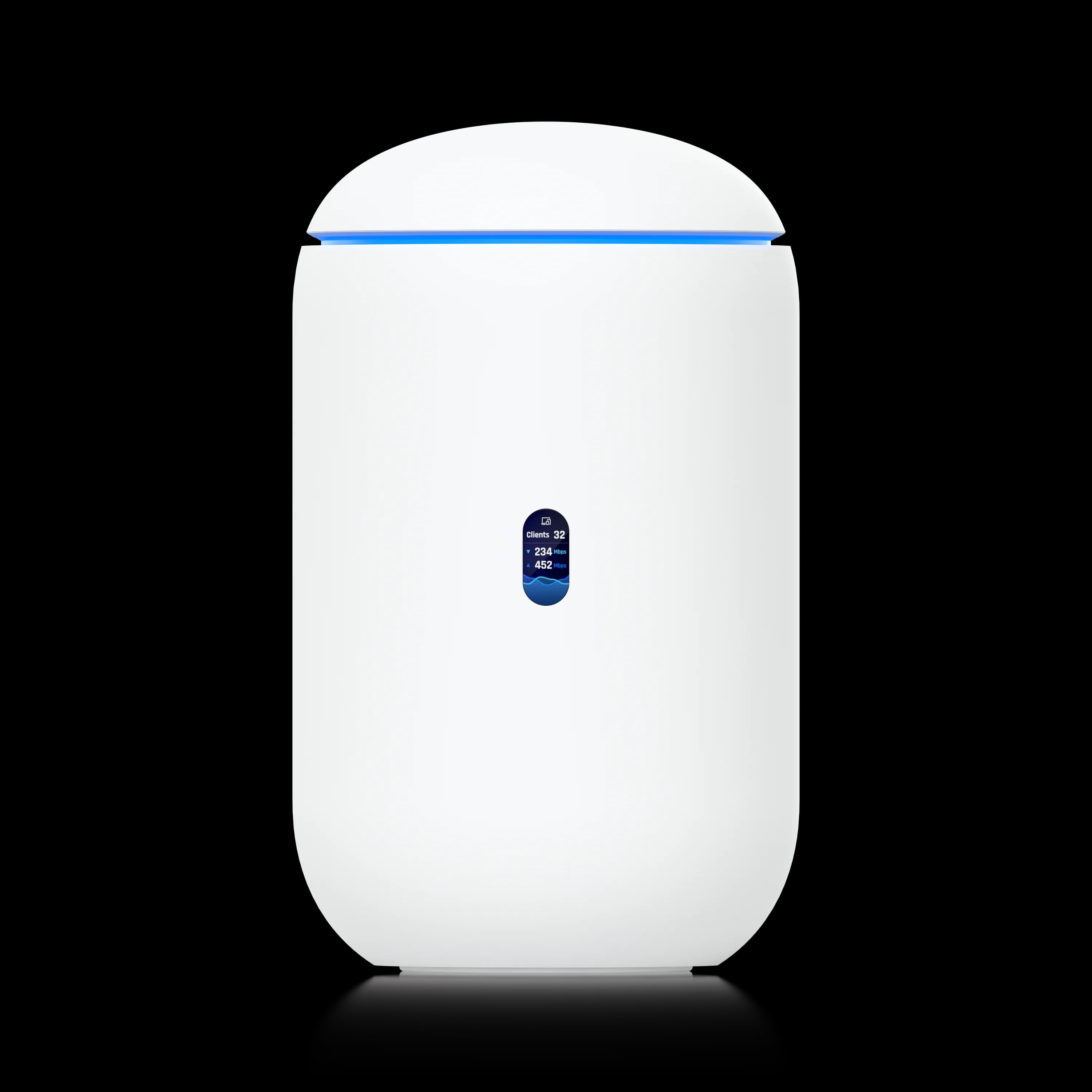
Dream Router 7
$279Integrated tri-band WiFi 7 gateway with 1x PoE port, 10G SFP+ WAN, and 64GB microSD storage.
The UDR7 is a compact WiFi 7 gateway with integrated tri-band wireless, 2.5GbE ports (including 1x PoE port for powering a single AP), 10G SFP+ WAN, and 64GB microSD storage. It offers 2.3 Gbps IDS/IPS throughput and supports up to 300 simultaneous users. The right pick when you need WiFi 7 built-in and don't need NVMe-based Protect storage.
Note on Protect storage endurance: The UDR7's included 64GB Western Digital Purple microSD is rated for surveillance use, but microSD cards have inherently lower write endurance than NVMe SSDs under continuous 24/7 recording. Ubiquiti's own UDR7 manual recommends using a "high-endurance microSD card designed for continuous recording" if you upgrade capacity. For deployments requiring persistent 24/7 4K recording, the UCG-Max's NVMe SSD is the more reliable long-term choice.
Cloud Gateway Fiber (UCG Fiber)
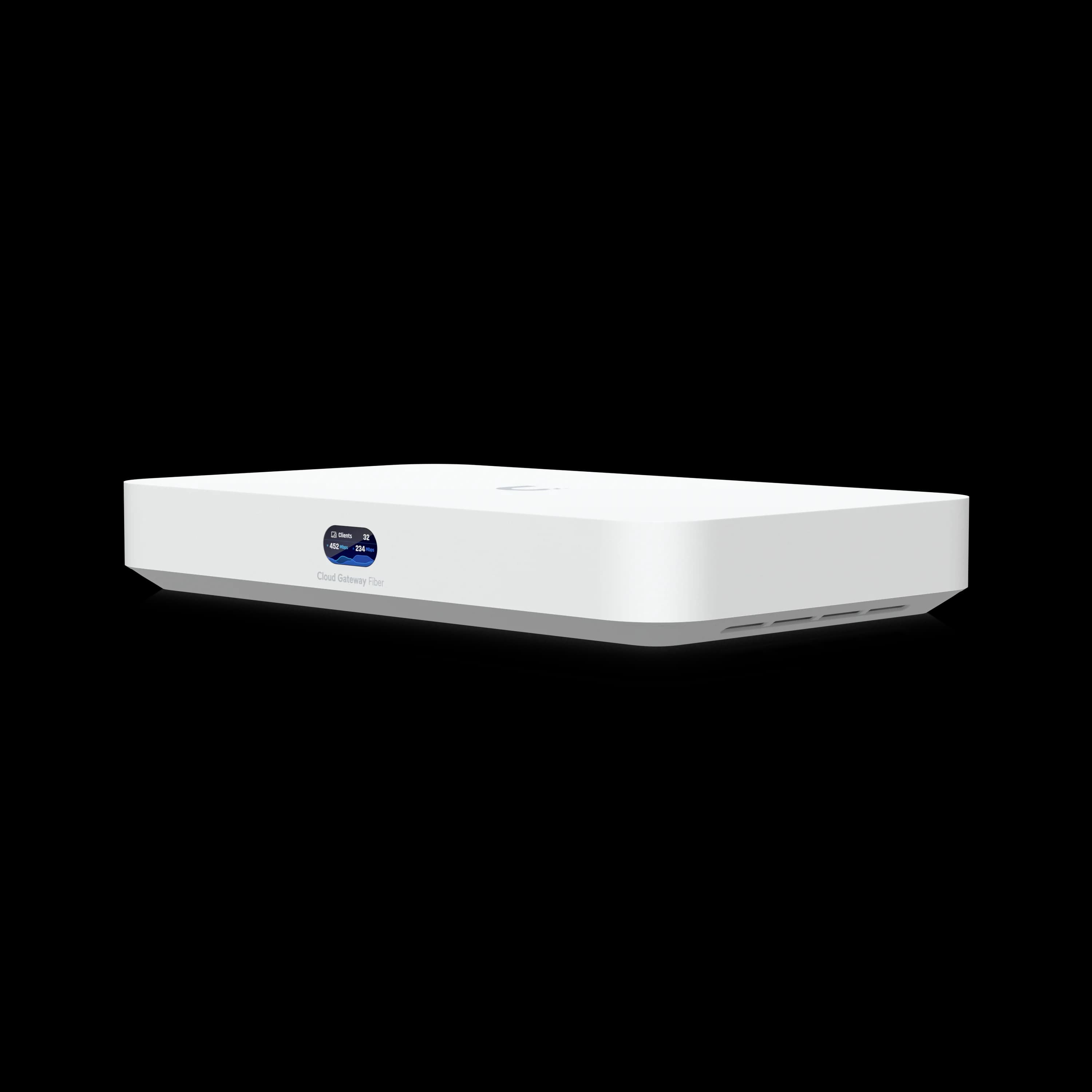
Cloud Gateway Fiber
$279High-performance gateway with 10Gbps ports and up to 2TB NVMe storage support.
The UCG Fiber expands on the UCG-MAX concept with a 10G SFP+ port, a 10 GbE RJ45 port, and 5 Gbps IDS/IPS throughput. It includes M.2 NVMe storage support (up to 2TB) and 1x PoE+ port (802.3at, 30W). At the same price as the UCG-MAX 512GB, it is the better long-term choice for any network targeting 2.5+ Gbps internet. See our full UCG Fiber review for detailed specs and deployment guidance.
Express 7 (UX7)
Express 7
$199Ultra-compact WiFi 7 gateway or mesh node with 10GbE wired networking.
The Express 7 offers WiFi 7 capabilities in an ultra-compact form factor, serving as either a standalone gateway or mesh node. It supports 6-stream 6GHz WiFi and 10GbE wired networking. No built-in NVR storage — best as a starter or secondary gateway rather than a main office device.
Dream Router 5G Max
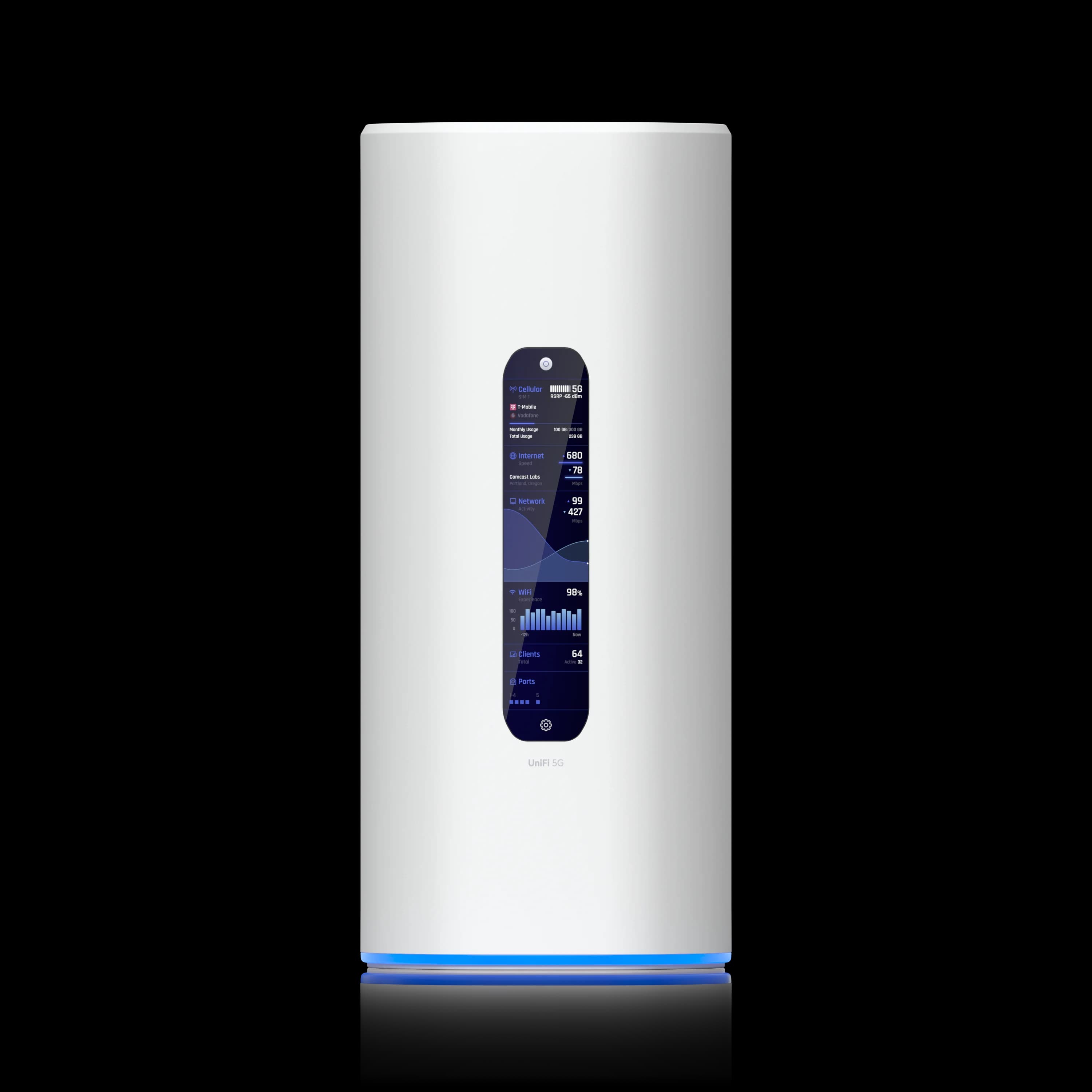
Dream Router 5G Max
$499Integrates a 5G cellular modem for built-in WAN failover alongside WiFi 7.
The Dream Router 5G Max integrates a 5G cellular modem for built-in WAN failover without external hardware. If your site requires cellular backup today, the UCG-MAX can pair with an external LTE/5G modem connected to a secondary WAN port for automatic failover — but if cellular failover is a hard requirement and you want a single device, the 5G Max at $499 is the cleaner solution.
When to Choose Each Gateway
2026 Gateway Recommendation Guide
Choose the UCG-MAX if:
- You have existing WiFi 6 or WiFi 7 access points and don't need built-in wireless
- Your internet plan is 2 Gbps or below (the 2.3 Gbps IDS/IPS ceiling covers most SMB fiber plans)
- You need UniFi Protect with built-in NVMe storage — no separate NVR required
- You want a proven, stable platform with nearly two years of production-hardened firmware
Consider the UDR7 if:
- You want integrated WiFi 7 in a single device
- You prefer an all-in-one solution for a smaller space (up to 1,750 sq ft)
- You have a 10G WAN connection (SFP+)
Consider the UCG Fiber if:
- You need 10Gbps capabilities and future-proofing
- You plan to use high-performance access points like the U7 Pro XGS
- You require enhanced storage performance for extensive surveillance
Consider the UCG Industrial if:
- You need a ruggedized, fanless gateway for harsh environments (warehouses, manufacturing, outdoor-adjacent)
- There is no IT closet or rack space — the Industrial wall-mounts with built-in WiFi 7 and 270W PoE
- You want a single all-in-one device (router + WiFi + PoE switch) for satellite locations
Is the UCG-MAX the Right Gateway in 2026?
Final Verdict
The Cloud Gateway Max is the right call for most small and medium offices in 2026. It handles 2.3 Gbps IDS/IPS, supports up to 15 cameras on built-in NVMe storage, manages 300+ clients, and runs silently on 16 watts. The firmware is mature and stable. At $199 (no storage) or $279 (512GB), it covers the core requirements for most small office deployments without needing additional hardware beyond access points.
The two scenarios where you should look elsewhere: if your internet plan exceeds 2 Gbps (consider the UCG Fiber at the same $279), or if you want integrated WiFi 7 in a single device (consider the Dream Router 7 at $279).
The UCG-MAX makes the most sense when your priorities are cost, proven stability, and NVR integration rather than cutting-edge port speeds or built-in WiFi. If your office runs a standard broadband connection, a handful of cameras, and a few UniFi access points, the UCG-MAX handles all of that without needing extra hardware beyond the APs themselves.
For a real-world example of the Cloud Gateway Max deployed in a home, see our residential UniFi installation case study — a 2,500 sq ft retrofit on existing Cat5e with four U7 In-Wall APs and the 512GB storage option.
Where it falls short is future-proofing. If you are signing up for a 2.5+ Gbps fiber plan, deploying WiFi 7 APs that need 10Gbps uplinks, or want cellular failover built in, the newer gateways are the better investment. Refer to the gateway recommendation guide above for a side-by-side decision framework.
Frequently Asked Questions
Is the UCG-MAX worth buying in 2026?
For most small and medium offices, yes. The UCG-MAX delivers 2.3 Gbps IDS/IPS throughput, built-in NVMe storage for UniFi Protect, and manages 300+ clients in a $199 fanless device. The firmware has been stable since the OS 4.1+ IDS/IPS improvement in late 2024. The only scenarios where it isn't the right choice: internet plans above 2 Gbps (use UCG Fiber) or when you need integrated WiFi 7 (use Dream Router 7).
UCG-MAX vs UCG Fiber: which should I buy?
Both are priced at $279 for the 512GB storage version. The key differences: the UCG Fiber has a 10G SFP+ port, a 10 GbE RJ45 port, and 5 Gbps IDS/IPS throughput — roughly double the ceiling on the security processing side. The UCG-MAX has been on the market longer (more stable firmware) and has four 2.5 GbE LAN ports vs. the Fiber's two 10G + two 2.5 GbE. Choose the UCG-MAX if your internet plan is under 2 Gbps and you want a proven platform. Choose the UCG Fiber if your plan is above 2 Gbps or you are deploying U7 Pro XGS access points that require 10G backhaul.
How many cameras can the UCG-MAX run?
The UCG-MAX supports up to 15 HD cameras, 8 2K cameras, or 5 4K cameras on its built-in NVMe storage. In mixed deployments, a practical rule of thumb: plan for 5-8 cameras at 1080p on the 512GB model with 7-14 days of retention. Upgrading to 1TB or 2TB NVMe extends retention or supports more cameras proportionally. Note that running more than 3-4 4K streams simultaneously alongside high-throughput routing (2 Gbps IDS/IPS) can drive CPU utilization above 80% — plan your workload accordingly.
Can I upgrade the storage later on the UCG-MAX?
Yes, but with limitations. The UCG-MAX uses an M.2 NVMe slot. If you purchased the "No Storage" (NS) version, you'll need to buy the NVMe sled separately (sold by Ubiquiti, ~$19). If you have a pre-installed drive, you can replace it with a larger NVMe SSD up to 2TB. Note that replacing the drive will erase all stored Protect footage.
Does the UCG-MAX support WiFi 7 access points?
Yes, the UCG-MAX can manage WiFi 7 access points like the U7 Pro and U7 Pro Max. However, the UCG-MAX's maximum port speed is 2.5 Gbps, so you won't be able to fully utilize WiFi 7 access points that require 10Gbps uplinks (like the U7 Pro XGS). For those, consider the UCG Fiber or UDR7 with their 10G SFP+ ports.
What's the difference between UCG-MAX and UXG-Max?
The UCG-MAX is a Cloud Gateway that runs the full UniFi OS locally, including UniFi Network, Protect, Talk, Access, and Connect. The UXG-Max is an Independent Gateway that requires an external UniFi controller (like a Cloud Key or self-hosted). The UCG-MAX also includes NVMe storage and a display screen, while the UXG-Max does not.
Is the UCG-MAX fanless? How loud is it?
Yes, the UCG-MAX is completely fanless with passive cooling and is silent in operation. It runs warm under sustained load but stays within safe thermal limits. See the hardware specifications section above for placement recommendations.
Can I use the UCG-MAX with a 5G/LTE modem for backup internet?
Yes, you can configure one of the LAN ports as a second WAN port for failover or load balancing. Connect your 5G/LTE modem (like Starlink or a cellular hotspot) to this secondary WAN port. The UCG-MAX will automatically failover when your primary connection drops. For integrated 5G, see the Dream Router 5G Max ($499).
Related Articles
More from UniFi Networks
UniFi Gateway Selection Guide 2026: When You Need More Than Cloud Gateway Ultra
Complete UniFi gateway comparison from Cloud Gateway Ultra ($129) to Enterprise Fortress Gateway ($1,999). Learn exact thresholds for device count, throughput, and storage needs.
20 min read

UniFi UCG Industrial Review: When the Ruggedized Chassis Justifies the Price
Full UCG Industrial review with verified specs, real-world deployment, and comparison to the UCG Fiber. $579 buys a fanless, ruggedized WiFi 7 gateway with 270W PoE — here's when it makes sense.
16 min read
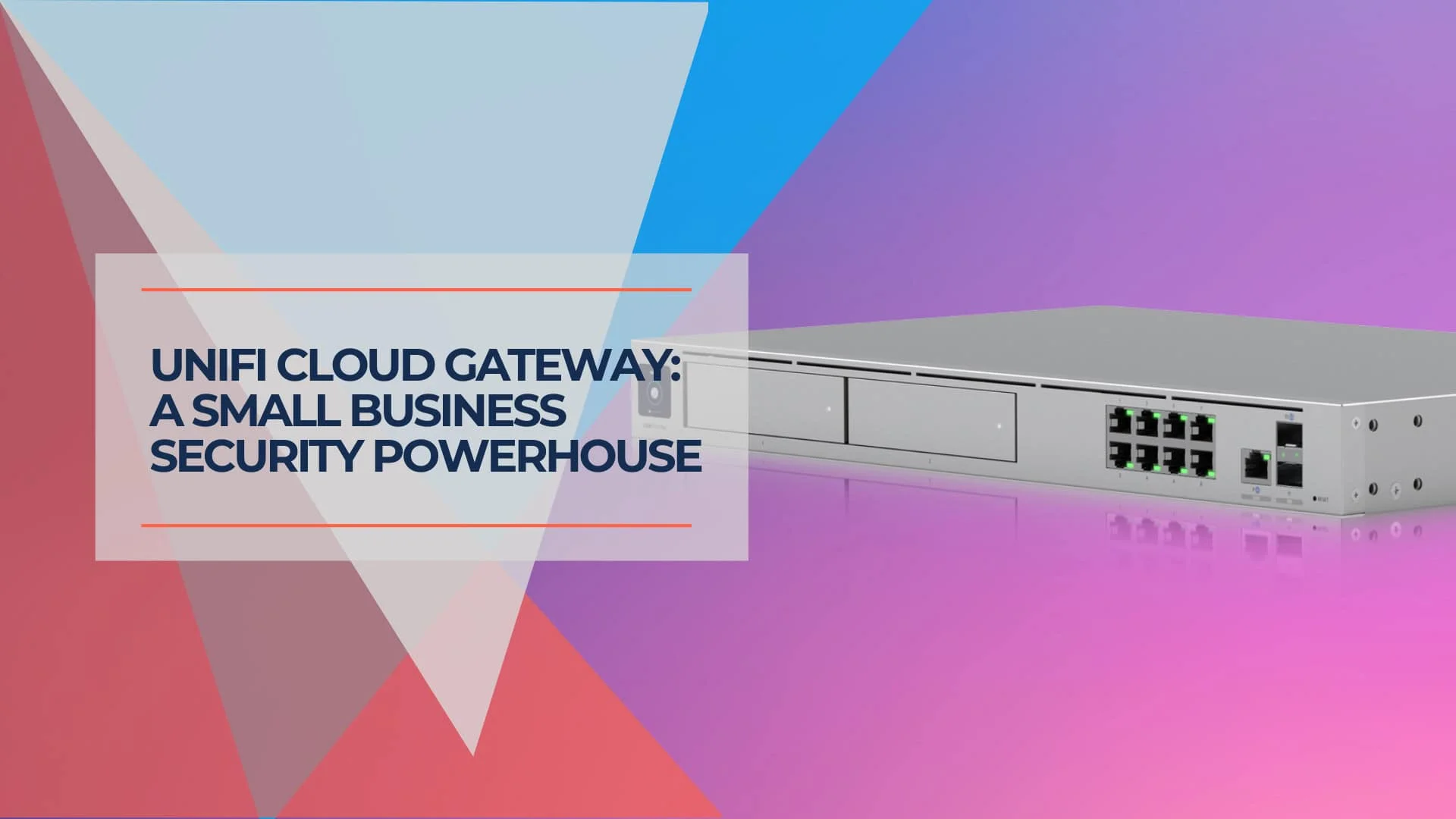
Network Security in a Box: Enterprise Protection Under $1,000 with UniFi
Achieve enterprise-grade network security for under $1,000 with UniFi gateway, CyberSecure by Proofpoint, and free UniFi Identity VPN. Complete deployment guide for small businesses.
22 min read