Xero Review 2026: Pricing, Features, Pros & Cons
Xero review updated August 2026: US pricing, features, limits, support and hands-on verdict. See when Xero beats QuickBooks—and when it doesn't.


US Edition — August 2026
Pricing, features, and availability in this review apply to Xero's US edition as of August 6, 2026. Plans and pricing differ by country.
Key Finding
Xero is particularly strong for multi-user service businesses, accountants, and organizations with international requirements. Every plan includes unlimited users at no extra charge—QuickBooks caps users at 1–25 depending on plan tier. Core inventory tracking (up to 4,000 items with automatic COGS) is available on all plans, including Early. For enhanced stock management, Xero Inventory Plus is an optional add-on at $39/month on Growing and Established. Multi-currency support (160+ currencies) requires the Established plan ($90/month).
New in 2026: Just Ask Xero (JAX) agentic AI assistant, free standard ACH bill payments on all business plans, and updated AI-powered analytics with plan-specific forecast horizons.
Quick Comparison: Xero vs QuickBooks vs Wave (August 2026)
| Feature | Xero Growing ($55/mo) | QuickBooks Essentials ($85/mo) | Wave Pro ($19/mo) |
|---|---|---|---|
| Best For | Multi-user service teams | Small service teams | Freelancers/micro-businesses |
| Users Included | Unlimited | 3 | Unlimited (Pro only) |
| Unlimited Invoicing | ✓ | ✓ | ✓ |
| Bank Auto-Import | ✓ | ✓ | ✓ |
| Inventory Tracking | ✓ Core (4,000 items) | ✗ (requires Plus at $140/mo) | ✗ |
| Multi-Currency | ✗ (Established only) | ✓ (cannot be disabled once on) | ✓ (limited) |
| Time Tracking | ✗ (add-on required) | ✓ Billable time | ✗ |
| Project Tracking | ✗ (Established or add-on) | ✗ (requires Plus) | ✗ |
| 1099 Management | ✓ W-9/1099 tools; e-filing via Avalara | ✓ | ✗ |
| Payroll | Via Gusto (+$49/mo + $6/person) | ✓ Built-in add-on | ✓ Add-on |
Regular (non-promotional) US prices. QuickBooks pricing verified at quickbooks.intuit.com/pricing.
Quick Decision Guide
Choose Xero if: You need unlimited users, work with international clients, want a clean modern interface, or value a large certified app ecosystem (1,000+ integrations).
Skip Xero if: You need serial/batch tracking, manufacturing workflows, or a full warehouse-management system. Also consider alternatives if you require inbound phone support or a deeply integrated US payroll ecosystem.
Affiliate Disclosure: This article contains affiliate links. If you make a purchase through these links, we may earn a small commission at no extra cost to you.
What's New in Xero for 2026
Xero has made several released and announced changes for US customers in 2026. These are documented features—not speculation:
- JAX (Just Ask Xero): Xero's agentic AI assistant is available to all subscribers at no additional charge. JAX chat can answer questions about your Xero data and help create invoices or quotes. Automatic bank reconciliation is available in beta on Growing and Established plans. Xero has also announced beta Bill Protection (which screens bills before payment for anomalies) and forthcoming Payment Follow Ups; availability and rollout timelines may vary.
- Free Standard ACH Bill Payments: Following Xero's acquisition of Melio, free standard ACH bill payments are now included in all US business plans. This reduces the need for third-party bill-pay services. Xero bill payments announcement.
- Updated Analytics: Xero replaced the former "Analytics Plus" branding with AI-powered analytics that offer different forecast horizons depending on your plan tier. Check Xero's 2026 US product releases for the current feature set.
- Mobile App: The Xero mobile app supports invoicing, bill capture, receipt scanning, bank reconciliation, and cash-flow views on the go.
Patterns We Observed in Client Implementations
Our testing and client implementation work has highlighted consistent patterns. The following reflects observations from service-business and professional-services clients we've supported on Xero:
Positive Aspects
- Ease of Use: Clients find Xero's interface user-friendly, especially with its focus on accounting functionality and a clear audit trail.
- Customization: The ability to customize the Xero dashboard is appreciated as it puts the most important information at their fingertips.
- Approval System: The built-in approval workflow streamlines the processes between businesses and their accountants.
- Fixed Asset Register: Xero includes a fixed-asset register on all plans. QuickBooks Online Advanced now also offers fixed-asset tracking, but lower QuickBooks tiers do not.
- Analytical Approach: Clients appreciate the analytical tools and reports Xero provides for better business insights.
- Payment Integrations: The flexibility to integrate various payment methods makes transactions easier for clients.
Challenges
- Learning Curve: Some clients without accounting experience might need more time to familiarize themselves with Xero's terminology.
- Cost: Xero can be a bit more expensive than alternatives.
- Limited Advanced Inventory: All plans include core inventory (4,000 items), and Inventory Plus adds multi-location stock tracking. However, Xero lacks serial/batch tracking and manufacturing workflows.
- Interface Design: Some find the design less visually engaging than its competitors.
Overall Impression
Our clients see Xero as a reliable option that effectively manages their accounting needs. However, some feel it might not be the most intuitive option for those entirely new to accounting or seeking a visually-driven experience.
In-Depth Look at Xero Features
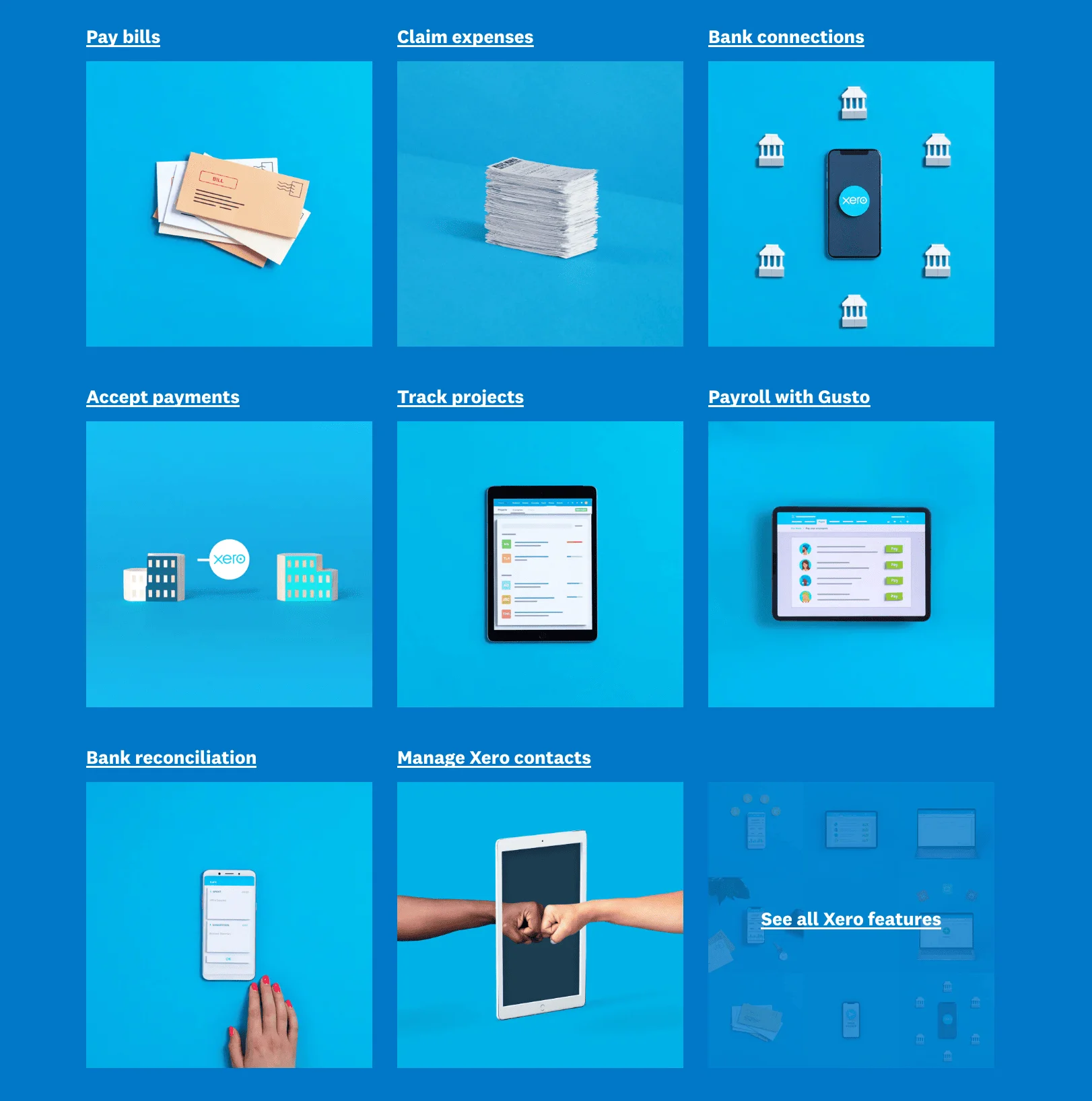
Expense Tracking and Bill Pay
- Smart Receipt Capture: Xero includes Hubdoc free with all business plans. Snap photos of receipts and let Xero's AI extract the important details, saving you time and minimizing data entry errors.
- Bill Management: Keep track of due dates, attach bills directly in Xero, and see what's paid and outstanding with a glance.
- Seamless Payments: Xero integrates with popular payment providers like Stripe, allowing you to accept online payments through your invoices.
Comprehensive Financial Reporting and Data Analytics
- The Dashboard: Get a real-time snapshot of your business finances. Track key performance indicators (KPIs) and customize the view for your industry.
- Customizable Reports: Go beyond basic profit and loss. Xero lets you get granular with reports on cash flow, tax summaries, budgets, and more.
- Actionable Insights: Xero's reporting tools aim to help you spot trends, identify areas for improvement, and make informed decisions.
Getting Started with Xero
Usability and Getting Started
Whether you have accounting experience or not, Xero aims to make financial management accessible. Here's what we observed:
- Logical Layout: Xero's dashboard and menus are organized by workflow (invoicing, bills, bank reconciliation, reports), making navigation straightforward even for users without accounting experience.
- Helpful Terminology: Xero avoids overly technical accounting jargon, making it more approachable for non-accountants.
- Functional Mobile App: Xero's mobile app covers core workflows including receipt capture, bank reconciliation, invoicing, and cash-flow views.
- Guided Onboarding: Xero walks you through initial setup, including business info and chart of accounts configuration.
- Data Import: Xero provides import tools for chart of accounts, contacts, and historical transactions if you're switching from another platform.
- Help Resources: Xero Central offers a library of help articles, video tutorials, and a community forum.
Xero's Pricing Plans: A Detailed Overview
Xero's pricing is based on a tiered subscription model. As of August 2026, the US plans are:
- Early ($25/month): Entry-level plan for sole traders and new businesses. Includes invoicing (20/month limit), bill pay (5/month limit), bank reconciliation, core inventory tracking (up to 4,000 items), and Hubdoc receipt capture.
- Growing ($55/month): Removes invoice and bill limits, adds bulk reconciliation, and includes more robust expense management tools.
- Established ($90/month): Adds project tracking (including time and cost tracking), multi-currency support (160+ currencies), expense claims, and AI-powered analytics with extended forecast horizons.
Xero Inventory: Core vs. Inventory Plus
Core inventory is included in all plans (including Early): track up to 4,000 items with automatic COGS calculations, stock levels, and purchase orders. Inventory Plus ($39/month add-on, available on Growing and Established) supports multichannel e-commerce inventory and stock tracking across multiple locations and warehouses, with Shopify and Amazon FBA integrations and capacity for up to 10,000 monthly orders. However, Inventory Plus is not a full warehouse-management or manufacturing system—it lacks serial/batch tracking and production workflows. For those capabilities, integrate Xero with a dedicated platform such as Cin7.
Pricing Comparison Table (US — August 2026)
| Features | Early | Growing | Established |
|---|---|---|---|
| Monthly Price | $25 | $55 | $90 |
| Users Included | Unlimited | Unlimited | Unlimited |
| Send invoices and quotes | 20/month | ✓ Unlimited | ✓ Unlimited |
| Enter bills | 5/month | ✓ Unlimited | ✓ Unlimited |
| Reconcile bank transactions | ✓ | ✓ | ✓ |
| Hubdoc receipt capture | ✓ | ✓ | ✓ |
| Core inventory (4,000 items) | ✓ | ✓ | ✓ |
| W-9 and 1099 management | ✓ | ✓ | ✓ |
| Free standard ACH bill payments | ✓ | ✓ | ✓ |
| Cash flow forecast | 30-day | 30-day + dashboards | 180-day + KPI analysis |
| Bulk reconcile transactions | ✗ | ✓ | ✓ |
| Inventory Plus add-on available | ✗ | ✓ (+$39/mo) | ✓ (+$39/mo) |
| Use multiple currencies (160+) | ✗ | ✗ | ✓ |
| Track projects and time | ✗ | ✗ | ✓ (or add-on) |
| Claim expenses | ✗ | ✗ | ✓ (or add-on) |
| Payroll (via Gusto) | +$49/mo + $6/person | +$49/mo + $6/person | +$49/mo + $6/person |
Prices verified from xero.com/us/pricing-plans on August 6, 2026. From October 1, 2026, US prices increase to Early $27, Growing $59, and Established $97 for new and existing subscribers.
Beyond the Base Subscription: Realistic Total Costs
Your Xero subscription is just the starting point. Here's what a realistic monthly cost might look like for a growing business:
- Xero Growing plan: $55/month
- Inventory Plus (if needed): +$39/month
- Payroll via Gusto: +$49/month base + $6/person
- Payment processing: Varies by provider and method (e.g., Stripe charges 2.9% + $0.30 per domestic card transaction; ACH and other methods have different rates)
- Third-party integrations: Many are free; some carry their own subscriptions
A three-person service business on Growing, paying all three people through Gusto, would spend approximately $122/month ($55 + $49 + 3 × $6) before payment-processing fees and other add-ons.
Factors to Consider When Choosing a Plan
- Invoice and bill volume: If you expect more than 20 invoices or 5 bills per month, you'll need Growing or Established.
- Team size: All plans include unlimited users, so this isn't a differentiator between Xero tiers—but it is a major advantage over QuickBooks.
- Specific features: Do you need project tracking with time/cost tracking, multicurrency, or expense claims? Those require Established. Enhanced inventory (FIFO, multi-location) requires the Inventory Plus add-on on Growing or Established.
- Cancellation terms: Check Xero's current terms for any notice period requirements before committing.
Xero vs. Competitors: Detailed Head-to-Head Comparisons
Xero's main rivals, like QuickBooks Online and Wave Accounting, offer different strengths. Here's a detailed breakdown to help you choose.
Xero vs. QuickBooks: Which Is Right for Your Business?
The table below compares plans at roughly the same tier. QuickBooks Simple Start (1 user, no inventory) is not a like-for-like match for Xero Growing, so we compare Growing against Essentials for team use and note where Plus or Advanced is required.
| Consideration | Xero Growing ($55/mo) | QuickBooks Essentials ($85/mo) |
|---|---|---|
| Users included | Unlimited | 3 (Plus: 5, Advanced: 25) |
| Best for | Multi-user service teams | Small US service teams |
| Inventory tracking | ✓ Core (4,000 items, auto COGS) | ✗ (requires Plus at $140/mo) |
| Time tracking | ✗ Add-on required (Harvest, Toggl) | ✓ Billable time (project profitability requires Plus) |
| Multi-currency | ✗ Established only ($90/mo) | ✓ (cannot be disabled once activated; some payment services incompatible) |
| 1099 management | ✓ W-9/1099 tools; e-filing via Avalara | ✓ |
| Payroll | Via Gusto integration (+$49/mo + $6/person) | ✓ Built-in add-on |
| Integrations | 1,000+ certified apps | 300+ apps (per Intuit's plan comparison) |
| Fixed-asset tracking | ✓ All plans | ✗ (Advanced only) |
| Learning curve | Easier for beginners | Steeper but more familiar to US accountants |
| Accountant familiarity | Growing in US | Industry standard—most US accountants know it |
QuickBooks Simple Start ($38/mo) is limited to 1 user with no inventory, billable time, or multicurrency. QuickBooks regular US prices: Simple Start $38, Essentials $85, Plus $140, Advanced $340.
Xero vs QuickBooks Recommendation
Choose Xero if you have 3+ team members (unlimited users save money), work internationally, or want a simpler interface with a broader app ecosystem.
Choose QuickBooks if you need built-in billable time tracking, your accountant prefers it, or you need the Advanced tier's fixed-asset management and analytics. For serial/batch tracking or manufacturing workflows, neither QBO nor Xero provides native support—consider QuickBooks Enterprise or a dedicated inventory platform.
Xero vs. Wave: Premium Features vs Cost Savings
| Consideration | Xero Growing ($55/mo) | Wave Pro ($19/mo) |
|---|---|---|
| Best for | Teams needing reporting, inventory, and integrations | Freelancers and sole operators with simple needs |
| Unlimited users | ✓ | ✓ (Pro plan only) |
| Core inventory | ✓ (4,000 items) | ✗ |
| 1099 management | ✓ W-9/1099 tools; e-filing via Avalara | ✗ |
| Reporting | ✓ Customizable dashboards | Basic reports only |
| Project tracking | ✗ (Established plan or add-on) | ✗ |
| Multi-currency | ✗ Established only ($90/mo) | ✓ (limited support) |
| Integrations | 1,000+ certified apps | Much smaller ecosystem; third-party integrations on Pro |
| Support | Online tickets, knowledge base | Email, chat (Pro) |
| Scalability | Strong—plans grow with complexity | Limited—most businesses outgrow it |
| Free plan available | No (30-day trial) | Yes (forever free tier) |
Xero vs Wave Recommendation
Choose Xero if you need inventory tracking, multiple integrations, customizable reporting, or plan to add team members. The additional cost over Wave ($36/month) is justified when your transaction volume, reporting needs, or integration requirements exceed what Wave offers—but that threshold varies by business.
Choose Wave if you're a freelancer or sole operator with straightforward invoicing, minimal integrations, and no inventory. Wave's free tier is hard to beat when cost is the top priority.
Who Should (and Shouldn't) Use Xero
Xero is particularly compelling for:
- Multi-user service businesses — unlimited users on every plan make Xero cost-effective once you have 3+ team members.
- Accountants and bookkeepers — the adviser dashboard, approval workflows, and multi-organization management are designed for practices.
- International businesses — the Established plan supports 160+ currencies, and Xero operates in 180+ countries.
Xero is less suitable for:
- Businesses needing serial/batch tracking, manufacturing workflows, or a full warehouse-management system — Inventory Plus supports multi-location stock tracking but is not a WMS or production platform.
- Teams that require immediate phone support — Xero provides online support only; there is no standard inbound support number.
- Companies deeply embedded in the US payroll ecosystem — Xero relies on Gusto for payroll, which is a capable but separate subscription.
Customer Service and Support
Xero's support model is online-only. There is no standard inbound phone number for US customers. Here's what is available:
- Xero Central: An extensive knowledge base with articles, guides, and tutorials covering most common scenarios.
- Online Support Tickets: Submit a request through Xero Central. Xero may follow up by phone after reviewing your ticket, but you cannot call in directly. Turnaround times vary by complexity and season.
- Community Forum: Other Xero users and power users answer questions and share tips.
- Xero Partners: Certified accountants and bookkeepers often provide setup assistance, training, and ongoing support. This is frequently the best option for hands-on help.
If your business depends on being able to pick up the phone and reach support immediately, this is a meaningful limitation to weigh against Xero's other strengths. Xero support page.

Pros and Cons Summary
Strengths
- Unlimited users on every plan — no per-seat charges, unlike QuickBooks
- 1,000+ certified integrations — broad app ecosystem for CRM, payments, e-commerce, and more
- Core inventory on all plans — 4,000 tracked items with automatic COGS
- JAX AI assistant — natural-language queries, invoice creation, auto bank reconciliation (beta on Growing+), with bill screening and payment follow-ups in development
- Free standard ACH bill payments — included in all US business plans as of 2026
- Clean, beginner-friendly interface — less jargon than most accounting software
Limitations
- No inbound phone support — online tickets and knowledge base only
- Multi-currency requires Established ($90/mo) — Growing plan users are limited to their home currency
- Time tracking only on Established — Growing plan requires a third-party add-on
- No serial/batch tracking or manufacturing — Inventory Plus covers multi-location stock, but production workflows and serial numbers need third-party tools
- Periodic price increases — From October 1, 2026: Early $27, Growing $59, Established $97
- US payroll is a separate subscription — Gusto integration adds $49/mo + $6/person
Methodology Behind Our Review
Our testing was conducted on Xero's US edition in August 2026. Here's how we evaluated the product:
- Hands-on testing: We tested Xero's Growing and Established plans, including invoicing, bank reconciliation, expense tracking, inventory setup, project tracking, and the JAX AI assistant. Competitor plans (QuickBooks Essentials and Plus, Wave Pro) were tested in the same period.
- Client observations: Our assessments also draw on patterns observed across client implementations. Where we reference client experience, we label it as such.
- Pricing and feature verification: All pricing and feature claims were verified against official product pages (Xero, QuickBooks, Wave, Gusto) on August 6, 2026.
- Third-party research: Software review sites, Xero Central documentation, and user forums supplemented our firsthand testing.
How We Scored Xero
| Category | Weight | What We Evaluated |
|---|---|---|
| Core accounting features | 25% | Invoicing, reconciliation, reporting, chart of accounts |
| Ease of use | 20% | Onboarding, navigation, terminology, mobile experience |
| Value for cost | 20% | Feature-to-price ratio vs. QuickBooks and Wave at comparable tiers |
| Integrations and ecosystem | 15% | App breadth, API quality, payroll and payment options |
| Support and documentation | 10% | Knowledge base quality, response times, partner network |
| Advanced features | 10% | Inventory, multi-currency, project tracking, analytics |
Overall score: 4.1/5 — Xero earns high marks for its unlimited-user model, app ecosystem, and interface. It loses points for the lack of inbound phone support, multicurrency being gated to the top tier, and reliance on third-party payroll.
Disclosure
Accounting- and tax-related observations in this review reflect our testing and do not constitute professional tax advice. Consult a CPA or tax professional for your specific situation. Sales-tax automation and 1099 tools help with compliance workflows but are not a substitute for professional tax preparation.
Conclusion
Final Verdict — August 2026
Xero is particularly compelling for multi-user service businesses, accountants, and organizations with international requirements. Inventory Plus extends its reach to multichannel e-commerce sellers managing stock across locations. It is less suitable for companies needing serial/batch tracking, manufacturing workflows, a full warehouse-management system, immediate telephone support, or a deeply developed US payroll ecosystem.
Best for: Teams with 3+ members, international businesses, service-based companies, multichannel e-commerce sellers (via Inventory Plus), and accountant/bookkeeper practices.
Skip if: You need serial/batch tracking, manufacturing workflows, a full WMS, or inbound phone support.
Rating: 4.1/5
Xero's free 30-day trial does not require a credit card, but note that some features are limited during the trial period. We recommend testing with your actual business data—import a few contacts, connect a bank account, and run through your typical invoicing and reconciliation workflow. If you work with an accountant or bookkeeper, involve them in the evaluation.
Xero FAQ: Everything You Need to Know
Is Xero worth it for small business?
Yes, Xero is worth it for small businesses that need unlimited users and a clean, modern interface. The Growing plan at $55/month includes unlimited users, which makes it cost-effective compared to QuickBooks (where Simple Start allows only 1 user, Essentials allows 3, and Plus allows 5). If you have 3+ team members, Xero typically costs less overall. All Xero plans include core inventory tracking (up to 4,000 items with automatic COGS). For multichannel e-commerce, Inventory Plus ($39/month add-on) supports stock tracking across multiple locations and warehouses with Shopify and Amazon FBA integration. However, if you need serial/batch tracking or manufacturing workflows, neither Xero nor QuickBooks Online provides them natively—consider QuickBooks Enterprise or a dedicated platform like Cin7.
Is Xero or QuickBooks better for small business?
It depends on your business type:
- Choose Xero if you have multiple team members (unlimited users save money), want a simpler interface, or need a broad app ecosystem (1,000+ integrations).
- Choose QuickBooks if you need built-in billable time tracking (Essentials and above), your accountant prefers it (most US accountants know QuickBooks), or you need the Advanced tier's fixed-asset management. For serial/batch tracking or manufacturing workflows, neither QBO nor Xero provides native support—consider QuickBooks Enterprise or a specialized platform.
For a detailed comparison, see our QuickBooks vs Xero comparison.
Does Xero work for businesses with inventory?
Yes, with a strong mid-tier option. All Xero plans include core inventory tracking—up to 4,000 items with automatic Cost of Goods Sold (COGS) calculations, stock levels, and purchase orders. Xero Inventory Plus ($39/month, available on Growing and Established) goes further: it supports multichannel e-commerce inventory and stock tracking across multiple locations and warehouses, with Shopify and Amazon FBA integrations. However, Inventory Plus is not a full warehouse-management or manufacturing system—it lacks serial/batch tracking and production workflows. For those capabilities, integrate Xero with a dedicated platform like Cin7.
Can I use Xero without an accountant?
Yes! Xero's interface is designed for non-accountants. Most business owners can handle day-to-day bookkeeping (invoicing, expense tracking, bank reconciliation) without professional help. However, consider working with a Xero-certified accountant for complex tax situations, yearly tax filing, or if you want strategic financial advice. Xero's partner directory can help you find certified professionals.
How does Xero handle 1099 contractors?
Xero includes W-9 and 1099 management tools in all plans—you can track contractor payments and prepare 1099 forms. For e-filing, Xero directs customers to its partner Avalara (Track1099), which handles the actual electronic filing with the IRS. Check Xero's current 1099 documentation for the latest details on any promotional filing offers. For full payroll (not just 1099s), you'll need Gusto ($49/month base + $6/person).
Is Xero good for e-commerce sellers?
Yes, especially with Inventory Plus. All Xero plans include core inventory tracking (4,000 items with auto COGS). For multichannel sellers, Inventory Plus ($39/month on Growing or Established) supports stock tracking across multiple locations and warehouses, with Shopify and Amazon FBA integrations and up to 10,000 monthly orders. For sellers who outgrow Inventory Plus or need serial/batch tracking, consider a dedicated platform like A2X or Cin7.
What's the difference between Xero Early and Growing plans?
Xero offers three US plans, all with unlimited users and core inventory tracking (4,000 items):
- Early ($25/month): Limits you to 20 invoices and 5 bills monthly. Includes Hubdoc, W-9/1099 management, and free standard ACH bill payments.
- Growing ($55/month): Removes invoice and bill limits, adds bulk transaction reconciliation, and makes Inventory Plus available as an add-on ($39/mo).
- Established ($90/month): Adds multi-currency (160+ currencies), project tracking with time and cost tracking, expense claims, and AI-powered analytics.
Businesses exceeding 20 invoices or 5 bills per month need Growing or Established. The Early plan's caps become limiting quickly once you have more than a handful of active clients.
Does Xero offer a free trial?
Yes, Xero offers a free 30-day trial with no credit card required. Note that Xero states some features in the trial edition are limited—you may not have access to every capability available on paid plans. The trial gives you time to import sample data, connect a bank account, and test the core workflow before committing.
Can Xero be integrated with other software?
Yes. Xero's App Store includes over 1,000 certified apps. Popular integrations include CRM systems (Salesforce, HubSpot), payment processors (Stripe, PayPal), e-commerce platforms (Shopify, WooCommerce), time tracking tools (Harvest, Toggl), and project management (Asana, Monday.com).
Is Xero easy to learn for beginners?
Yes, Xero's intuitive design and helpful resources make it one of the most beginner-friendly accounting options. The interface uses plain language instead of accounting jargon. However, as with any software, there's a learning curve. Xero offers extensive guides, video tutorials, and community forums to help.
Can I switch from QuickBooks to Xero?
Yes. Xero provides import tools for chart of accounts, contacts, and historical transactions. Migration complexity varies significantly depending on your transaction history, open invoices, inventory, bank rules, and any payroll or integration dependencies. For anything beyond a basic setup, consider consulting with a Xero-certified accountant to ensure a smooth transition.
Are there hidden fees with Xero?
Xero's subscription pricing is straightforward, but total costs depend on your add-ons and payment methods:
- Payroll: Gusto integration ($49/month base + $6/person)
- Receipt capture: Hubdoc (included in all plans)
- Payment processing: Varies by provider and method. For example, Stripe charges 2.9% + $0.30 per domestic card transaction, but rates differ for ACH, international cards, and other processors. Standard ACH bill payments through Xero are now free.
- Inventory Plus: $39/month add-on (Growing and Established plans)
- Multiple organizations: Each Xero organization requires its own subscription
Is Xero considered the best accounting software in 2026?
There is no single "best"—it depends on your business type, team size, and feature requirements. Xero consistently ranks among the top contenders for ease of use and its unlimited-user model. It's particularly strong for service businesses, multi-user teams, and international operations (Established plan required for multicurrency at $90/mo). QuickBooks has deeper US market penetration and accountant familiarity. Wave remains the strongest option for freelancers and sole operators prioritizing cost.
Related Resources
- QuickBooks vs Xero Comparison – Detailed head-to-head analysis
- Wave Accounting Review – Free alternative for freelancers
- Gusto Payroll Review – The payroll integration Xero relies on for US payroll
- Harvest Time Tracking Review – Popular time-tracking add-on for Xero Growing users
- QuickBooks Desktop Alternatives – Migration options for Desktop users considering Xero, QBO, or Wave
- Best Laptops for Accountants & QuickBooks – Hardware recommendations for accounting professionals
- Tax Season Tech Audit – Prepare your tech stack before tax season
- Complete Business Software Stack Under $200/Month – How Xero fits into an integrated software stack
- Best E-commerce Platform for Small Business – Platforms that integrate with Xero for online selling
Related Articles
More from Business Software

QuickBooks Desktop Alternatives in 2026: Migration Options After Support Ends
QuickBooks Desktop 2023 support has ended. Compare migration options—QuickBooks Online, Xero, Wave, Enterprise, and hosted Desktop—with verified pricing, features, and migration strategies for small business.
15 min read
Proton Mail for Business Review: Pricing, Migration, and Practical Tradeoffs
Proton Mail reviewed from client migrations: pricing, cost drivers, compatibility limits, and the identity audit to run before switching.
19 min read

Microsoft 365 Alternative: Proton Workspace vs Microsoft 365 for Small Business
Microsoft 365 vs Proton Workspace compared from real migrations: 5/10/25-seat costs, privacy architecture, collaboration gaps, and which businesses should switch.
18 min read